Monitors go slightly off the edge of the stage in full screen mode #2105

Description

Expected Behavior
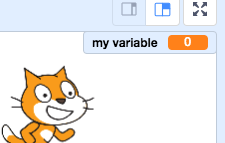
The monitors should be completely contained inside the stage
Actual Behavior
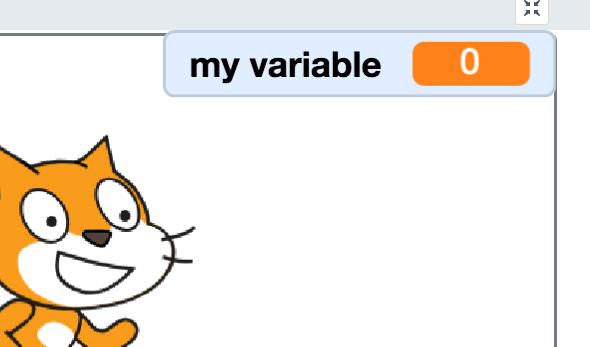
When you enter fullscreen the monitors will go slightly outside the stage and cover the boarder of the stage.
It behaves as expected when not in fullscreen:
Steps to Reproduce
Create a new project
Scroll down to variables and check the checkbox next to My Variable
Drag the monitor all the way into the upper right hand corner of the screen
Note that it stays inside the stage
Click the fullscreen button
Note that the monitor overlaps the boarder of the stage
Operating System and Browser
Chrome on Mac, Edge on Windows