
A simple tool to bulk download videos from ThisVid to your computer
Install • How It Works • Troubleshooting


Go to python.org/downloads and install Python.
Open Terminal (Mac/Linux) or Command Prompt (Windows) and run:
pip install sirsthisvidThat's it. You're done.
Open Terminal or Command Prompt and type:
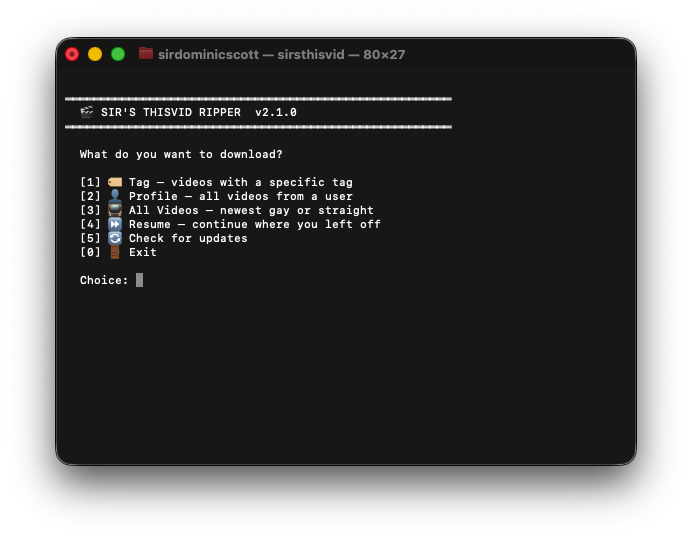
sirsthisvidWhen you run sirsthisvid, you'll see:
═══════════════════════════════════════════════════════════
  🎬 SIR'S THISVID RIPPER  v2.2.1
═══════════════════════════════════════════════════════════

  What do you want to download?

  [1] 🏷️  Tag — videos with a specific tag
  [2] 👤 Profile — all videos from a user
  [3] 📺 All Videos — newest gay or straight
  [4] ⏩ Resume — continue where you left off
  [5] 🔄 Check for updates
  [0] 🚪 Exit

  Choice:
Just pick a number and follow the prompts. The script will:
- Ask what you want to download (tag, profile, or category)
- Automatically find all the pages
- Ask where to save the videos (you can drag a folder into the terminal!)
- Download everything
- 📥 Bulk downloading — Download entire tags, profiles, or categories
- ⚡ 6x faster — Downloads 6 videos simultaneously
- 💾 Resume anytime — Stop and continue later, never re-download the same video
- 🔄 Auto-retry — Failed downloads are tracked so you can retry them
- 🖥️ Cross-platform — Works on Windows, macOS, and Linux
❌ "pip is not recognized"
Python wasn't added to PATH. Reinstall Python and tick "Add Python to PATH".
❌ "pip: command not found"
Install Python from python.org/downloads and make sure to tick "Add Python to PATH".
❌ Some videos fail to download
Some videos might be private, deleted, or geo-blocked. The script marks these as "failed" and moves on.
pip uninstall sirsthisvidCC0 1.0 Universal — Do whatever you want with this.
More from Sir:
🔒 The Vault+ ·
👁️ The Cult of Sir ·
🛒 Sir Store
Made with ☕ by Sir