
A game demo built in a custom engine. C++ handles game logic, React handles UI, and Three.js handles rendering.

- Go to the Releases Page.
- Download the latest
OreForged_Windows.zip. - Extract the zip file.
- Run
OreForged.exe.
oreforged-gameplay.mp4
OreForged is a "made from scratch" engine experiment exploring:
- Facet Pattern UI: Implementing Mojang's data-driven UI architecture (as seen in Bedrock Edition).
- Decoupled Rendering: A lightweight C++ game engine running separately from the visual layer.
- Simple Gameplay: A focused "Collect → Upgrade → Repeat" loop to test the architecture.
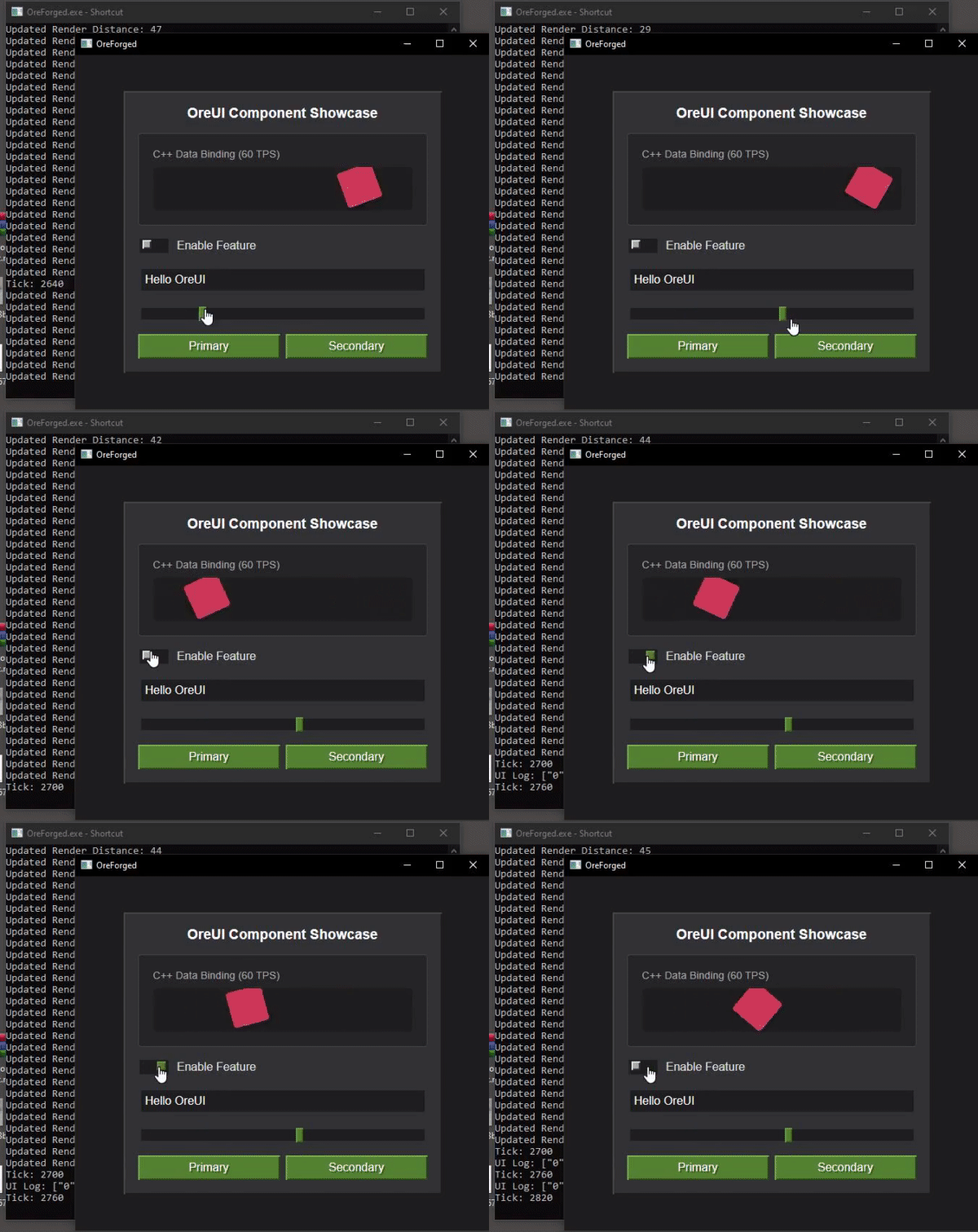
- Backend-Authoritative: C++ owns all game logic, UI is a view layer
- Zero React Re-renders: Direct DOM updates via Facets bypass React reconciliation
- 60 TPS Game Loop: Smooth C++ game logic running in parallel with UI
- Mojang-Inspired Facets: Using the same open-source library pattern as Minecraft Bedrock
- Engine Demo & Fun Game: A technical showcase that's actually fun to play!
If you want to build the engine yourself or contribute code:
- C++: CMake, MSVC (Windows) or GCC/Clang (Linux/Mac)
- Node.js: v18+ with
pnpminstalled globally - Git: For cloning the repository
# Clone the repository
git clone https://github.com/seanbud/Oreforged.git
cd Oreforged

# Build everything (UI + C++)
.\build.bat

# Run the application
build\bin\Release\OreForged.exe- Architecture - System design and patterns
- Data Binding - How C++ and JavaScript communicate
- OreUI Guide - Understanding the Facet-based UI system
- Component Library - Using OreUI components
graph TB
    subgraph "C++ Game Engine"
        GL[Game Loop<br/>60 TPS]
        W[World]
        C[Chunks 3x3]
        GL --> W
        W --> C
    end

    subgraph "Data Bridge"
        F[Facet: chunk_data]
        GL -->|UpdateFacetJSON| F
    end

    subgraph "JavaScript/Three.js"
        VR[VoxelRenderer]
        CM[ChunkMesh]
        S[Three.js Scene]
        F -->|observe| VR
        VR --> CM
        CM --> S
    end

    style GL fill:#4caf50
    style F fill:#ff9800
    style S fill:#2196f3
OreForged uses a reactive data-binding system inspired by Mojang's data-driven UI philosophy. The core concept is the Facet, which acts as a bridge between the C++ game logic and the React UI.
- C++ Updates: The game loop generates data (e.g., chunks, player position) and sends it to the UI thread via
UpdateFacetorUpdateFacetJSON. - Facet System: The
bridge.tslayer receives this data and updates the corresponding Facet. - Reactive UI: Components like
VoxelRendererobserve these Facets. When data changes, the component reacts immediately without requiring a full React tree re-render.
Why Facets for Chunks? Using Facets for chunk data allows for efficient, event-driven updates. Instead of the UI polling for world state, it reacts only when a chunk is generated or modified. This keeps the rendering loop decoupled from the game logic loop, ensuring smooth performance even when world generation is heavy.

The system consists of four main layers:
- C++ Game Loop - Runs at 60 TPS, manages game state
- WebView Bridge - Chromium-based bridge between C++ and JavaScript
- FacetManager - Central state management for UI updates
- React UI - Component-based interface with direct DOM updates

OreUI follows three core principles inspired by Mojang's Bedrock UI:
Pass Facet<T> objects through your component tree instead of unwrapping values.
// ✅ Good - Pass the Facet
const health = remoteFacet("player_health", 100);
return <HealthBar health={health} />;

// ❌ Bad - Unwrap and re-render entire tree
const health = useFacetValue(remoteFacet("player_health", 100));
return <HealthBar health={health} />;Use fast- components that update the DOM directly when Facets change.
const tickStyle = useFacetMap(
	(tick) => ({
		transform: `translateX(${tick % 300}px)`,
	}),
	[],
	[tickFacet]
);

<FastDiv style={tickStyle} />;Keep React for structure and event handling. Use Facets for all dynamic data.
OreForged includes a complete set of Minecraft-styled UI components:
- Panel: Container with beveled borders
- Button: Clickable with hover/active states
- Toggle: Boolean switch
- Input: Text input field
- Slider: Range control with live updates
All components support the OreUI Facet pattern for maximum performance.
oreforged-prototype.mp4
We welcome contributions! Whether it's:
- Adding new OreUI components
- Improving documentation
- Optimizing the data binding layer
- Creating example games
Please read our Contributing Guide to get started.
MIT License - see LICENSE for details.
- Mojang Studios - For inspiring the Facet-based UI architecture
- @react-facet - The underlying Facet library
- webview - Cross-platform webview library
Built with ❤️ by the OreForged community