MODULE Project��InfoTech Academy�Class-3
Design & Implementation of a Project with OOP, GUI and UML Diagrams
General Info! ● Each Team will have 1 Mentors ● Trello Board will be used in the project. Team mentors will also be added to the board. ● There will be a 30-minute meeting with teammates every day. ● The content of the daily meeting is generally as follows: ○ What each person did ○ The general direction in the project ○ Task sharing until tomorrow ● In Trello, there will be a list in the name of the daily meeting date. Details, tasks, things to be done at the meeting will be kept in Trello day by day. A meeting will be held with on the specified dates. The part at each specified step will be completed until that meeting and the new step will be started. ● Each person in the team will tell about the part he/she did in that step to the mentors in the meeting. ● After each meeting, the mentor will make an assessment of whether each team member is working or not. ● After the project is completed, a project presentation will be made in a place or online where InfotecAcademy’s previous teachers and students will be present. Work as a team.
You have to work in a Github repository with a readme to show your diagrams and short descriptions.
You have to know Object Oriented Programming (OOP). You have to make a app with using OOP.
You have to be sure that VS Code works on your computer You have to study the content of the "Theory Before Practice" below and be able to use these in the project: UML (Use Case and Class Diagram) GUI (PyQT5)
You have to make a short presentation at the end by showing your diagrams in readme of GitHub repo and a working app that you made with your team member.
Definition Of Done! ● Full attendance at mentor meetings ● A Program ○ can be installed on Windows ○ can be run properly ● Presentation of the project
Meeting Schedule!
1 - First day, project idea, starting day for UML
Location: Online Date: 28/01/2023
Time: 16:00
Duration: 60 min
2 – Trello, UML diagrams and starting to implementation (QT)
Location: Online Date: 30/01/2023
Time: will be determined by each group and mentor
Duration: 30 min
3 - Completion of the design and Progress on implementation
Location: Online Date: 03/02/2023
Time: will be determined by each group and mentor
Duration: 30 min
4 - Progress on implementation
Location: Online Date: 06/02/2023
Time: will be determined by each group and mentor
Duration: 60 min
5 - Project presentation for team mentors and final check
Location: Online Date: 08/02/2023
Time: will be determined by each group and mentor
Duration: 30 min
6 – Final Presentation
Location: Online Date: 09/02/2023
Time: will be determined by each group and mentor
Duration: 90 min
-----Requirements!-----
Project Details: First Step (Diagrams)
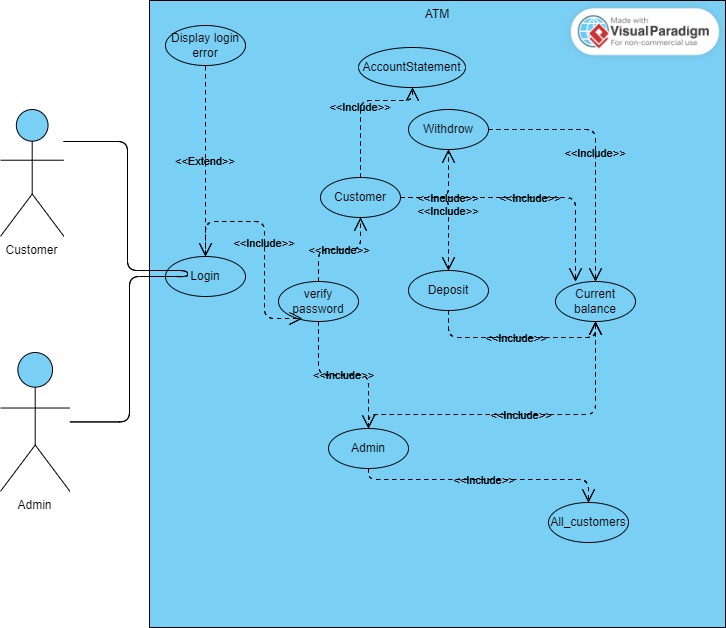
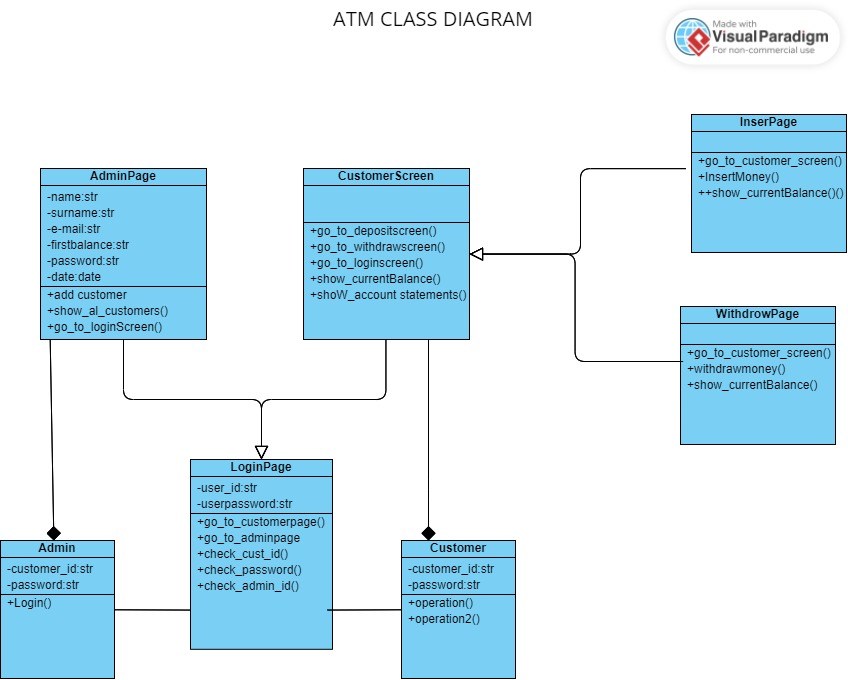
Use Case Diagram & Class Diagram 2 separate diagrams for the project and short explanations of them in readme file of the Github repository. You will present from this readme at the end of the project.
Project Details: Second Step (Implementation)
Main Screen 1 - Login In Login Screen At least 2 information should be entered to log in Return menu After Login, user should be able to - Check Balance See balance - Insert Money See balance Enter amount of money to insert - Withdraw Money See balance Enter amount of money to withdraw - Statement Show account activities in chronological order (creating date, logins, money activities etc.) - Return to menu 2 - Bank (Admin) In Bank(Admin) Screen At least 2 information should be entered to log in (for admins) Return to menu After Bank(Admin) Screen As a admin, create an account with custumer Id, name, e-mail, password, current balance Return menu
------Program / Output-----
In the end, there should be a program that a user can run the program on Windows. Try to finish your program. Test your program - Try to find bugs in the program - At least get feedback from 3 people - Try to correct your program in the light of your test results and feedbacks Get “.EXE” file and share it with your friends - Please follow the following videos in order to make a program working on your computer without python. In this way, you can set up your program on anyone’s computer to use with your program like a normal program. - For Windows (.exe); https://youtu.be/UZX5kH72Yx4 Present Your Program To complete the project, all members have to show up in the presentation and present the program. Presentation Requirements: no code explanation:) mention about lesson learn Make a power point