YouTube audio ripper with editor and configurator (ffmpeg REQUIRED, WIN directories)
IMPORTANT - Installation of ffmpeg is necessary to access all functions of the program (which can be found here https://ffmpeg.org/download.html).
Directories made with Windows OS considered.
Core Python modules used: youtube_dl, tkinter, and librosa
The functions of this program include but not limited to: downloading YouTube audio from YouTube urls (youtube_dl), playing audio with a tkinter custom-made media player (pyaudio, tkinter), trimming audio wav files (librosa), converting wav files to mp3 files (pydub), uploading an album cover to an mp3 file and configurating mp3 tags (eyed3).
Instructions: On load up, click the 'Downloader' button

Plug in a YouTube video url or a public YouTube playlist. Click 'Download' button. (Use the terminal alongside to see the progress of the download(s) and other information)
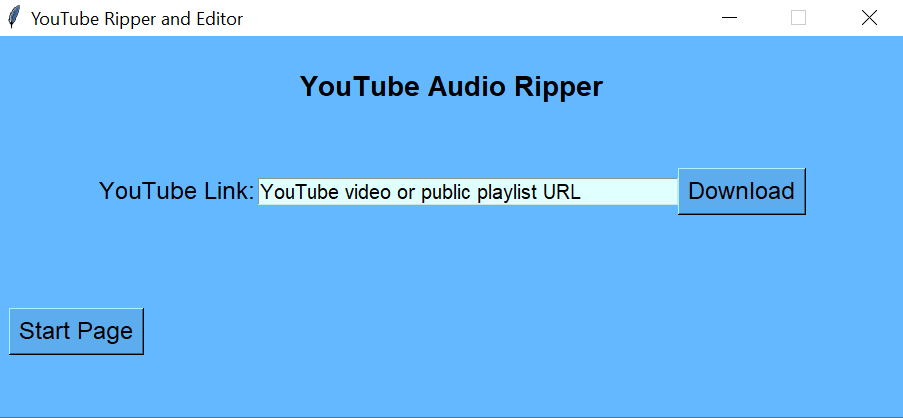
Once done downloading, click the 'Start Page' button.
Click on the 'Audio Player' button to allow for trimming.
Click the 'Refresh' button at the top right.
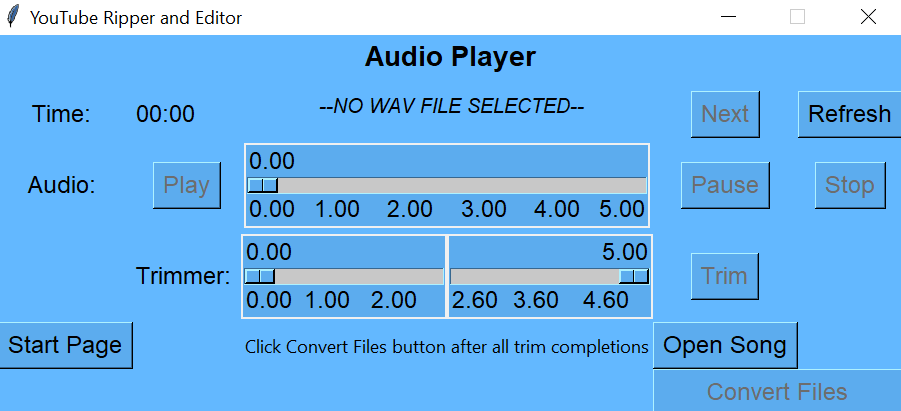
Use the sliders to play through the songs and trim if necessary.
Use the 'Next' button at the top right to continue to the next file.
Once satisfied with all the audio, click the 'Convert Files' button at the bottom right of the page.
Click the 'Start Page' button to go back.
Click on the 'MP3 Configurator'.
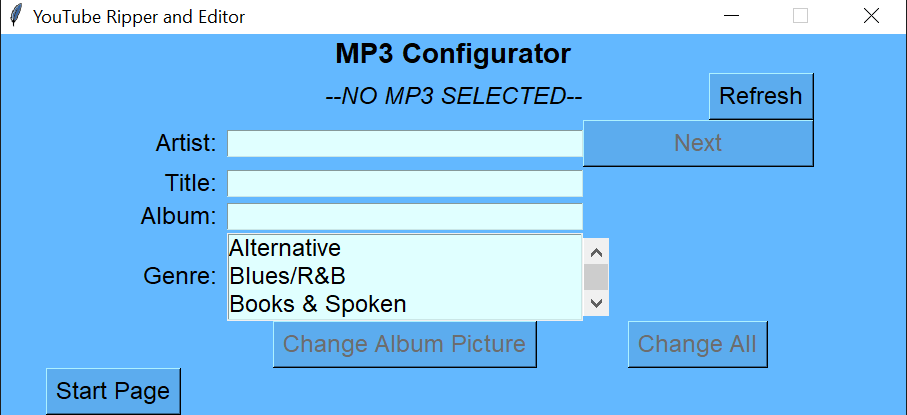
Click the 'Refresh' button at the top right.
Use the entry boxes to configure MP3 files.
As with the Downloader Page, click the 'Next' button located at the top right if necessary.
After all MP3 files have been configured, you will now have completed audio files available located in the Songs folder in the program's active directory.
To safely close the application, click the 'Start Page' button to then click the 'Exit' button at the bottom of the page.
Enjoy!