
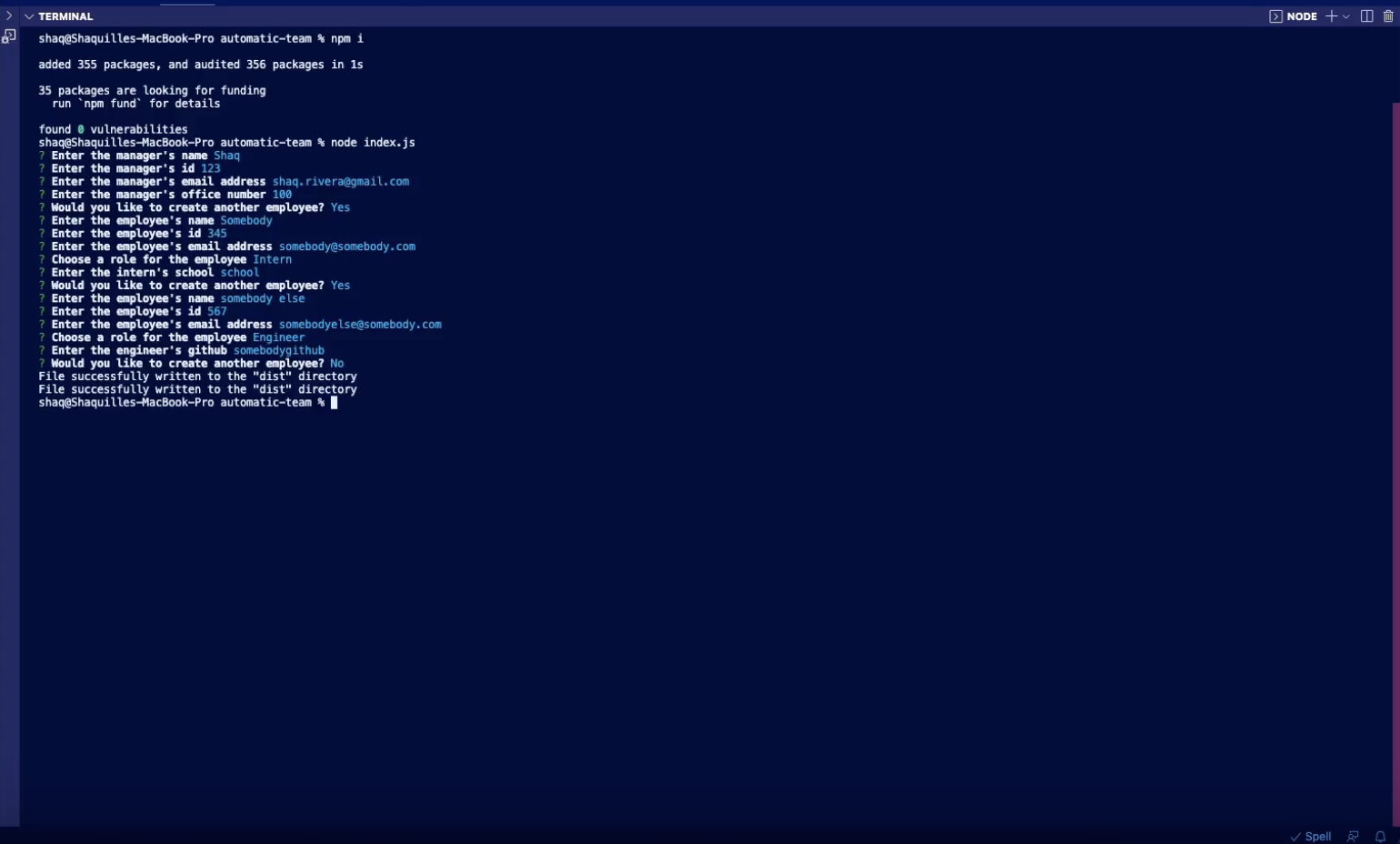
This project uses Node.js and inquirer to create a dynamic HTML file based on the user's input through their terminal.
First install Node.js Link to install Node.js Finally, install required dependencies using 'npm i'. That's it! You're all set to run the Automatic Team Generator.
Once the required dependencies are installed, simply use the terminal command 'node index.js' in the main directory to initialize the generator. Link to instructional video
Anybody can use this generator, and modify it.
After running this application you should receive the message 'File successfully written to the "dist" directory' in your terminal. There should be a file in the main directory named autoPage.html.
Github username : shaqrivera
If you have any questions, please submit inquiries to shaq.rivera@gmail.com.