VSEmbed lets you embed the Visual Studio editor & theme architecture in your own programs.
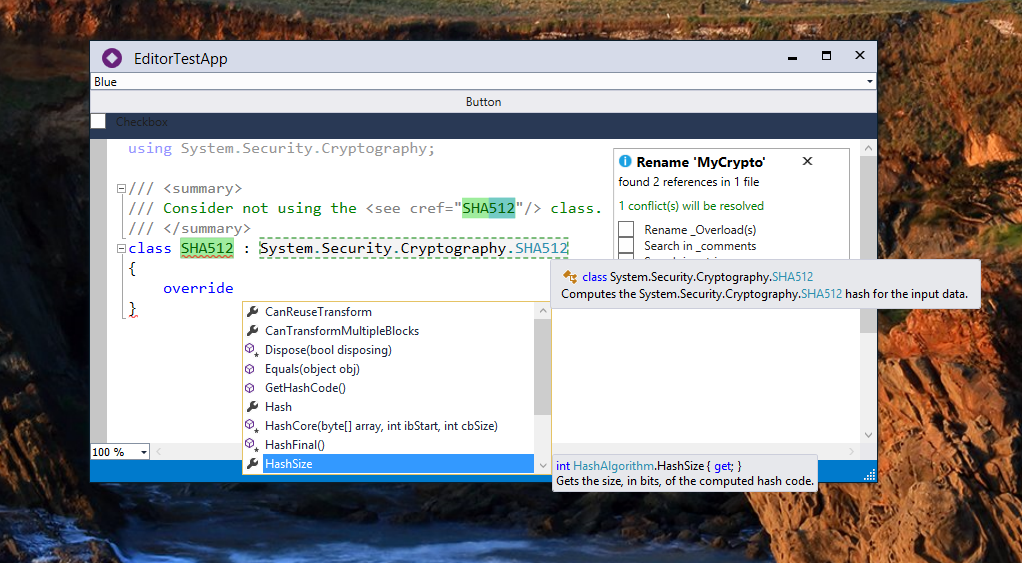
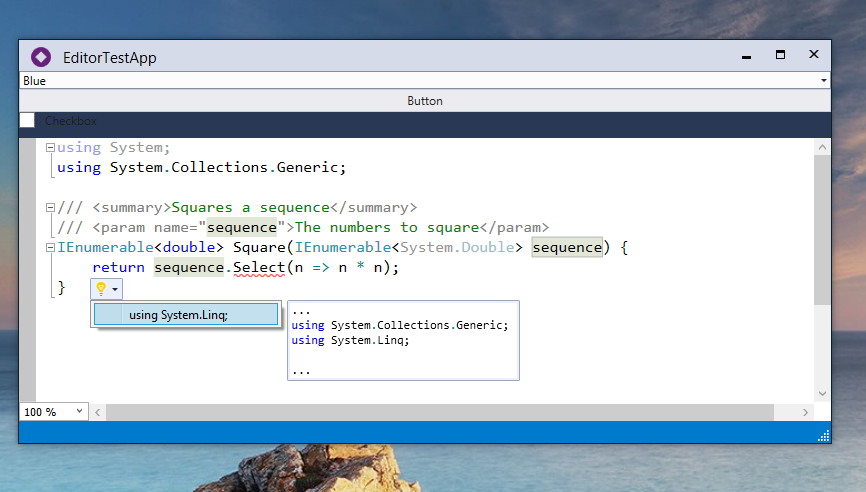
#Usage This is not quite ready for consumption yet; I will soon publish NuGet packages.
To initialize Visual Studio, you need the following code:
VsLoader.LoadLatest();    // Or .Load(new Version(...))
VsServiceProvider.Initialize();
VsMefContainerBuilder.CreateDefaultContainer(); // Only needed for editor embedding
If you're already using MEF, you can use the other methods in VsMefContainerBuilder to add the editor services to your MEF container.
#Using Roslyn
After loading Dev14, you can set the ContentType of an ITextBuffer to C# or VisualBasic to activate the Roslyn editors. However, you will also need to link the ITextBuffer to a Roslyn Workspace to activate the language services. In addition, the workspace must have an IWorkCoordinatorRegistrationService registered to run diagnostics in the background.
To do all this, use my EditorWorkspace class, and call CreateDocument() to create a new document linked to a text buffer. You can also inherit this class to provide additional behavior.
If you create a Roslyn-powered buffer and do not link it to a workspace, I have a buffer listener which will create a simple workspace with a few references for you.
#Caveats
- The end-user must have a version (2012+) of Visual Studio (including Express editions) installed for this to run.
- The Roslyn editor services will only work if Dev14 (any version) is installed.
- If Visual Studio 2012 assemblies are in the GAC, other versions will not load properly.
- Code snippets are not implemented.
- Peek does not work.
- To make Peek work, implement & export
IPeekResultPresenter&IPeekResultPresentation, and create a WpfTextViewHost inCreate(). Note that peek only operates on file paths. - Rename with preview does not work.
- To make this work, implement
IVsPreviewChangesServiceand add it to the ServiceProvider.