Repository navigation
DeepSeek 本地部署与使用初探 #101
shenweiyan
announced in
1.3-软件
DeepSeek 本地部署与使用初探
#101

Replies: 0 comments
Sign up for free
to join this conversation on GitHub.
Already have an account?
Sign in to comment

Uh oh!
There was an error while loading. Please reload this page.
Uh oh!
There was an error while loading. Please reload this page.
DeepSeek 相关的人工智能现在是火得一塌糊涂,本着学习的心态,基于现在的一些有限资源,也来体验一下。
参考文章
注意事项
1. 依赖的一些问题
open-webui安装完成后,在backend目录执行bash start.sh如果出现 ImportError: libGL.so.1: cannot open shared object file: No such file or directory 错误,可以考虑降低transformers版本,个人测试mamba install transformers=4.36 --force-reinstall重装后恢复正常。2. 有限的资源,也能跑起来
一台 2 核 4G 的云服务器,跑个 deepseek-r1:1.5b 模型毫无压力,非常流畅,一些简单的问题也能回答出来。
3. 交互问题
ollama serve,或者systemctl start ollama默认可以通过http://localhost:11434看到 ollama 是否已经在运行,但无法与模型进行交互。《用本地文件调教 DeepSeek》 一文说在终端运行ollama serve命令启动 Ollama 服务,服务启动后,可以通过访问http://localhost:11434来与模型进行交互。这是不正确的。4. 通过网页端访问和使用。
如果想要通过网页把自己本地部署的 DeepSeek 模型开放给自己或者其他小伙伴使用,
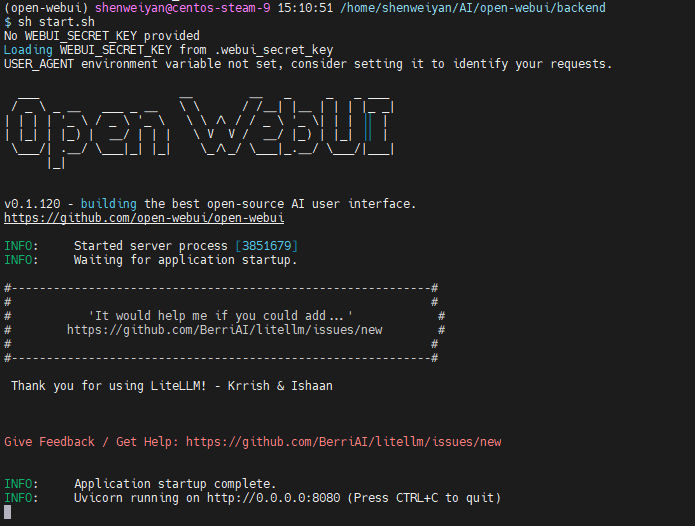
open-webui是一个比较好的选择,安装和启动都很简单。All reactions