Untitled.mp4
What do you do when you have too many tabs open? Struggling to find the right tab while doing many tasks?
- Download the code from this repo! You can save it as a folder to your computer.
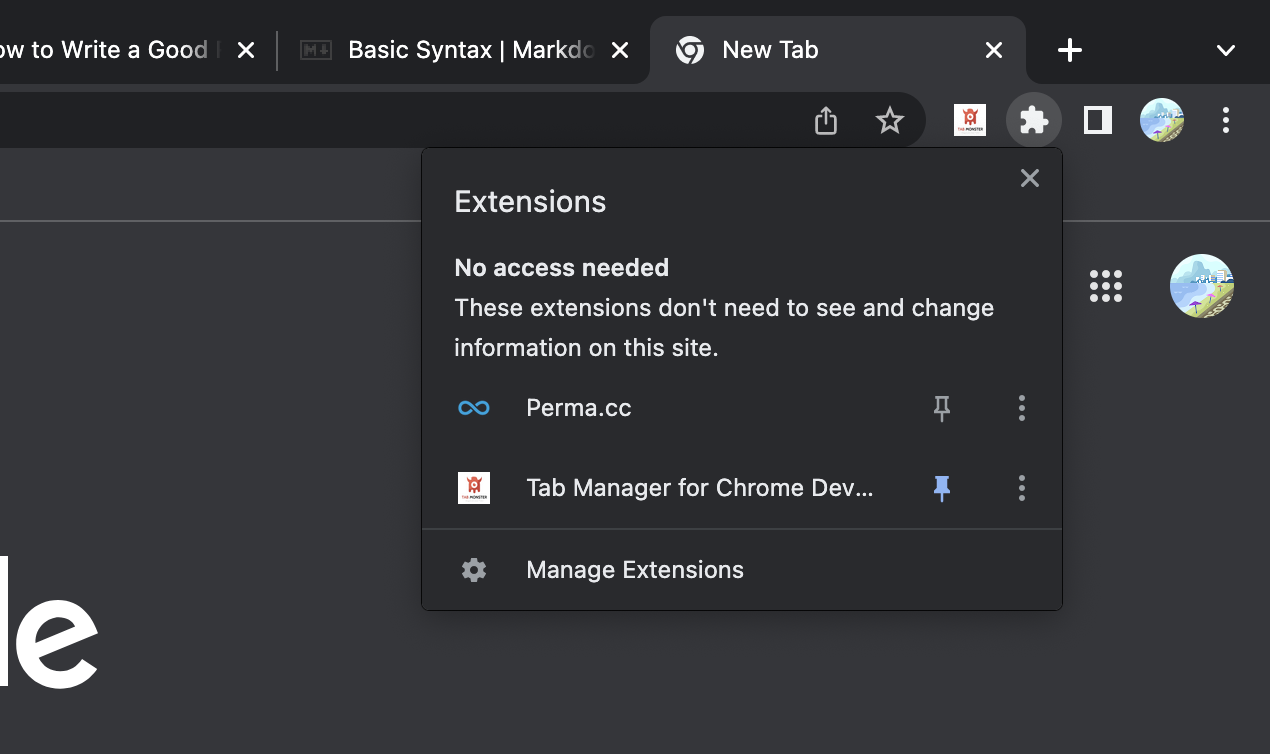
- Head to Manage Extensions
- Turn on Developer Mode on the top left

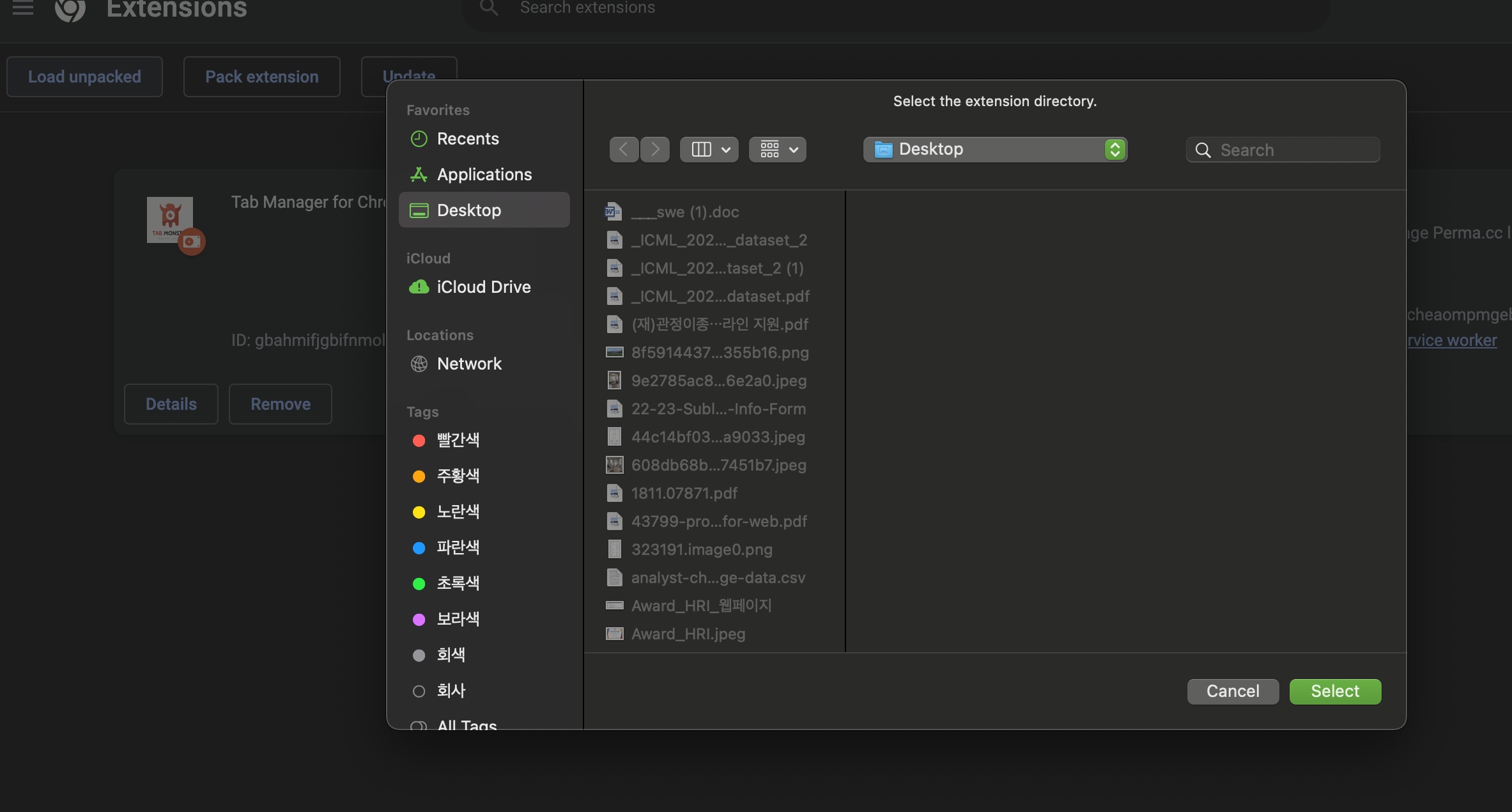
- Click on Load Unpacked and load the Tab Monster Folder to your Computer!
Coming Soon! Tab Monster on Chrome Webstore Use the Tab Monster extension available for free on Chrome as an extension. Just simply add the extension to your browser! You can organize your tabs with the Tab Monster, create tab group names, and reorder tabs according to importance.
Right click tab group to get customizable operations
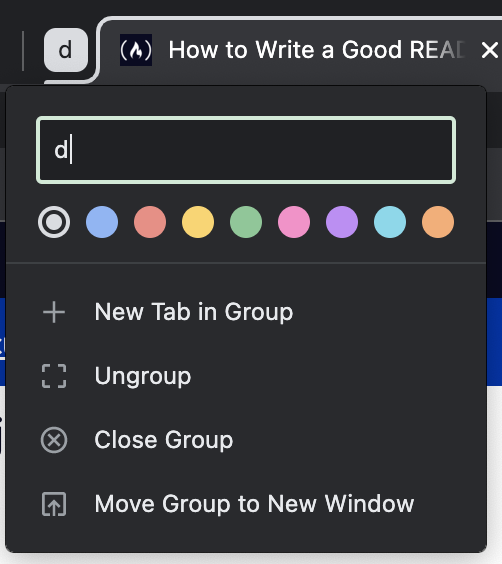
- Reorder Tabs
- Ungroup Tabs
- Remove Tabs from Tab Group
- Close Tabs
- Move Tab Group to new Windows
- Rename Tabs
- Color Tabs
- Condense Tabs to Organize
This project was started as an experiment into understanding privacy applications with Google Chrome's API. Let's explore how you can use Chrome Extensions to get info on your Browser!
The chrome.tabs.query allows users to get info on
- url
- pendingUrl
- title
- favIconUrl
To use this API you must have the "scripting" permission and permission for the target's URL, either explicitly as a host permission or using the activeTab permission.
You can define scripting permission by specifying "scripting" in manifest.json https://developer.mozilla.org/en-US/docs/Mozilla/Add-ons/WebExtensions/manifest.json/permissions
It is possible to modify the CSS of a website using https://www.lateral.io/resources-blog/create-chrome-extension-modify-websites-html-css
Inserts a CSS stylesheet into a target context The css can be removed by calling scripting.removeCSS()
Chrome.cookies can get information on a cookie and perform additional actions on that cookie. https://developer.chrome.com/docs/extensions/reference/cookies/
If you want to collaborate on this project, Contact me at jessielee.shl@gmail.com