Hi My name is Shwetha Radhakrishnan. This fictitious Chat Engine App is developed for the residents and interns of Seattle Grace Hospital from the popular Netflix show "Grey's Anatomy". The Grey's anatomy cast finds their way through their tough residency program by forming relationships, friendships, and scrubbing in on surgeries together. This app models potential conversations the interns and residents could be chatting about. This app features online status updates, real time response, read receipt functionality, ability to create new chat groups, text/attatchment/image support, and the ability to add new users through chatengine.io
built using React JS Sockets, Rest APIs, React Hooks, Props, HTML, and CSS
Backend was hosted by chatengine.io
npm install's included: @ant-design/icons, axios, react-chat-engine
Runs the app in the development mode.
Open http://localhost:3000 to view it in the browser.
The page will reload if you make edits.
You will also see any lint errors in the console.
after loading the app you will see this screen
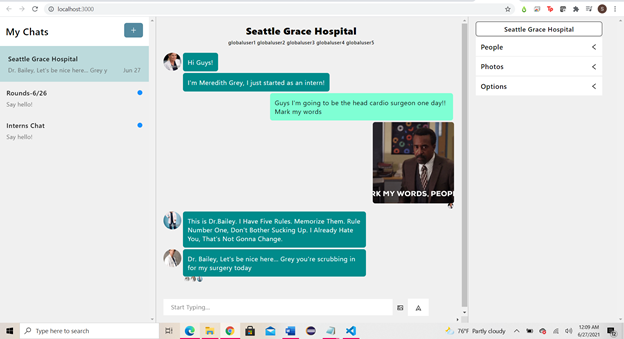
you are currently logged in as globaluser1, Christina Yang. I have created five different users in chatengine.io for you all to login as and play around the engine with. The credentials are below
- Christina Yang, username: globaluser1, password:1234
- Derek Shepherd, username: globaluser2, password: 1234
- Meredith Grey, username: globaluser3, password: 1234
- Miranda Bailey, username: globaluser4, password: 1234
- Alex Karev, username: globaluser5, password: 1234
you can send messages , images, and attatchments as Christina, if you click under people you can see that you have the green light next to you indicating that you are active. After you send a message, since read-reciepts are on, all users that are active can read your message.
To have multiple users active at the same time you can simply open localhost:3000 in a different browser and do the following:
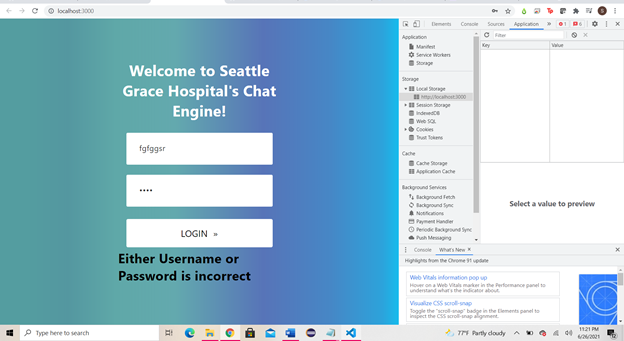
right click on app, and click 'inspect'->'Application'->Local Storage-> and hit 'clear' to clear the credentials
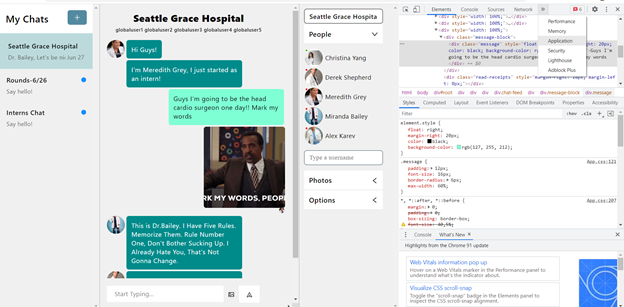
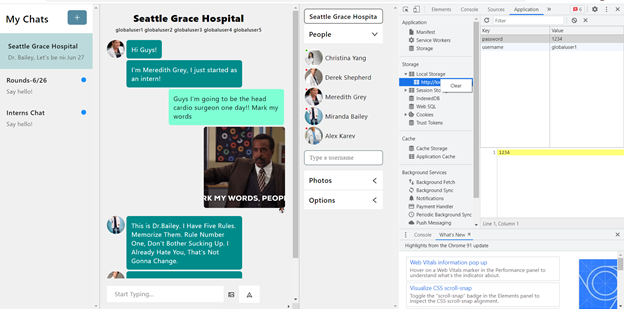
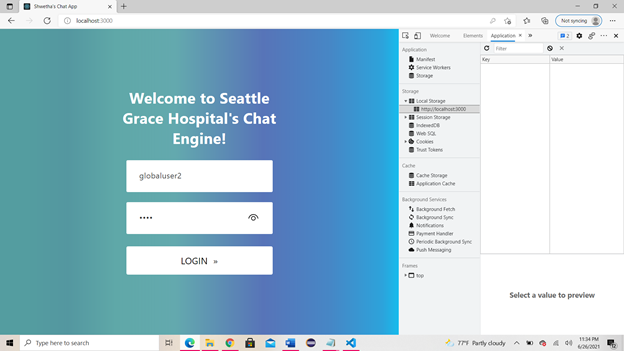
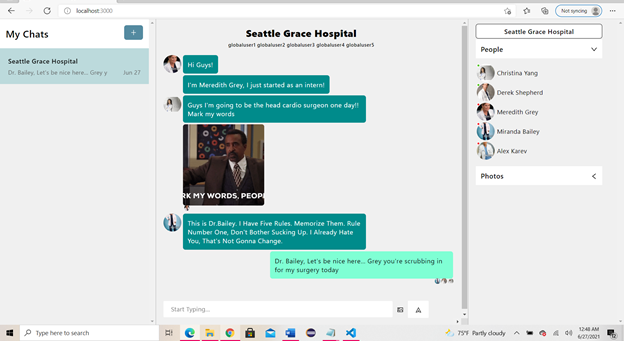
clearing, will take you back to log in page, I can log in as Derek Shephard now, in Microsoft edge as opposed to Google Chrome. Now this is Derek's view of the screen and both Christina and Derek are active.
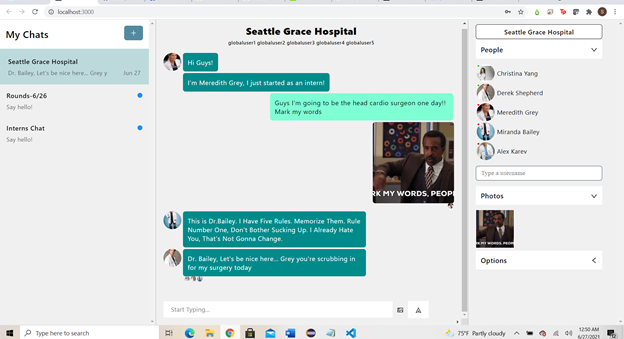
The following is back to Christina's view on google Chrome:
Inputting the wrong credentials will give you this error:
Happy Chatting!