Liftr is a simple, config driven app to allow easy manipulation of AWS Route53 weighted DNS record sets. The app currently supports only weighted records with 2 sets and is designed for use cases like switching traffic between 2 endpoints in 2 regions. It looks like a little like this:
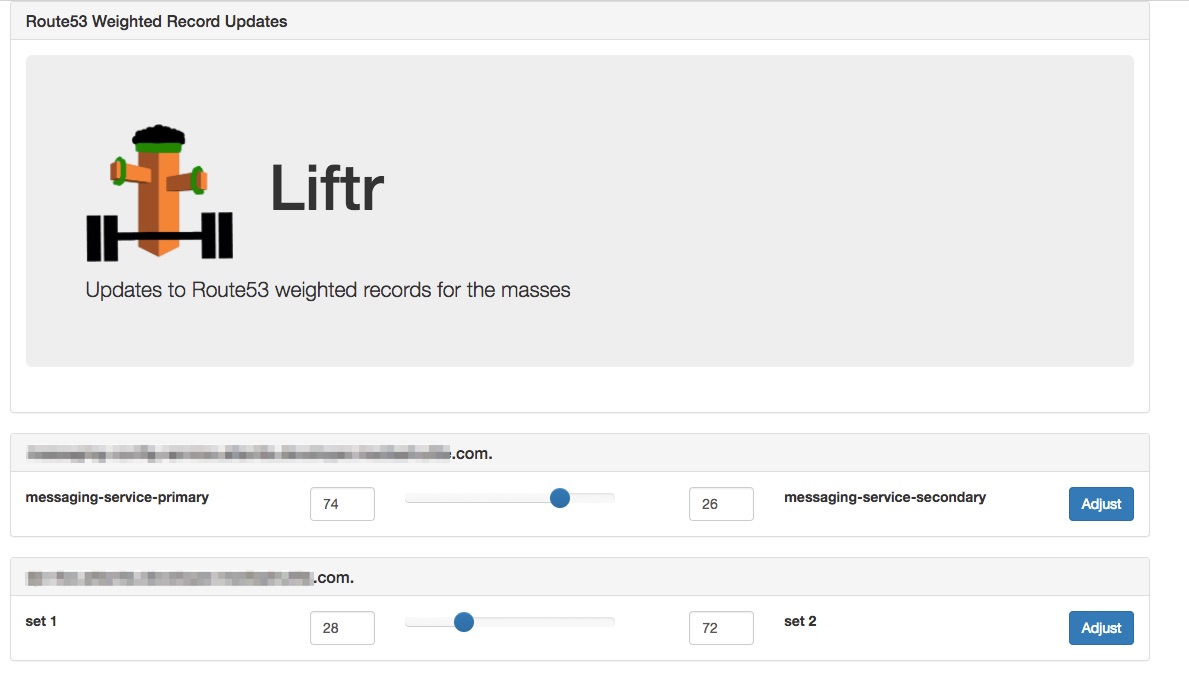
The app is driven by a small YAML configuration file that can be mounted into the docker container using a bind mount. An example file looks like:
active_directory:
  account_suffix: "@ad.suffix"
  base_dn: "DC=x,DC=y,DC=com"
  domain_controllers:
    - "pdc.x.y.com"

auth_groups:
  - "myADGroupWhoIsAllowed"

weighted_dns:
  - name: "myrecord.acme.com"
   zone: "acme.com"
   zoneid: "1234567890"

  - name: "myrecord.acme.com"
    zone: "acme.com"
    zoneid: "1234567890"
The active_directory section is optional. If it is present, you must also provide an auth_groups section. When provided, the app will authenticate users with AD and only authorize users who are in one of the AD groups listed in the auth_groups section.
Within the weighted_dns section, list each record that you want the tool to be able to switch the weight between 2 sets. Currently, the tool only handles records that have 2 sets and uses a minimum weight of 0 and a maxium of 100 as the low/high values.
docker run -d -p -v /config/config.yaml:config.yaml 8080:80 signiant/liftrdocker run -d -p 8080:80
-e "AWS_ACCESS_KEY_ID=XXXX" \
-e "AWS_SECRET_ACCESS_KEY=XXXX" \
-v /config/config.yaml:config.yaml
signiant/liftrFor the above execution, you can then access the tool using http://MY_DOCKER_HOST:8080
The app will check for the existance of a menu.php file and if present use that to render a boostrap nav bar. For example, if you create a menu.php file like:
      <!-- Static navbar -->
      <div class="navbar navbar-default" role="navigation">
        <div class="navbar-header">
          <button type="button" class="navbar-toggle" data-toggle="collapse" data-target=".navbar-collapse">
            <span class="sr-only">Toggle navigation</span>
            <span class="icon-bar"></span>
            <span class="icon-bar"></span>
            <span class="icon-bar"></span>
          </button>
          <a class="navbar-brand" href="http://www.signiant.com">Signiant DevOps</a>
        </div>
        <div class="navbar-collapse collapse">
          <ul class="nav navbar-nav">
            <li class="dropdown">
              <a href="#" class="dropdown-toggle" data-toggle="dropdown"><span class="glyphicon glyphicon-wrench"></span> Dropdown 1 <b class="caret"></b></a>
              <ul class="dropdown-menu">
                <li><a href="http://www.signiant.com" target="_blank">Signiant 1</a></li>
                <li class="divider"></li>
                <li><a href="http://www.signiant.com" target="_blank"><span class="glyphicon glyphicon-cloud"></span> Signiant 2</a></li>
              </ul>
            </li>
          <ul class="nav navbar-nav navbar-right">
            <li><a href="http://status.signiant.com" target="_blank"><span class="glyphicon glyphicon-ok-sign"></span> Signiant Services Status</a></li>
          </ul>
        </div><!--/.nav-collapse -->
      </div>
and then run the container as follows:
docker run -d -p \
              -v /config/config.yaml:config.yaml \
              -v /config/menu.php:menu.php \
              8080:80 signiant/liftr
You'll get a menu rendered at the top with the options you've added.