This script allows for enabling and disabling the Serverless Security Agent
Please note : All function apps will Restart during enabling or disabling the agent. In the case of any errors/interruptions the script can be retried and Function Apps may restart in each attempt. Make sure to enter the correct subscription id and secure key
- Open Cloud Shell, with PowerShell ,Paste the following command and press Enter to download Script:
curl -LO "https://raw.githubusercontent.com/vikenparikh/OneClickServerlessSecurity/main/SSAOnboard.ps1" -LO "https://raw.githubusercontent.com/vikenparikh/OneClickServerlessSecurity/main/Policy.json"
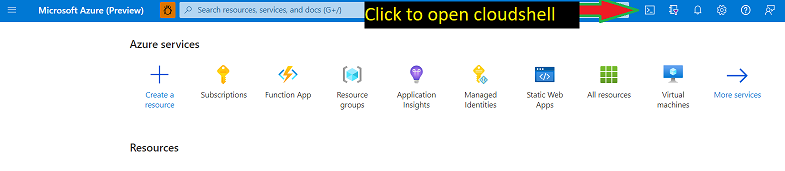
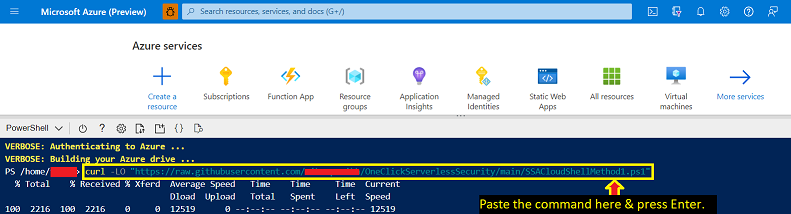
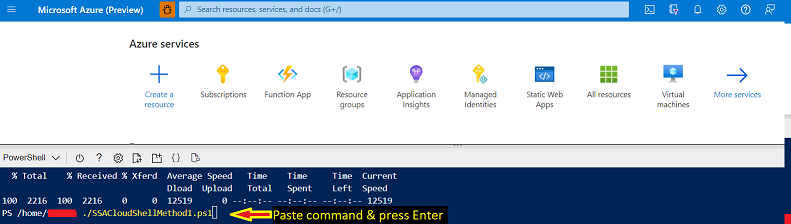
- Excecute the script on Cloud Shell - Paste the following command and press Enter:
./SSAOnboard.ps1
- Copy the SubscriptionId for the subscription you want to change and insert it when prompted by the script.
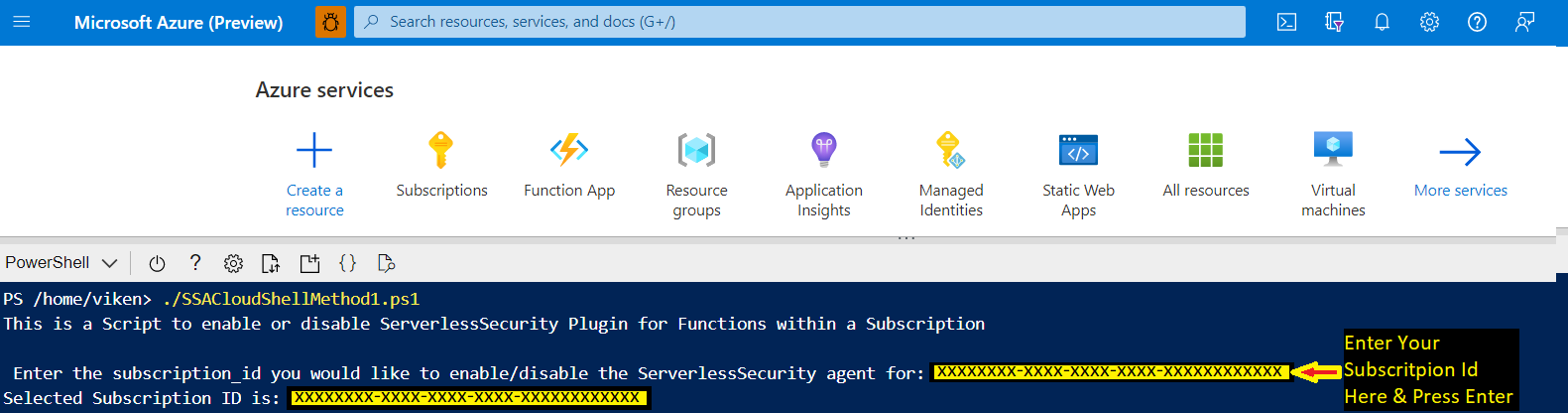
- Enter 0 to Disable, 1 to Enable the Defender for Serverless Security.


-
(Only For Enabling the Defender for Serverless Security) Enter the provided subscription's specific configuration key.
-
Wait until the deployment completes successfully.


- Run the following command to delete the downloaded scripts unless you wish to run them again in the future
rm ./Policy.json; rm ./SSAOnboard.ps1
Running onboarding script will have the following effects on your resources:
- Register the resource provider 'Microsoft.PolicyInsights'
- Add the application setting 'AZURE_FUNCTIONS_SECURITY_AGENT_ENABLED' to each Azure Function in your subscription
- Assign a custom policy and associated remediation task, described below.
Running the disable command in this repository will remove application setting from all Azure Functions, remediation task, policy assignment and policy definition.
The Azure Policy Definition in this repository will be uploaded to your subscription and assigned to the subscription scope. Additionally, a remediation task will be created for all current resources. This policy takes several actions to onboard your Functions to the Azure Functions Security Agent. Firstly, it creates the resource group 'mdc-slsec-rg' to house resources related to the functioning of the agent. These resources include:
- A Log Analytics Workspace for each region you have a FunctionApp deployed in. This LA Workspace contains events to process from your Function, as well as debug logs
- A Data Collection Endpoint per region, which defines where these logs go
- A Data Collection Rule which defines log transformations
- A User Assigned Identity with permissions to write to the LA Workspace. This identity is added to each of your Function Apps
- A resource lock on the Identity to prevent accidental deletion. Please do not modify or delete any of the resources in the mdc-slsec-rg, as this will stop the security agent from working. If you wish to disable the agent or delete the resources, please run the offboarding command described above.