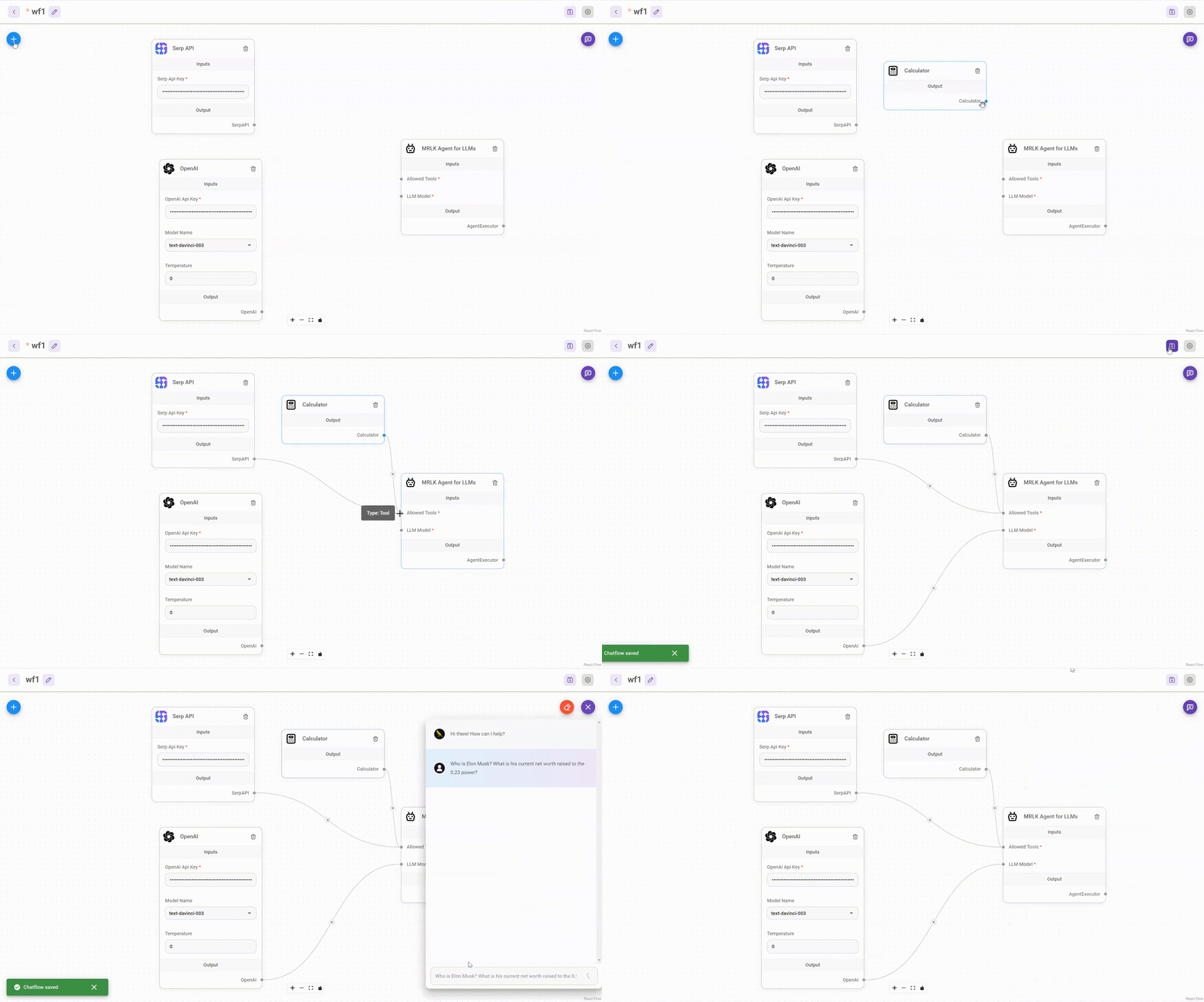
Drag & drop UI to build your customized LLM flow
-
Install Flowise
npm install -g flowise
-
Start Flowise
npx flowise start
To enable app level authentication, add FLOWISE_USERNAME and FLOWISE_PASSWORD to the .env file:
FLOWISE_USERNAME=user
FLOWISE_PASSWORD=1234
Flowise support different environment variables to configure your instance. You can specify the following variables in the .env file inside packages/server folder. Read more
| Variable | Description | Type | Default |
|---|---|---|---|
| PORT | The HTTP port Flowise runs on | Number | 3000 |
| FLOWISE_USERNAME | Username to login | String | |
| FLOWISE_PASSWORD | Password to login | String | |
| DEBUG | Print logs from components | Boolean | |
| LOG_PATH | Location where log files are stored | String | your-path/Flowise/logs |
| LOG_LEVEL | Different levels of logs | Enum String: error, info, verbose, debug |
info |
| APIKEY_PATH | Location where api keys are saved | String | your-path/Flowise/packages/server |
| EXECUTION_MODE | Whether predictions run in their own process or the main process | Enum String: child, main |
main |
| TOOL_FUNCTION_BUILTIN_DEP | NodeJS built-in modules to be used for Tool Function | String | |
| TOOL_FUNCTION_EXTERNAL_DEP | External modules to be used for Tool Function | String | |
| OVERRIDE_DATABASE | Override current database with default | Enum String: true, false |
true |
| DATABASE_TYPE | Type of database to store the flowise data | Enum String: sqlite, mysql, postgres |
sqlite |
| DATABASE_PATH | Location where database is saved (When DATABASE_TYPE is sqlite) | String | your-home-dir/.flowise |
| DATABASE_HOST | Host URL or IP address (When DATABASE_TYPE is not sqlite) | String | |
| DATABASE_PORT | Database port (When DATABASE_TYPE is not sqlite) | String | |
| DATABASE_USERNAME | Database username (When DATABASE_TYPE is not sqlite) | String | |
| DATABASE_PASSWORD | Database password (When DATABASE_TYPE is not sqlite) | String | |
| DATABASE_NAME | Database name (When DATABASE_TYPE is not sqlite) | String |
You can also specify the env variables when using npx. For example:
npx flowise start --PORT=3000 --DEBUG=true


Coming Soon
Feel free to ask any questions, raise problems, and request new features in discussion
See contributing guide. Reach out to us at Discord if you have any questions or issues.
Source code in this repository is made available under the MIT License.