This repository was archived by the owner on Oct 28, 2026. It is now read-only.
Repository navigation
Approvals and Safety
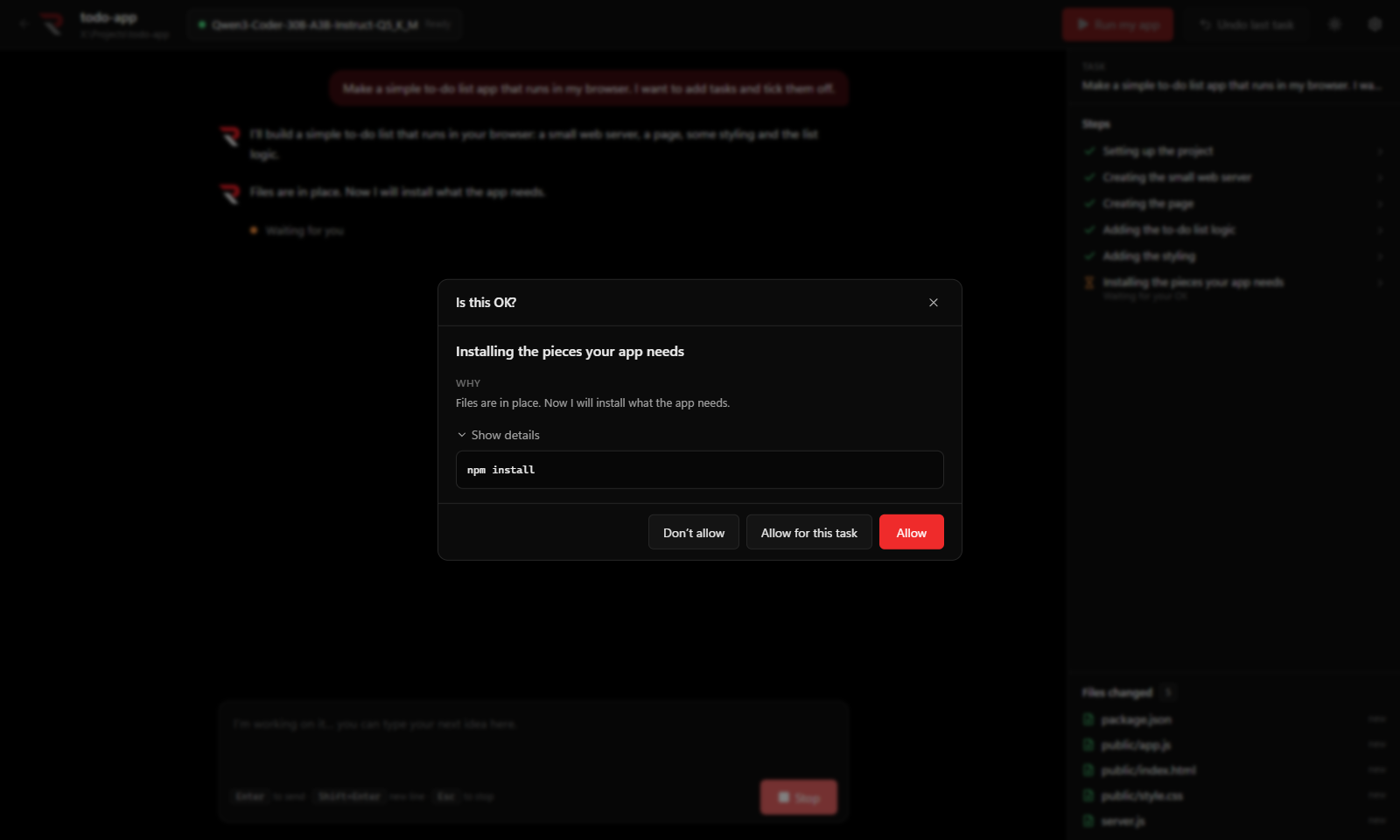
Choose a level in the first-run wizard or in Settings → When should I ask you first?
| Level | Asks before |
|---|---|
| Careful | every file change and every command |
| Balanced (default) | every command and every delete. File edits run freely, because Undo covers them. |
| Hands-off | deletes and risky commands only |
- deleting anything (deleted files go to the Recycle Bin)
- installing software for the whole computer
- using admin rights
- touching anything outside the project folder
- changing Windows settings
- closing other programs
- sending anything to the internet (
git push, publishing)
The agent refuses these and explains why:
- formatting disks
- deleting outside the project
- editing the registry
- turning off security software
- shutting down the PC
- downloading and running scripts unchecked
-
Path guard: file tools only work inside the project folder.
.., absolute paths elsewhere, and links that lead out are rejected. - Commands run in PowerShell in the project folder, with a time limit (10 minutes by default; change it in Settings → Show details).
- Page checks open only local pages or the project's own HTML files, in a hidden, sandboxed window. Internet addresses, downloads, pop-ups and permission requests are blocked.
- Extra tools: a tool server's ordinary tools ask once per task (with Allow for this task), and tools the server marks as destructive ask every time. See Extra Tools (MCP).