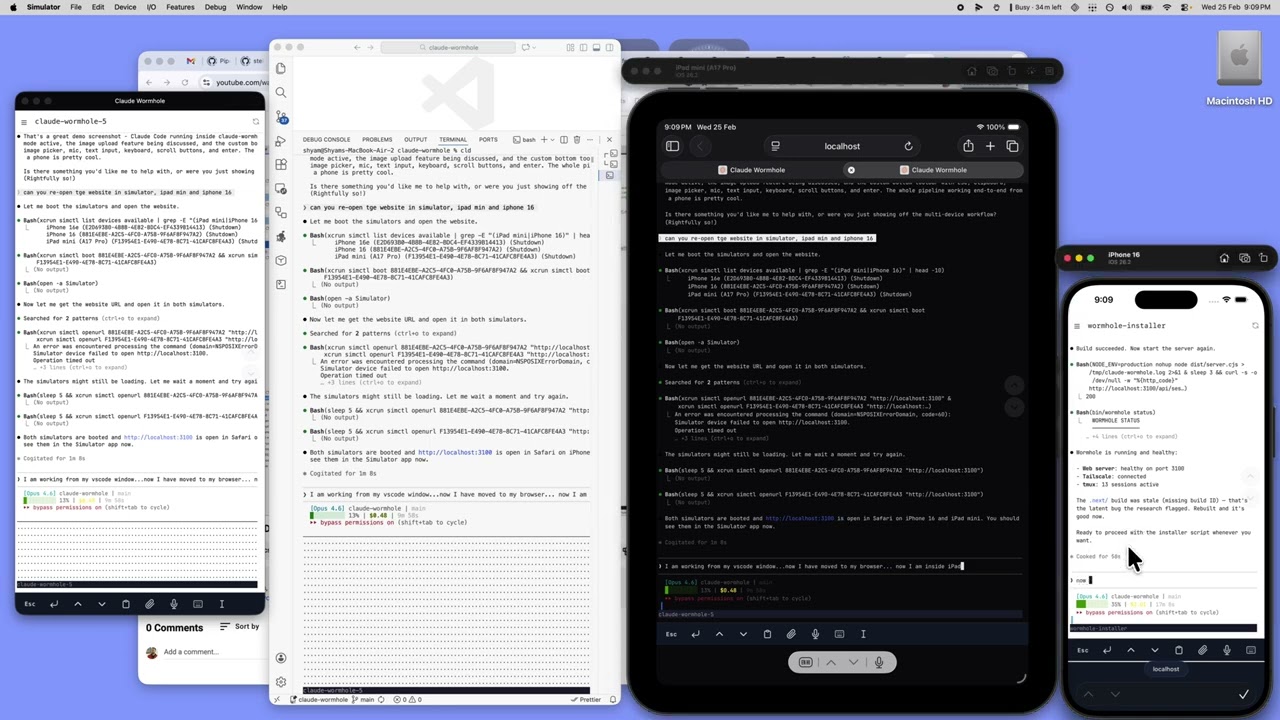
Access your Claude Code sessions from any device. Phone, browser, laptop — same session, zero interruption.
Why "wormhole"? A wormhole connects two distant points instantly. claude-wormhole does the same — it connects you to your running Claude Code session from wherever you are, as if you never left your desk.
Claude Code blocks on user input. It runs a 10-minute task, hits a permission prompt, and waits. You're on the couch, in a meeting, or grabbing coffee. By the time you're back, you've lost 20 minutes on a 2-second approval.
The root issue: sessions are tied to the terminal that spawned them. Close the tab, lose the session.
Sessions run in tmux on your Mac. You connect from whatever device is in front of you.
Phone (PWA)       ──┐
Browser           ──┤                ┌──────────────────────┐
Desktop terminal  ──┼── Tailscale ──>│  Mac / tmux           │
SSH (Terminus)    ──┘   private net  │   ├─ my-app (claude)  │
                                     │   ├─ api (claude)     │
                                     │   └─ scripts (bash)   │
                                     └──────────────────────┘
Start something on your desktop, approve a prompt from your phone, review the result on your laptop. Same session everywhere.
- tmux keeps sessions alive independent of any client
- Next.js + xterm.js + WebSocket serves a browser terminal that attaches to tmux sessions
- Tailscale creates a private network between your devices — nothing exposed to the internet
- PWA makes the terminal installable on iOS with no browser chrome
- Push notifications alert you when Claude needs input or finishes a task
# Install everything (prerequisites, build, CLI, hooks)
./install.sh

# Or manually:
wormhole start               # Start the web server
wormhole cld                 # Launch Claude in tmux (alias: cld)
wormhole status # Check system health| Path | What |
|---|---|
bin/wormhole |
CLI — single command for everything (start, restart, cld, notify, etc.) |
bin/env.sh |
Shared environment for all scripts |
server.ts |
Custom server — node-pty + WebSocket pipes tmux I/O to xterm.js |
src/ |
Next.js app (session list, terminal view) |
scripts/tmux.conf |
tmux config with resurrect + continuum for persistence |
install.sh |
One-shot setup (prereqs, build, symlink, hooks, tailscale) |
- Setup Guide — Full walkthrough: Tailscale, tmux, push notifications, PWA install, launchd service
- Why This Approach — What failed first (VS Code tunnels, webmux) and why this approach won
MIT

