Repository navigation
Browser demo
https://opcua-sim.steitec.net is a static page that runs opcua-sim's device code in your browser, without installing anything.
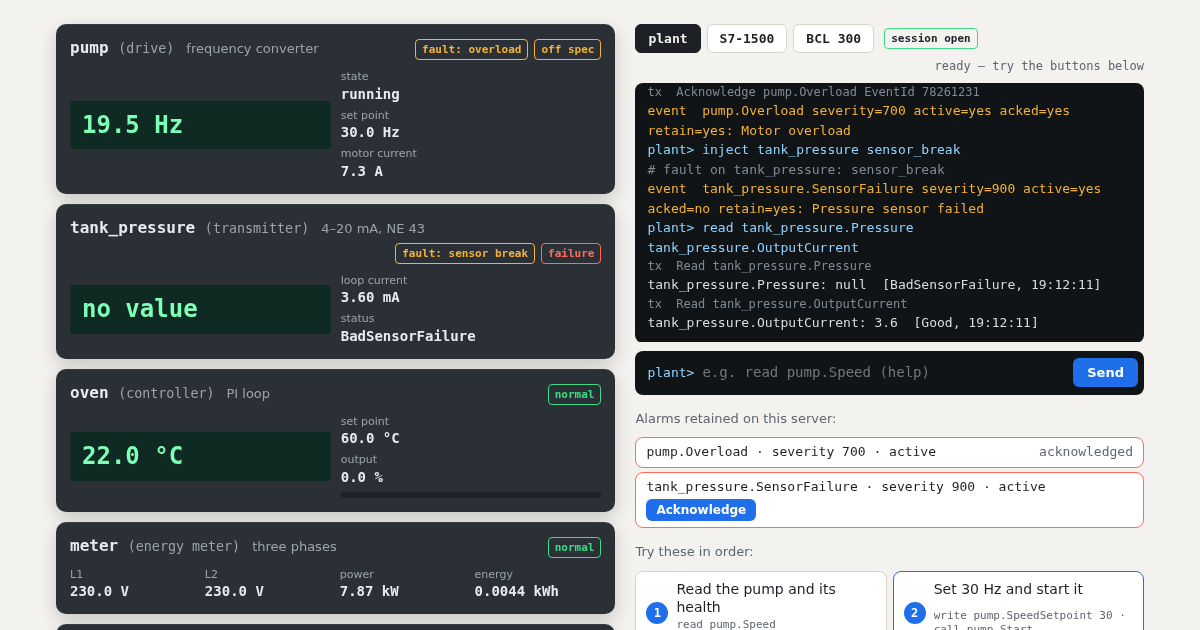
The devices, their behaviour, the faults and the alarm states are the real opcua-sim code, running
in Pyodide. The OPC UA wire protocol is not. A browser has no TCP sockets,
so your commands reach the devices directly, and the tx lines in the terminal name the service, not
the bytes. The page answers by the same rules as the server, but you cannot point a client at it.
To test a client, install opcua-sim.
-
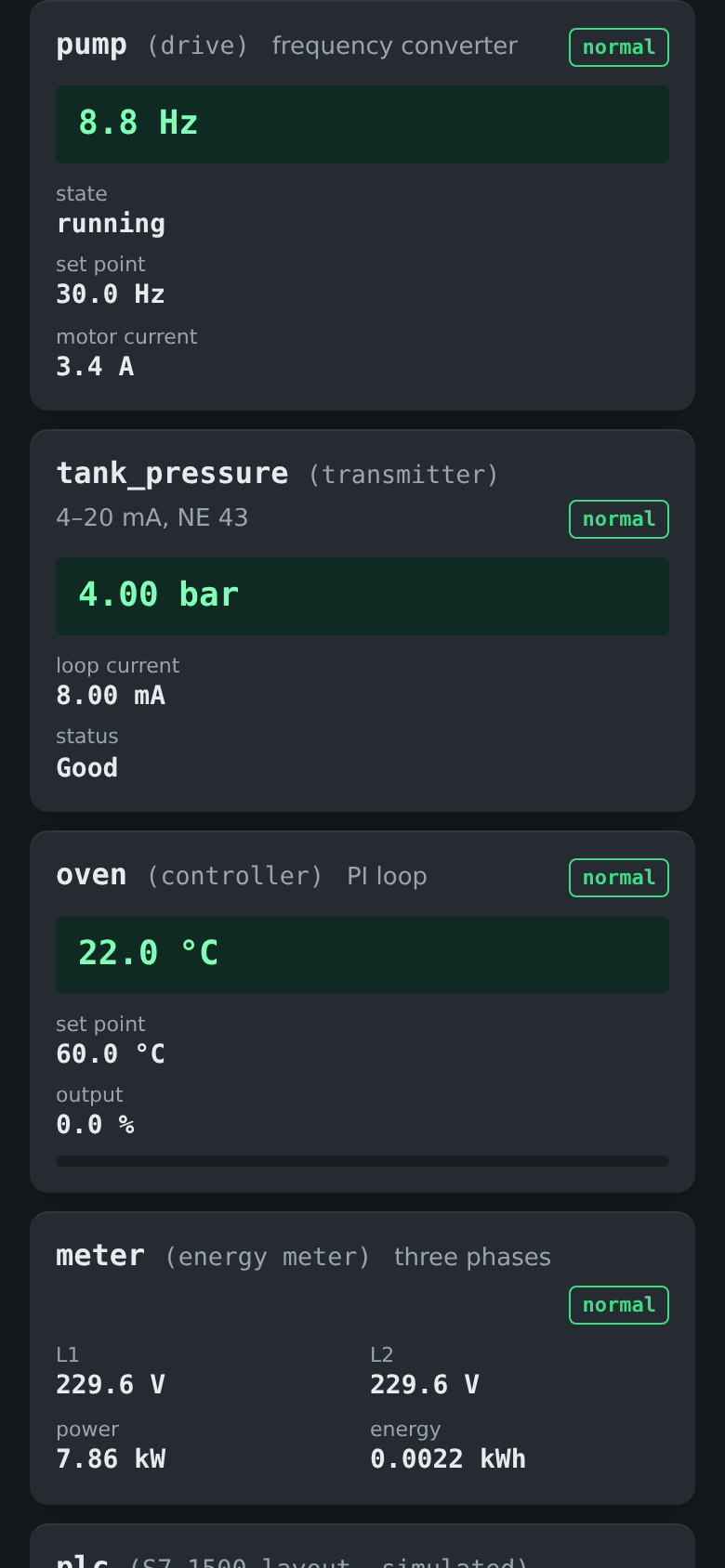
Six devices: a drive, a pressure transmitter, an oven, an energy meter, a PLC with the S7-1500
layout and a bar code reader with the BCL 300 layout. The first four show their
DeviceHealth. - Three servers to switch between: the plant, the S7-1500 and the BCL 300, each with its own namespaces and node IDs.
-
A terminal:
read,write,call,browse,namespaces,alarms,ack,refresh,inject,clearandhelp. - A list of retained alarms with an Acknowledge button.
- A tour of eight steps and buttons that break things.
-
Press Set 30 Hz and start it, then Trip it:
Startnow answersBadInvalidState, and the trip stays latched after you clear its cause until you callReset. -
Press Broken sensor: the value reads
null [BadSensorFailure], the health goes to failure and the loop current to 3.6 mA.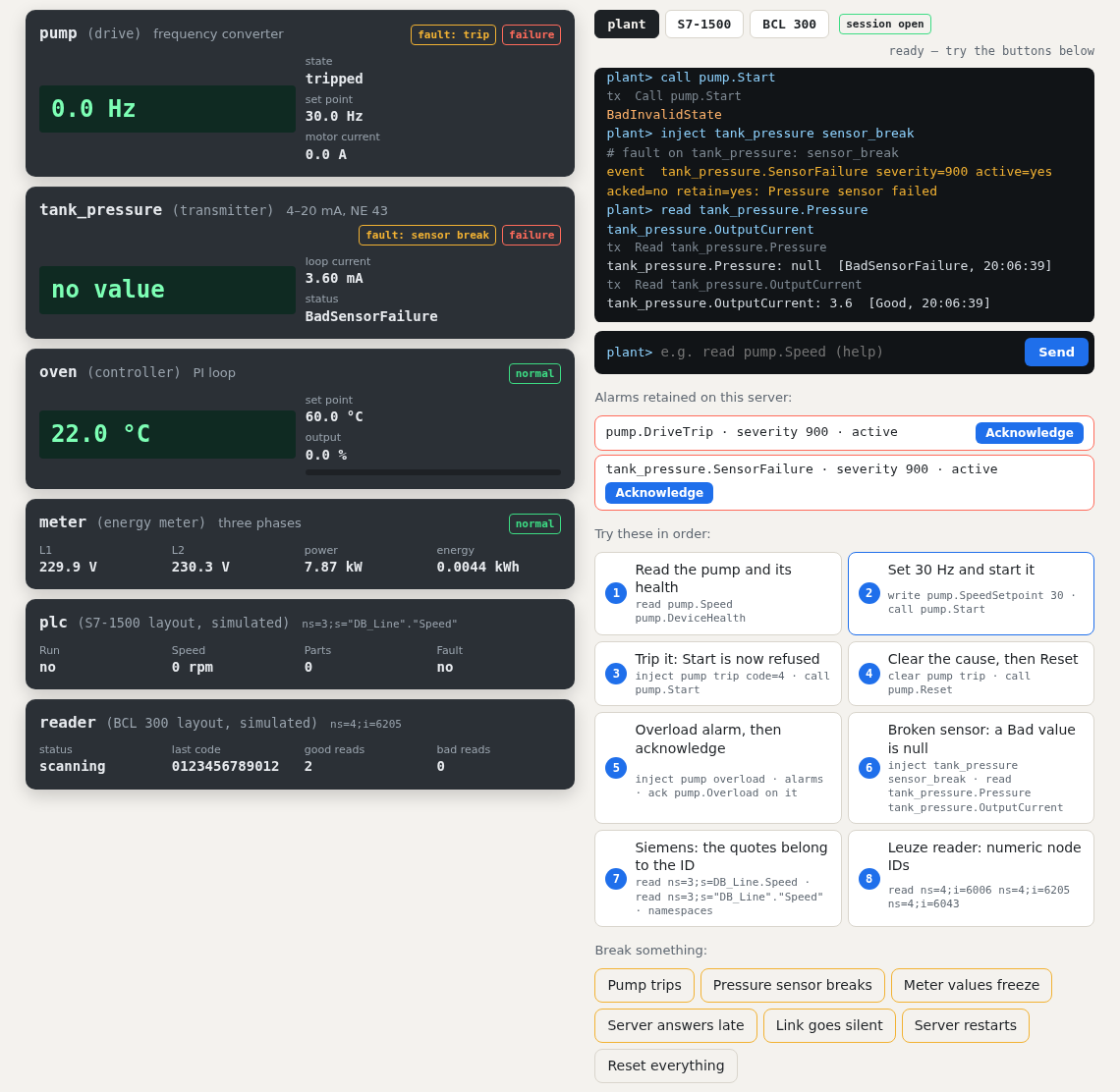
-
Type
read pump.State,inject server drop_connections,inject pump overload, thenrefresh. The alarm happened without a session, so you only learn about it throughConditionRefresh.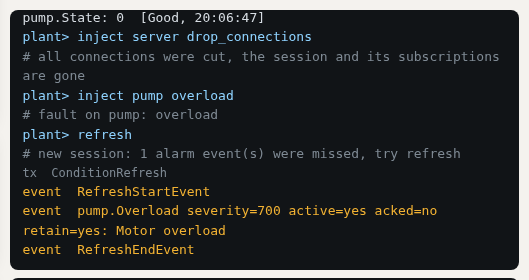
-
Type
read pump.State,inject pump overloadandinject tank_pressure sensor_break, then press Acknowledge on the overload. It stays in the list while it is active, now acknowledged.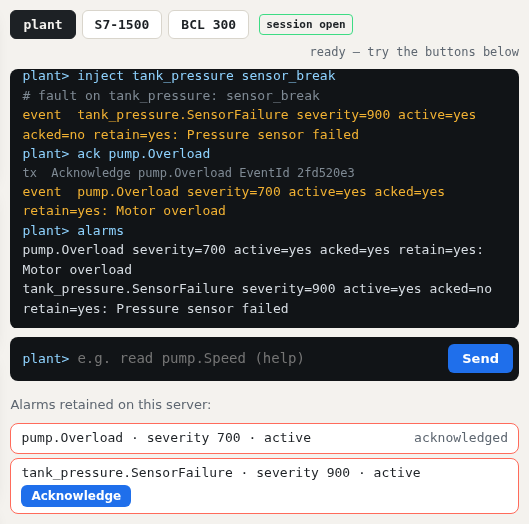
-
Press Siemens: the quotes belong to the ID: without the quotes the node does not exist.
The page sends nothing anywhere and loads nothing from other hosts. Its source is in
web/.