An intentionally vulnerable e-commerce app for learning web security.
Master real-world attack vectors through a realistic CTF platform.
Hunt for flags, exploit vulnerabilities, and level up your security skills.
Docker Hub · npm · Walkthroughs · Contributing · Good first issues






   ____  ____ ____     ____                  ____            ____  _
  / __ \/ __// __/    / __ \ ___   ___  ___ / __/ ___  ____ / __/ / /_ ___   ____ ___
 / /_/ /\ \ _\ \     / /_/ // _ \ / _ \(_-<_\ \  / -_)/ __/_\ \  / __// _ \ / __// -_)
 \____/___//___/     \____/ \___// .__/___/___/  \__/ \__//___/  \__/ \___//_/   \__/
                                /_/

# Node.js
npx create-oss-store my-ctf-lab && cd my-ctf-lab && npm start

# Docker
docker run -p 3000:3000 leogra/oss-oopssec-store

# Then open http://localhost:3000 and start hacking- Features
- Installation
- Hall of fame
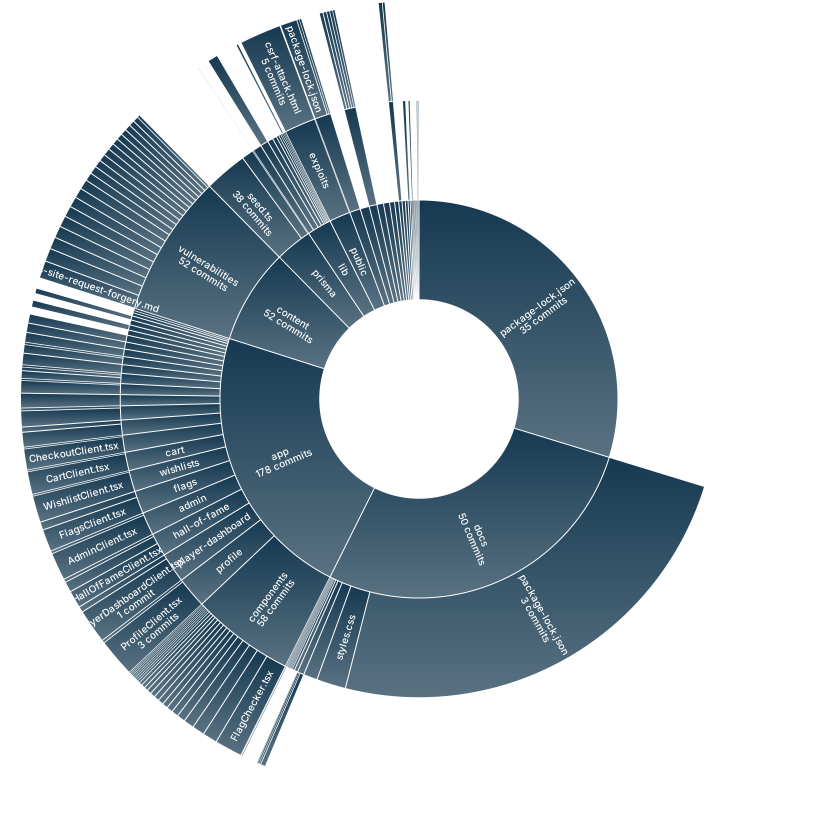
- Project structure
- Recent activity
- Testing
- Disclaimer
- Contributing
- Top contributors
Warning
This application contains intentional security flaws and must never be deployed in a production environment.
- Intentionally vulnerable e-commerce app (XSS, CSRF, IDOR, JWT attacks, path traversal, SQL injection, and more)
- Built with Next.js, React, Prisma, and SQLite
- REST API with documented attack vectors
- CTF challenges with hidden flags
- Vulnerability documentation and community walkthroughs for each challenge
- Automated tests that verify exploits still work (PRs that accidentally fix a vuln will fail CI)
npx create-oss-store my-ctf-lab
cd my-ctf-lab
npm start
Then open http://localhost:3000 in your browser.
Clone the repo and run the setup script:
git clone https://github.com/kOaDT/oss-oopssec-store.git
cd oss-oopssec-store
npm run setup
This creates the .env file, installs dependencies, sets up the SQLite database, seeds it with CTF flags, and starts the app on port 3000.
No Node.js required. Just Docker.
docker run -p 3000:3000 leogra/oss-oopssec-storeTo persist data across restarts:
docker run -p 3000:3000 -v oss-data:/app/data leogra/oss-oopssec-storegit clone https://github.com/kOaDT/oss-oopssec-store.git
cd oss-oopssec-store
docker compose up -dOr using the npm helper scripts:
npm run docker:up       # Start in background (builds image on first run)
npm run docker:logs     # Follow container logs
npm run docker:down     # Stop the container
npm run docker:reset    # Wipe data and restart fresh
The database initializes on first start. Data persists across restarts via Docker named volumes. To reset everything (flag progress, users, uploads), run npm run docker:reset.
Found all the flags? Open a pull request to join the Hall of Fame. Add your entry to hall-of-fame/data.json and your profile will show up on the /hall-of-fame page in the app.
| Folder | Description |
|---|---|
app/ |
Next.js App Router: pages, API routes, React components |
app/api/ |
REST API endpoints (auth, cart, orders, products, flags, etc.) |
app/components/ |
React UI components (Header, Footer, ProductCard, etc.) |
app/vulnerabilities/ |
Pages documenting each vulnerability |
content/vulnerabilities/ |
Markdown descriptions of vulnerabilities and attack vectors |
lib/ |
Shared utilities: DB client, auth, API helpers, types |
prisma/ |
Database schema, migrations, and seed script with CTF flags |
public/ |
Static assets and exploit payloads (e.g., CSRF demo) |
hooks/ |
Custom React hooks (authentication, etc.) |
scripts/ |
Setup and automation scripts |
docs/ |
Static docs site with community walkthroughs |
hall-of-fame/ |
Player profiles for those who found all flags |
packages/ |
NPM package create-oss-store for scaffolding |
tests/ |
Jest unit and API tests that validate exploits |
cypress/ |
E2E tests for full exploitation workflows |

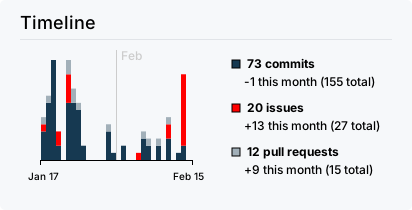
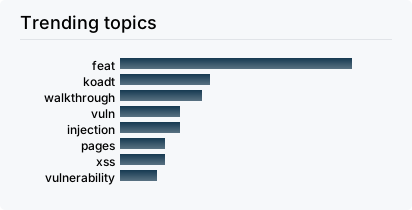
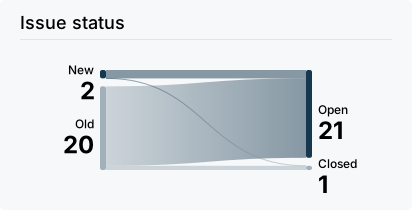
The project includes security regression tests that make sure all exploit chains and flags still work. These tests deliberately validate insecure behavior. They run on every PR, so if you accidentally patch a vulnerability, CI will catch it.
# Unit tests (utility functions: MD5 hashing, JWT, input filters)
npm run test:unit

# API exploitation tests (requires a running server)
npm run test:api

# E2E exploitation tests (requires a running server)
npm run test:e2e

# Open Cypress interactive mode
npm run test:e2e:open

# All tests
npm run test:ciCaution
This project is for educational and authorized security testing only. It contains intentional vulnerabilities and insecure configurations. The authors are not responsible for any misuse, damage, or unauthorized access. Use it in isolated environments.
OSS – OopsSec Store is MIT-licensed. Contributions are welcome.
Ways to contribute:
- Add new security challenges
- Write or improve walkthroughs
- Extend the application
- Report and fix bugs
- Improve documentation
Check the Roadmap for planned work, or grab a good first issue.
Found all the flags? Share your walkthroughs on the docs site.
For bugs or suggestions, open a GitHub Issue. See CONTRIBUTING.md for guidelines.


Author: kOaDT
Project: OopsSec Store
Contact: koadt@proton.me
License: MIT
Do not remove or modify the LICENSE file in your fork.