


A comprehensive Android application demonstrating modern Android development practices and architectural patterns.
- Modern UI: Built with Material Design 3 guidelines
- Architecture: Clean Architecture with MVVM pattern
- Networking: REST API integration with Retrofit
- Dependency Injection: Dagger Hilt for dependency management
- Asynchronous Programming: Kotlin Coroutines and Flow
- Navigation: Navigation Component for in-app navigation
- Testing: Unit tests and UI tests included
| Home Screen | Details Screen |
|---|---|
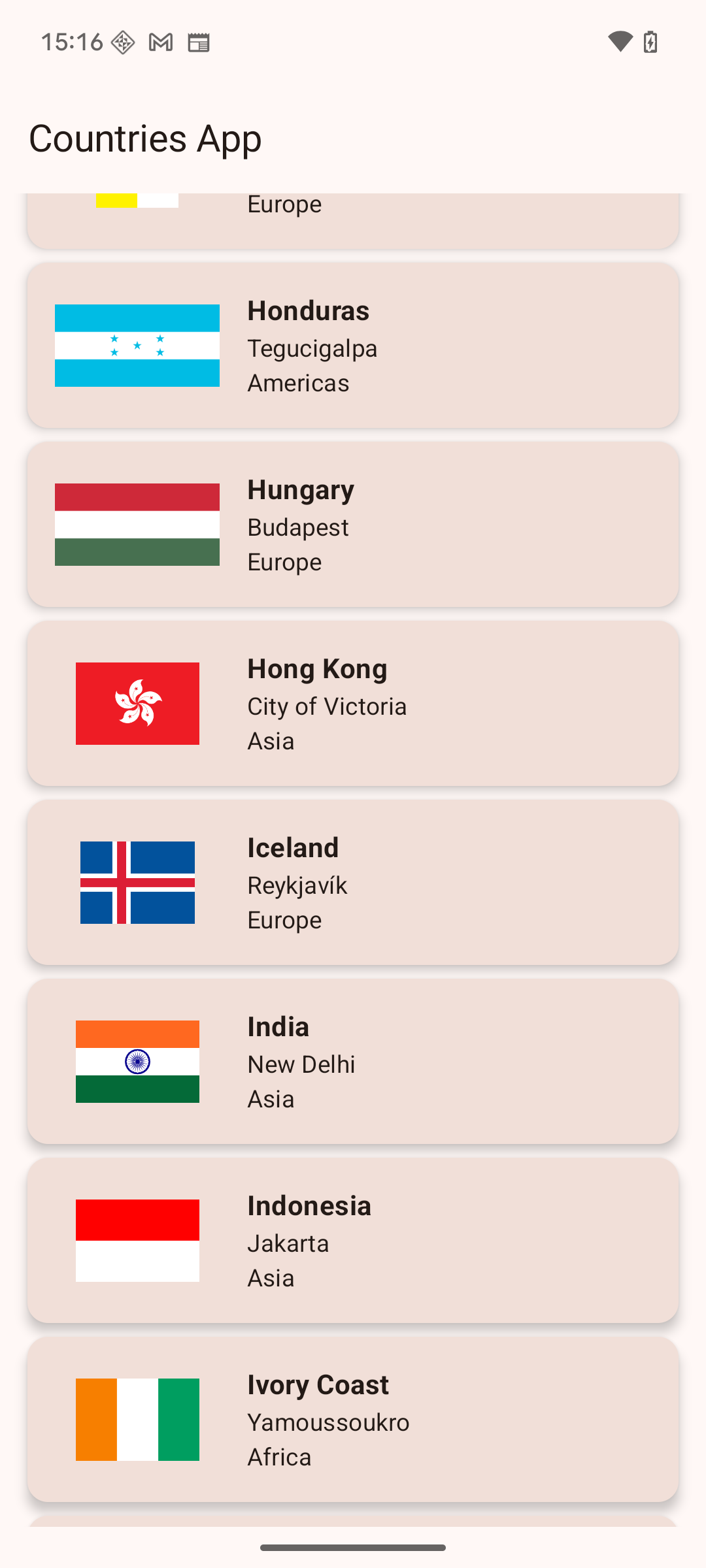 |
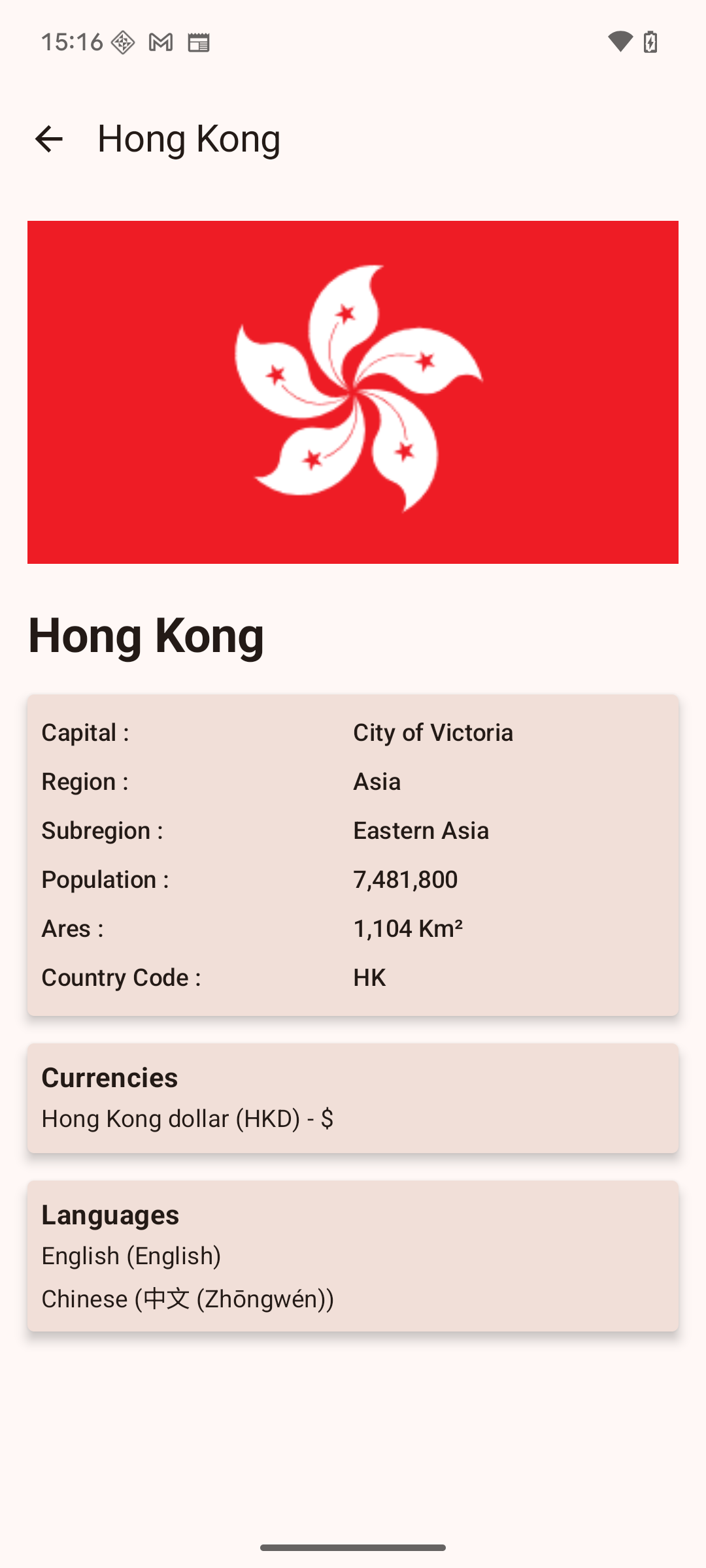 |
Language: Kotlin
Architecture:
- MVVM (Model-View-ViewModel)
- Clean Architecture
- Repository Pattern
Libraries & Frameworks:
- UI: Jetpack Compose / View Binding
- Navigation: Navigation Component
- Networking: Retrofit, OkHttp
- Database: Room
- Dependency Injection: Dagger Hilt
- Asynchronous: Coroutines, Flow
- Image Loading: Glide/Coil
- Testing: JUnit, Espresso, Mockito
- Android Studio Hedgehog | 2023.1.1 or later
- Android SDK 34
- Kotlin 1.9.0 or later
- Gradle 8.0 or later
-
Clone the repository
git clone https://github.com/sudhakar-r08/AndroidSampleProject.git
-
Open in Android Studio
- Launch Android Studio
- Select "Open an existing Android Studio project"
- Navigate to the cloned repository folder
- Click "OK"
-
Build the project
- Wait for Gradle sync to complete
- Build the project by clicking Build → Make Project
-
Run the app
- Connect an Android device or start an emulator
- Click the "Run" button or press Shift + F10
app/
├── src/
│   ├── main/
│   │   ├── java/com/yourpackage/
│   │   │   ├── data/          # Data layer (repositories, data sources)
│   │   │   ├── domain/        # Domain layer (use cases, entities)
│   │   │   ├── presentation/  # Presentation layer (UI, ViewModels)
│   │   │   ├── di/           # Dependency injection modules
│   │   │   └── utils/        # Utility classes
│   │   ├── res/              # Resources (layouts, strings, etc.)
│   │   └── AndroidManifest.xml
│   ├── test/                 # Unit tests
│   └── androidTest/          # Instrumentation tests
├── build.gradle.kts
└── proguard-rules.pro
If your app uses external APIs, create a local.properties file in the root directory:
api.base.url="https://your-api-endpoint.com/"
api.key="your-api-key"The project supports multiple build variants:
- Debug: Development build with logging enabled
- Release: Production build with optimizations
./gradlew test./gradlew connectedAndroidTest./gradlew createDebugCoverageReport- Fork the repository
- Create a feature branch (
git checkout -b feature/amazing-feature) - Commit your changes (
git commit -m 'Add some amazing feature') - Push to the branch (
git push origin feature/amazing-feature) - Open a Pull Request
- Follow Android Kotlin Style Guide
- Use ktlint for code formatting
- Run
./gradlew ktlintCheckbefore committing
Build Errors
- Ensure you're using the correct Android Studio version
- Clean and rebuild the project (Build → Clean Project → Rebuild Project)
- Invalidate caches (File → Invalidate Caches and Restart)
Dependencies Issues
- Check your internet connection
- Sync project with Gradle files
- Update dependencies to latest versions
This project is licensed under the MIT License - see the LICENSE file for details.
Sudhakar - @sudhakar-r08
Project Link: https://github.com/sudhakar-r08/AndroidSampleProject
⭐ Star this repository if you found it helpful!