ZERO-YOLO is a user-friendly tool that enables enthusiasts, engineers, and researchers to train YOLO models on their own private segmentation dataset. It streamlines the entire workflow—from data preprocessing and preparation to model training and result analysis.

In the repo we have provided a data.zip file. Unzip it and try the features with this sample data.
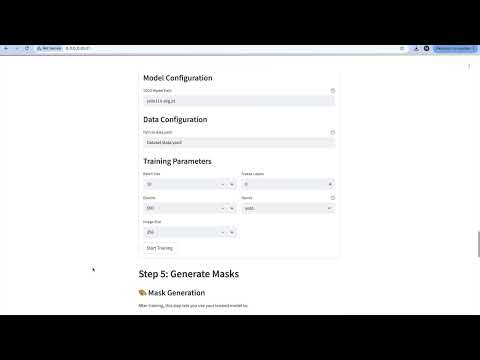
- Easy-to-use web interface
- No technical knowledge required
- Works on both regular computers and computers with or without GPUs.
- Shows results in real-time
You'll need:
- A computer running Windows, Mac, or Linux
- Docker installed on your computer (we'll help you install it)
- (Optional) A GPU (NVIDIA) for faster processing
- Go to Docker's website
- Click "Download Docker Desktop"
- Run the installer
- Follow the installation wizard
- Restart your computer when asked
- Click the green "Code" button at the top of this page
- Click "Download ZIP"
- Extract the ZIP file to a location you can easily find (like your Desktop)
- Windows:
- Press
Windows + R - Type
cmdand press Enter
- Press
- Mac:
- Press
Command + Space - Type
Terminaland press Enter
- Press
- Linux:
- Press
Ctrl + Alt + T
- Press
In the terminal, type:
# If you saved it to Desktop (Windows)
cd Desktop/ZERO-YOLO

# If you saved it to Desktop (Mac/Linux)
cd ~/Desktop/ZERO-YOLOChoose one of these options based on your computer:
docker compose --profile gpu up --buildThen open: http://localhost:8501 in your web browser
docker compose --profile cpu up --buildThen open: http://localhost:8501 in your web browser
- Create a folder named
datain the ZERO-YOLO folder - Create two folders inside
data: a. 'image': contains all images. b. 'mask': contains all segmentation masks. - Put your images in the
inputfolder- Supported formats: TIFF, PNG, JPG
- Open your web browser
- Go to:
- http://localhost:8501 (For web app)
Solution: Make sure Docker is installed and running. Try restarting your computer.
Solution:
- Close any other applications that might be using the ports
- Or try these commands:
docker compose down
docker compose --profile cpu up --build  # for CPU version
# OR
docker compose --profile gpu up --build # for GPU versionWith this repo you have sample images in data.zip unzip it and start playing with it. For labels we have provided an excel file label_names.xlsx.
If you run into any problems:
- Check the "Common Problems" section above
- Look for error messages in the terminal
- Create an issue on our GitHub page
- Contact us for support: supa@di.ku.dk
- Keep your images organized in the
data/inputfolder - Use clear names for your image files
- Save your results regularly
- If the program is slow, try using the GPU version if available
Thank you for using ZERO-YOLO! We hope it helps you in your ical image analysis work.