


SVAR Svelte Calendar is an interactive event calendar and scheduler component for Svelte and SvelteKit apps. It supports Day, Week, and Month views, drag-and-drop event editing, a ready-to-use event edit form, and rich customization options.
The calendar comes with full TypeScript support, extensible API, and flexible CSS styling. The PRO Edition offers additional views (Year, Agenda, Timeline, Resources) and recurring event support.
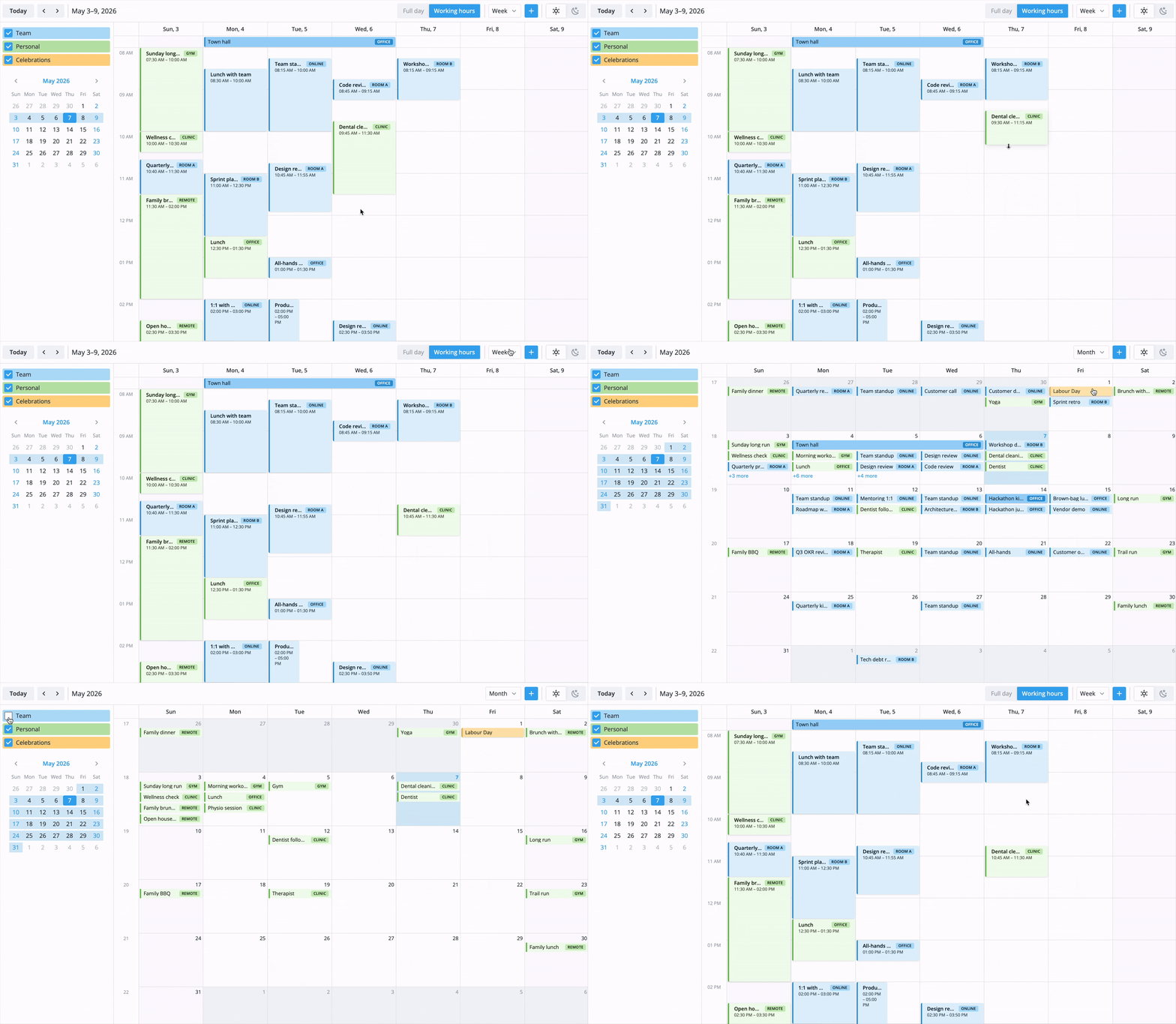
- Multiple built-in views: Day, Week, Month
- Drag-and-drop to move, resize, and create events
- Customizable event editor form
- Context menu and toolbar
- Tooltips and custom event cards
- Custom HTML in event markup
- Multiple calendars with toggleable visibility
- Event filtering
- iCal import/export
- Localization
- Light and dark themes
- Full TypeScript support
- REST data provider for backend integration
SVAR Svelte Calendar is available in open-source and PRO Editions. The PRO Edition offers four more scheduling views and automation features:
- Year view
- Agenda view
- Timeline view (horizontal timeline with resource rows)
- Resources view (single day with resource columns)
- Recurring events (RRULE-based)
Visit the pricing page for full feature comparison, licensing details, and free trial.
To use the calendar widget, simply import the package and include the component in your Svelte file:
<script>
	import { Calendar } from "@svar-ui/svelte-calendar";

	const events = [
		{
			id: 1,
			start: new Date(2026, 4, 5, 10, 0),
			end: new Date(2026, 4, 5, 11, 30),
			text: "Project kickoff",
			details: "Outline the project's scope and resources.",
		},
	];
	const date = new Date(2026, 4, 5);
</script>

<Calendar {events} {date} view="week" />
For further instructions, follow the detailed quick start guide.
Typically, you don't need to modify the code. However, if you wish to do so, follow these steps:
- Install vite-plus (
curl -fsSL https://vite.plus | bashon Mac/Linux,irm https://vite.plus/ps1 | iexon Windows). The project usespnpmworkspaces under the hood, so plainnpmwill not work. - Run
vp ifrom the project root to install dependencies. - Run
vp run buildto build all packages. - Start the demo app in development mode with
vp run start.
To run the tests:
vp testIf SVAR Svelte Calendar helps your project, give us a star! It helps us reach more developers and keeps us motivated to add new features.
Post an Issue or use our community forum.