[syncfusion_flutter_pdfviewer][Android]The same pdf file was showed blur in Android while clear in iOS #421

Description

Hi, I use syncfusion_flutter_pdfviewer ^19.2.62-beta to show a normal pdf, and place it in "assets/pdf/4dkankan_minion_manual_cn.pdf", you can download from: link
Here is the pdf viewer page, pass the file path: "assets/pdf/4dkankan_minion_manual_cn.pdf"
`import 'package:flutter/material.dart';
import 'package:flutter_module_eight_eye/page/abstract_camera_state.dart';
import 'package:syncfusion_flutter_pdfviewer/pdfviewer.dart';
class CameraPdfViewer extends StatefulWidget {
String _fileName = "";
String _filePath = "";
CameraPdfViewer(this._fileName, this._filePath);
@OverRide
State createState() => CameraPdfViewerState();
}
class CameraPdfViewerState extends AbstractCameraState {
final GlobalKey _pdfViewerKey = GlobalKey();
@OverRide
void initState() {
}
@OverRide
Widget build(BuildContext context) {
return Scaffold(
appBar: AppBar(
leading: Builder(builder: (BuildContext context) {
return IconButton(onPressed: (){
Navigator.pop(context);
}, icon: Icon(
Icons.arrow_back_ios_rounded,
size: 18,
));
},),
title: Text((widget as CameraPdfViewer)._fileName),
centerTitle: true,
// actions: [
// IconButton(
// icon: Icon(
// Icons. bookmark,
// color: Colors.white,
// ),
// onPressed: () {
// _pdfViewerKey.currentState?.openBookmarkView();
// },
// ),
// ],
),
body: Container(
color: Colors.black,
child: SfPdfViewer.asset((widget as CameraPdfViewer)._filePath, key: _pdfViewerKey,
canShowPaginationDialog: false,
enableDoubleTapZooming: false,
enableTextSelection: true)
));
}
}
`
As a result:
Running in android:

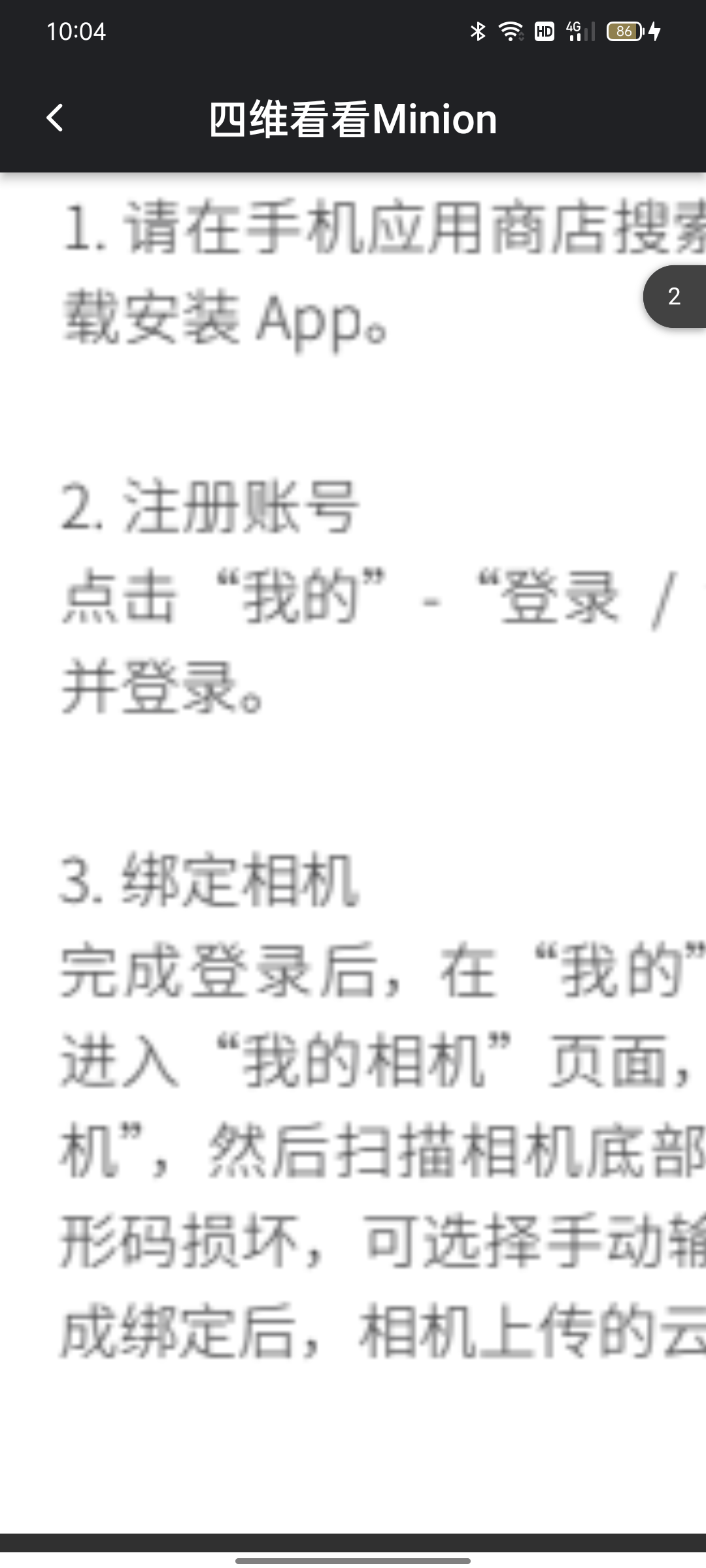
Running in iOS:


You can see the display in Android seems to be compressed while iOS is orient.
Here is my dev env:
[√] Flutter (Channel stable, 2.5.2, on Microsoft Windows [Version 10.0.19042.1165], locale zh-CN)
[√] Android toolchain - develop for Android devices (Android SDK version 31.0.0)
[√] Chrome - develop for the web
[√] Android Studio (version 2020.3)
[√] IntelliJ IDEA Ultimate Edition (version 2020.3)
[√] VS Code (version 1.54.3)
[√] Connected device (3 available)