A privacy-respecting, local-first AI assistant that lives in your browser. Chat with any page, run agent tools, manage notes, tasks, and quizzes, attach files, and keep persistent memory — all from an injected overlay panel that ships with zero servers.


- What it is
- Screenshots
- Highlights
- Features
- Install
- Quick start
- Configuration
- Permissions: what each one is for
- Privacy
- Architecture
- Project layout
- Bundled libraries
- Development
- Troubleshooting
- Roadmap & status
- Contributing
- Security
- License
- Acknowledgements
Agentic Browser Chat is a Chrome extension that puts an AI assistant into an overlay panel injected into every page (a shadow-DOM UI on top of the page, not Chrome's built-in side panel API). It can:
- Read whatever page you are on and answer questions about it.
- Hold long-running conversations with searchable history, favorites, and per-chat model overrides.
- Take actions on your behalf through a built-in tool registry: page queries, form filling, code execution in a sandboxed worker, web search, web fetch, document and image generation, and more.
- Remember facts about you across chats, save reusable procedures as skills, and apply your own custom instructions to every chat.
- Manage your own notes (with version history and pop-out editor), tasks (with reminders), and quizzes — all alongside the chat.
- Attach files (PDF, DOCX, PPTX, XLSX, CSV, images), browser tabs, other chats, other notes, screenshots, and pasted spreadsheets.
It is designed to be local-first: all your data lives in your browser. There is no backend, no analytics, no developer-controlled server. Network requests go only to OpenRouter, the single LLM provider this extension uses.
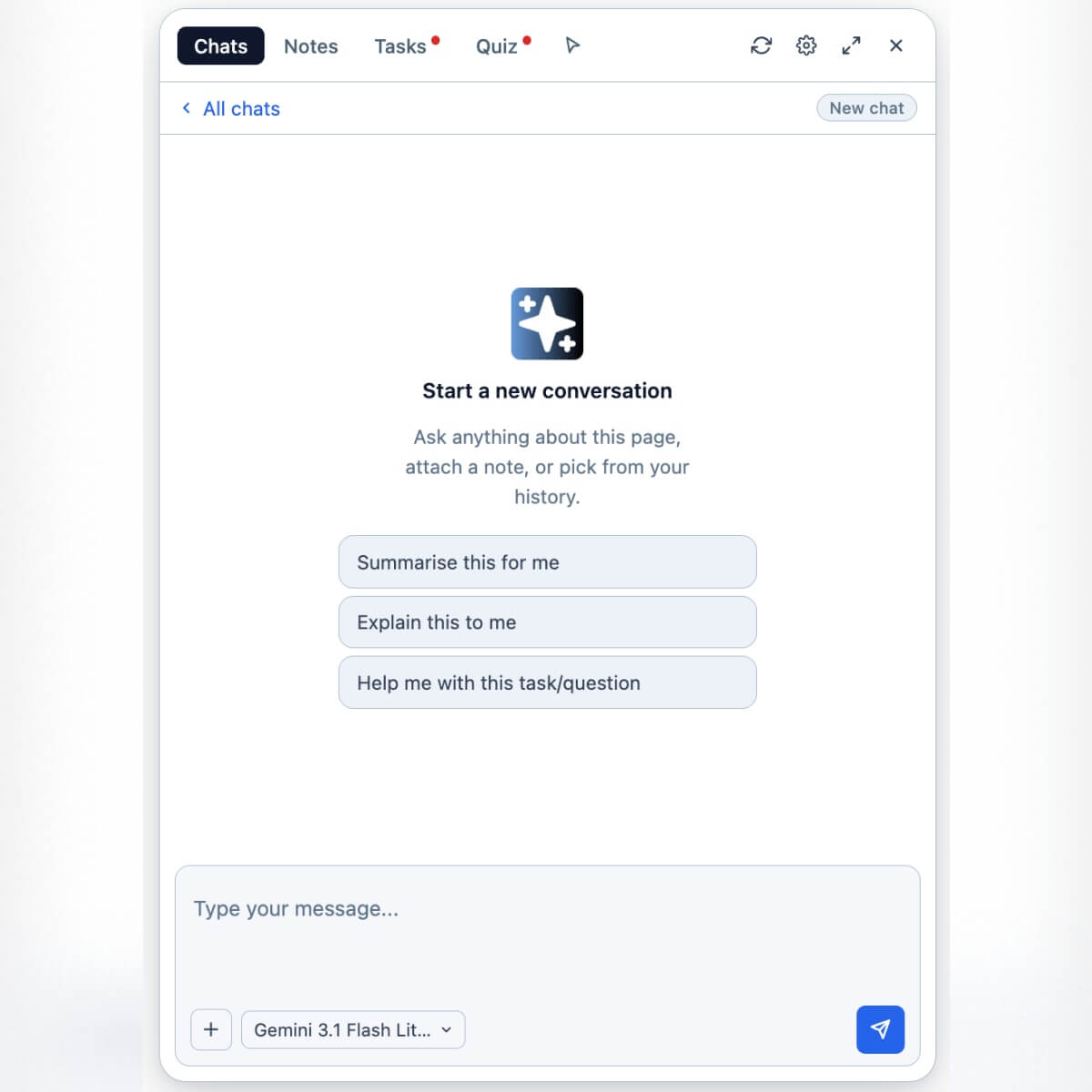 Chat — start a conversation about the current page |
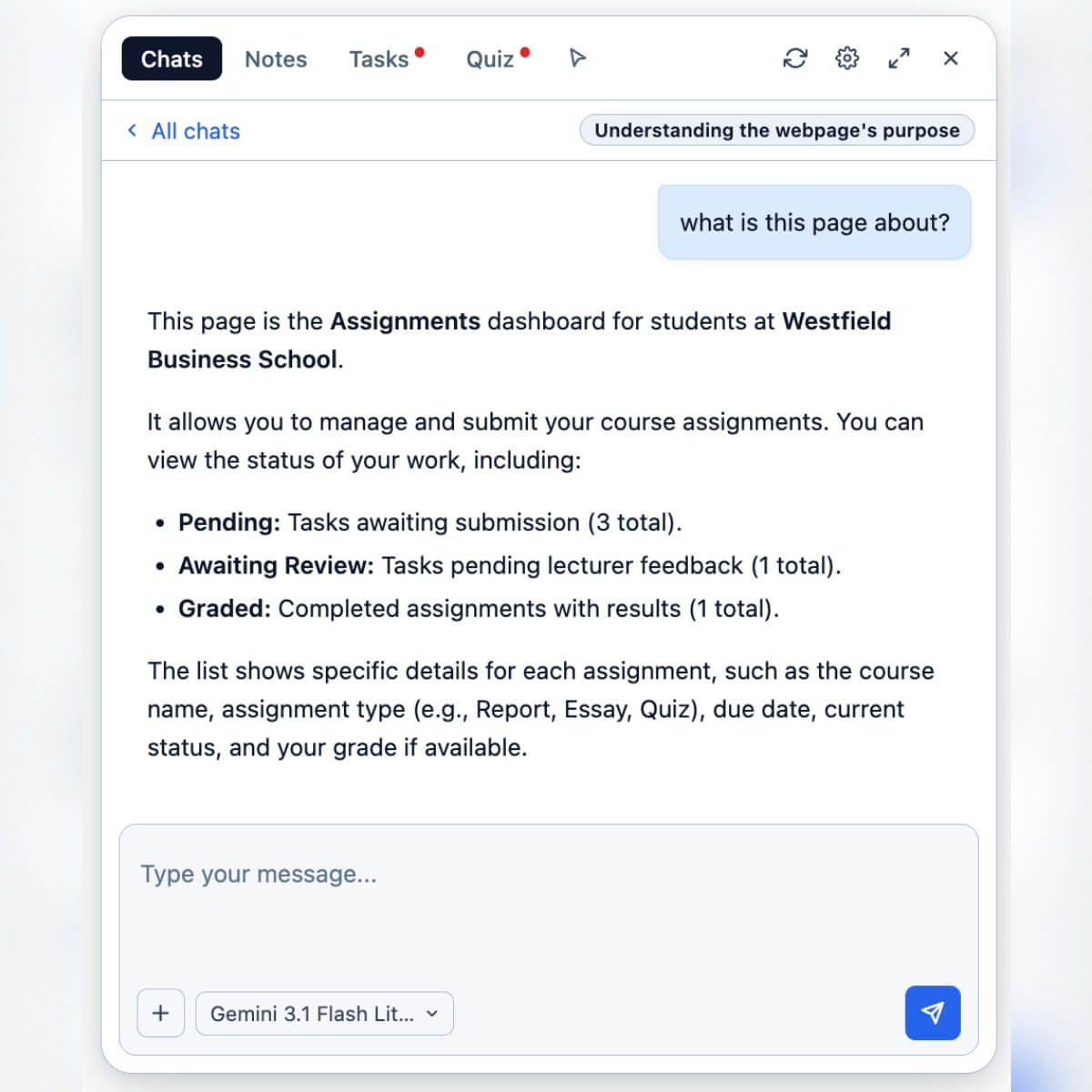 Page context — ask anything about what's on screen |
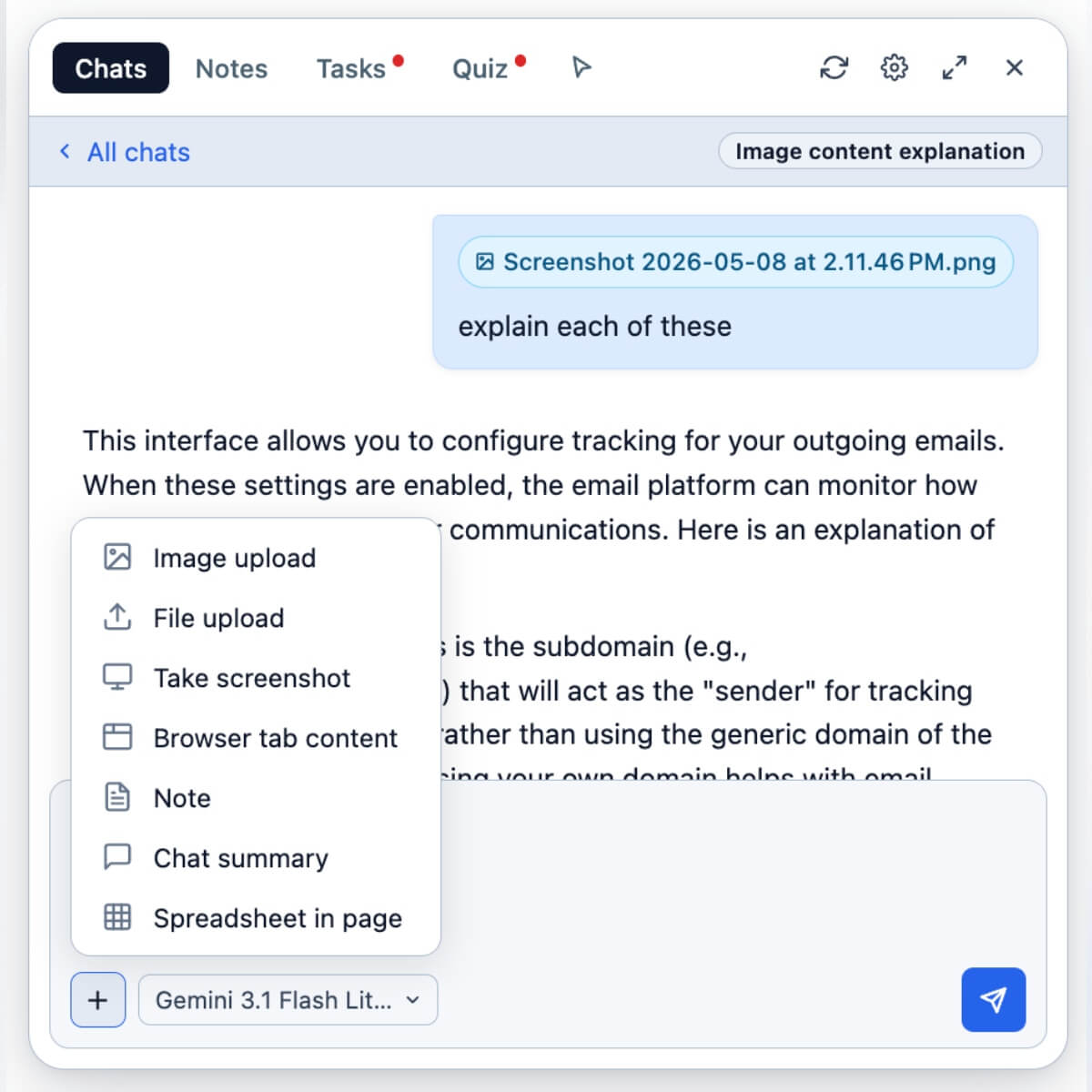 Attachments — PDF, DOCX, PPTX, XLSX, CSV, images |
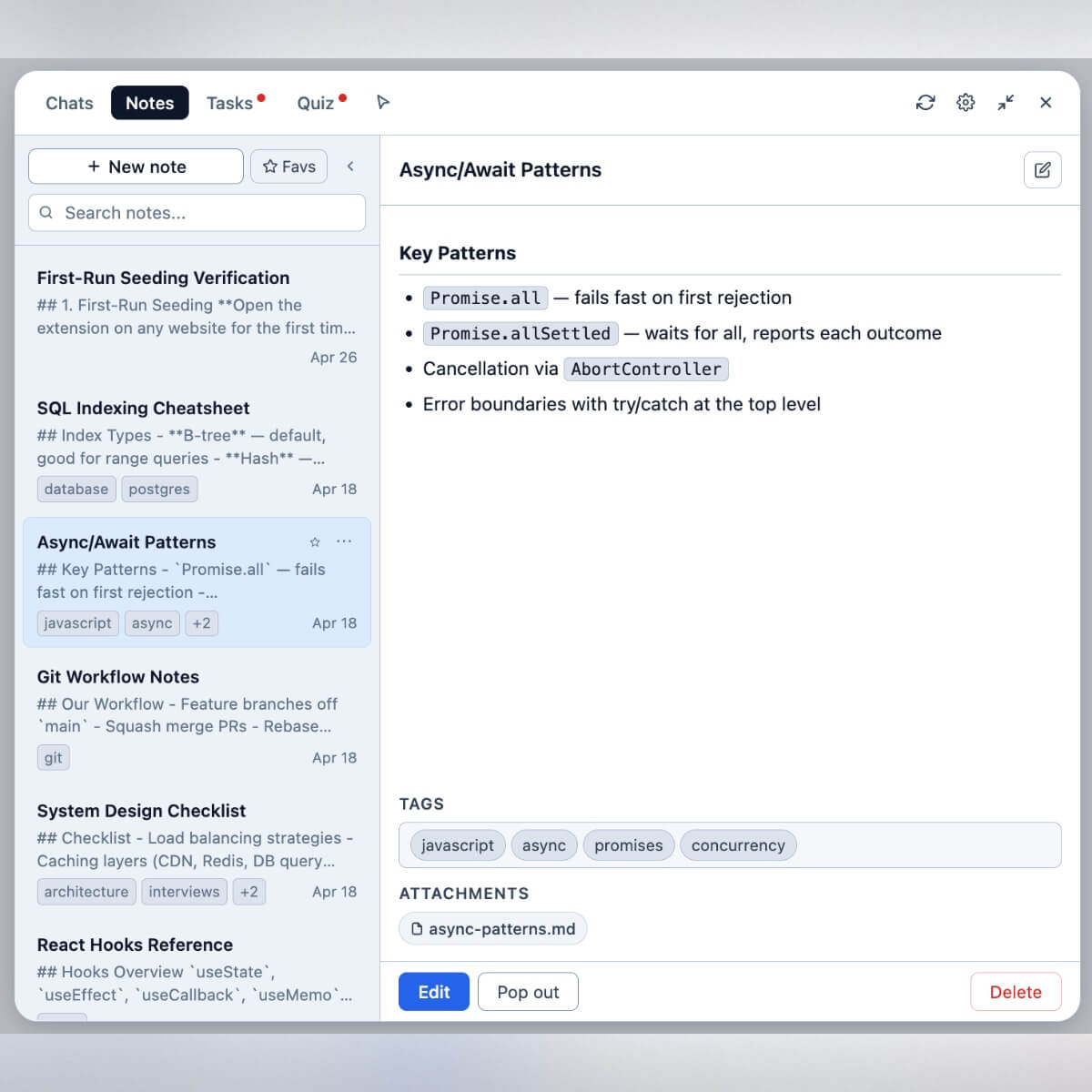 Notes — build a personal knowledge base |
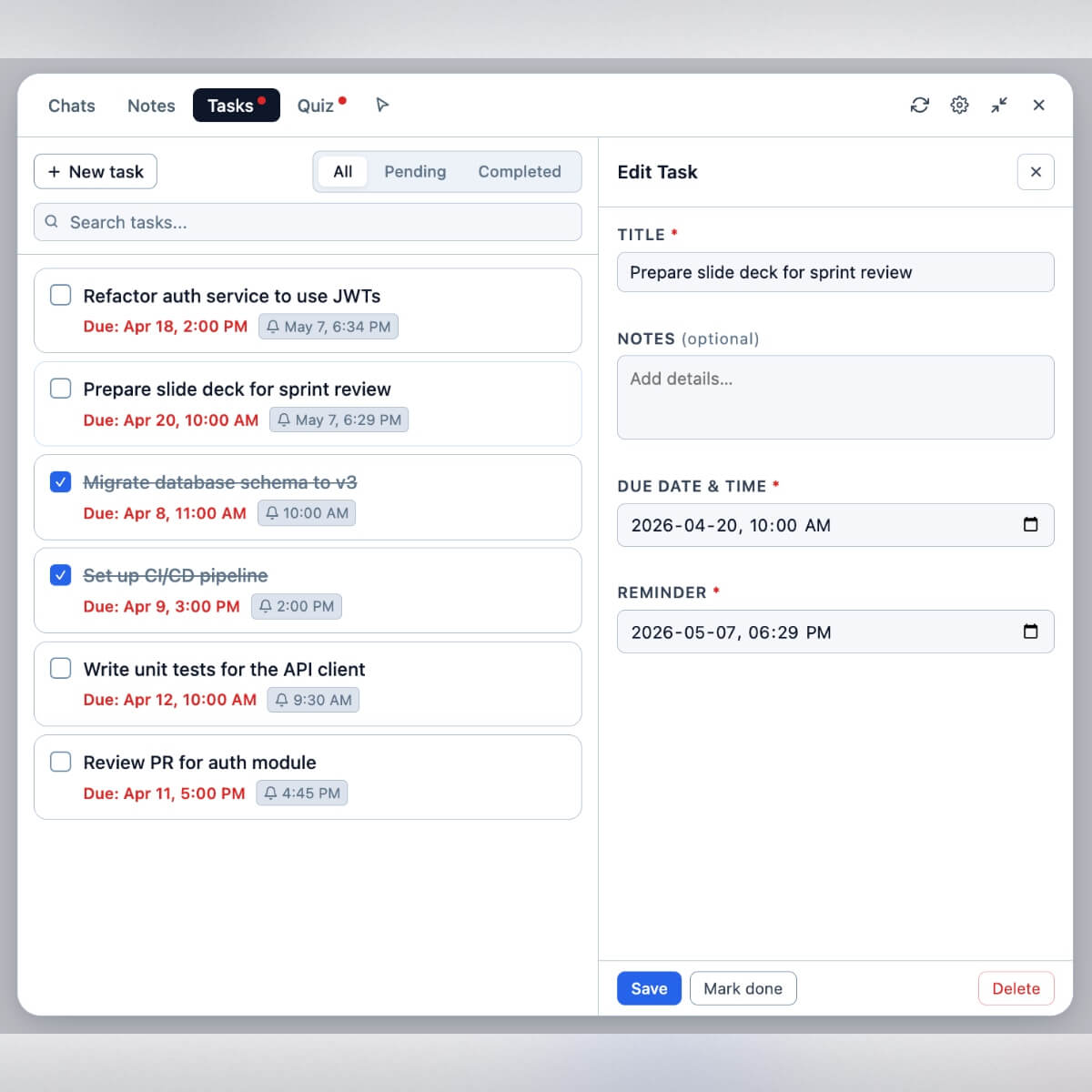 Tasks — with due dates and reminders |
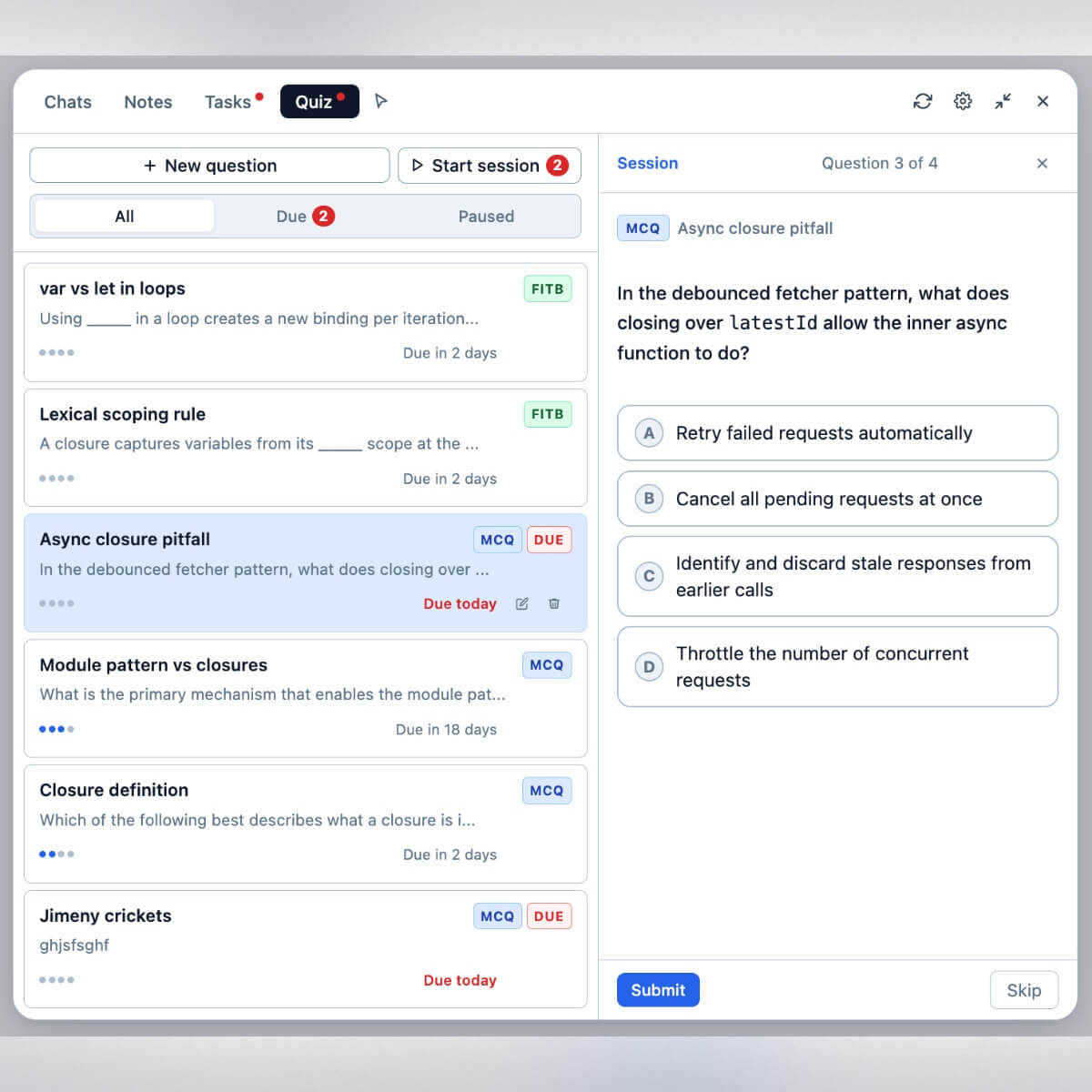 Quizzes — practice from your notes |
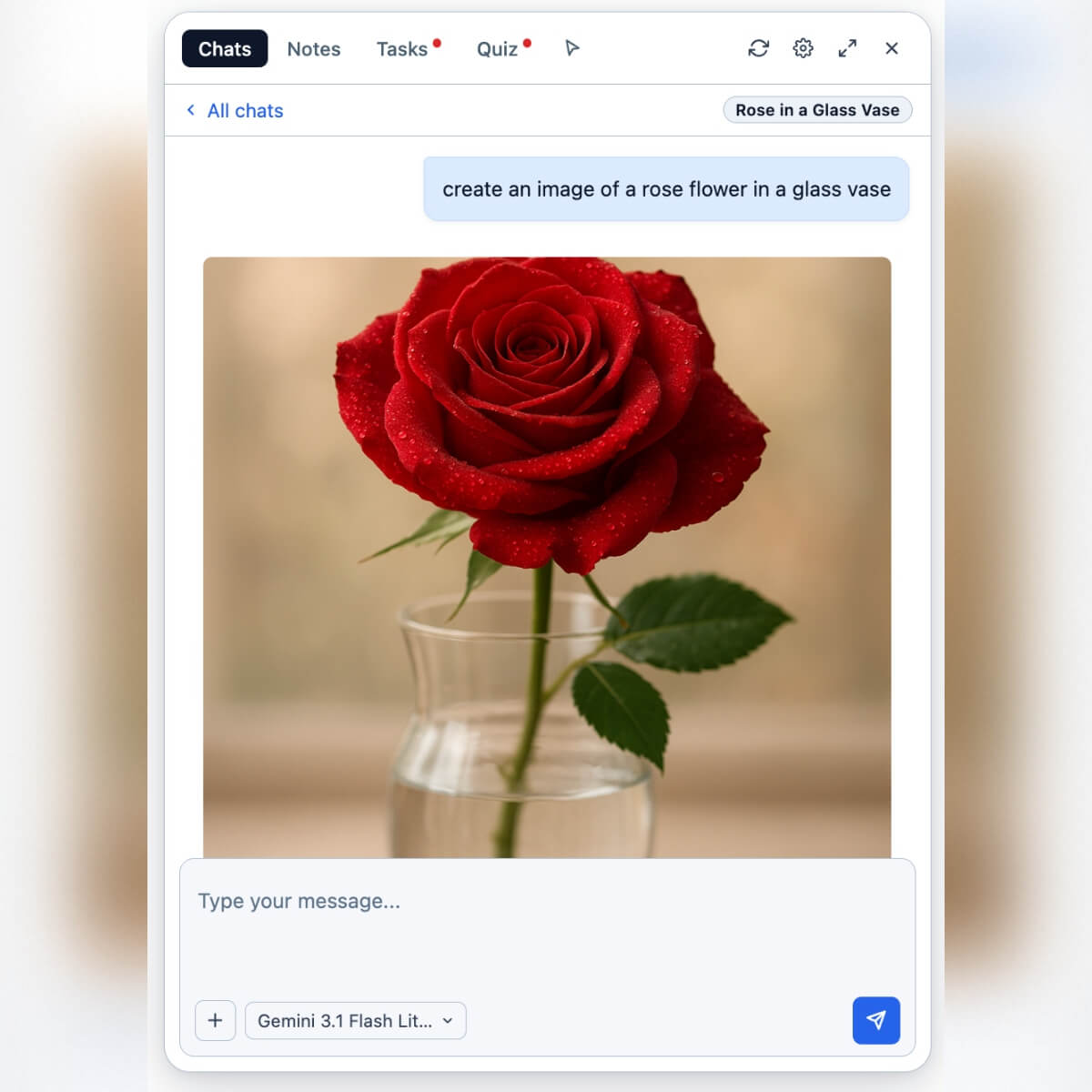 Image generation — inline via your selected model |
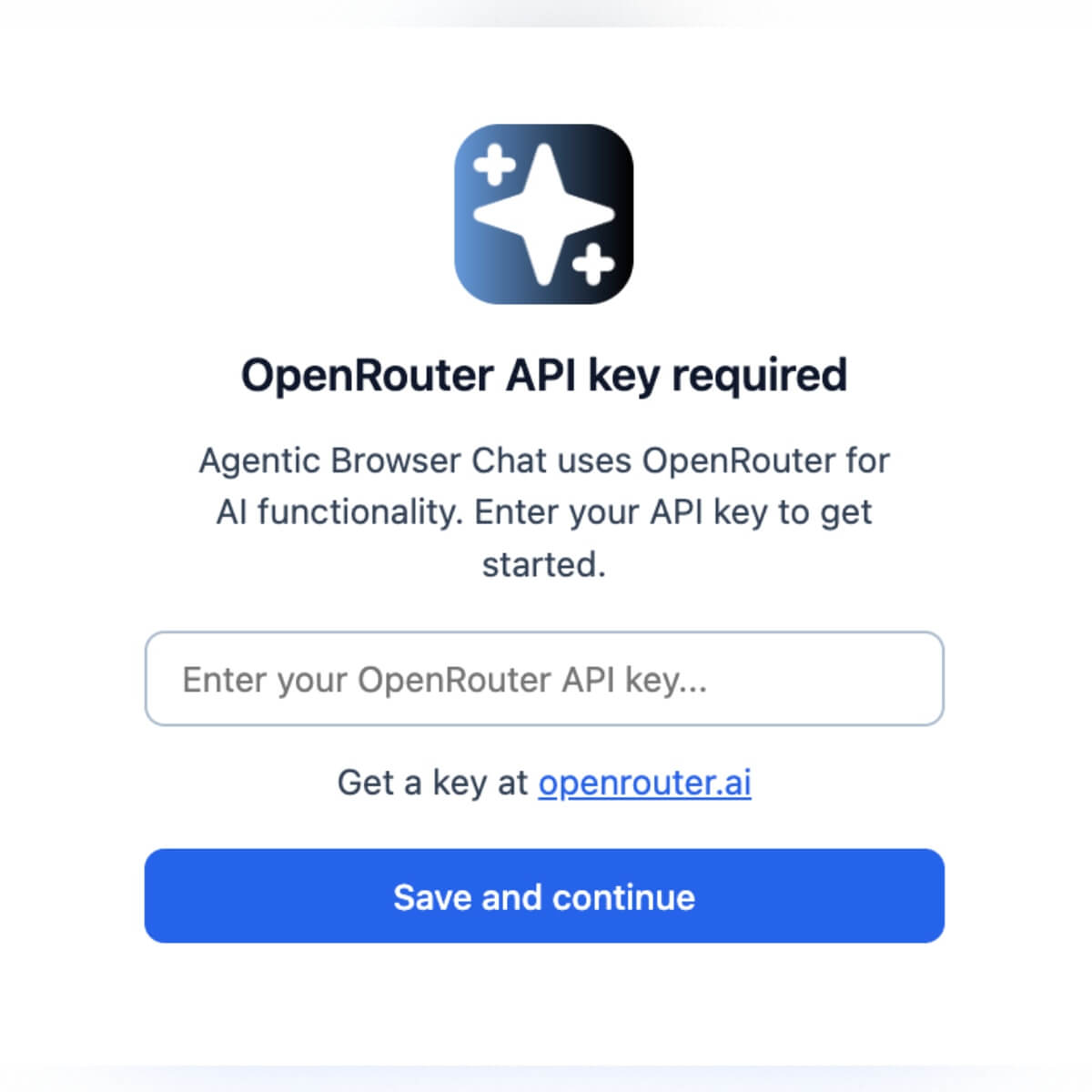 Setup — paste your OpenRouter key once |
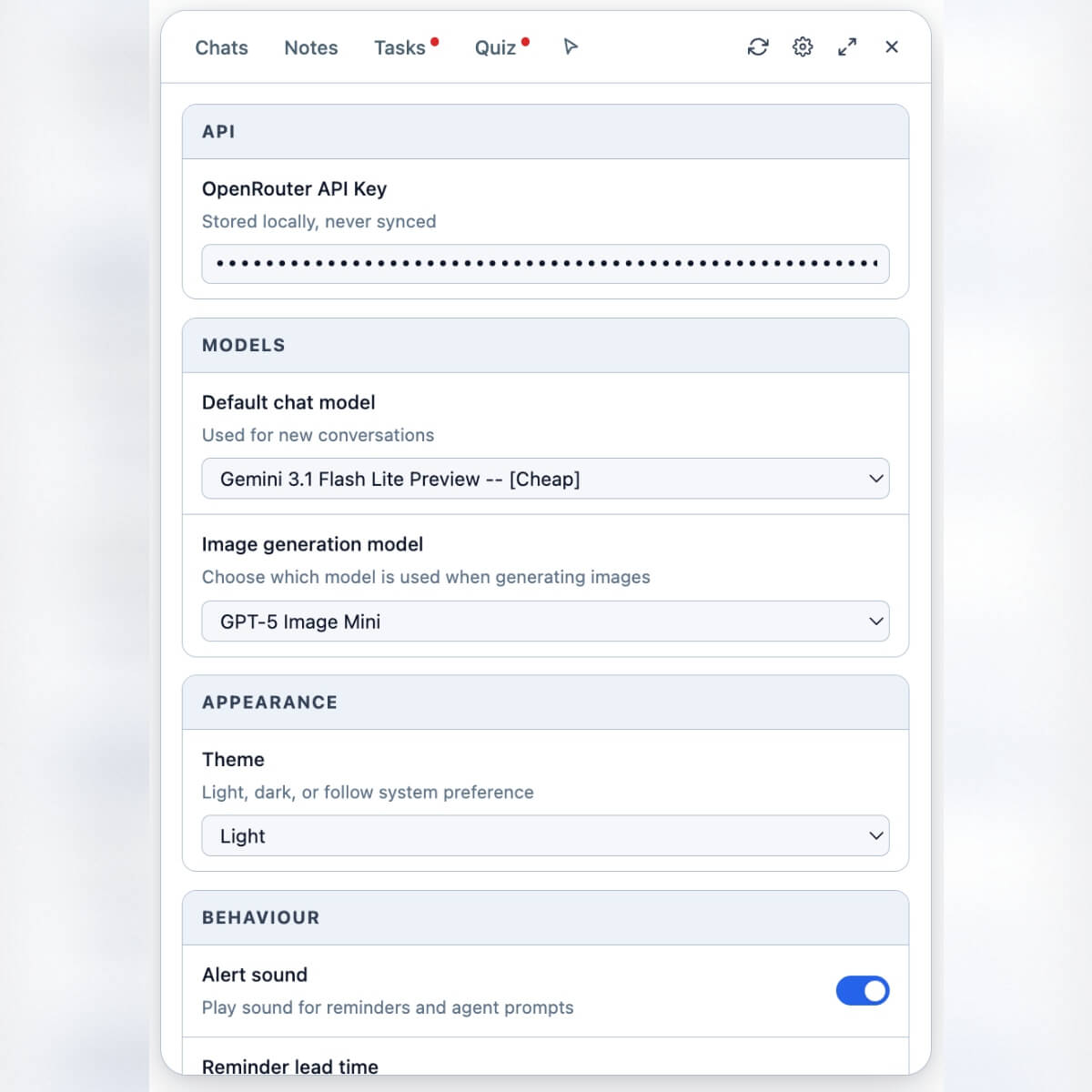 Settings — model, theme, data management |
A single browser-side agent that can read the current page, search the web and fetch URLs (under guardrails), run JavaScript inside a sandboxed Web Worker for precise computation, fill forms with a confirmation step, and generate Office documents (DOCX, PPTX, XLSX, PDF, CSV) and images. It carries a persistent memory the model can write to, a library of reusable skills you (or the model) can save, and your own custom instructions that ride on every chat. Notes, tasks, and quizzes live in the same panel so you can capture, schedule, and review knowledge without leaving the page. Everything is stored locally in IndexedDB; the only external network destination is OpenRouter, with your own API key.
- Per-page chat with the LLM, with full markdown, code, diagram, and math rendering.
- Persistent chat history: searchable, sortable, pinnable. Old chats can be auto-pruned on a threshold you set.
- Suggested prompts on every new chat (Summarise this for me, Explain this to me, Help me with this task/question).
- Per-chat model override: pick any OpenRouter model for an individual conversation without changing your default.
- Favorites: pin the chats you keep coming back to and switch to the Favs view to filter the list.
- Quick Question: a lightweight modal triggered from right-clicking a selection. Each Quick Question becomes its own short chat in a separate Quick Q log so it doesn't clutter your main history.
- Copy raw chat for export or sharing.
- Reduce-to-float / Expand panel modes: shrink the panel to a floating bubble, or expand it to take over the viewport.
- Right-click menu entries:
- On a text selection: Explain selection, Summarize selection, Proofread selection, Quick Question about selection, Add selection to chat.
- On an image: Add image to chat.
- Content selector: a hover-highlight mode you can toggle on. Click any page element to add its content to the chat. Right-clicking the highlight opens a small menu that lets you choose Add simple HTML to chat (cleaned, flattened representation) or Add raw HTML to chat (the literal markup).
- Leave-warning: if you try to navigate away while the agent is mid-task, the extension warns you before the page unloads.
Attach context to a chat via the + button in the input area:
| Source | Notes |
|---|---|
| Image upload | .png, .jpg, .webp, .gif |
| File upload | .txt, .md, .json, .csv, .pdf, .docx, .xlsx, .xls, .ods, .pptx (and other text/*) |
| Take screenshot | Snapshots the current tab and attaches the image inline |
| Browser tab content | Pick another open tab; its content gets flattened and attached |
| Note | Attach an existing note as context |
| Chat summary | Attach a summary of another chat |
| Spreadsheet from clipboard | Paste tabular data from your clipboard and treat it as a spreadsheet attachment |
Inside the Notes editor, you can also attach files to the note itself (the same file types as chat input).
- A full note editor inside the panel with Edit mode and a separate read view.
- Pop-out: open any note in its own floating window so you can keep editing while you browse and chat in the main panel.
- Version history: changes are versioned so you can recover earlier drafts.
- Favorites and search.
- File attachments on each note.
- Skill notes: a note can be marked as a skill with a slug like
calculate-worksheet-discrepancy. The agent can then load it on demand via theskilltool. See Memory, Skills, and Custom Instructions.
- Title, optional description,
dueAt,reminderAt. - Filter by All / Pending / Completed.
- Chrome notifications when reminders fire.
- Optional alert sound played alongside the notification.
- Configurable reminder lead time (default minutes before due) in Settings.
- Reminder alarms are checked every minute by the service worker.
- Generate questions from any source material — pasted text, an attached note, or a chat — via the
generate_questionstool. - Supports MCQ (multiple choice), FITB (fill-in-the-blank), and a mix of the two.
- Optional focus parameter scopes generation to a specific topic.
- Spaced practice: each question has a
pausedUntilfield so you can mark it answered and have it disappear from the active pool for a chosen interval.
The agent calls these tools mid-conversation. Grouped by purpose, with safeguards highlighted:
Filesystem-style operations on the notes corpus
read,write,edit— read, create, and modify note content.grep,ls— discover notes by regex (content or title scope) or list them.
Page interaction
page_query— query elements on the current page using selectors and return their content / state.page_fill_form— fill form fields and (optionally) submit. Safeguard: comma-separated selector lists are rejected; one confirmed selector per field. Form submission is gated by an explicit user confirmation step.eval— run JavaScript in a sandboxed Web Worker. Safeguards: no DOM, nochromeAPIs, no network (fetch / XHR / WebSocket / importScripts / caches / IndexedDB / BroadcastChannel all blocked). Hard timeout of 5–30 seconds. Output capped at 200 KB; input vars capped at 1 MB.
Web
web_search— search the web. Required gateway: the agent must search before it can fetch any URL it didn't already see.web_fetch— fetch a URL and either summarize it or answer a specific prompt against it. Handles HTML, plain text, JSON, images (via a vision model), and documents (PDF, DOCX, XLSX, PPTX). Safeguard: the runtime rejects any URL that did not appear in the conversation context (user message or prior tool result). The model cannot fabricate a URL and fetch it. 15-second timeout per request.
Generation
create_document— generate a downloadable DOCX, XLSX, PDF, PPTX, or CSV file with structured content (headings, bullets, tables, sheets, slides). Files are stored as blobs and displayed inline.generate_image— image generation through the configured image model.generate_questions— produces quiz items and saves them directly to the Quiz tab.
Context awareness
get_environment— current date, time, timezone, locale, and OS/platform.memory— read/write the persistent memory note (see below).skill— create, read, update, or delete skill notes (see below).
The extension supports three distinct mechanisms for injecting context into the agent. Knowing the difference matters.
| Mechanism | Who writes it | How it's referenced | When the model sees it |
|---|---|---|---|
| Custom instructions | You, in Settings → Agent Rules | Static text typed once | Injected automatically into the system prompt of every chat |
| Memory | The agent (via the memory tool), on your request |
A single persistent memory note managed by the model | Injected automatically into every chat |
| Skills | You or the agent (via the skill tool) |
Each skill has a unique slug like calculate-worksheet-discrepancy. The model lists available skills but loads a skill's body only when needed |
Listed in every chat; full body loaded on demand |
In practice:
- Custom instructions are the place for global preferences: "Always respond in British English", "Keep answers concise", "When showing code, prefer TypeScript".
- Memory is for facts the agent should always know about you: "User's name is Tayo", "User uses VS Code", "User's pets are named Bo and Lyra". You ask the agent to remember; it calls the
memorytool and the entry is appended (phrased in third person). - Skills are for procedures you don't want to retype: a step-by-step process the agent can re-apply on request. You say "remember how to do X"; the agent saves a skill. Later you can say "do X for this data" and the agent loads
/xand follows it.
A built-in API Logs view captures every request to OpenRouter (prompt, tool calls, raw response, token counts, cost estimate). It's intended as a power-user and debugging feature — useful when an answer is wrong and you want to inspect exactly what the model received, or when you're tuning custom instructions and want to see the assembled system prompt.
Open it from Settings → View API logs. Logs can be viewed as rendered text or raw JSON. They can be cleared from the same view.
The panel state stays consistent across tabs:
- Open the panel on tab A, switch to tab B, and the panel appears with the same conversation, selected note, and tab focus.
- A Sync all button in the panel toolbar forces a manual re-sync of chats, notes, tasks, and quiz questions across tabs when needed (e.g. after fixing a stale draft).
- The service worker tracks the active tab and pushes state updates to the relevant content scripts.
The chat surface renders model output with:
- Markdown via
marked, sanitized throughDOMPurify. - Syntax highlighting for code via
highlight.js. - Mermaid diagrams inline.
- LaTeX / math via MathJax with the TeX-SVG output.
- A multi-slide onboarding carousel introduces these features on first run (the screenshots above are taken from it).
Coming soon. A link will be added here once the listing is live.
This is the supported path while the Chrome Web Store listing is in review, and the recommended path if you want to hack on the code.
- Clone the repo:
git clone https://github.com/t33w411/agentic-browser-chat.git cd agentic-browser-chat - Open
chrome://extensionsin Chrome (or any Chromium-based browser: Edge, Brave, Arc, Vivaldi). - Toggle Developer mode on (top-right).
- Click Load unpacked.
- Select the cloned
agentic-browser-chatdirectory. - Pin the extension to the toolbar for easy access.
There is no build step. The extension loads source files directly. After pulling new changes, click the extension's reload icon in chrome://extensions and reload any open tabs you want the changes to apply to.
- Click the extension's toolbar icon to open the side panel on any page.
- Walk through the onboarding carousel, or skip to Settings (gear icon).
- Paste your OpenRouter API key and pick a default model.
- Optional: in Settings → Agent Rules, add a line or two of custom instructions (e.g. "Be concise. Answer in British English.").
- Close settings and try:
- "Summarize this page."
- Select a paragraph, right-click → Quick Question about selection.
- Drag a PDF into the input box and ask about it.
- Ask: "Remember that my name is Tayo and I prefer concise responses." The agent will write that to memory so it persists across chats.
- Open the Notes tab; the agent can also write to and read from your notes via its filesystem-style tools.
- Open the Tasks tab and create a task with a due time — you'll get a Chrome notification when it fires.
All configuration lives in the panel's Settings tab. There is no separate options page.
| Setting | What it does |
|---|---|
| Theme | Light, dark, or follow system. |
| OpenRouter API Key | Your OpenRouter API key. Stored locally in chrome.storage. Never transmitted anywhere except in the Authorization header of OpenRouter API calls. |
| Default chat model | Used for new conversations. Per-chat overrides are available from inside any chat. |
| Image generation model | Used by the generate_image tool. |
| Custom instructions (Agent Rules) | Free-text instructions injected into the system prompt of every new chat. |
| Alert sound | Toggles a sound effect for task reminders and agent confirmation prompts. |
| Reminder lead time | Default minutes before dueAt to fire a reminder (0–1440). |
| Storage used | Live estimate of how much browser storage the extension is consuming. |
| Delete chats older than | Auto-prune chats above a threshold (30 / 60 / 90 / 180 / 365 days, or Never). Pinned chats are excluded. |
| Prune orphaned blobs | Manually reclaim space used by attachment blobs no longer referenced by any chat or note. |
| View API logs | Open the API call inspector (see API call logs). |
The extension uses OpenRouter as its single provider. OpenRouter aggregates models from OpenAI, Anthropic, Google, Meta, Mistral, DeepSeek, and many others behind one API and one key, so you can switch models freely without juggling separate accounts.
Direct integrations with OpenAI, Anthropic, or other provider APIs are not supported.
No API key ships with the extension. Bring your own OpenRouter key.
Manifest V3 requires upfront declaration of every permission. Here is the why for each:
| Permission | Why |
|---|---|
<all_urls> host access |
The extension needs to read page content (when you ask it to) and inject the panel + content selector on any site. Activated only when you invoke a feature. |
activeTab, tabs |
Identify the current tab and synchronize the panel across tabs. |
scripting |
Inject the panel and tool scripts dynamically (and re-inject after extension reload). |
contextMenus |
Right-click selection actions (Explain, Summarize, etc.). |
clipboardRead, clipboardWrite |
Read clipboard when you paste into the panel; write formatted output when you copy from it. |
storage |
Persist settings, API key, and preferences. |
alarms |
Schedule task reminders. |
notifications |
Show reminder notifications when a task is due. |
offscreen |
Run DOM-dependent utilities under MV3, which strips the service worker of a DOM. |
If a future feature would require a new permission, it will be called out in the changelog and discussed in an issue first.
Short version: all your data stays on your device. The only network destination is OpenRouter, which you authenticate with your own key.
The extension does not:
- Operate any developer-controlled server.
- Send analytics, telemetry, or crash reports anywhere.
- Sync data across devices.
- Phone home for license checks, updates beyond the standard Chrome Web Store mechanism, or anything else.
The extension does:
- Store chats, notes, tasks, quizzes, settings, memory, skills, and attachment blobs in your browser's IndexedDB and
chrome.storage. - Send your conversation, attachments, and API key to OpenRouter over HTTPS on each turn you initiate.
Full details: PRIVACY.md.
The extension is a single-process Manifest V3 setup:
- A service worker (
background/service-worker.js) coordinates everything: storage, tab messaging, context menus, alarms, the IndexedDB handler, and the agent's API logger. - Content scripts are injected into every tab. They render the side panel inside a shadow DOM, drive the content selector and selection actions, and bridge messages to the service worker.
- The panel is built in vanilla JS with no framework and no bundler. UI lives inside a shadow root with
mode: 'open'; queries go through the shadow root, neverdocument. - The agent lives client-side. It builds the system prompt + tool list (
agent/contextBuilder.js), calls the LLM (agent/client.js), executes tool calls (agent/toolExec.js), and compacts history when the context window fills (agent/compactor.js). - All persistent state lives in IndexedDB via Dexie (
shared/db.js), proxied through a service-worker handler so content scripts have a single, race-free path to the DB.
- Manifest V3 forbids remotely-loaded code; everything must be bundled.
- A framework would add complexity (bundler, build, source maps) for marginal benefit at this scale.
- Vanilla JS keeps the code reviewable and the extension small.
agentic-browser-chat/
├── manifest.json              # MV3 manifest; declares scripts, permissions, web-accessible resources
├── background/                # Service worker and its modules
│   ├── service-worker.js      # Entry point: wires up everything below
│   ├── dbHandler.js           # IndexedDB proxy for content scripts
│   ├── tabMessaging.js        # Cross-tab/content messaging + script re-injection
│   ├── contextMenus.js        # Right-click menu setup
│   ├── commands.js            # Keyboard command handlers
│   ├── panelDataRepoImpl.js   # Repository functions backing the panel (notes, chats, tasks, blobs)
│   └── apiLoggerImpl.js       # Persistent log of LLM API calls
├── content/                   # Content-script bootstrap
│   ├── preInit.js             # First in the load order; bumps the listener-generation counter
│   ├── keyboardShield.js      # Captures keys early to protect panel inputs
│   ├── agentLeaveWarning.js   # Warns on navigate-away while agent is working
│   └── main.js                # Last in the load order; runs re-init recovery
├── panel/                     # The injected overlay panel (shadow-DOM UI)
│   ├── panel.js               # Boot controller; attaches the shadow root
│   ├── panelTemplate.js       # HTML template
│   ├── panelData.js           # Static reference data (templates, defaults)
│   ├── panelRuntime.js        # All UI logic, tab routing, data-action delegation
│   ├── panelStateSync.js      # Cross-tab state sync
│   ├── panelIcons.js          # Icon SVGs
│   ├── images/                # Static images used inside the panel
│   └── panel.css
├── agent/                     # The LLM agent loop
│   ├── client.js              # Provider-agnostic HTTP client
│   ├── contextBuilder.js      # Builds the system prompt + message list per turn
│   ├── tools.js               # Tool definitions (schemas)
│   ├── toolExec.js            # Executes tool calls in the page/extension
│   ├── documentGeneration.js  # Generated-doc support
│   ├── fileParsing.js         # PDF/DOCX/XLSX/etc. parsing pipeline
│   ├── compactor.js           # History compaction when context fills
│   └── apiLogger.js           # Client side of the API log
├── shared/                    # Code used by both content scripts and the service worker
│   ├── db.js                  # Dexie schema
│   ├── messages.js            # Message-type constants
│   ├── storage.js             # chrome.storage wrapper
│   ├── search.js              # FlexSearch index helpers
│   ├── runtimeRequest.js      # Promise-based chrome.runtime.sendMessage wrapper
│   ├── panelDataRepo.js       # Proxy that forwards repo calls to the service worker
│   └── toolRegistry.js        # Lookup for available tools
├── tools/                     # Page-interaction tools
│   ├── contentSelector.js     # Hover-highlight + click-to-attach
│   ├── selectionContextActions.js  # Right-click actions on selected text
│   └── flattenedContent.js    # Clean HTML extraction
├── ui/                        # Shared UI primitives
│   ├── floatingPanel.js       # Panel host element + show/hide
│   └── toast.js               # Toast notifications
├── utils/                     # Pure utilities
│   ├── dom.js
│   └── clipboard.js
├── offscreen/                 # MV3 offscreen document (needed for DOM-only APIs)
├── lib/                       # Vendored third-party libraries (see THIRD_PARTY_NOTICES.md)
├── sounds/                    # Notification sounds
├── styles.css                 # Page-side CSS (toast host etc.)
├── CONTRIBUTING.md
├── CODE_OF_CONDUCT.md
├── SECURITY.md
├── PRIVACY.md
├── THIRD_PARTY_NOTICES.md
└── LICENSE
For MV3 compliance (no remote code), all third-party JS is vendored under lib/. Each retains its own license. Full table with versions and upstream URLs: THIRD_PARTY_NOTICES.md.
Highlights:
| Library | What it does here |
|---|---|
| Dexie.js | Wrapper around IndexedDB |
| FlexSearch | Full-text search index over chats/notes |
| marked + highlight.js + DOMPurify | Rendering of assistant Markdown safely |
| Mermaid + MathJax | Diagrams and math rendering inline |
| PDF.js, mammoth.js, SheetJS, PapaParse, JSZip | Parsing attached files |
- Chrome or another Chromium-based browser (Manifest V3 required).
- Node.js 18+ for the
node --checksyntax verification step. No npm install needed; the extension itself has no runtime npm dependencies.
- Edit a file.
node --check path/to/file.js(mandatory after every JS edit).- Click the reload icon next to the extension in
chrome://extensions. - Reload the tab you are testing against.
- Open DevTools on the page and the service worker (link in
chrome://extensions) to watch both consoles.
A few patterns that will save you time:
- Every new content script must be registered in both
manifest.jsonandbackground/tabMessaging.js, in matching order. - The panel lives in a shadow DOM; all panel queries go through
ABChatContent.ui.panelShadowRoot, neverdocument. - No inline event handlers anywhere. Use
data-actiondelegation on the panel's mount node. - Persistent DOM listeners must check the listener-generation counter on every fire so they no-op after the extension reloads.
- Adding a new chip field requires syncing four call sites (DOM write, DOM read, DB write, DB read).
- Adding a new repo function requires registering it in
background/panelDataRepoImpl.jsand the proxy table inshared/panelDataRepo.js.
- Service worker logs:
chrome://extensions→ click Service worker under the extension. - Content-script logs: regular page DevTools.
- IndexedDB inspection: DevTools → Application → IndexedDB →
agentic-browser-chat. - API call log: visible inside the panel under Settings → View API logs.
| Symptom | Likely cause / fix |
|---|---|
| Panel doesn't open | Reload the extension at chrome://extensions, then reload the page. After extension code changes, both reloads are required. |
| "Extension context invalidated" errors after reload | Expected once after extension reload; reload the page to re-inject content scripts. |
| LLM call fails with 401 | OpenRouter API key missing or invalid. Re-enter it in Settings. |
| Agent says "URL not allowed" when asked to fetch a page | Expected behavior. web_fetch only accepts URLs that already appeared in the conversation or in prior tool results — ask the agent to web_search first, or paste the URL into the chat. |
| Task reminder didn't fire | Chrome may have suspended the service worker. The next browser activity will restore alarms; OS-level notification permissions also matter. |
This is a personal project released as open source. Maintenance is best-effort and breaking changes can happen between minor versions until v2.0. The current focus:
- Stability and bug fixes
- More agent tools
- Better cross-tab sync
Out of scope (for now):
- Cloud sync
- Mobile
- Replacing OpenRouter with a heavier multi-provider abstraction
PRs are welcome. Before opening one, please read:
- CONTRIBUTING.md — setup, conventions, PR checklist.
- CODE_OF_CONDUCT.md.
Good first contributions: bug fixes with clear reproductions, documentation improvements, new agent tools that follow the existing patterns, accessibility, performance.
Please report security issues privately, not as public issues. See SECURITY.md.
MIT © 2026 Tayo Olusiyan.
Bundled third-party libraries are subject to their own licenses; see THIRD_PARTY_NOTICES.md.
Built on the shoulders of the open-source projects listed in THIRD_PARTY_NOTICES.md. Special thanks to Dexie, marked, highlight.js, Mermaid, MathJax, PDF.js, mammoth.js, SheetJS, PapaParse, DOMPurify, FlexSearch, and JSZip — without them this would not exist.