A lightweight OpenStreetMap viewer widget for EdgeTX radios



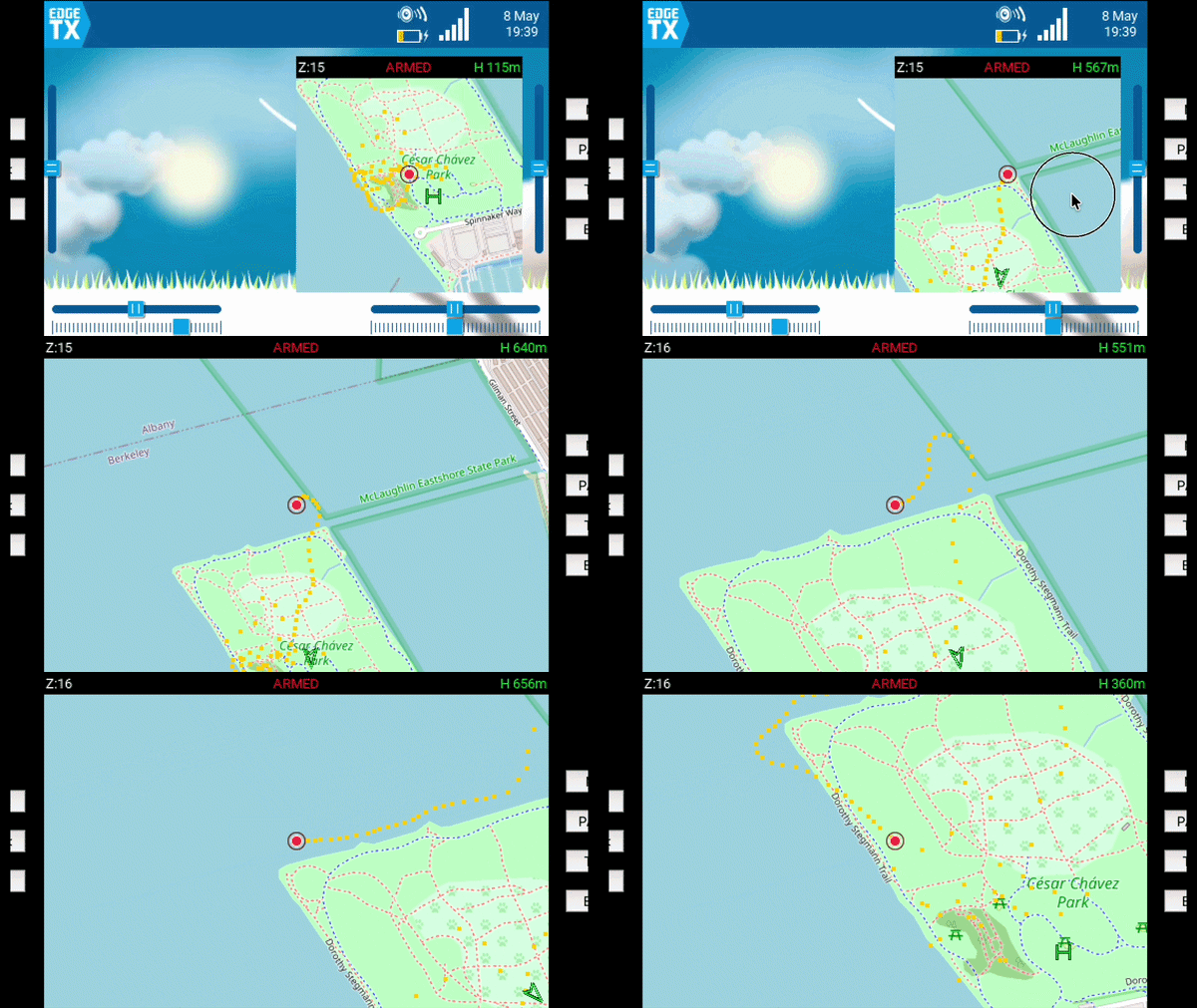
AlphaMap is a fast, self-contained OpenStreetMap viewer widget for EdgeTX radios. It's like having google maps directly on your transmitter, centered on your aircraft’s live GPS position, with breadcrumbs, home marker tracking, zoom control, persistent last-known position storage, and now QR Code display on disarm.
Designed for FPV pilots, fixed wing, and long-range flying where having an onboard moving map directly on your radio is genuinely useful.
→ New: Use the AlphaMap Web Installer & Map Downloader to easily install the script and download map tiles for entire regions! ←
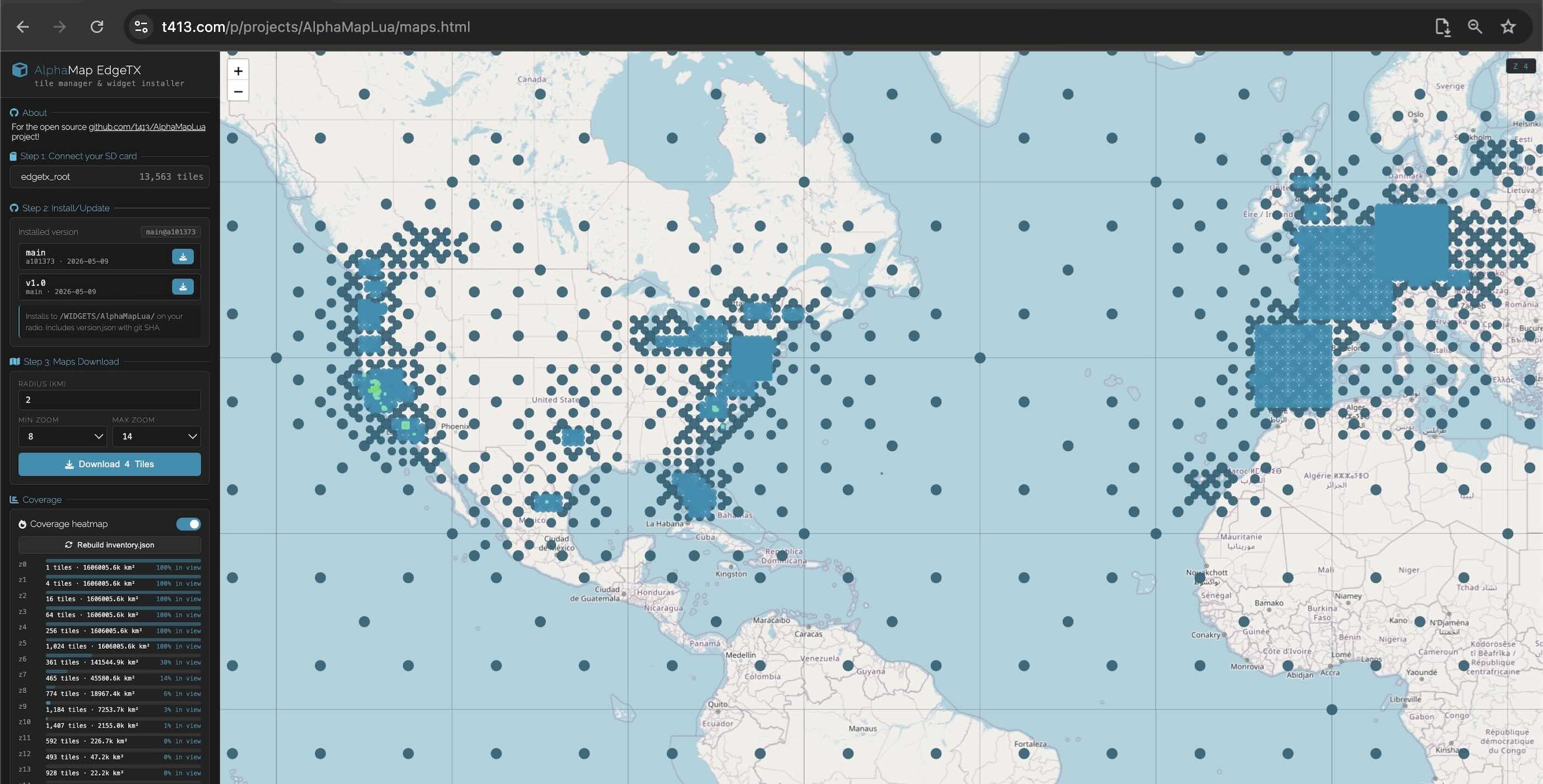
- Offline OpenStreetMap tiles- download via the Web App or my osm2edgetx tool (see below), or any OSM tile downloader.
- Single-file widget — simple install and minimal memory usage
- Breadcrumb trail/history
- Distance-based point filtering with progressive decimation with past points
- Automatic home marker on arm (configurable arm channel)
- Distance-to-home display with offscreen home direction arrow
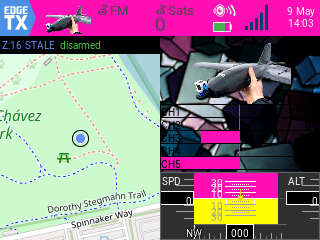
- QR Code shows when disarmed >10m away, scan with your phone to help navigate out to your downed craft
- Persistent last known position saved to SD card across reboots
- Manual zoom control assign a channel or use the scroll wheel in full screen widget mode
- Scroll wheel for super quick zooming
- Analog source input for users without an extra channel to spare
- Low CPU / memory aware
- Works entirely offline after tiles are loaded
The easiest way to install AlphaMap and download map tiles is using the web-based installer:
👉 Launch AlphaMap Web Installer & Map Downloader
This tool allows you to update the Lua script and fetch map tiles for entire continents or specific regions directly to your SD card.
- Download
- Either download the latest version from GitHub
- then copy the
AlphaMapLuafolder to your SD card under/WIDGETS/
- then copy the
- Or clone the repository directly into place on your SD Card:
cd /Volumes/SD_CARD_PATH/WIDGETS/
git clone https://github.com/t413/AlphaMapLua.git
- Download Map Tiles
-
Use my python tool osm2edgetx from the command line to download tiles from OpenStreetMap. This project uses unmodified 256x256 OSM tiles, documentation here.
-
Download the lastest version and run something like:
cd /Volumes/SD_CARD_PATH/WIDGETS/AlphaMapLua/
python osm2edgetx.py --osm ./tiles --fetch "37.87,-122.32" --radius 5 --zoom 17
- Changing the coordinates, radius, and zoom level as needed.
- Tip: right click anywhere on google maps and click the first item, the coordinates, to copy to your clipboard and paste into the
--fetchargument.
-
On your radio:
- Open a screen
- Add a widget
- Select
AlphaMap
- On the home screen hold down on the select wheel to allow selecting of the widget
- Select the widget, it opens a menu. Choose either
- Full screen- when in full screen use the scroll wheel to zoom in and out without assigning a zoom channel
- Widget settings- set the zoom levels, arm/zoom channels, QR code, and other options
- DisarmQR setting: set to a pixel size (recommend >60) and if you disarm further away than 10m it will make a maps QR that you phone can open to help navigate to your downed craft.
- HomeOnce setting: Only sets what this widget things as a homepoint on the first arming
- osm2edgetx
- yaapu Horus Mapping Widget
- b14ckyy's ETHOSMappingWidget-Revisited is specifically for ETHOS radios
This project is licensed under the GPL-3.0 License. See details in the LICENSE file.