Map Manager
MapManager, using a single interface, allow the user to create, delete and search maps, generate an embed link to put a map in a web site, share your own maps with other users. This is performed interacting with GeoStore. MapManager supports both authentication and definition of access policies to protect maps managed by GeoStore.
Resources (maps created by users) are displayed in a grid that describes content by using the following attributes:
- Resource Id: unique identifier of the resource
- Name: name assigned by the user to the resource
- Description: description assigned by the user to the resource
- Date Creation: creation date of the resource
- Last Update: last update of the resource
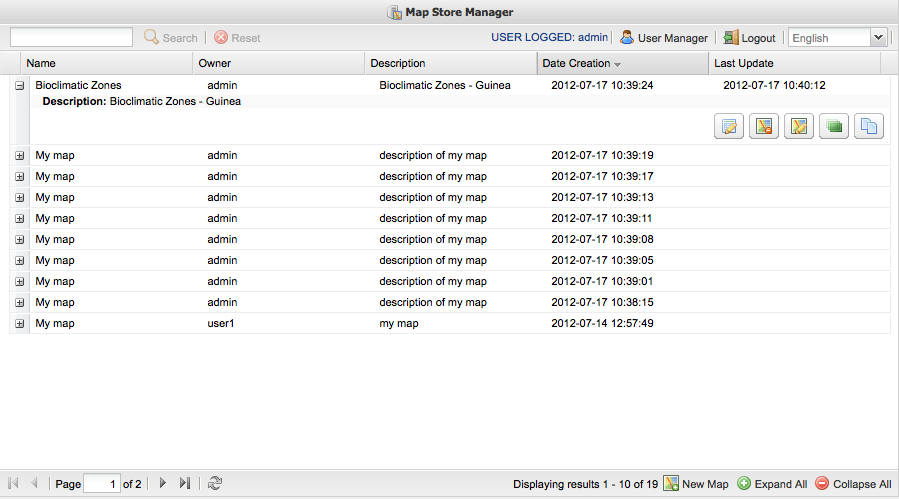
- Search-Tool widgets (Figure 2): The widget allow you to filter the resources contained in GeoStore and displayed in the grid via a text search. With the Reset button displays all resources.

- New Map widgets (Figure 3):

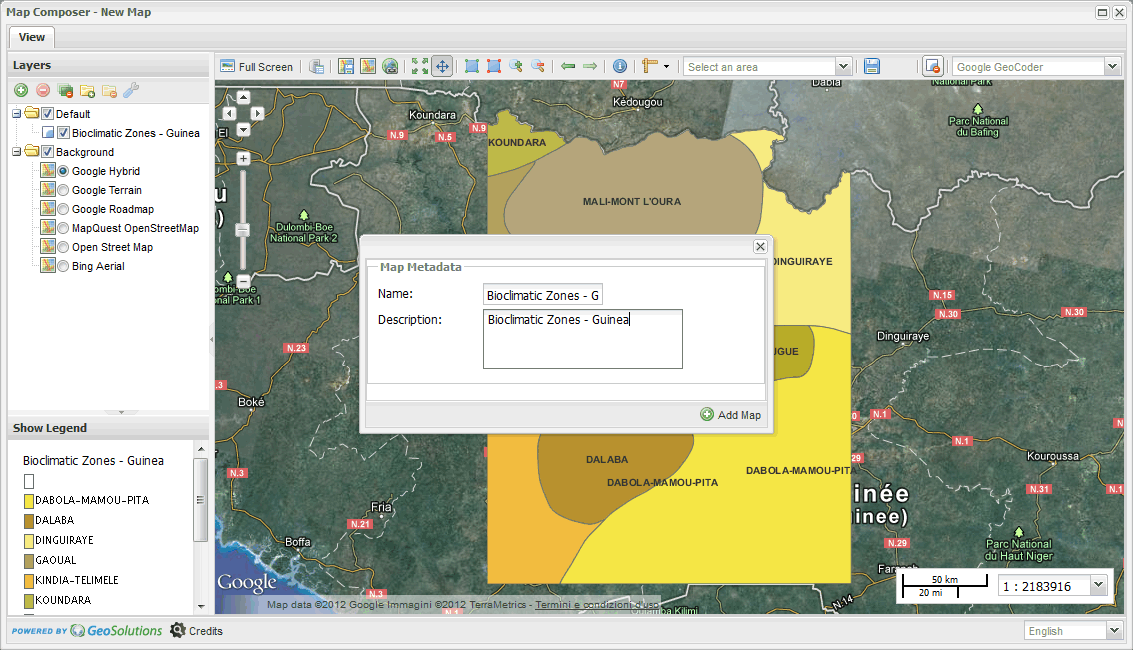
This widget allows the user to open an iframe containing MapComposer application. The user interacts with it by adding new layers and save the map with a title and description. This action puts the resource in GeoStore.