TrainScheduleManagementSystem lets you easily create custom train schedule for a given station via friendly APIs.
The project is organized into Api, Services and Tests.
- The trains API allows to create and manage train schedules.
- The services layer contains the core business logic and interacts with the database.
- The tests consists of unit tests for API, services and the database.
- Install
Visual Studio - Clone git repo locally using
$ git clone https://github.com/techpearls/TrainScheduleManagementSystem.git - Open the solution in Visual Studio
- Set Trains.Api as the Startup Project by right clicking on the Trains.Api and selecting
Set As Startup Project - Build the solution by choosing Build -> Rebuild All (or Build All) from the menu bar
- Run using the Run -> Start Without Debugging from the menu bar
- Use a tool like Curl or Postman to send requests to the API at endpoint:http://localhost:5000/api/v1/
- All times in the APIs are in UTC timezone.
- Since POST requests are non-idempotent, if one of the values to create train schedule is invalid ([0-2359]) the entire request is rejected.
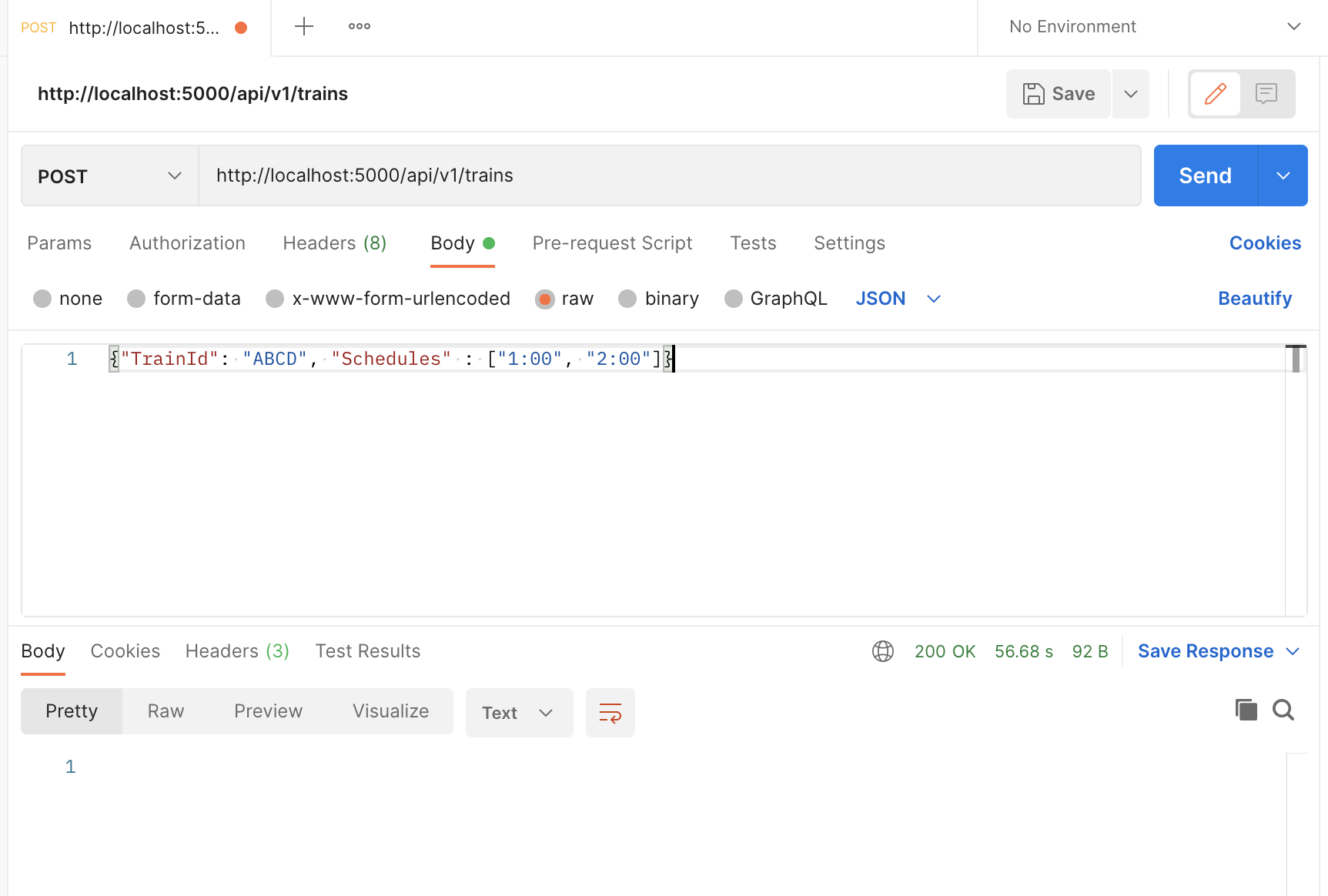
- Creating a new schedule
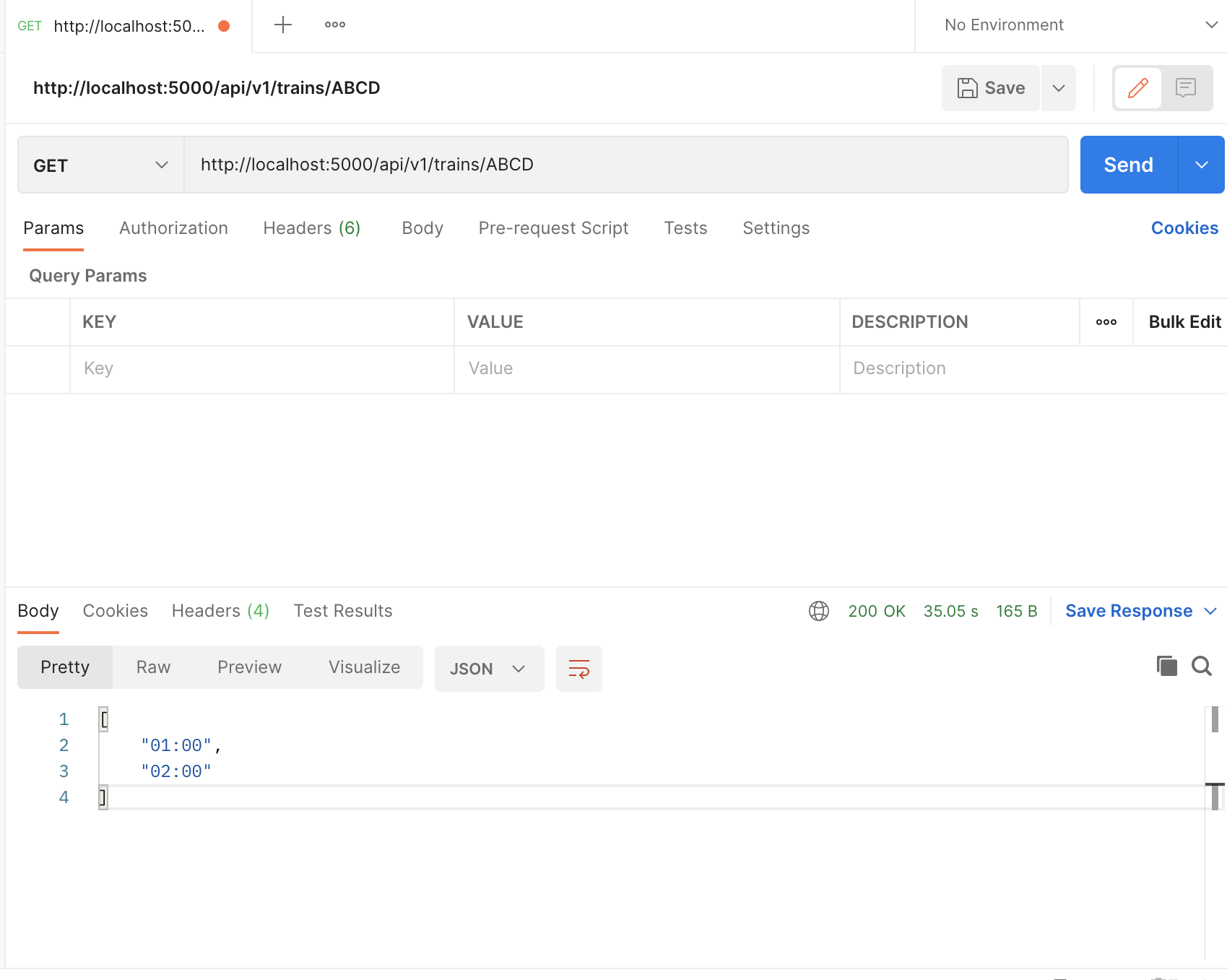
- Getting a train schedule
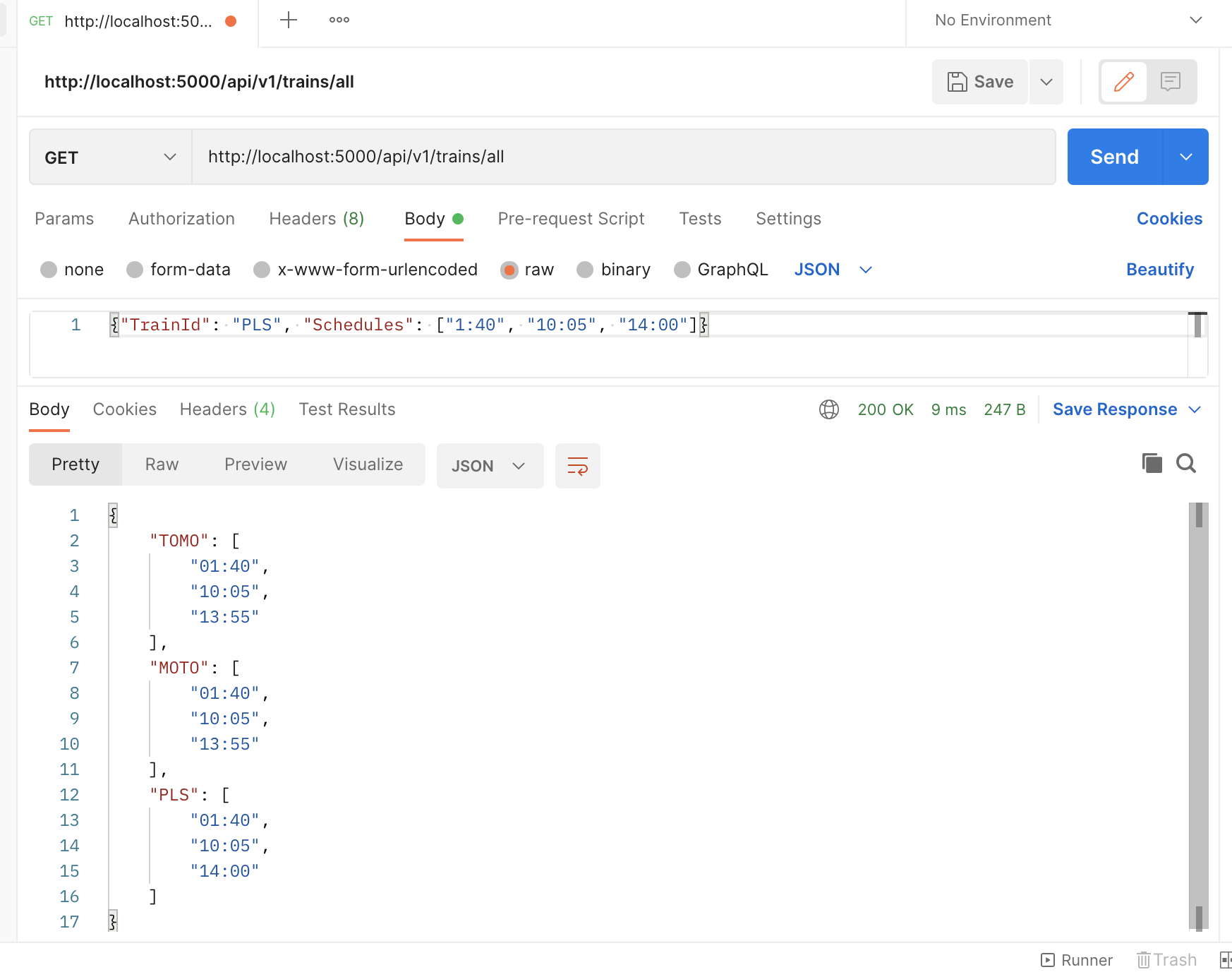
- Getting all schedules
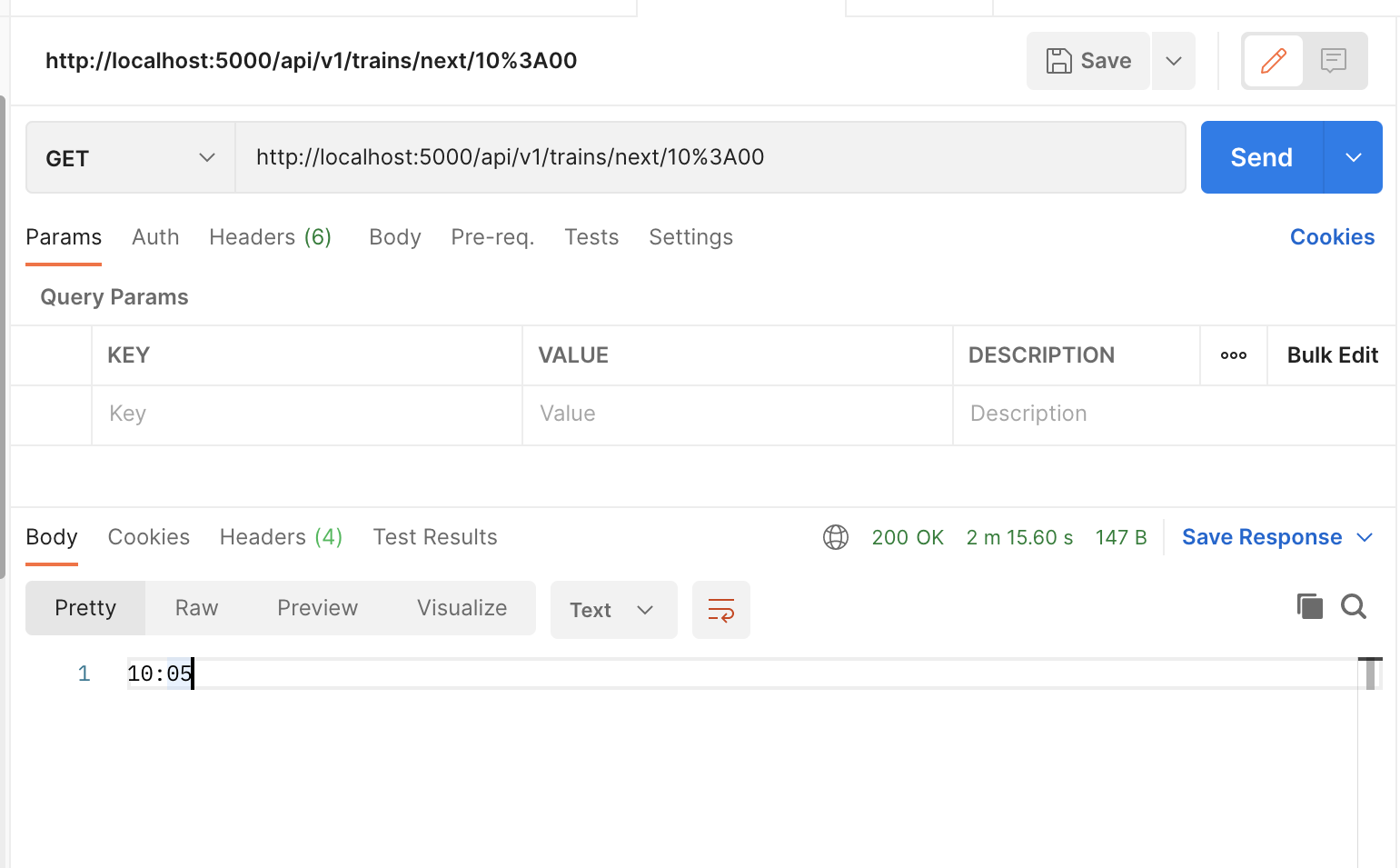
- Get next time when 2 or more trains are at the station
- The project is extensible to hold specific station data. It can also be extended to add many-to-many train schedule and station data.
- We can also add local time handling capabilities.
- We can also add PUT, PATCH and DELETE endpoints to manage train schedules.
- We can additionally add authentication and authorization capabilities to the APIs.