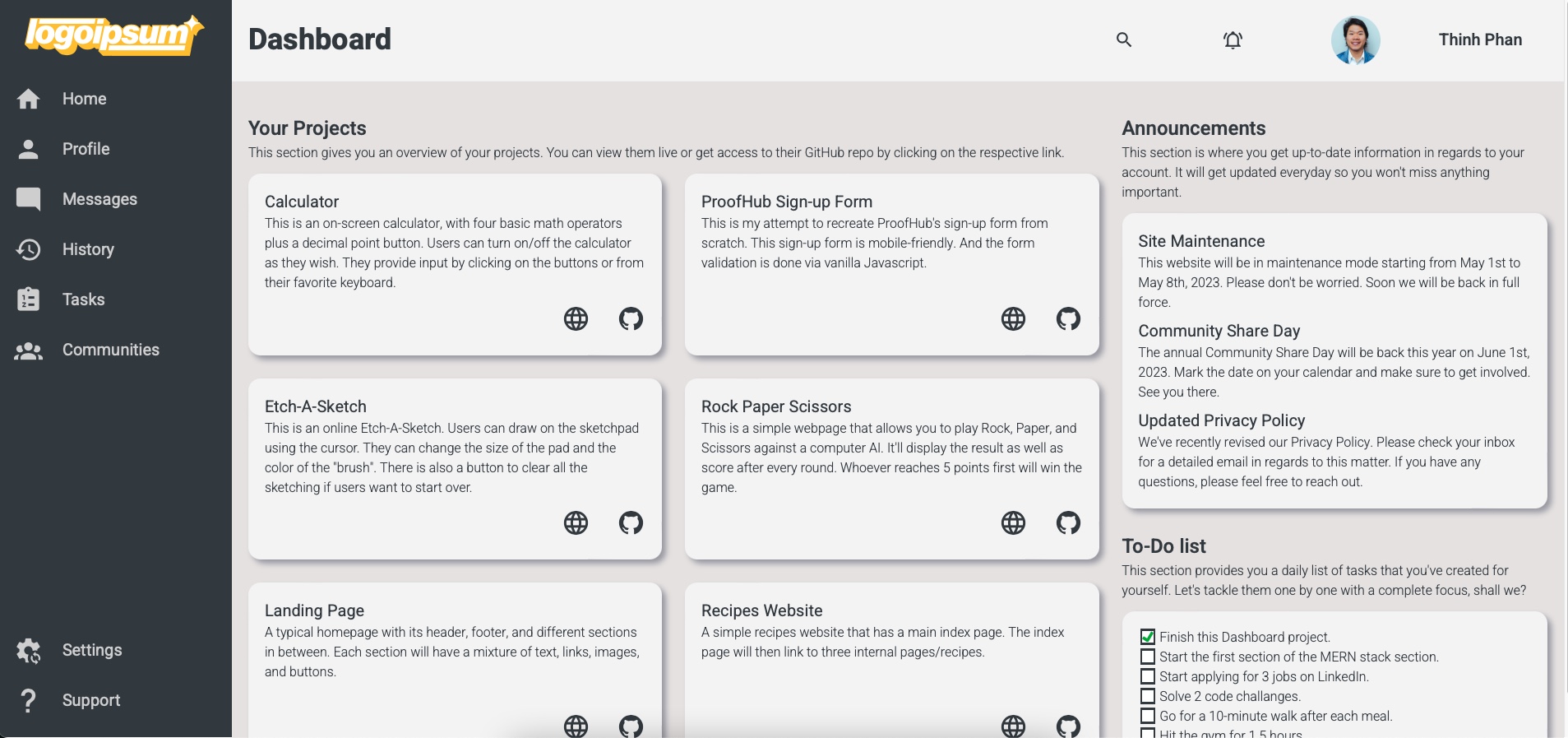
This is an admin dashboard with a side navigation bar, a header and a content section. Here, users can interact with different elements on the page. The page is mobile friendly. In the mobile version, the side bar is minimized to a hamburger menu where users can open and close as they want. The desktop and tablet version are pretty much the same.
CLICK HERE TO VIEW THE PROJECT
-
► 55.8%
-
► 40.5%
-
► 3.7%


This project was an opportunity for me to practice CSS Grid. In fact, I tried to build this page solely on it with a few instances of using CSS Flexbox. The reason was because it required more code with Grid than with Flexbox. And the desired visual outcome was so minor that I couldn't justify to write more lines for the sake of practicing.
I also got to work on my first hamburger menu for mobile. It wasn't that hard as I'd imagine going in. Once I had the logic on how to accomplish it down, the rest was a breeze.
Another thing I got to work on was embedding SVGs. They're quite different from regular digital images. But it was cool that you'd be able to alter them with some codes. In that regard, I think they're more flexible than other types of images.
- You have to fork this repo first. Github has a their own step-by-step guide with pictures to follow along.
- Note: You have the option of changing the name of your forked repo.
- And to have all the files locally on your computer, open Terminal -> change the current directory to the directory you want to put this forked repo. Then, enter the command line below:
git clone https://github.com/[your-username]/dashboard.git
- Note: If you change the name of your forked repo, replace 'dashboard.git' with '[your-forked-repo-name].git'. Github will automatically do this for you when you copy the link.
- Finally, change to your new forked repo directory.
cd dashboard
or
cd [your-forked-repo-name]
Please feel free to reach out if you need any help with this repo. 👉🏼 therealthinhphan@gmail.com