
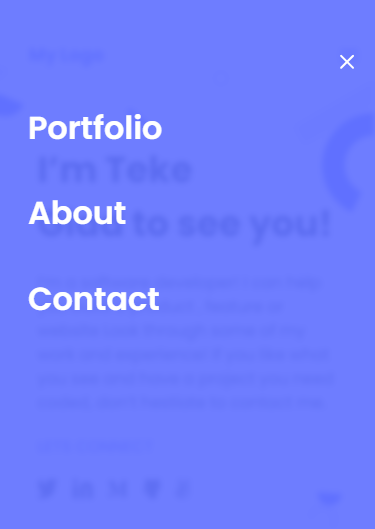
Portfolio - mobile menu Project!
- Languages Used: Html, CSS
- Code Editor: Visual Studio Code
- Concepts Used: Flexbox, Grid system
- Tools Used: Linters
- VCS: Git
- Package Manager: Node, NPM
-
To use basic JavaScript syntax.
-
To manipulate DOM elements.
-
To use JavaScript events.
Below is a screenshot of the complete project.
To get a local copy up and running follow these simple example steps.
- You need to have a Code Editor Installed.
- Make sure Nodejs and NPM are installed in your system to setup linters
- Setup
-
git clone https://github.com/teke85/portfolio_project-setup.git
-
Setup Linters by running following commands in your terminal:
-
npm install --save-dev stylelint@13.x stylelint-scss@3.x - - - stylelint-config-standard@21.x stylelint-csstree-validator@1.x (Install the StyleHint linters)
-
npm install --save-dev eslint@7.x eslint-config-airbnb-base@14.x eslint-plugin-import@2.x babel-eslint@10.x
-
npx stylelint "*/.{css,scss}" (checks for the CSS related errors in your project)
-
npx stylelint "*/.{css,scss}" --fix (This will fix the linters error, if any)
-
npm install --save-dev hint@7.x (Install the WebHint Linters)
-
Run npx eslint . on the root of your directory of your project.
-
npx hint . (You should see Finishing... on your terminal)
Non Available
-
👤 Author
- GitHub: @teke85
- Twitter: @muttau
- LinkedIn: isiteketo mutau
Give a ⭐️ if you like this project!
- Thanks to everyone who will dedicate time to check this code and suggest any changes to improve the project.
This project is MIT licensed.