added coordinate feature for each object.#8110
Open
parikshit223933 wants to merge 1 commit intotensorflow:masterfrom
Open
added coordinate feature for each object.#8110parikshit223933 wants to merge 1 commit intotensorflow:masterfrom
parikshit223933 wants to merge 1 commit intotensorflow:masterfrom
Conversation


 parikshit223933
requested review from
derekjchow,
jch1 and
pkulzc
as code owners
parikshit223933
requested review from
derekjchow,
jch1 and
pkulzc
as code owners

|
Thanks for your pull request. It looks like this may be your first contribution to a Google open source project (if not, look below for help). Before we can look at your pull request, you'll need to sign a Contributor License Agreement (CLA). 📝 Please visit https://cla.developers.google.com/ to sign. Once you've signed (or fixed any issues), please reply here with What to do if you already signed the CLAIndividual signers
Corporate signers
ℹ️ Googlers: Go here for more info. |


Author
|
@googlebot I signed it! |
|
CLAs look good, thanks! ℹ️ Googlers: Go here for more info. |

Author
|
Hello sir, How long does it take to review a PR on tensorflow? |
This file contains hidden or bidirectional Unicode text that may be interpreted or compiled differently than what appears below. To review, open the file in an editor that reveals hidden Unicode characters.
Learn more about bidirectional Unicode characters
Sign up for free
to join this conversation on GitHub.
Already have an account?
Sign in to comment
6 participants


Add this suggestion to a batch that can be applied as a single commit.This suggestion is invalid because no changes were made to the code.Suggestions cannot be applied while the pull request is closed.Suggestions cannot be applied while viewing a subset of changes.Only one suggestion per line can be applied in a batch.Add this suggestion to a batch that can be applied as a single commit.Applying suggestions on deleted lines is not supported.You must change the existing code in this line in order to create a valid suggestion.Outdated suggestions cannot be applied.This suggestion has been applied or marked resolved.Suggestions cannot be applied from pending reviews.Suggestions cannot be applied on multi-line comments.Suggestions cannot be applied while the pull request is queued to merge.Suggestion cannot be applied right now. Please check back later.
With the changes made in the code, the user will now be able to:
EXAMPLE:
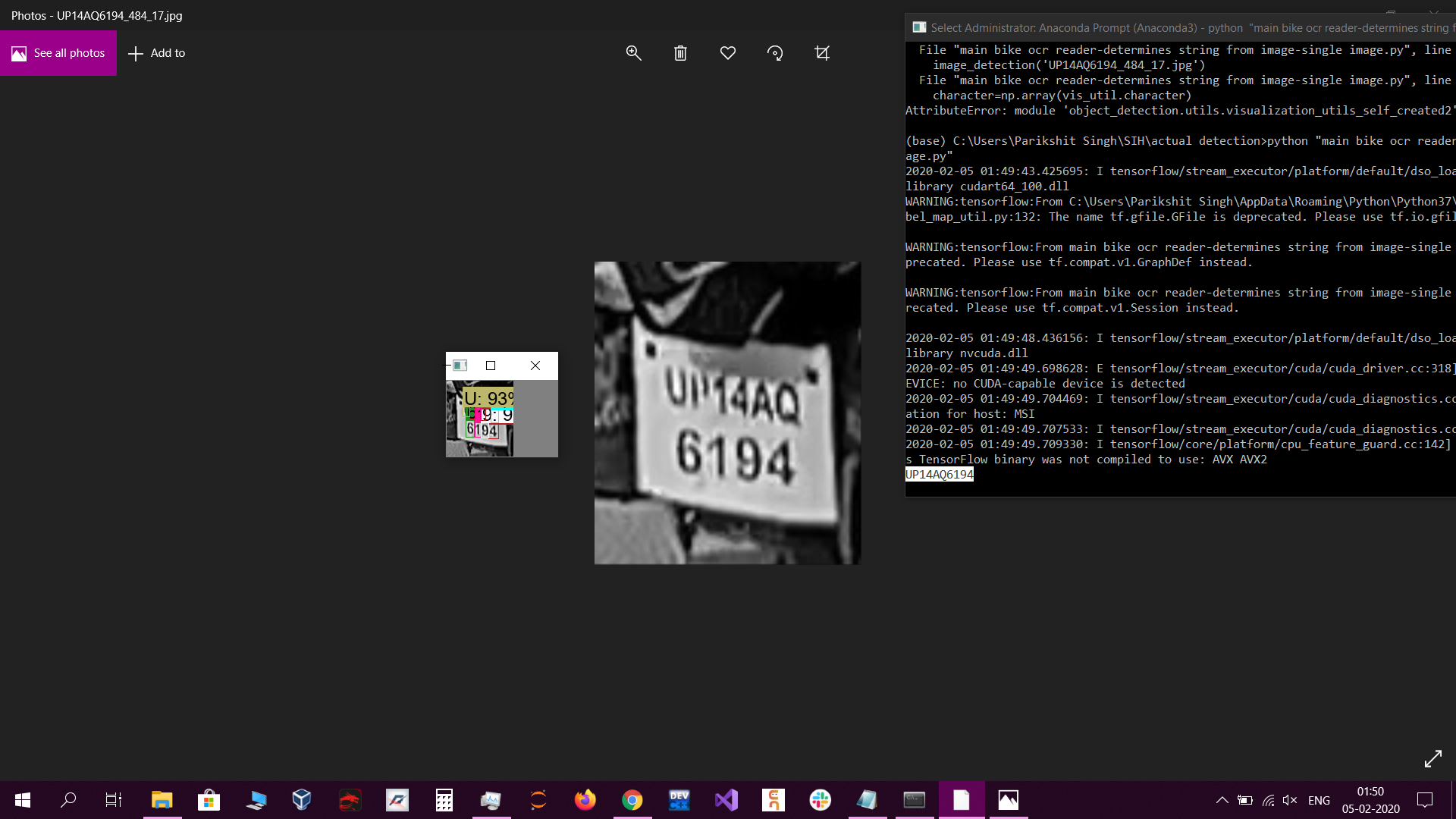
As you can see in the above image, if the first six characters have to be printed before the last four characters, then you will need to know the coordinates of each character of the image. otherwise, the characters will be printed in a shuffled order.
(In the right hand side in the command prompt, there is the string which has been detected in a correct sequence)
EXAMPLE CODE TO MAKE USE OF CHANGES DONE: