Feature Pinnable Topbar
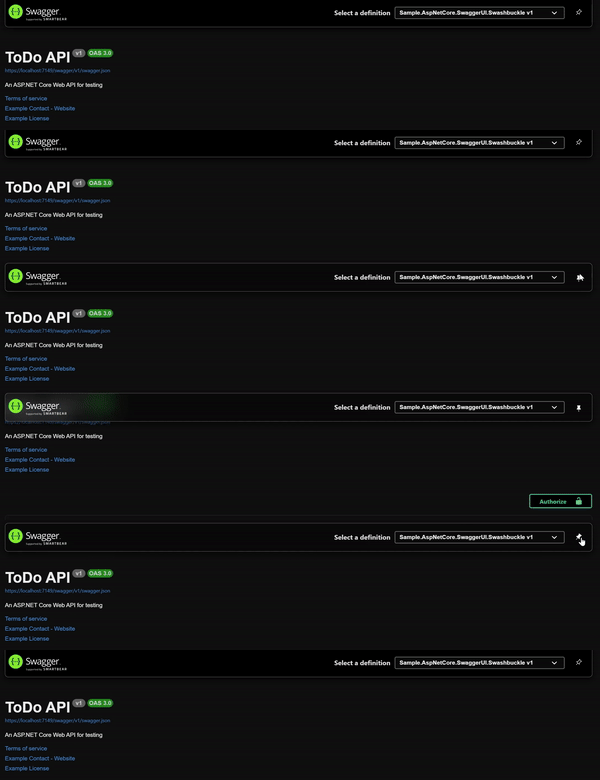
Add a pin button to keep the top navigation bar fixed at the top of the page.
- ✅ Quick Access - API definitions dropdown always accessible
- ✅ User Control - Users can pin/unpin as needed
- ✅ Persistent State - Pin state saved in local storage
- ✅ Smooth Animation - Elegant pin/unpin transitions
using AspNetCore.Swagger.Themes;

app.UseSwaggerUI(Theme.Dark, options =>
{
    options.EnablePinnableTopbar();
});using AspNetCore.Swagger.Themes;
app.UseSwaggerUi(Theme.Dark, settings =>
{
settings.EnablePinnableTopbar();
});Style the pinned topbar:
:root {
    --topbar-pinned-background-color: #your-color;
    --topbar-pinned-shadow-color: rgba(0, 0, 0, 0.3);
    --topbar-pin-icon-color: #your-icon-color;
}Works with:
- ✅ All predefined themes
- ✅ Custom themes
- ✅ All other advanced features
- ✅ Theme Switcher
- Customize with CSS Variables - Fine-tune topbar appearance
- Enable Other Features - Combine with other UI enhancements
- Explore All Features - See what else is available