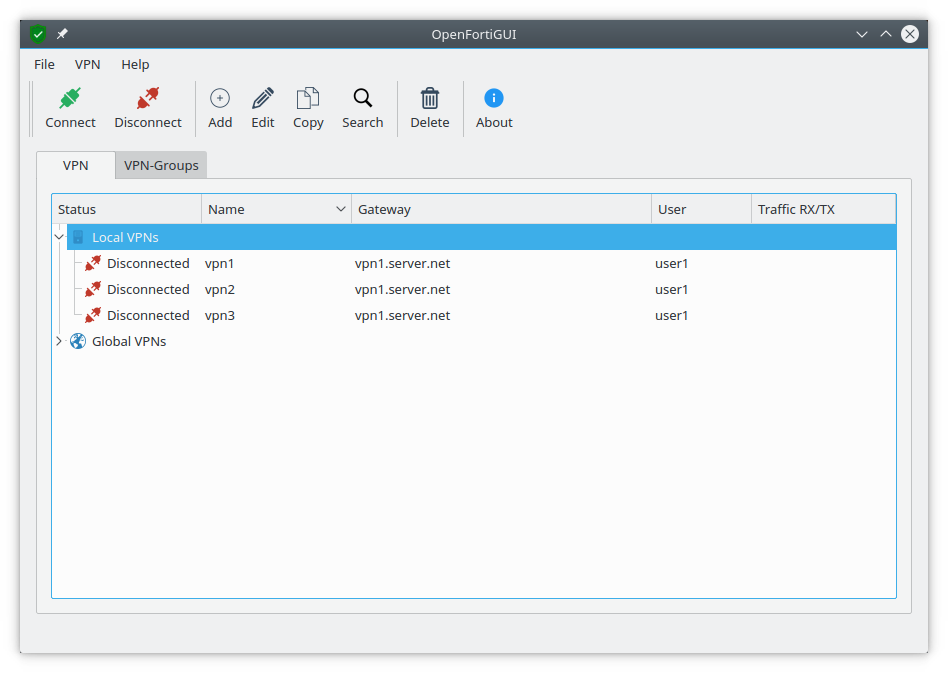
VPN-GUI to connect to Fortigate-Hardware, based on openfortivpn
For more information visit https://hadler.me/linux/openfortigui/
Official public apt-repo: https://apt.iteas.at/
For gateways that authenticate via SAML (Microsoft SSO and the like), enable
Login via browser (SAML SSO) in the VPN profile. On connect, openfortiGUI
opens your web browser on the gateway's SAML login page; after signing in, the
gateway redirects to a local listener (127.0.0.1, port configurable in the
profile, default 8020) and the tunnel comes up automatically. Alternatively, a
manually obtained SVPNCOOKIE can still be pasted into the profile's Cookie
field.
0.9.11 is the Qt6 port. Profiles, groups, the configuration and stored passwords carry over unchanged -- there is nothing to migrate by hand. What does change:
- Restart openfortiGUI once after the upgrade. A 0.9.10 GUI that keeps
running cannot start new connections (it may still call
sudo -E, which the new sudoers rule no longer permits), and a newly started 0.9.11 binary will not find the old GUI's socket. Established tunnels keep running. - Supported distributions: Qt6 packages exist for Ubuntu 24.04 and later and Debian bookworm and later. Ubuntu 20.04/22.04 and Debian 10/11 stay on the 0.9.10 line, apt keeps them there automatically.
- The KRunner plugin needs KDE Frameworks 6 (Ubuntu 26.04 / Debian trixie or later). The KF5 plugin is removed on upgrade -- it cannot talk to 0.9.11.
~/.openfortiguiis kept private to the owning user now (0700, files 0600), re-tightened on every start. Global profiles under/etc/openfortigui/vpnprofilesare unaffected.- The embedded openfortivpn is 1.24.1, which drops the OpenSSL ENGINE code path (keys via PKCS#11 engines).
- If you modified
/etc/sudoers.d/openfortigui, dpkg asks about the changed file; keeping your version is safe -- theSETENV:tag is simply no longer needed.
By default openfortiGUI encrypts profile passwords itself, with the AES key and
IV from ~/.openfortigui/main.conf. Enabling Use system password store
(File → Settings) moves key and IV into the keyring of your desktop session
instead, so they are no longer readable in the configuration file.
This needs a Secret Service provider running in your session — openfortiGUI talks to it through qtkeychain, not to any specific implementation:
| Desktop | Package |
|---|---|
| GNOME, Xfce, Cinnamon, i3/sway, … | gnome-keyring (plus seahorse to manage it) |
| KDE Plasma | kwalletmanager (KWallet is part of Plasma) |
The libgnome-keyring* packages named in older issues are obsolete and are not
used. If the keyring is missing or locked, openfortiGUI says so when the option
is switched on and leaves it off.
Note that switching the option changes where key and IV live, not the passwords themselves. Passwords stored under the previous key have to be entered once again afterwards.
The VPN process needs root for pppd and the routing table, so openfortiGUI
starts it through sudo. The packages install a rule for exactly that one
command:
%sudo ALL=NOPASSWD: /usr/bin/openfortigui --start-vpn *
If connecting fails with "sudo asked for a password", that rule does not apply
to your account. Check that /etc/sudoers contains @includedir /etc/sudoers.d,
and that you are a member of the group the rule names. Domain and AD accounts
usually are not in the local sudo group — in that case name their group in
the rule instead, rather than granting general sudo rights:
%domain\ users ALL=NOPASSWD: /usr/bin/openfortigui --start-vpn *
openfortiGUI is tested against a real FortiGate VM running under KVM. See TESTS.md for requirements and how to run the test suite.