I make a lot of Discord bots. Most of them are temporary things for mild amusement, and I've found that it takes a while to set up the initial JDA environment for a new bot. That's why I made Template Bot.
Template Bot is simply a generic template for JDA based Java Discord bots. I use it whenever I create a new bot, as it provides the basic framework and organizational structure that I've found to be the most conducive to effective bot development.
If you're a Java Discord bot developer interested in using my template, feel free to clone this repository and make your own bot. Have fun developing.
I use IntelliJ IDEA to make Discord bots, and as that's the IDE I'm most familiar with, these instructions are specifically written for IntelliJ. If you use a different IDE, that's fine, but these instructions may not work for you.
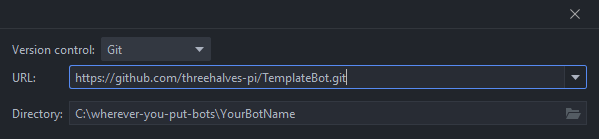
Create a new project by getting it from VCS.

Enter the url of this repository:
https://github.com/threehalves-pi/TemplateBot.git
Set the directory to wherever you want to put your bot. If IntelliJ prompts you to install git, do so now.
Then click Clone.
You've now cloned the repository, but you need to change the project name and remove the version control link. Open the settings.gradle file and change the name of the project to whatever you named the project directory. It should say:
rootProject.name = 'YourBotName'
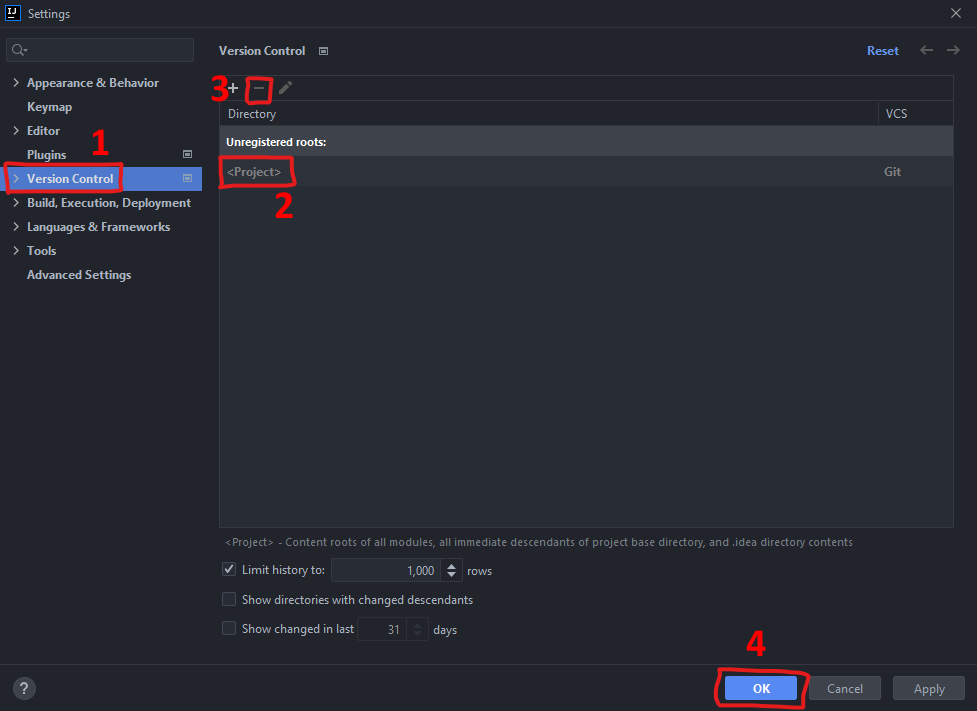
Go to File > Settings (or press Ctrl + Alt + S). Open the Verison Control tab, select the <Project> entry, and remove it. Then click OK.
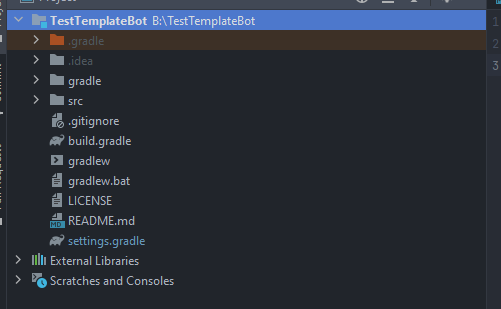
Close IntelliJ IDEA. Make sure that the project folder has the same name as the name you set in settings.gradle. If not, change the directory name at this time through file explorer. Then reopen IntelliJ. You should see the project files listed on the left, and the project name in bold white text at the top. If it shows TemplateBot instead or in brackets, something went wrong.
Open the build.gradle file. Make sure that the dependency versions for net.dv8tion:JDA and ch.qos.logback:logback-classic are up-to-date. If they are not, change them now.
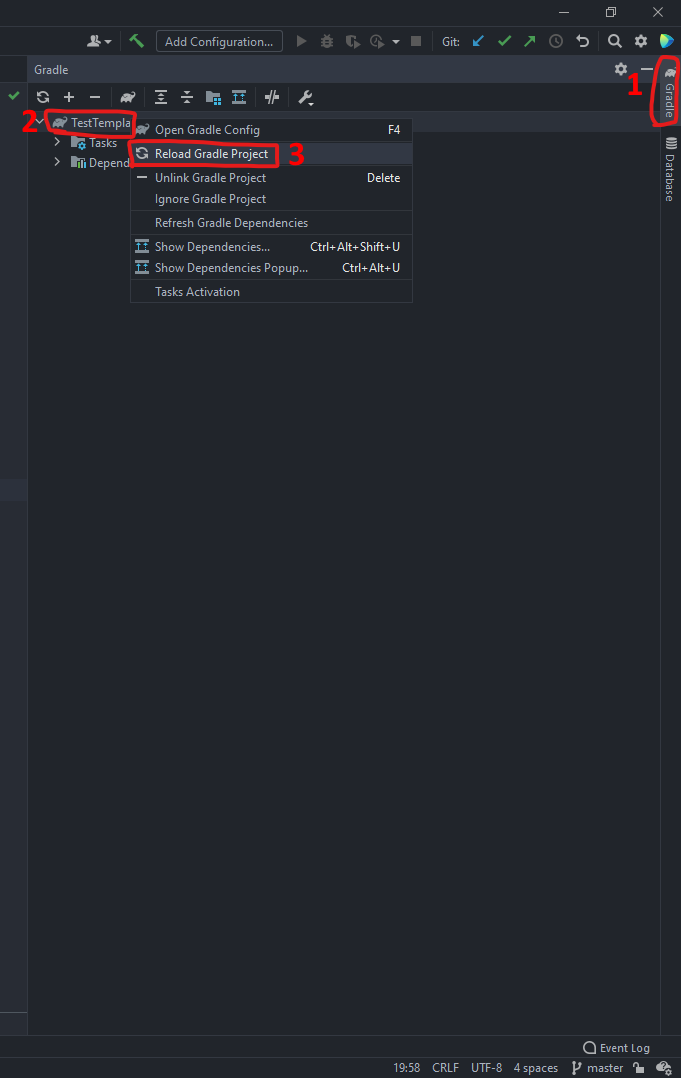
Open the Gradle tab on the right. Right click on the project name, and choose Reload Gradle Project. Close the Gradle tab, and wait for the build to finish.
Delete the unnecessary files used for GitHub that aren't necessary for your bot. In particular, remove .gitignore and README.md in the root directory.
Open src\main\resources\bot.properties. Read through all of the configuration settings and the comments, and make the necessary changes for your bot.

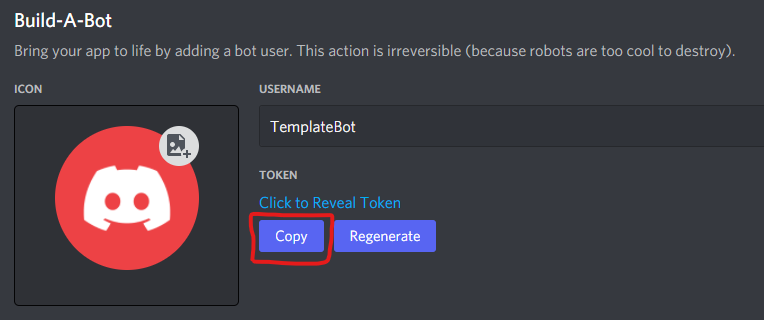
With src\main\resources\ still open, create a file in the resources directory called bot.token. (If IntelliJ gives a prompt regarding the file type, leave everything at the default for text files, and press OK.) Get your bot's token from the Bot tab on the Discord developers page, and paste it in this file. Do not include a linebreak at the end.
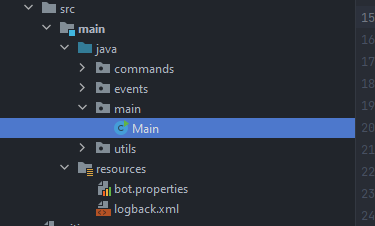
When you are ready to start your bot for the first time, open the main.Main file and execute the main() method. Wait for gradle to build and run your project, and then test the bot by typing "ping" in your development server.
That's it! You now have a rudimentary Discord bot based on TemplateBot. To start coding basic features, look at the OnMessage class in the events package.