Repository navigation
Home
IPscan offers much of the functionality you might hope to find in an IPv6 version of GRC's ShieldsUp® utility.
An online demo of this service is accessible via the IPscan Demo Server Landing Page.
Current web-browsers prioritise IPv6 AAAA-record responses over IPv4 A-records, if they are running on a host with IPv6 enabled. The domain linked above has DNS entries for both IPv4 and IPv6 addresses. This makes it possible for IPv4-only hosts, which make up approximately 50% of the current web traffic, to use the same URL.
The landing page attempts to determine whether your machine has a valid globally routable IPv6 address (2000::/3) and whether it is behind an HTTP proxy, by looking for well-known HTTP header variables which indicate that this may be the case.
Only if the hosts' IP address is determined to be globally-routable unicast IPv6, and there are no tell-tale HTTP proxy variables, will the landing page offer links to initiate the scan. Example links are shown below:
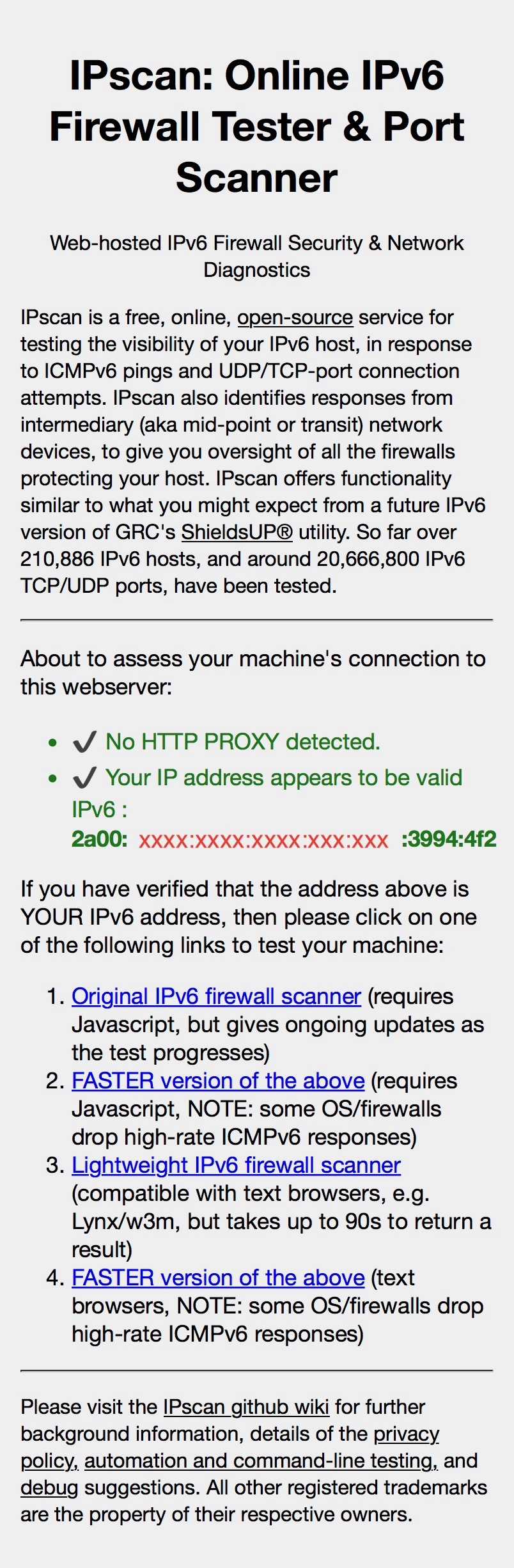
Assuming your host machine accesses the IPscan Demo Server Landing Page using an IPv6 address, then you will need to select which of the four IPscan tester versions you wish to run.
The IPscan tester is made available in two distinct versions:
- for text-only browsers and command-line utilities, such as Lynx, w3m, ELinks, wget and cURL.
- for browsers that support Javascript
The lightweight, text-only browser version is designed to be used on hosts which do not sport their own GUI environment (e.g. servers and embedded devices like routers), and it is also suitable for Scan Automation purposes.
The Javascript browser version supports ongoing updates of the test status, whereas the text-only version only produces a results page once all the selected ports have been tested.
Additionally, fast and standard variants of both of these tester versions are provided. The fast variants test multiple TCP or UDP ports in parallel, whereas the standard variants test only 1 port at a time, at a default rate of 1 port per second.
Some operating systems and firewall devices apply rate-limiting to their generation, or transport, of ICMP responses, on the basis that this behaviour may be indicative of port scans being performed. Such rate-limiting might cause a port which would normally generate an ICMP response (e.g. PHBTD) to send no response at all, or cause the response to be dropped, by a mid-point firewall. Either of these circumstances could cause IPscan, or any other port scanner, to inaccurately report the port as STEALTHed, since no response will be received. If you are testing a host or firewall which implements such rate-limiting then you are advised to use the standard, slower versions of IPscan, which should not trigger the rate-limiting behaviour. If you're unsure which variant is appropriate for your host, then try both the fast and standard variants, and compare the results. If the fast variant indicates more STEALTHed responses then it is likely that rate-limiting is in operation. Some Linux distributions and some ISP firewalls are known to implement such rate-limiting.
Please do NOT attempt to test hosts which are located behind HTTP proxies. Such proxies are very common in both corporate environments and on commercially-operated free wifi networks. The landing page for IPscan attempts to detect the common headers which such proxies insert, but it cannot detect truly transparent proxies.
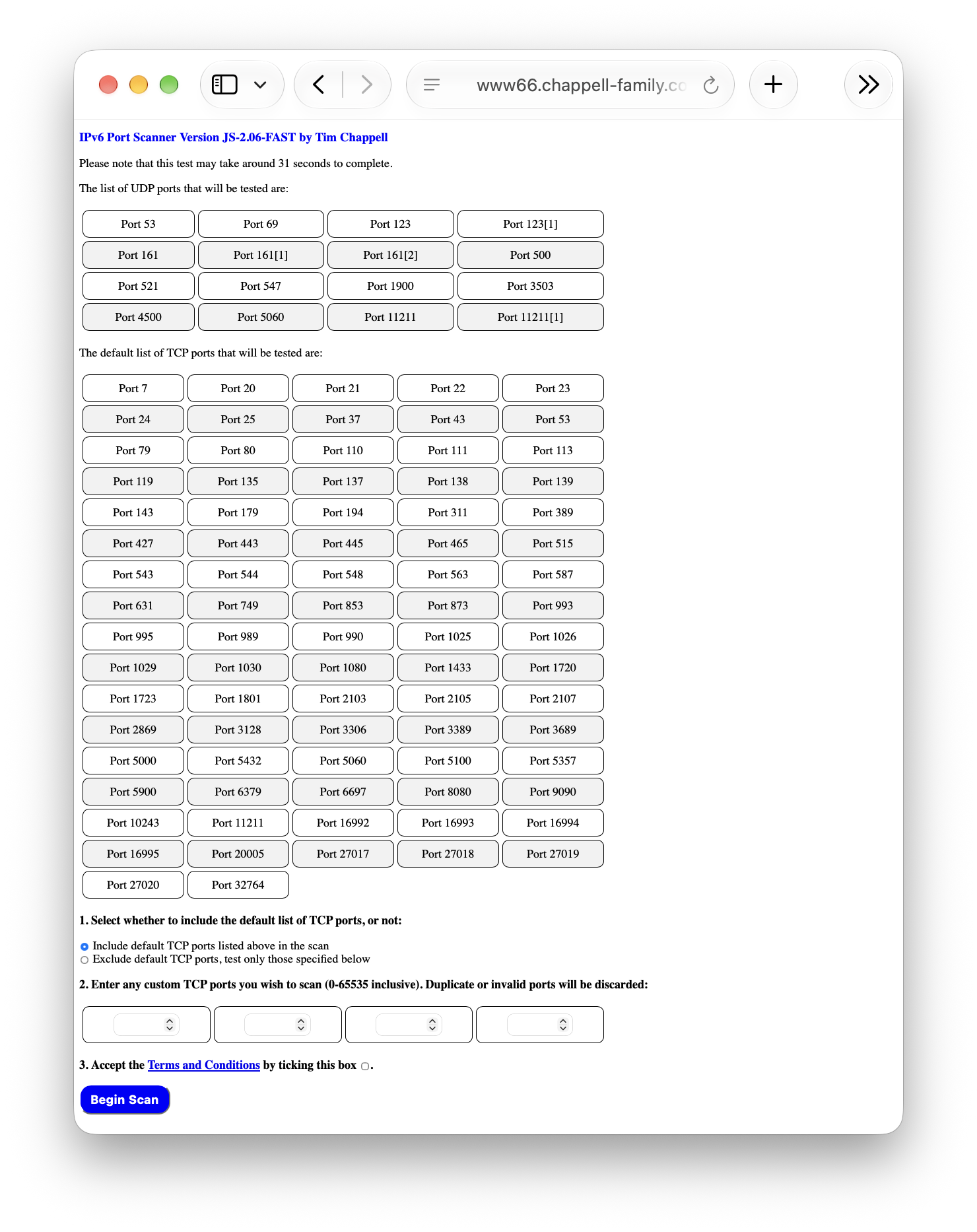
IPscan allows a user to choose whether to include a commonly-used set of TCP Ports in the scan, as well as the ability to specify up to 4 custom TCP ports. The custom ports facility is intended to cover deployments where you run services on non IANA-assigned ports, or just run less-common services. The user must then review and confirm their acceptance of the IPscan Terms & Conditions, prior to initiating the test by clicking the 'Begin Scan' button.
An example of the dialogue page is shown below:
The test begins by sending an ICMPv6 ECHO-REQUEST (an IPv6 ping) towards the host under test (HUT). The tester checks for related ICMPv6 responses from either the HUT or other hosts (e.g. routers and/or firewall devices protecting the HUT). If a response is detected from an host other than the HUT then the IPv6 address of this third-party (mid-point) device is reported.
The test then scans a fixed set of commonly-used UDP Ports. The IPv6 UDP port test sets the socket tx/rx timeouts to be 2 seconds - consequently the results can take up to 2s per tested UDP port - although the actual time depends heavily upon the filtering that your system employs (e.g. firewalls which mark protected ports as 'unreachable' will resolve in much less than the allowed 2 second timeout assuming that your firewall sends the appropriate ICMPv6 packet in response).
The test finishes by scanning the user-selected IPv6 TCP ports. The IPv6 TCP port test sets the socket Tx/Rx timeouts to be 1 second - consequently the results can take up to 1s per tested port - although, as with the UDP ports, this depends heavily upon the filtering your system employs.
An example IPscan results page is shown below:
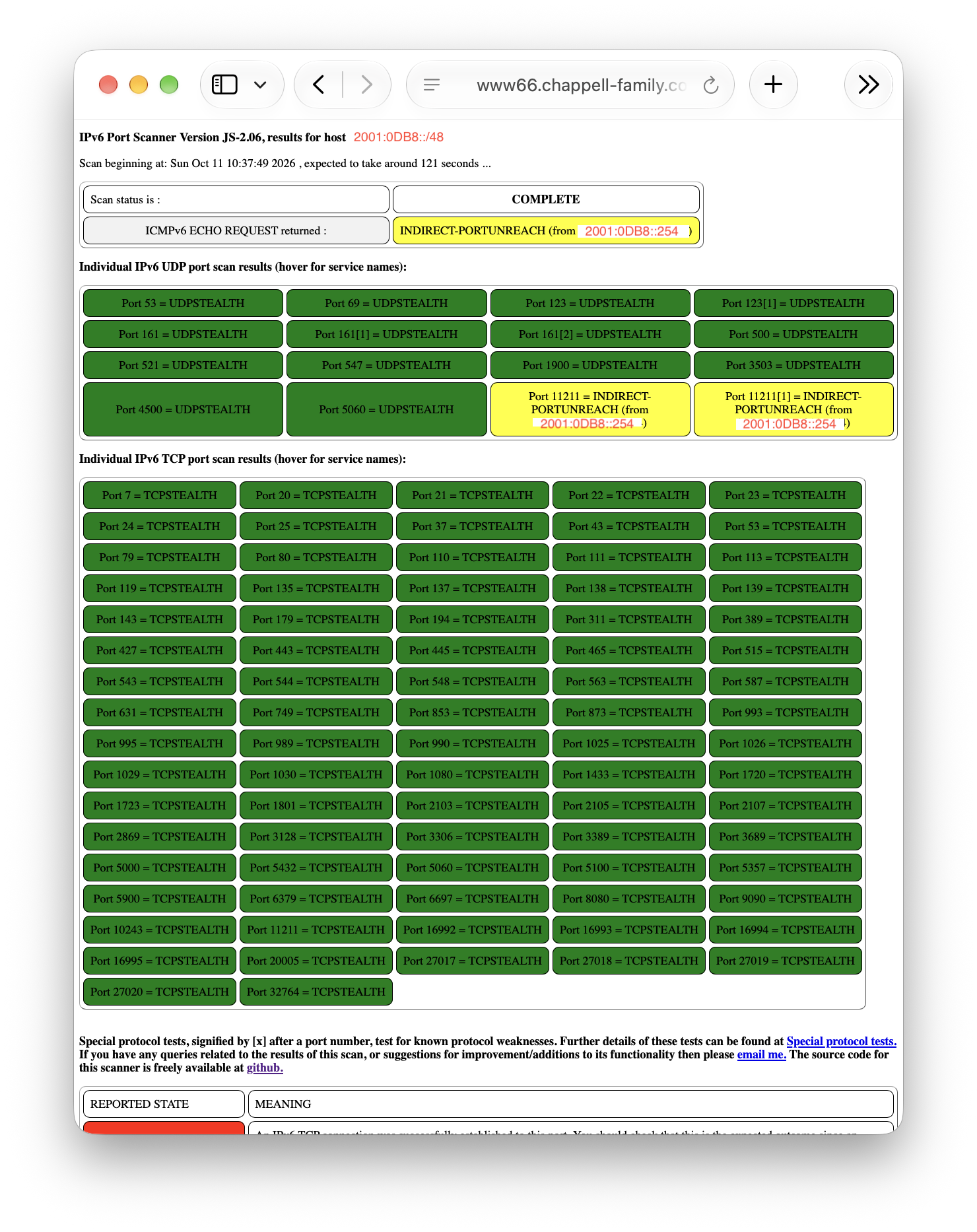
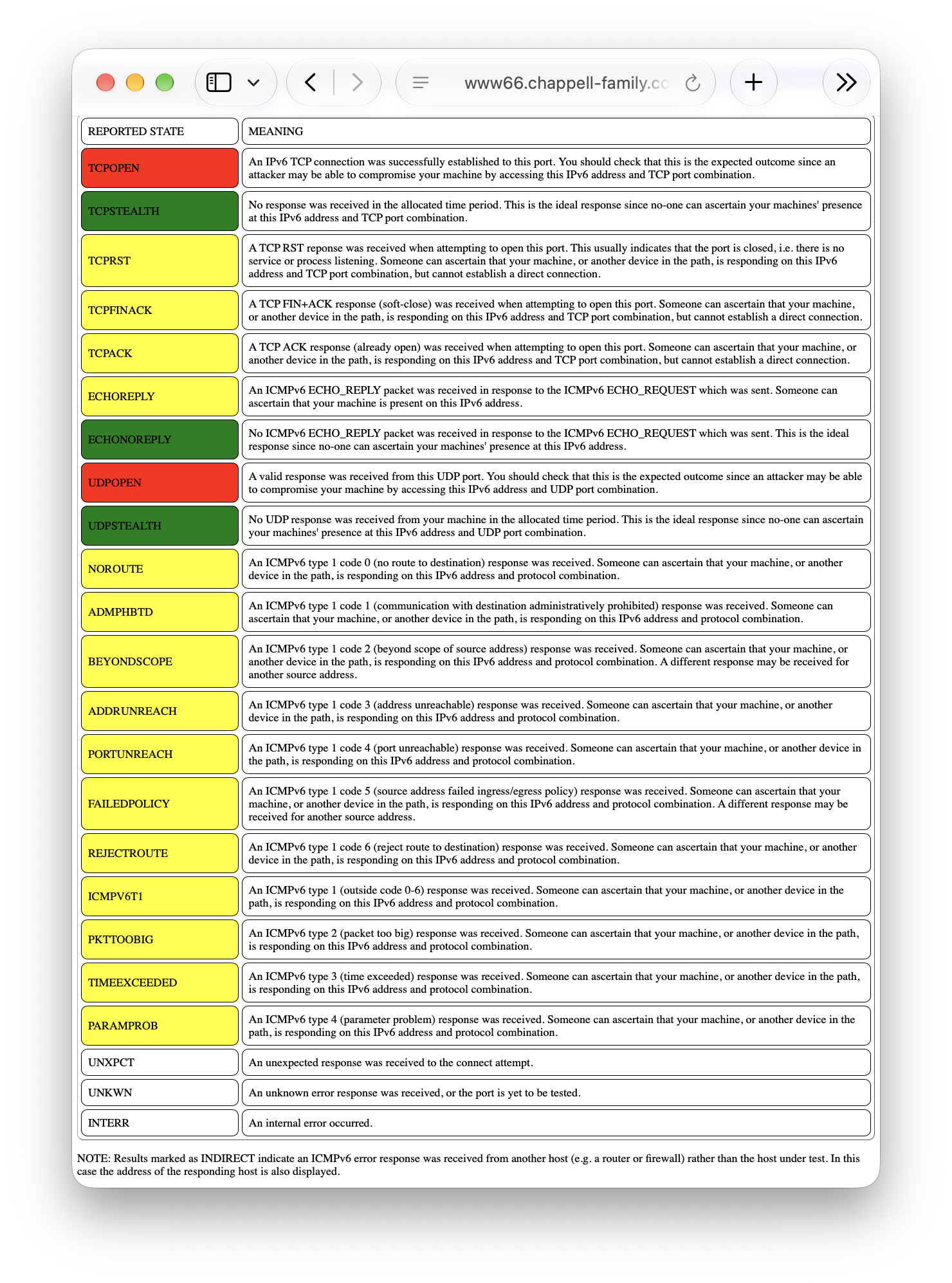
The tester will indicate the status of the tested UDP and TCP ports as either OPEN, STEALTHed or one of a series of other states depending on the positive or negative feedback received from your machine. Note that if you run the test using an interactive gui-based browser then hovering over specific port numbers produces a pop-up describing the service run on that specific port. For a more detailed explanation of the reported states, please read ScanStatus. An example of the Scan Status key is shown below:
IMPORTANT: this scanner will direct IPv6 TCP, UDP and ICMPv6 traffic towards the IP address that the webserver determines the request originates from. Please do NOT attempt to test machines that are operating behind transparent HTTP proxies, unless you also administer the proxy and specifically intend that machine to be tested.