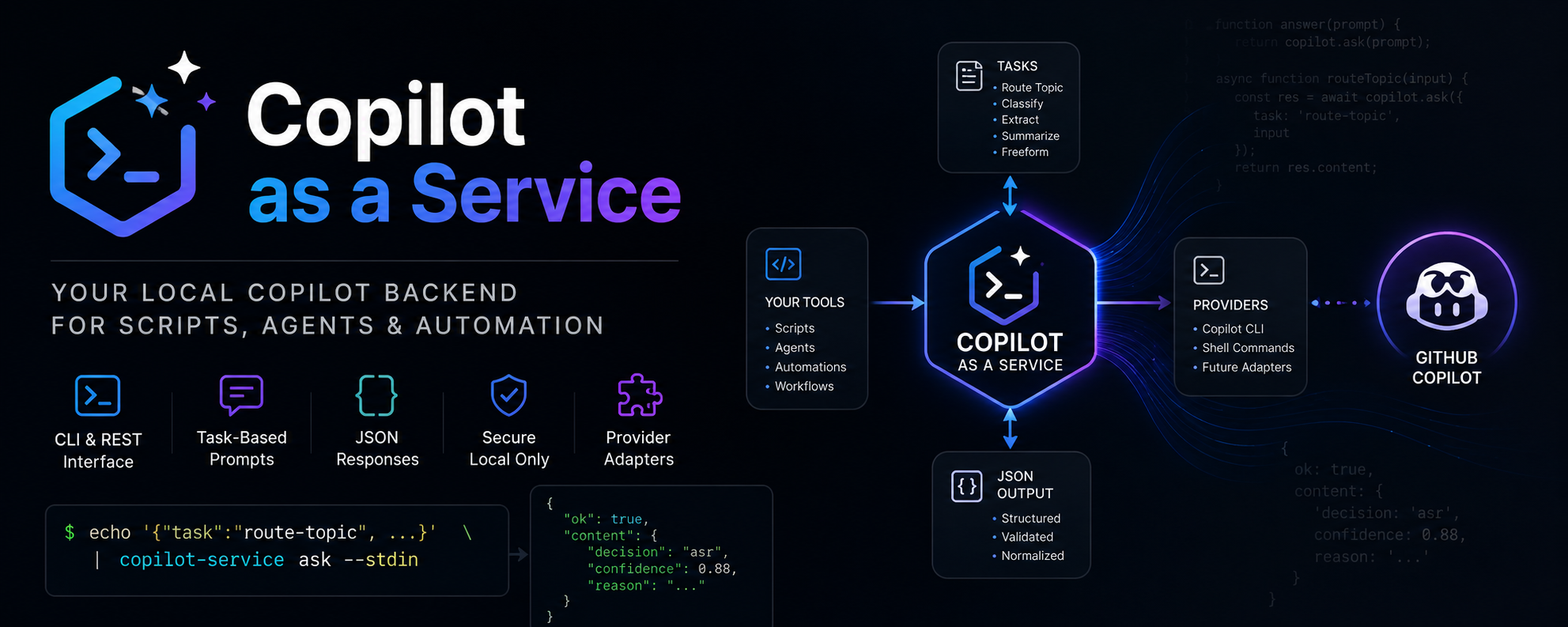
copilot-service provides a stable local CLI and REST wrapper around Copilot/LLM CLI tooling so scripts and agents can call a normalized task API.
Different LLM CLIs have different prompt formats and output styles. This project gives one stable contract for task-based calls (route-topic, freeform) and isolates provider setup in local config.
Automated releases are available through GitHub Actions. See docs/release.md for full instructions.
from copilot_service.client import CopilotServiceClient

client = CopilotServiceClient()  # connects to http://127.0.0.1:8765

result = client.freeform("Explain this error")
if result.ok:
    print(result.content["text"])

result = client.route_topic(
    title="Article title",
    message="Full message",
    article_excerpt="...",
    topics={"asr": "Speech Recognition", "nlp": "NLP"},
)
print(result.content["decision"])
See docs/api-contract.md for the full API contract.
Running copilot-caas with no arguments shows a colorful welcome screen and exits 0:
copilot-caas
Check the installed version:
copilot-caas --version
Run a task:
copilot-caas ask --input examples/route-topic-request.json
Colors are automatically disabled when NO_COLOR is set or output is not a TTY.
python -m venv .venv
. .venv/bin/activate
pip install -e .

export COPILOT_SERVICE_PROVIDER=fake
export COPILOT_SERVICE_FAKE_RESPONSE='{"decision":"asr","confidence":0.8,"reason":"fake"}'
copilot-service ask --input examples/route-topic-request.jsoncopilot-caas includes a service command group for managing a persistent local systemd user service.
pip install -e .
copilot-caas service install
Or with explicit options:
copilot-caas service install \
  --source-dir /path/to/repo \
  --copilot-bin /path/to/copilot \
  --model gpt-5-mini \
  --host 127.0.0.1 \
  --port 8765
The installer:
- Detects and validates the Copilot CLI binary (with a 20-second timeout per candidate).
- Creates
~/.local/share/copilot-service/with a dedicated venv. - Writes
~/.config/copilot-service/envwithCOPILOT_SERVICE_SHELL_MODE=argv. - Writes
~/.config/systemd/user/copilot-service.serviceand enables it. - Runs a health check and a provider smoke test.
Skip the smoke test (e.g. for CI):
copilot-caas service install --skip-provider-smoke
# or
COPILOT_SERVICE_SKIP_PROVIDER_SMOKE=1 copilot-caas service installcopilot-caas service status # systemctl status + /health
copilot-caas service restart # restart + health check
copilot-caas service logs # journalctl (last 120 lines)
copilot-caas service logs -f # follow logs
copilot-caas service logs -n 50
copilot-caas service test # diagnostics + provider smoke test
copilot-caas service uninstall
copilot-caas service uninstall --remove-config --remove-install-dir --yesThe service runs as a systemd user unit — it only starts when you log in. For headless/server setups where no interactive session exists:
sudo loginctl enable-linger "$USER"Security: The REST server binds to
127.0.0.1by default. Do not bind to0.0.0.0unless you have auth, a reverse proxy, or a firewall in place.
export COPILOT_SERVICE_PROVIDER=shell
export COPILOT_SERVICE_SHELL_COMMAND='python -c "import sys; print(sys.stdin.read())"'
copilot-service ask --task freeform --prompt "Explain this"copilot-service serve --host 127.0.0.1 --port 8765
curl -sS http://127.0.0.1:8765/health
curl -sS http://127.0.0.1:8765/v1/ask \
-H 'content-type: application/json' \
--data @examples/freeform-request.json
curl -sS http://127.0.0.1:8765/v1/tasks/route-topic \
-H 'content-type: application/json' \
--data @examples/route-topic-request.jsonSee examples/article-ingestion-usage.sh for a simple pipeline wrapper around the route-topic task.
COPILOT_SERVICE_PROVIDER(shellfor MVP,fakefor tests)COPILOT_SERVICE_SHELL_COMMAND(provider command)COPILOT_SERVICE_MODEL(defaultgpt-5-mini)COPILOT_SERVICE_TIMEOUT_SECONDS(default90)COPILOT_SERVICE_HOST(default127.0.0.1)COPILOT_SERVICE_PORT(default8765)
- MVP ships only with shell/fake providers.
- Output quality depends on your configured local command and prompt discipline.
route-topicfallback behavior can mask model errors when enabled (default true).
REST binds to 127.0.0.1 by default. The shell command is loaded only from local environment/config (never from request payload).
If the service is installed via scripts/install-systemd-user.sh and requests fail, use these commands to diagnose.
Check the env file written by the installer:
cat ~/.config/copilot-service/envCheck service status:
systemctl --user status copilot-service.service --no-pagerTail recent logs:
journalctl --user -u copilot-service.service -n 120 --no-pagerShow unit configuration (env file path and ExecStart):
systemctl --user show copilot-service.service -p EnvironmentFiles -p ExecStartHealth check:
curl -s http://127.0.0.1:8765/health | jq .Route-topic API call:
curl -s http://127.0.0.1:8765/v1/tasks/route-topic \
  -H 'Content-Type: application/json' \
  --data-binary @/tmp/route-topic-request.json | jq .
Direct provider check (replace /path/to/copilot with the value of COPILOT_SERVICE_SHELL_COMMAND in the env file):
/path/to/copilot \
  -p 'Return only this exact JSON and nothing else: {"ok":true}' \
  --model gpt-5-mini \
  --silent \
  --no-color \
  --no-auto-update \
  --stream off \
  --no-custom-instructions \
  --no-ask-user \
  --available-tools=
Expected output (the leading ● bullet is stripped automatically by the JSON extractor):
● {"ok":true}
Shell provider modes (COPILOT_SERVICE_SHELL_MODE):
| Value | Behavior |
|---|---|
argv |
Prompt passed via -p flag; uses shell=False. Required for GitHub Copilot CLI. |
stdin |
Prompt piped to subprocess stdin; uses shell=True. Original default. |
| `` (empty) | Same as stdin — backward-compatible default. |
The installer sets COPILOT_SERVICE_SHELL_MODE=argv automatically.