Notifications clarifications #1962

Description

@RishiRajSahu @vic-topcoder
-
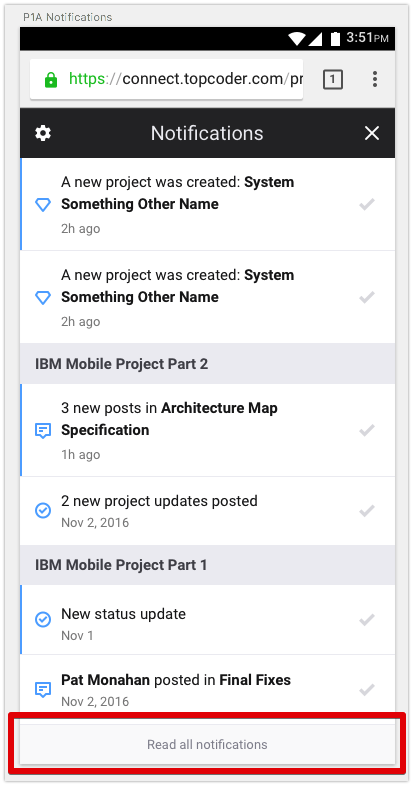
Do I understand it correctly that provided screens of notifications for mobile are for dropdown which is openned when we press notification bell at the topbar. For mobile we don't have a separate page with all notifications, or have? See the next question.
-
What should happen when a user pressed Read all notifications?
-
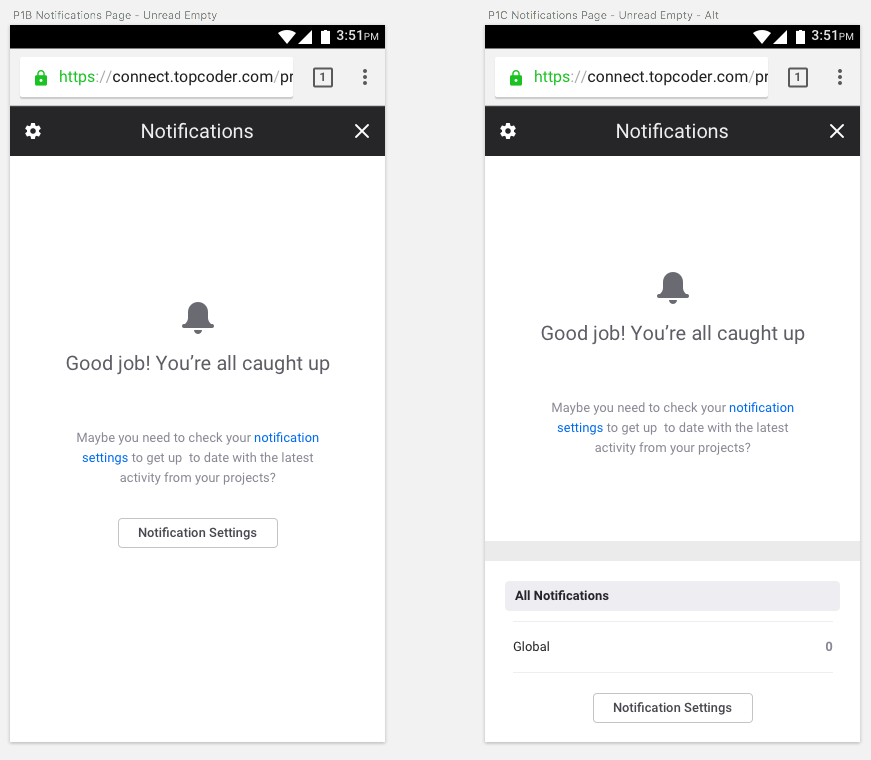
Which of these screens should be shown when there are no notifications?
-
There some differences in notification settings pages, which probably has to be unified:
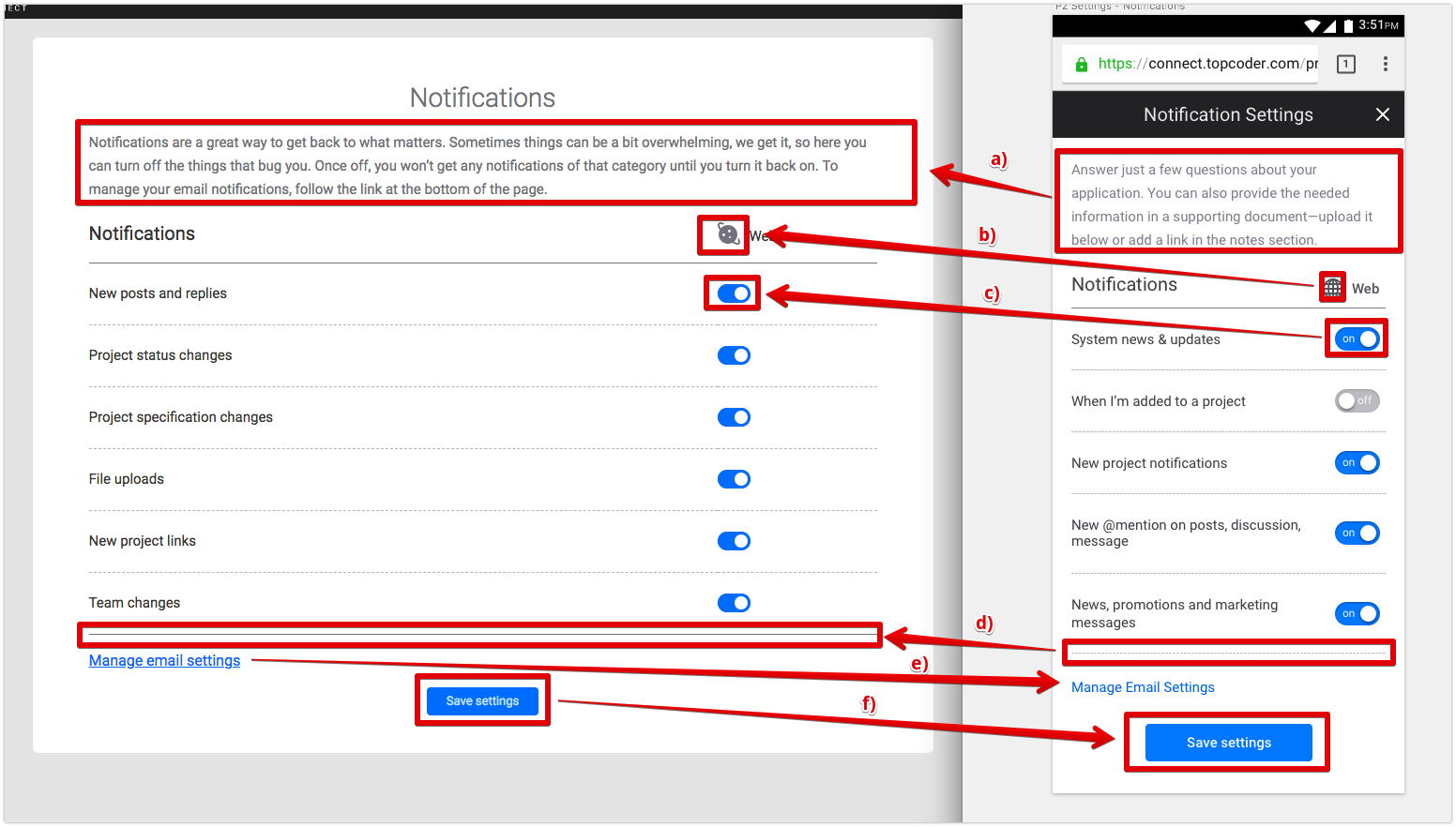
a) text sould be shown from Desktop version?
b) world icon can keep from the Desktop version?
c) for switch we use existent component from react-components/components/SwitchButton, should we keep it?
d) bottom line is solid in Desktop, should I use same solid line for mobile here?
e) link has underline on Desktop, as we don't use underline usually, should I remove underline for Desktop same like for mobile?
f) for mobile there is standard big button, should I make same for Desktop?