Channels section which provides quick links to the dashboard topics/message #2112


Description

Provided design
https://projects.invisionapp.com/share/HUF7VSJMF#/screens/272160157
Questions
As topics and channels are same thing, in all questions words channel or topic means same.
-
I see channels start from
#. Is it added automatically tochannelsor user has to add#by himself? -
Channels has
starnear the title.
What does star do when user cliks?
-
Currently topic titles has
edit dropdownon the right side, while in the new design there isfullscreenbutton. Should we keep them both or justfullscreenbutton? Not sure how to put them both if ti's needed.
-
So far we don't show for topics created data and posts quantity like on provided designs. Should it be added?
-
Should all
channelsbe listed at the sidebar?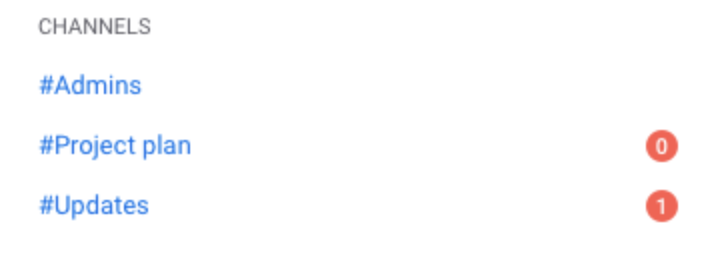
-
What do numbers in red circles next to channels in sidebar mean?
-
Why
#Adminschannel doesn't have a red circle next to it, while#Project planchannel has red circle even its values is0?