Unable to activate a phase without explicitly setting start date to today's date #3189


Description

Expected behavior
It should activate the phase without error
Actual behavior
It shows the error that 'START DATE MUST NOT BE AFTER END DATE'
Steps to reproduce the problem
- Open a project where you have privilege to manage phases
- Create a new phase with any template
- Set the start of the phase to a date in past (e.g. a month ago). This date should be at least n days before today where n is the duration of the phase as determined by its timeline. 30 is the safe value for testing as there is not phase with 30 or more as duration as of now.
- Update the phase with new start date
- Now try to activate the phase
- Observe the error
Screenshot/screencast
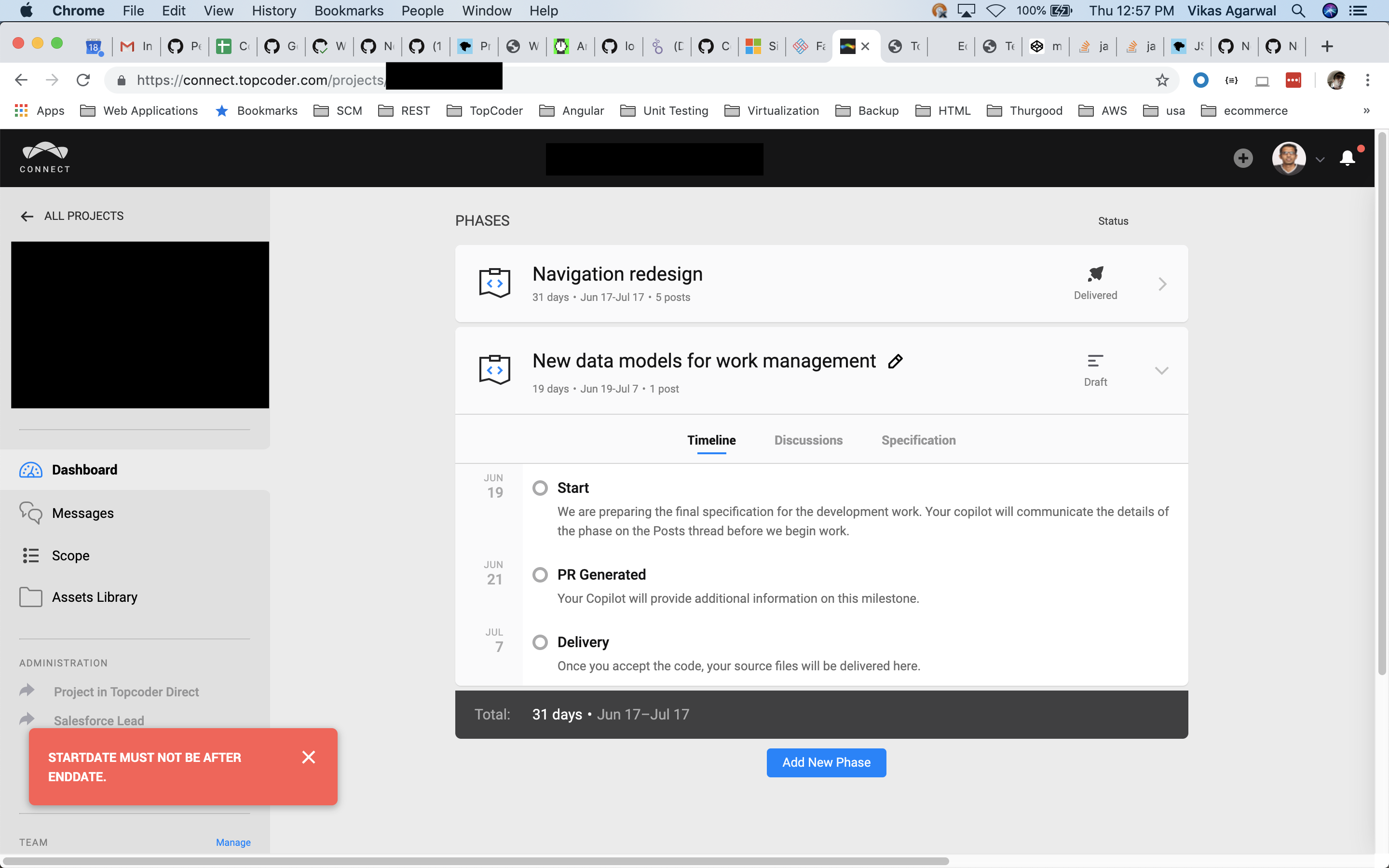
--
Environment
- OS: Any
- Browser (w/version): Any
- User role (client, copilot or manager): Copilot/Manager
- Account used: N/A
Metadata
Metadata
Assignees
Labels
No labels