Reactselectversionupdate #2870
Reactselectversionupdate #2870
Conversation


 maxceem
left a comment
maxceem
left a comment
maxceem
left a comment
There was a problem hiding this comment.
@gautam1168 good start, and reducer was updated correctly, but there are many lost featuers from the previous implementation.
Basically what we wanted here is to update version of react-select, but keep all the functionality and design.
-
Keep design as it was before, see https://connect.topcoder-dev.com/projects/7657/plan
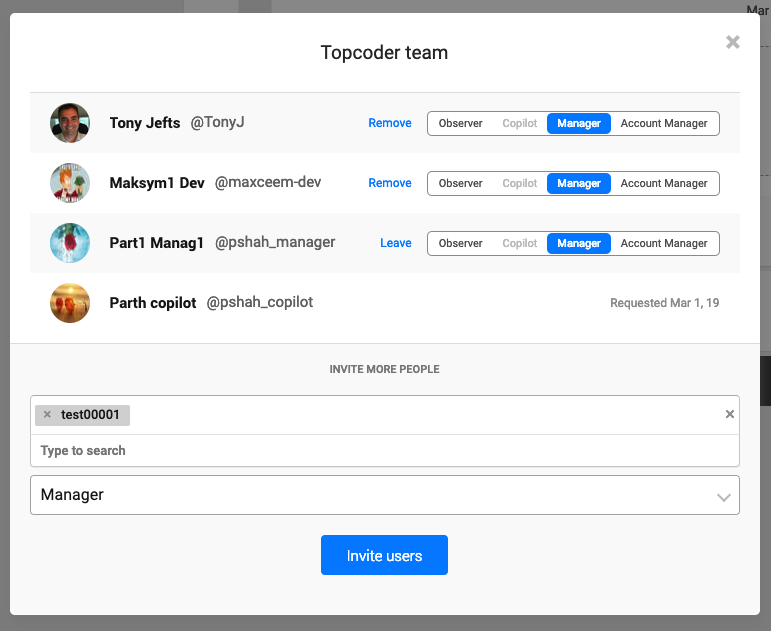
Now, see http://local.topcoder-dev.com:3000/projects/7657/plan:
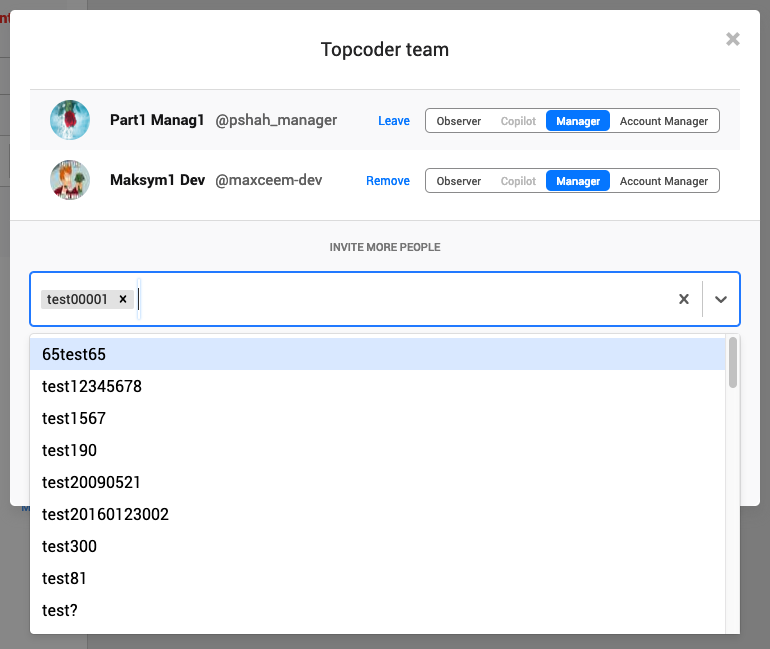
It's ok not to match the design before exactly, but we should keep height/font sizes:
-
input where we enter should have same height, and same font-sizes inside, the best example you can follow is selecting managers below:

-
the popup with suggestions can be with new design, no need to fix it
-
options inside suggestion popup should have same font/height as before, now they are too big
-
Before we have different design in the sidebar and popup. No need to keep it different. You can fix design as described above for the input in popup and use the same design for input in sidebar.
-
-
When we selected one handle, and after start typing we should start from the empty list as before. Now we see previously suggested list:
Before:

After:
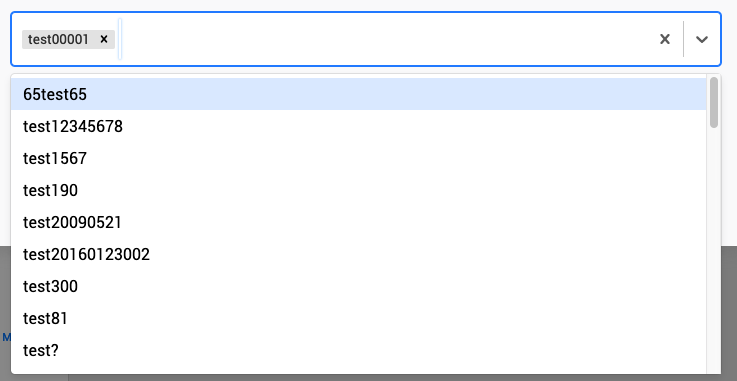
- every time we start typing we should start from the empty list.
- when the list of suggestions is empty, can we show
Type to searchas before?
-
We should be able to enter handle/email which is not in suggestion list:

In the new implementation we cannot enter the item which is not on the list:

In particular, now we cannot enter emails in Topcoder Team popup
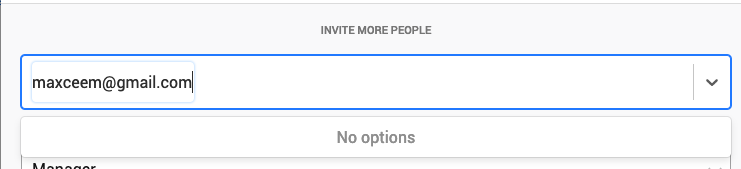
But before, we could.
-
When we edit users for attachements we are able to view all the suggested members by clicking the triangle
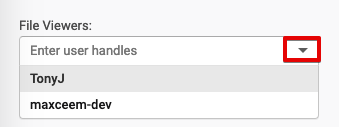
For team members there should be no such option, because we cannot show all possible members:
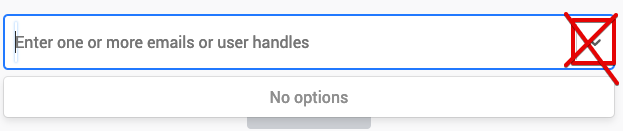
-
In the implementation of debouncing
thisis refering to the whole global object, not to the particular class which could lead to possible issues in the future: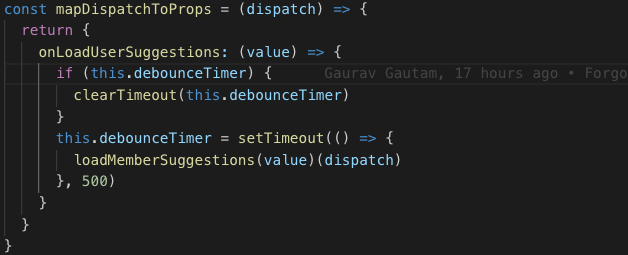
Also, now we don't need a custom implemenation of debouncing with setTimeout and we can reuse a method from lodash. Please, have a look on how we implement debouncing in the other place for example https://github.com/appirio-tech/connect-app/blob/dev/src/routes/settings/routes/system/components/ChangeEmailForm.jsx#L35
I hope such details would help to you complite this task.

|
@maxceem Thanks for the above list. Ill make these changes and update the PR in a few hours. |
…eted from selected list
|
@maxceem I have fixed all issues you mentioned above. Please check now. |
maxceem
left a comment
maxceem
left a comment
There was a problem hiding this comment.
@gautam1168 Great, most issues were fixed.
Some visual issues left:
-
When we put cursor to the field, the placeholder jumps up https://monosnap.com/file/D9sWkfmo8jrRQUC57WGJ9W2pVMPoar
-
When we focus element the border of autoinput is different from selecting role field below


-
The height of autoselect input is 42 pixels is different to the height of selecting role field (40px):
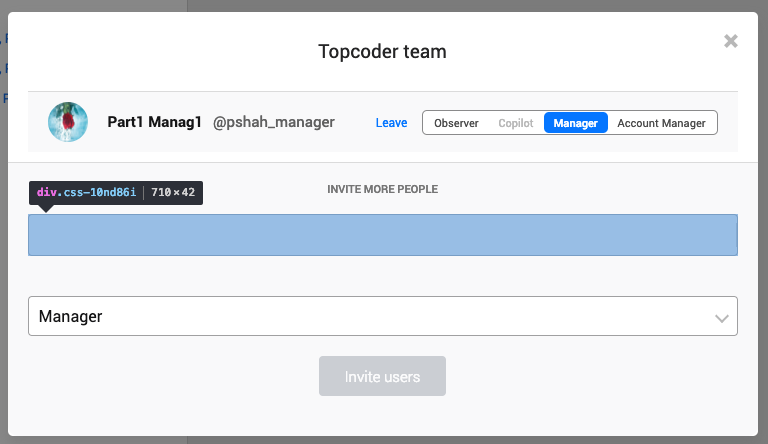
-
There is some line left on the right in autoselect field:

-
When we enter text there is some blue border around text we enter. End when we enter it moving slower than we type https://monosnap.com/file/RmYGHDpib5Ky9sWcHJCk8PuzjO1nIY
Before we didn't have such a border, and also in examples of react-select they don't have it https://react-select.com/home and typing works fast.
Is it possible to remove such a border so when we type we can immediately see what we type. So far this border cuts what we type and after with animation adjust the width.
-
In the Topcoder Team popup there is no placeholder text now:
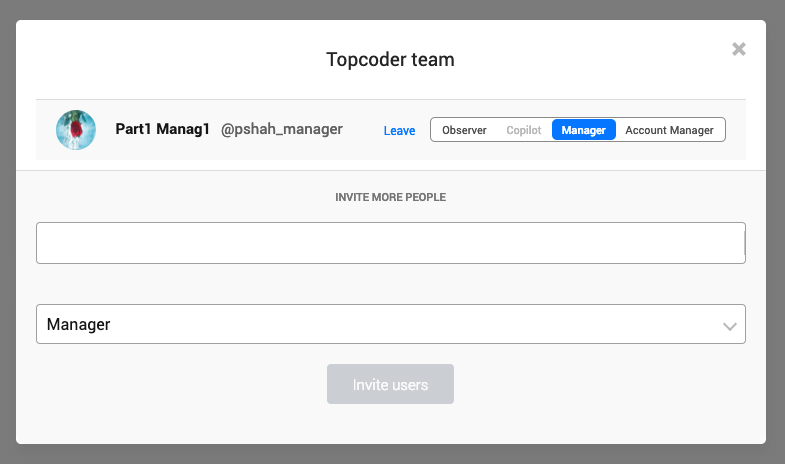
But before we had:

-
List items in the suggestion list should have the same font style as before
Now
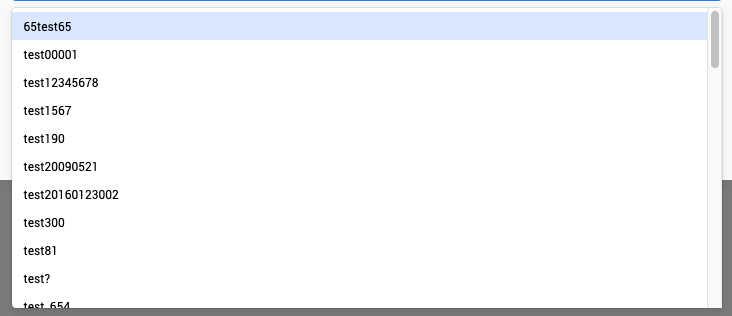
Before
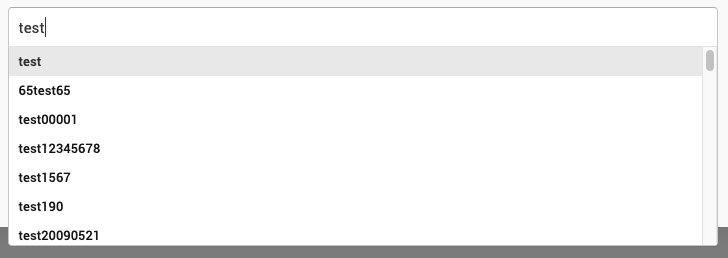
-
As we use SCSS with CSS Modules for styling in out application. And in particular for colors and font sizes we use SCSS variables from the file https://github.com/appirio-tech/tc-ui/blob/feature/connectv2/src/styles/_variables.scss
Could you please, update styles of the input using SCSS styles instead of defining styles in JS. And use SCSS variables for colors.
As per documentation, the library supports such a way of updating styles https://react-select.com/styles#using-classnames
Thank you.
|
@maxceem Ill make an update for these |
|
@maxceem Im making the changes. And Ive fixed about half the issues but I am a bit busy in the weekend. So I will need some more time. Ill commit by tonight. |
|
@maxceem I have updated the PR with the changes you asked for. The think about slow typing: It happens because there is an input box that is as big as the text inside it. So it expands after you type. If I put a fixed width like 500px on it in Select.scss then i can type fast and there is no problem like lag in appearance of characters. But if you add more tags then it starts messing up the css on the selected items. So I have left that one as is. I can look into it some more to see if there is another fix for that issue, but right now I cannot find a solution. |
maxceem
left a comment
maxceem
left a comment
There was a problem hiding this comment.
Thank you for quick update @gautam1168.
-
I've notifced one functional issue. In the Customer Team popup we can enter handles and emails. (in Team Popup we can enter ONLY handles).
When we enter email into the field, it should be sent to the server as email but now it treats emails same like handles.
See like it worked before https://monosnap.com/file/1KS8wjMfMjHpNPHOWRbzrXRX4A5zX7. You can test it online here https://connect.topcoder-dev.com/projects/7885See like it works now https://monosnap.com/file/bs4FLeG8nWzaPwPtcY9hhLn35ABggD
You can test it here http://local.topcoder-dev.com:3000/projects/7885Note. The issue here that instead of showing email to the server we try to find userId of email, but we shouldn't.
There was some code that probably was responsible for this, but I see it's removed now:
-
Debouncing doesn't work now. It sends requests to the server on each symbol: https://monosnap.com/file/kot8jYmV2qAnjRaRRSgj1tfjMtzZKG
-
When we put cursor into the field, the placeholder jumps, see demo video https://monosnap.com/file/STlzS8VwOIPXcK6en0YMfIuqdhPoaV
-
When entering some handles and click outside, the handles move down, see demo video https://monosnap.com/file/jYV3snrqpB1fcWC9YglpIQ6oyhunsV
-
The think about slow typing: It happens because there is an input box that is as big as the text inside it.
We can try to remove transition styles from the input it should stop animating input and become fast as before https://monosnap.com/file/EUk6Ewt3QbP91gJjiz0ITbUqPc1Ab1
|
@maxceem ill update the pr with fixes |
|
@maxceem fixed issues 2,3,4 and 5. Still working on the email thing. |
|
@maxceem I've fixed the above issues. Fixing lint errors now. Please check. |
maxceem
left a comment
maxceem
left a comment
There was a problem hiding this comment.
Thank you @gautam1168. Now the major functionality works great. Few minor things left.
-
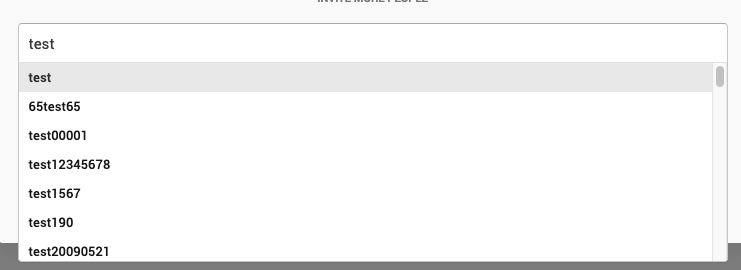
Now we show
Create "..."option at the end of the suggestion list. Can we show it at the first position as it was before?Now:
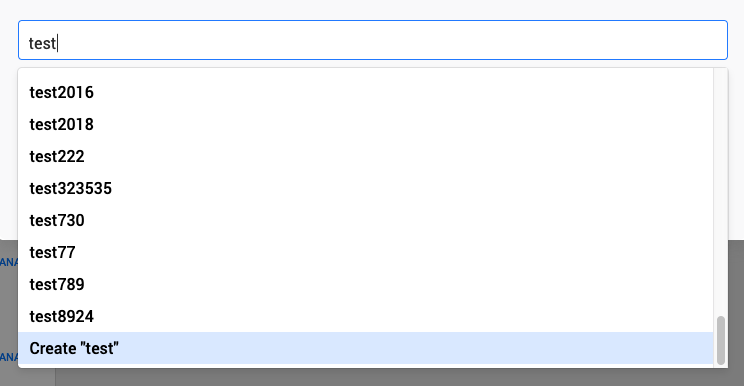
Before:
-
Can we keep styles in SCSS?
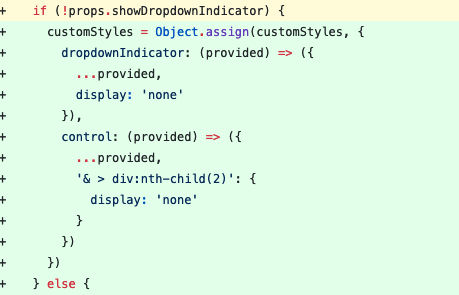
I guess we can define additional class and add it here if
props.showDropdownIndicatoris true: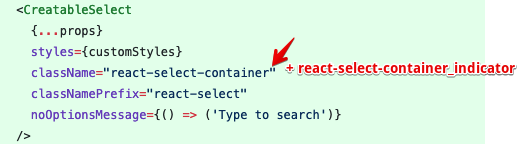
-
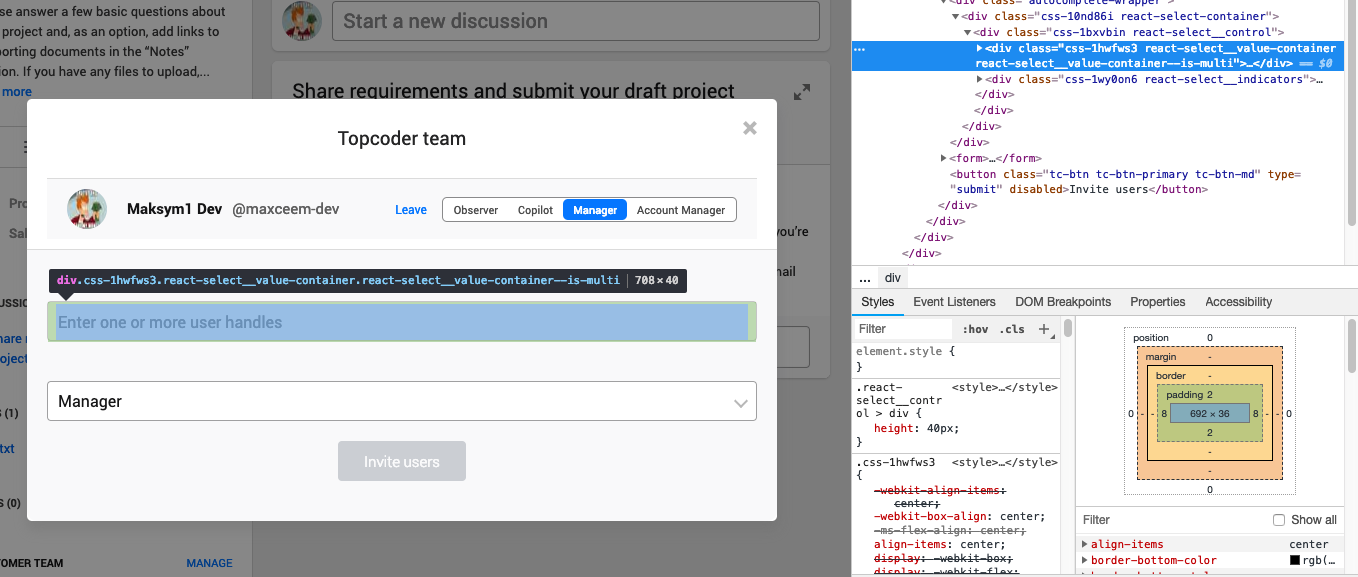
Placeholder text in the input is slightly down than text in Role input:

The reason for this is that this block has 40px height. But partent block has border so the parent block has only 38px available space inside, so this block is moving down.
-
When we enter text it's goes more down than placehoder or similar text in the Role input:

The reason for this is that is block has very small height:
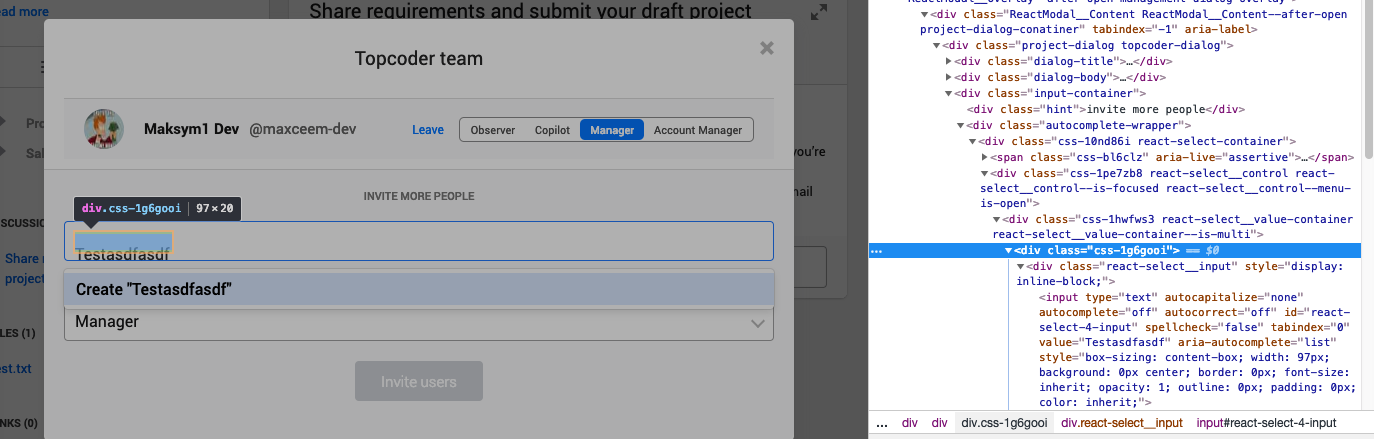
So child block with input goes even more down:
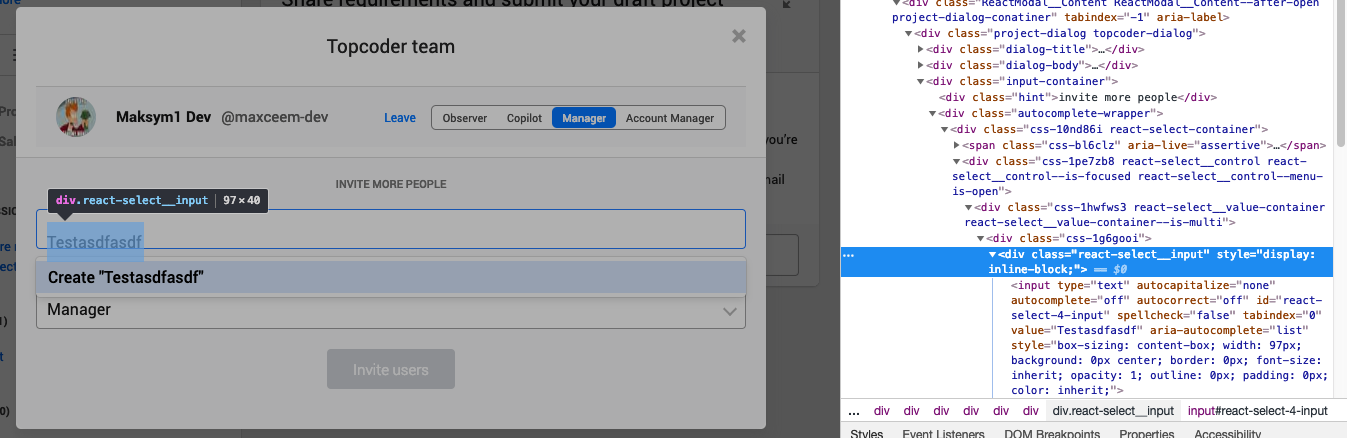
-
Focused Role input has some outer blue shadow

But handle input doesn't have it now

I think after fixing these issues we should be fine.
Thank you.
|
@maxceem Ill make the updates |
|
@maxceem updated with the changes you requested. Please check. |
maxceem
left a comment
maxceem
left a comment
There was a problem hiding this comment.
@gautam1168 thanks for quick fixes.
The only one things left after last changes. When we enter new handle it's got cut under (see letter p and g):
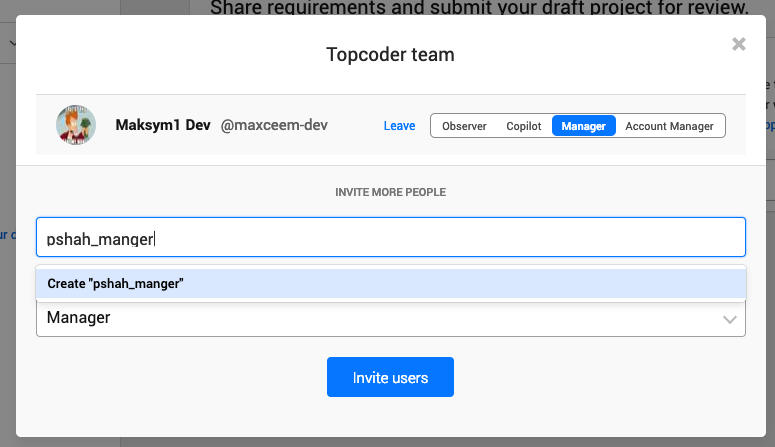
Now the placeholder has perfect position, but when we start entering text it's still jumps down a little bit: https://monosnap.com/file/6ddkX5ezyXkabMHI4IXYX530x3Xh82
Also, please, remove console.log('inputValue :', inputValue) or any other console.log which has been using for debugging if any.
Thanks.
|
@maxceem Updated to fix the placeholder jumping and text getting cut issues. Please check. |
maxceem
left a comment
maxceem
left a comment
There was a problem hiding this comment.
Thanks @gautam1168 everything works great.
There is still input text is a little bit cut at the beginning, but the rest works great.

The PR is accepted.

|
@maxceem thanks for bearing with me for so long 😅 |
2 participants


Updating version of react-select to 2.4.0 and splitting the LOAD_MEMBER_SUGGESTIONS reducer