A React.js-based educational platform designed to teach HTML through interactive lessons and coding challenges. Users progress through a structured roadmap, completing tasks in a sleek, dark-themed interface with real-time feedback.
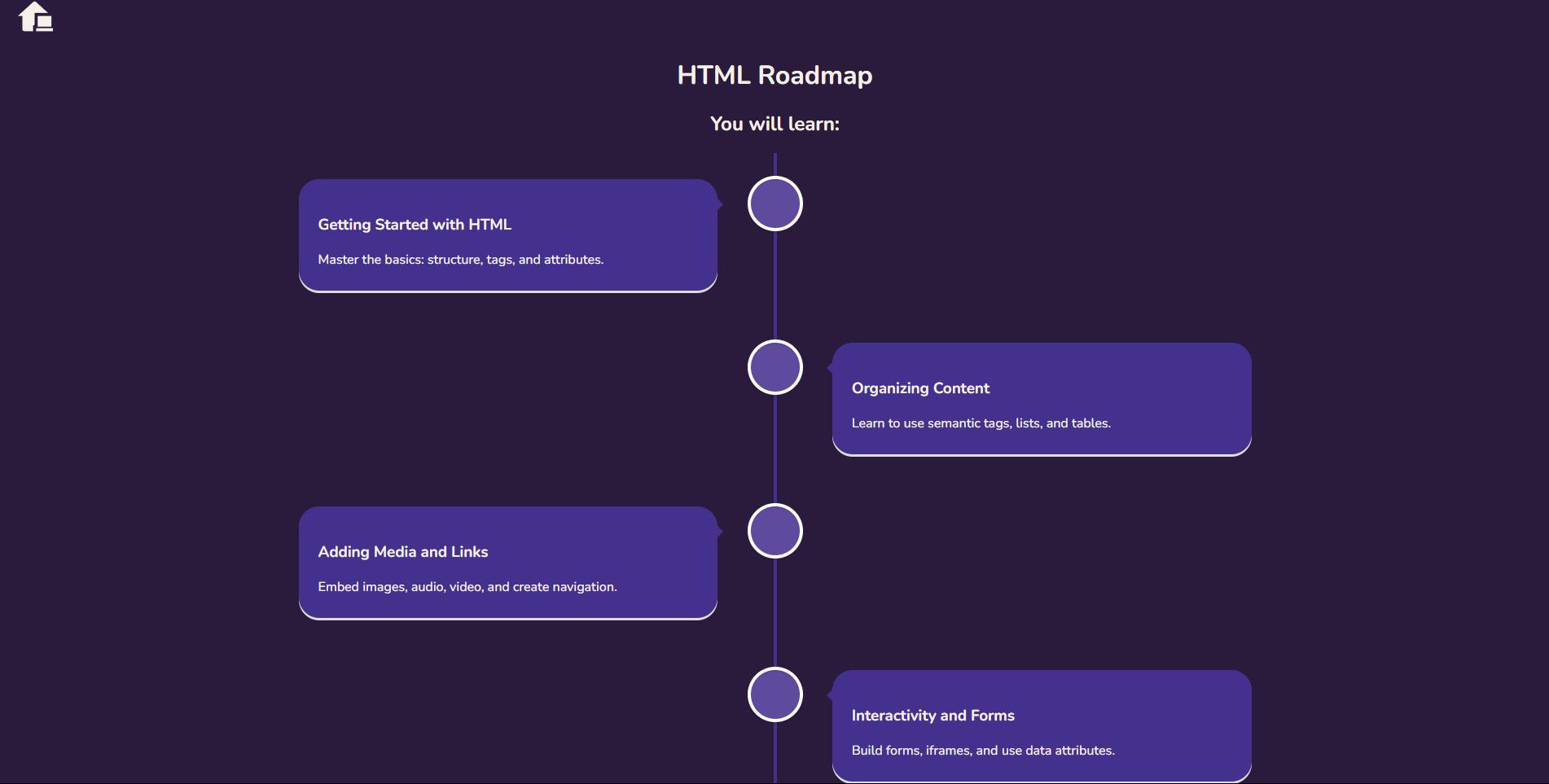
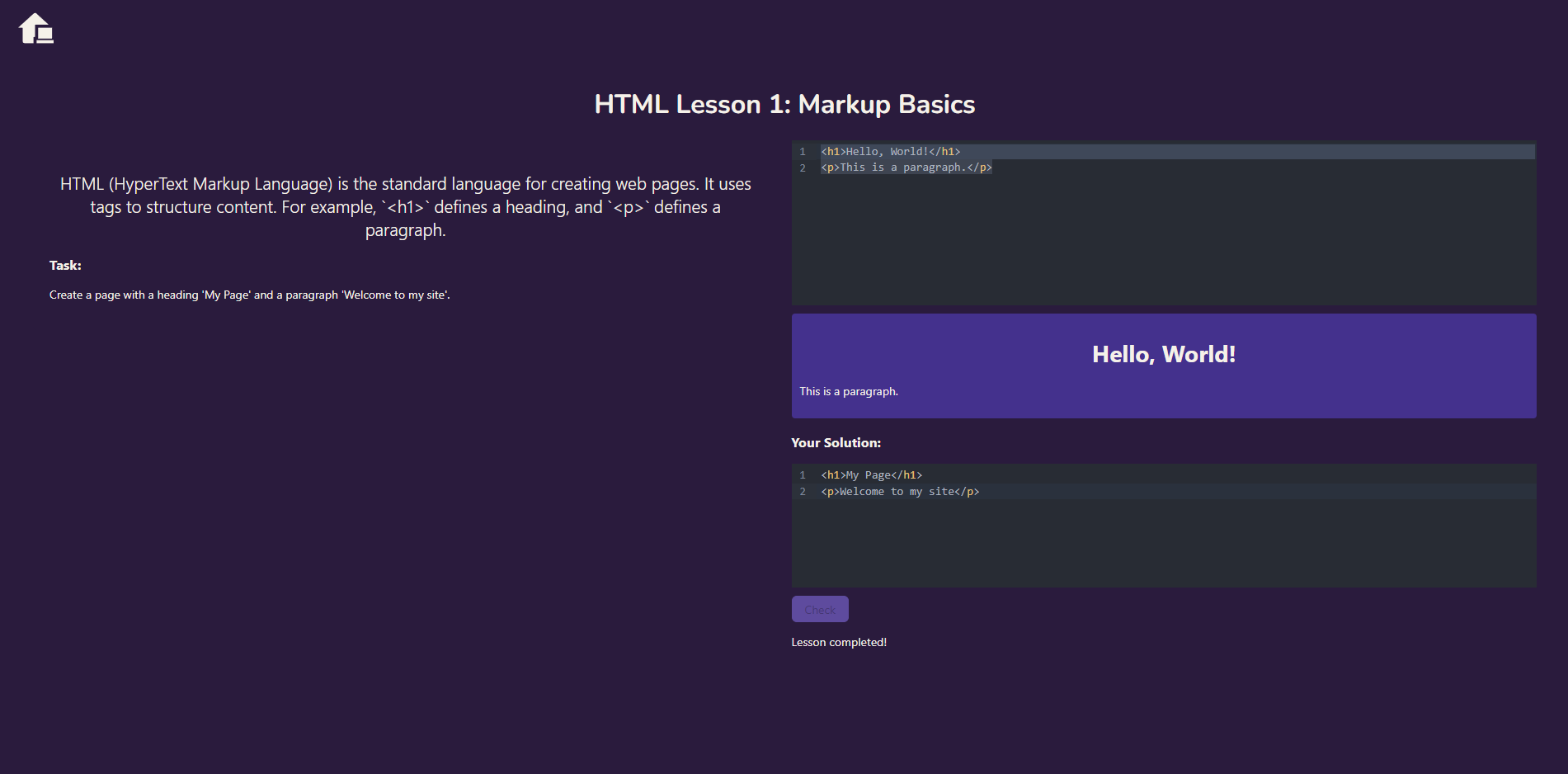
The app features a modern purple design, a dual-editor system powered by CodeMirror, and a progression system that unlocks lessons as you learn.
🎯 Interactive Lessons – Learn HTML concepts with hands-on coding tasks.
⚡ Real-Time Feedback – Test your solutions instantly and see the results.
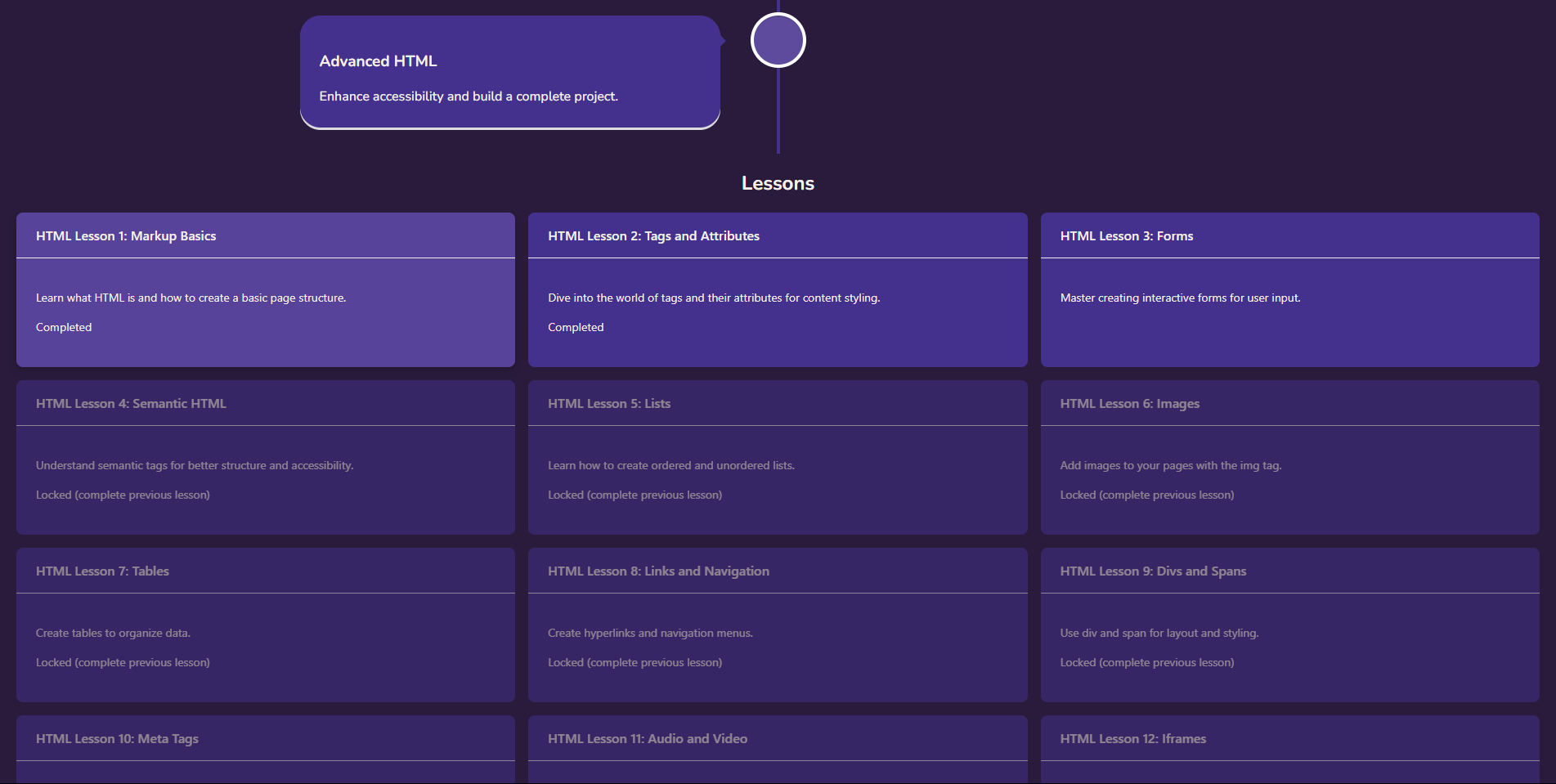
📈 Progressive Unlocking – Complete lessons sequentially to unlock the next challenge.
🗂 State Management – Powered by Zustand for tracking lesson progress.
📝 Dual Code Editors – Use CodeMirror for both examples and solutions with syntax highlighting.
💾 Persistent Progress – Saves your completed lessons locally via localStorage.
🎨 Dark Purple Theme – A visually appealing UI with smooth transitions and hover effects.
🧭 HTML Roadmap – A visual timeline guides you through the learning journey.
 React.js – Frontend framework
 TypeScript – Type-safe JavaScript
 Vite – Fast development and build tool
Zustand – Lightweight state management


React Router – Navigation and routing
React Vertical Timeline – Roadmap visualization
React Icons – Icon library for UI elements
🌀 useState – Manages local component states (e.g., user code input).
🔄 useEffect – Not used directly here but available for future extensions.
🧭 useNavigate – Handles navigation between lessons.
🗂 useParams – Retrieves lesson IDs from the URL.
- Explore the Roadmap – Start with the visual HTML roadmap on the homepage.
- Select a Lesson – Click an unlocked lesson card to begin.
- Learn and Code – Read the theory, experiment with the example editor, and solve the task in the solution editor.
- Check Your Solution – Submit your code and get instant feedback. Correct answers unlock the next lesson and auto-redirect you!
- Track Progress – Completed lessons are marked, and progress is saved locally.
🏆 Achievements System – Unlock badges for milestones (e.g., "HTML Beginner", "Form Master").
📖 More Lessons – Expand to CSS, JavaScript, and beyond.
📊 Progress Dashboard – Visualize completion stats.
⚙️ Solution Flexibility – Improve checking logic to accept variations in correct answers.