




🛡️ The most complete, up-to-date guide to every GitHub profile badge — what they are, how to earn them, and pro tips to get them fast.
🏆 Obtainable • 🧪 In Testing • ⛔ Unobtainable • 🎚️ Tiers • 🎨 Skin Tones • 📖 Step-by-Step Guide • 🔧 Troubleshooting • ❓ FAQ • 🙈 Hide Badges • 📊 Progress Tracker
GitHub profile badges (also called Achievements) were introduced after the launch of the Ingenuity Mars Helicopter in 2021. They appear on your public GitHub profile and showcase your contributions and activities across the platform.
🔢 There are currently 11 badges on GitHub, with some having multiple tiers (Bronze, Silver, Gold).
⚠️ Important: Badges only count activity from public repositories by default. You must enable private contribution visibility in settings if you want private activity to count.
These badges are not yet publicly available but are coming soon.
| Badge | Name | How to Earn | Difficulty |
|---|---|---|---|
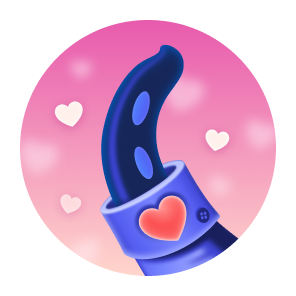 |
Heart On Your Sleeve | React to anything on GitHub with a ❤️ emoji | 🟢 Very Easy |
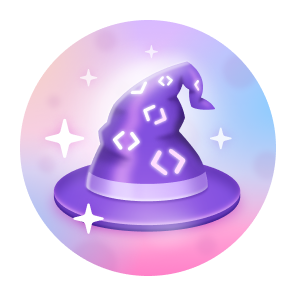 |
Open Sourcerer | Have Pull Requests merged in more than 1 public repository | 🟡 Medium |
These badges are currently earnable right now.
| Badge | Name | How to Earn | Difficulty |
|---|---|---|---|
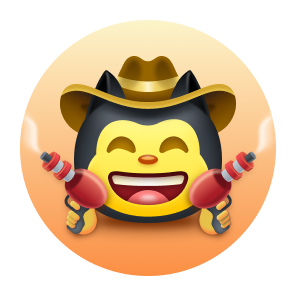 |
Quickdraw | Close a Pull Request or Issue within 5 minutes of opening | 🟢 Very Easy |
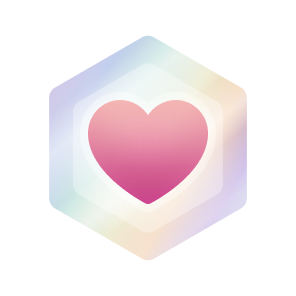 |
Public Sponsor | Sponsor any GitHub user, repository, or organization | 🟢 Very Easy |
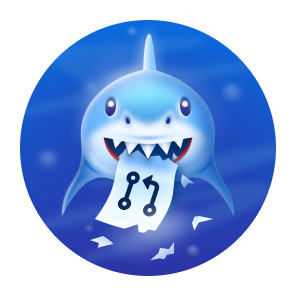 |
Pull Shark | Get 2 pull requests merged | 🟡 Medium |
 |
YOLO | Merge a pull request without a code review | 🟡 Medium |
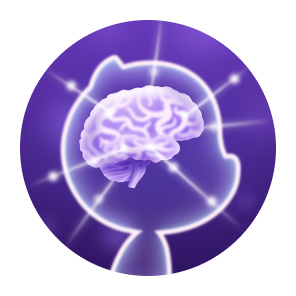 |
Galaxy Brain | Get 2 answers accepted in GitHub Discussions (not Community Discussions — see note below) | 🟡 Medium |
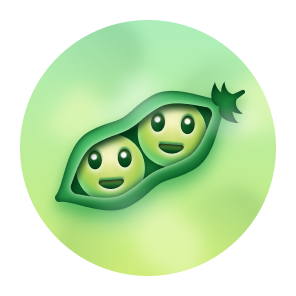 |
Pair Extraordinaire | Co-author a merged pull request | 🔴 Hard |
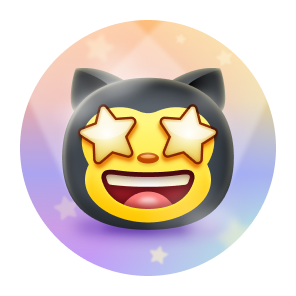 |
Starstruck | Have a repository reach 16 stars | 🔴 Hard |
🚨 Galaxy Brain Update (Feb 2024): GitHub disabled badge awarding in the main GitHub Community Discussions forum to reduce spam. You can still earn the Galaxy Brain badge by getting answers accepted in Discussions on any public repository outside the Community forum.
These badges can no longer be earned — they were tied to one-time events.
| Badge | Name | Originally Earned By |
|---|---|---|
 |
Arctic Code Vault Contributor | Contributing to the 2020 GitHub Archive Program |
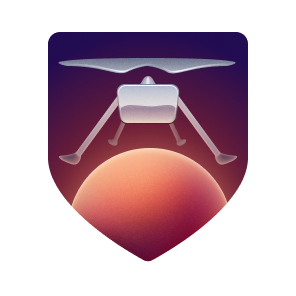 |
Mars 2020 Contributor | Contributing to repositories used in the NASA Mars Mission |
Some badges have multiple tiers — the more you do, the higher the tier!
| Default | 🥉 Bronze | 🥈 Silver | 🥇 Gold |
|---|---|---|---|
|
 |
 |
 |
| 16 ⭐ | 128 ⭐ | 512 ⭐ | 4,096 ⭐ |
| Default | 🥉 Bronze | 🥈 Silver | 🥇 Gold |
|---|---|---|---|
|
 |
 |
 |
| 2 answers | 8 answers | 16 answers | 32 answers |
| Default | 🥉 Bronze | 🥈 Silver | 🥇 Gold |
|---|---|---|---|
|
 |
 |
 |
| 2 PRs | 16 PRs | 128 PRs | 1,024 PRs |
| Default | 🥉 Bronze | 🥈 Silver | 🥇 Gold |
|---|---|---|---|
|
 |
 |
 |
| 1 co-author | 10 co-authors | 24 co-authors | 48 co-authors |

Close a Pull Request or Issue within 5 minutes of it being opened.
1. Go to any repository you own (or create a new one)
2. Click "Issues" → "New Issue"
3. Give it any title and click "Submit new issue"
4. IMMEDIATELY click "Close issue"
5. Must be done within 5 minutes ⏱️
✅ You can do this entirely on your own — no collaborators needed!
💡 Pro Tip: You can also close your own Pull Request (not just an Issue) to earn this badge. Whichever you find faster!
Sponsor any GitHub user, organization, or repository.
1. Find any developer with a "Sponsor" button on their GitHub profile
2. Click the "❤️ Sponsor" button
3. Select the minimum tier (often $1/month)
4. Complete payment through GitHub's billing
5. Badge appears on your profile instantly 🎉
💡 You can cancel after one month — the badge stays permanently.

Merge 2 pull requests.
1. Create or open any repository
2. Create a new branch:
   git checkout -b feature/my-change
3. Make any small edit to a file
4. Push the branch:
   git push origin feature/my-change
5. Open a Pull Request on GitHub
6. Merge the Pull Request ✅
7. Repeat steps 2–6 one more time (2 total)
💡 Pro Tips:
- You can do this 100% solo in your own repository — no collaborators needed
- Only merged PRs count — PRs that are closed without merging do NOT count
- Keep merging PRs to level up to Bronze → Silver → Gold tiers!
Merge a pull request without a code review.
1. You need 2 GitHub accounts (yours + a friend/alt account)
2. Account B: Create a repository and add Account A as a collaborator
   (Settings → Collaborators → Add people)
3. Account A or B: Create a branch, make a change, open a Pull Request
4. Merge the PR WITHOUT requesting or approving a review
5. Badge is awarded to the person who merged ✅
⚠️ Make sure branch protection rules do NOT enforce reviews.
💡 Pro Tip: If you own the repository and no branch protection rules require a review, you can merge your own PR without review — no second account needed!
Get 2 of your answers accepted in GitHub Discussions on public repositories.
1. Go to GitHub Explore → find public repositories with Discussions enabled
   (Look for the "Discussions" tab in any repo you follow)
2. Browse for open, unanswered questions you can genuinely help with
3. Write a clear, helpful, detailed answer
4. The discussion author marks your reply as "✅ Answered"
5. Repeat until you have 2 accepted answers
🚨 Important 2024 Update: You can NO longer earn this badge via the main GitHub Community Discussions forum (
github.com/orgs/community/discussions). GitHub disabled badge awarding there in February 2024 to combat spam. Instead, find repos with Discussions enabled using the Explore feature.
💡 Pro Tips:
- Look for repos related to your skillset — you're more likely to give accurate, accepted answers
- Self-marked answers do NOT count
- Only answers in public repositories count

.png)
Be a co-author on a merged pull request.
1. Download GitHub Desktop: https://desktop.github.com
2. Open a repository and make a commit
3. In the commit message, add this on a new line:

   Co-authored-by: FriendName <friend@email.com>

   (Use your collaborator's real GitHub name and email)
4. Push the branch and open a Pull Request
5. Get the PR merged ✅
6. Both you AND the co-author earn the badge!
🔑 The
Co-authored-by:trailer must be in the exact format shown above.
💡 Pro Tip: You can add the
Co-authored-by:line manually in any Git client or even via the GitHub web UI when editing the commit message. GitHub Desktop just makes it easiest.
Get a repository to 16 stars.
1. Create an awesome, useful, or unique repository
2. Write a compelling README.md that clearly explains your project
3. Add topics/tags to help people discover your repo
4. Share your repo on:
   - Reddit: r/github, r/programming, r/opensource
   - Twitter/X with relevant hashtags
   - Dev.to, Hashnode, or your blog
   - Discord developer communities
   - LinkedIn
   - Show HN (Hacker News — https://news.ycombinator.com)
5. Pin the repo to the top of your GitHub profile
6. Add a live demo GIF or screenshot to your README — it boosts engagement massively
7. Respond to issues and PRs to stay active
8. Once 16 people star your repo → Badge unlocked! 🌟
⚠️ Important: The repository must be owned by you personally — repos owned by an organization you belong to do NOT count toward Starstruck.
🏅 The Gold tier requires 4,096 stars — build something truly impactful!
Two badges support different emoji skin tones based on your GitHub appearance settings:
| Badge | Default | 🏻 Light | 🏼 Medium-Light | 🏽 Medium | 🏾 Medium-Dark | 🏿 Dark |
|---|---|---|---|---|---|---|
| Starstruck | 👋 | 👋🏻 | 👋🏼 | 👋🏽 | 👋🏾 | 👋🏿 |
| Quickdraw | 👋 | 👋🏻 | 👋🏼 | 👋🏽 | 👋🏾 | 👋🏿 |
To change your skin tone preference:
- Go to github.com/settings/appearance
- Scroll to "Emoji skin tone preference"
- Select your preferred tone
| Tier | Label | Color | Hex Code |
|---|---|---|---|
| 🥉 Bronze | x2 |
 |
#F9BFA7 |
| 🥈 Silver | x3 |
 |
#E1E4E4 |
| 🥇 Gold | x4 |
 |
#FAE57E |
You can control whether your achievements appear on your public profile.
To hide all achievements:
- Go to github.com/settings/profile
- Scroll down to the "Achievements" section
- Uncheck "Show Achievements on my profile"
To hide individual badges:
- Click on the Achievements section on your profile
- Click on any badge you want to hide
- Toggle the visibility off
💡 Hiding a badge does NOT delete it — you can re-enable it any time.
Earned a badge but it's not showing up? Here's how to fix it.
Reason 1 — Processing Delay GitHub achievements can take up to 24–48 hours to appear after the qualifying event. Wait a full day, then check again in a private/incognito browser window to rule out cache issues.
Reason 2 — Private Repository Badges only count activity in public repositories by default.
- Go to Settings → Public profile
- Enable "Show private contributions on my profile"
- Note: this anonymizes the details, but lets private activity count
Reason 3 — Forked Repository Work done only in a fork doesn't count. Pull requests or issues created inside a fork won't trigger achievements unless you open a PR to the parent repository and it gets merged.
Reason 4 — Organization Repository (Starstruck) For the Starstruck badge specifically, the repository must be personally owned by you, not by an organization. Stars on org repos don't count.
Reason 5 — Closed vs. Merged PR (Pull Shark / YOLO) For Pull Shark, only merged pull requests count. A PR that is closed without merging is ignored entirely.
A common trick that many users have confirmed works:
- Go to your Achievements tab on your profile
- Find the stuck badge
- Hide it (toggle off)
- Wait a few seconds
- Unhide it (toggle back on)
This forces GitHub to re-sync the badge status and often fixes display issues.
Contact GitHub Support — they can manually trigger a badge refresh for your account.
Q: Do badges disappear if I don't keep up activity?
No. Once earned, badges are permanent. They never expire or disappear (except for unobtainable ones that were tied to past events — those stay if you earned them).
Q: Can I earn badges in private repositories?
By default, no. Enable "Show private contributions on my profile" in your profile settings. Note that only the contribution graph is affected — the actual repo details stay private.
Q: How long does it take for a badge to appear?
Most badges appear immediately when criteria are met. If your profile tab was already open, refresh it. In some cases it can take up to 24–48 hours.
Q: Do stars from organizations count for Starstruck?
No. Only stars on repositories personally owned by you count.
Q: Can I earn Galaxy Brain in GitHub Community Discussions?
No — as of February 2024, GitHub disabled badge awarding in Community Discussions to reduce spam. Earn it by answering Discussions in other public repositories instead.
Q: Does closing my own PR/Issue count for Quickdraw?
Yes! You can open and close your own issue or PR and it will count, as long as you do it within 5 minutes.
Q: Can I use a self-marked answer for Galaxy Brain?
No. Self-marked answers do not count. The answer must be marked by the original question author or someone with appropriate repo permissions.
Q: Do draft pull requests count toward Pull Shark?
No. Draft PRs that are merged do count, but they must actually be merged. Draft PRs that remain drafts or are closed without merging do not count.
Q: If I earn a badge on an account, then delete the repo, do I keep the badge?
Yes. Badges are tied to your account, not to the repository. Deleting the repo after earning the badge does not remove it.
Q: Can both people earn Pair Extraordinaire from one commit?
Yes! Both the author of the commit and the person listed as
Co-authored-byearn the badge when the PR is merged.
Copy this into your own README or notes to track which badges you've earned!
## My GitHub Badge Progress

| Badge | Status | Tier |
|:---:|:---:|:---:|
| 🔫 Quickdraw | ⬜ Not earned | — |
| 💖 Public Sponsor | ⬜ Not earned | — |
| 🦈 Pull Shark | ⬜ Not earned | Default / 🥉 / 🥈 / 🥇 |
| 🤪 YOLO | ⬜ Not earned | — |
| 🧠 Galaxy Brain | ⬜ Not earned | Default / 🥉 / 🥈 / 🥇 |
| 👥 Pair Extraordinaire | ⬜ Not earned | Default / 🥉 / 🥈 / 🥇 |
| ⭐ Starstruck | ⬜ Not earned | Default / 🥉 / 🥈 / 🥇 |
Change
⬜ Not earnedto✅ Earnedas you collect badges!
| Priority | Badge | Time to Earn | Solo? | Notes |
|---|---|---|---|---|
| 1️⃣ | 🔫 Quickdraw | ~2 minutes | ✅ Yes | Open & close your own issue |
| 2️⃣ | 💖 Public Sponsor | ~5 minutes | ✅ Yes | Cancel after 1 month — badge stays |
| 3️⃣ | 🦈 Pull Shark | ~15 minutes | ✅ Yes | Solo in your own repo |
| 4️⃣ | 🤪 YOLO | ~20 minutes | Can solo if no branch protection | |
| 5️⃣ | 🧠 Galaxy Brain | Days–Weeks | ✅ Yes | Use public repo Discussions, not Community |
| 6️⃣ | 👥 Pair Extraordinaire | ~30 minutes | Both earn the badge | |
| 7️⃣ | ⭐ Starstruck | Weeks–Months | Repo must be personally owned |
Only 2 badges have ever had their names changed:
- GitHub Sponsor
+ Public Sponsor

- Mars 2020 Helicopter Contributor
+ Mars 2020 ContributorTracking important changes to GitHub's badge system over time.
| Date | Change |
|---|---|
| Feb 2024 | Galaxy Brain badge can no longer be earned via GitHub Community Discussions — moved to repo Discussions only |
| 2022 | GitHub renamed "GitHub Sponsor" → "Public Sponsor" and "Mars 2020 Helicopter Contributor" → "Mars 2020 Contributor" |
| 2022 | GitHub announced Pull Shark, YOLO, Galaxy Brain, Pair Extraordinaire, Quickdraw, and Starstruck badges |
| 2021 | GitHub Achievements launched with Mars 2020 Contributor, Arctic Code Vault Contributor, and Public Sponsor badges |
Contributions, corrections, and updates are welcome!
- Fork this repository
- Create a branch:
git checkout -b fix/my-update - Commit your changes:
git commit -m "Update badge info" - Push to the branch:
git push origin fix/my-update - Open a Pull Request 🚀
Please read CONTRIBUTING.md before submitting.
- Huge credit to @Schweinepriester for the high-quality badge images and original research
- Credit to @drknzz for skin tone images and documentation
- Inspired by @Thinkright20's Profile-Badges repository
⭐ If this helped you, please star this repo! It helps others find it. ⭐
Made with ❤️ for the GitHub community