Thailand is one of the country that face many natural disasters. However, these data concerning the topic is not-well format, hard to access, and sparse. Many natural disaster such as landslide, earthquake, fire are neglected. That’s why we come up of a way to collect those datas in the form of API, for easy usage and access
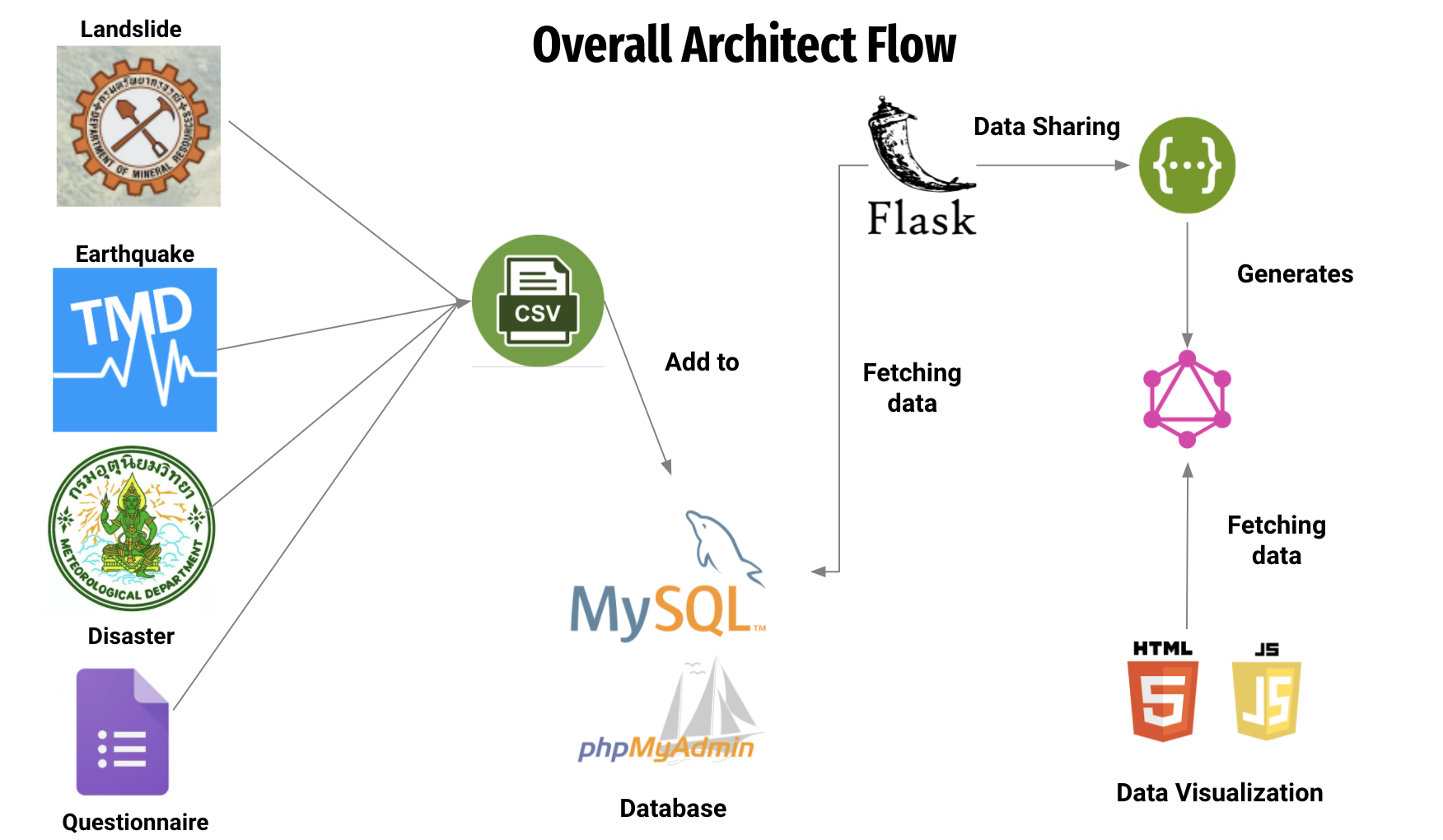
This API provides information about common natural disaster happening in Thailand. It's separated into 4 categories:
- Overall monthly natural disaster in each region of Thailand. Raw data provided by Thai Meteorological DepartMent (TMD).
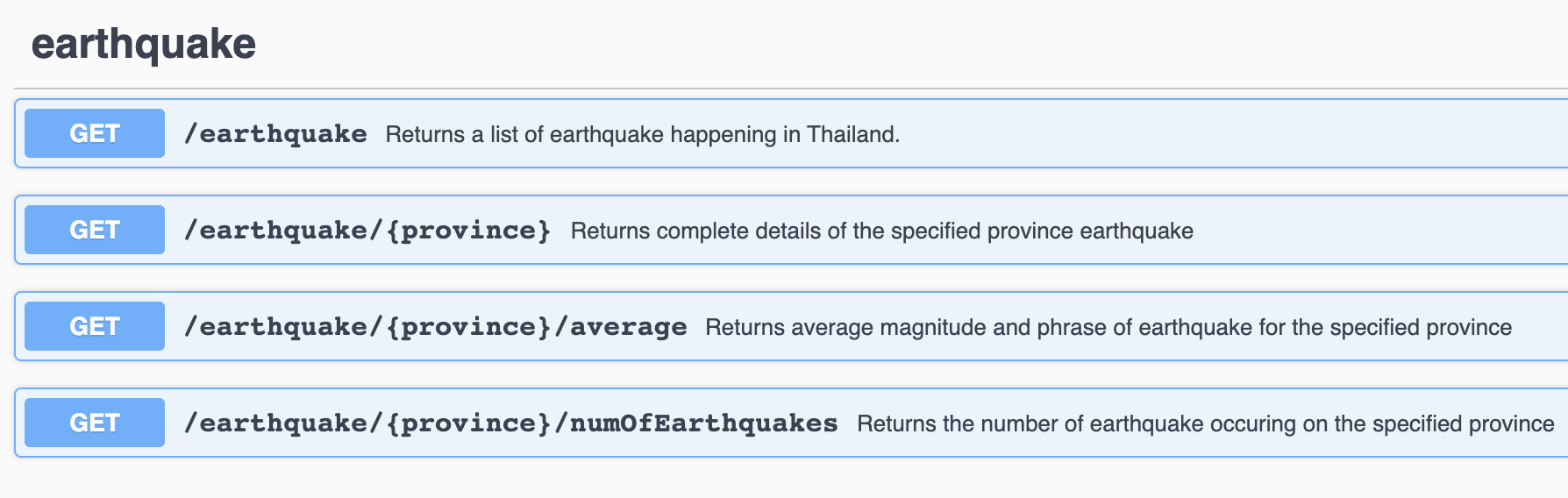
- Earthquake data in Thailand between 2011 and 2021. Raw data provided by Earthquake Observation Division.
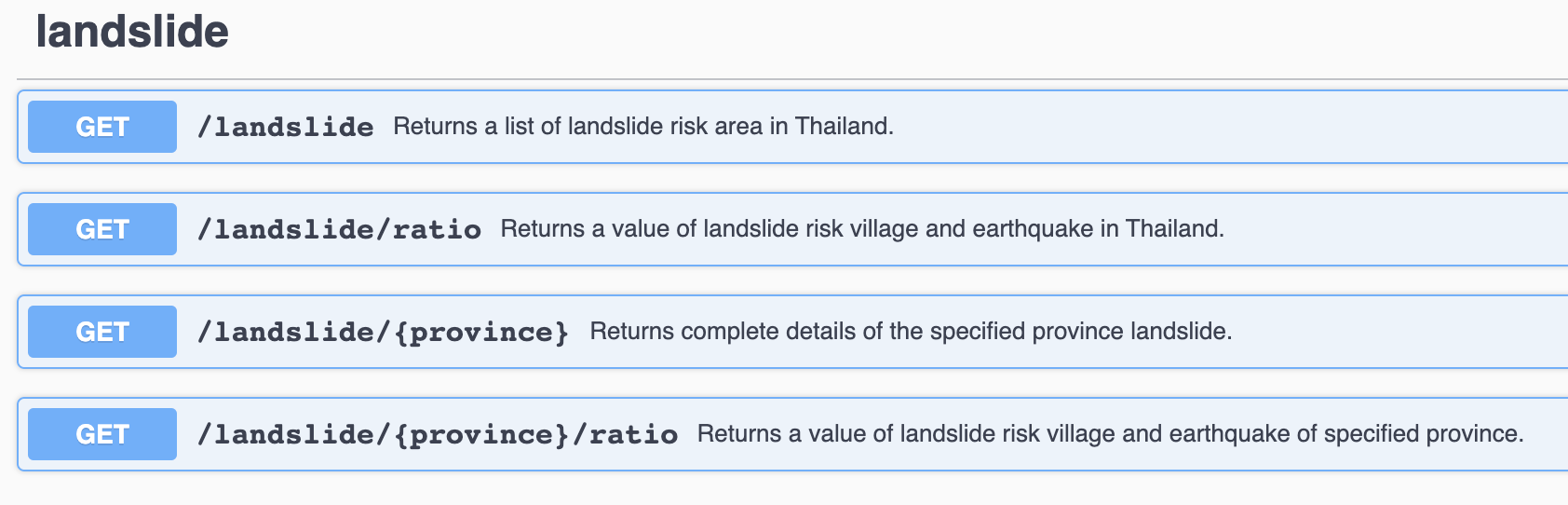
- Landslide risks area in Thailand. Raw data provided by Department of Mineral Resources (DMR).
- Rainfall and storm data gathered by our group in Google form.
- disaster
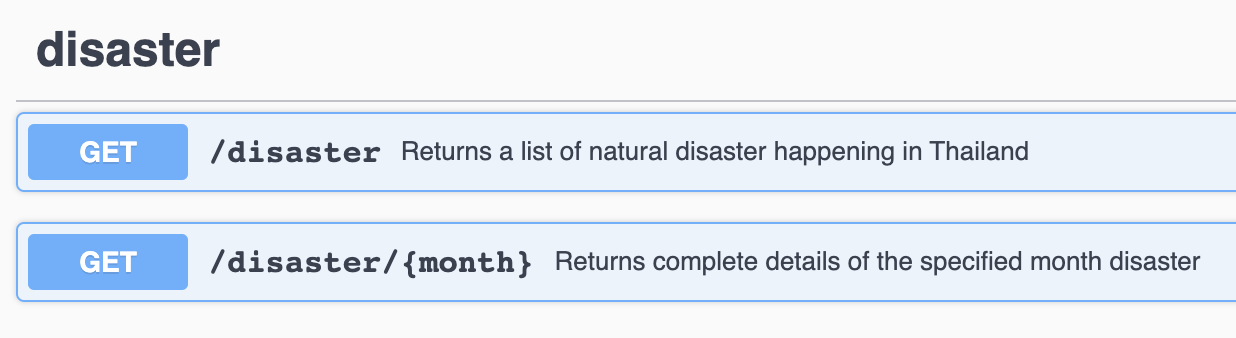
- earthquake
- landslide
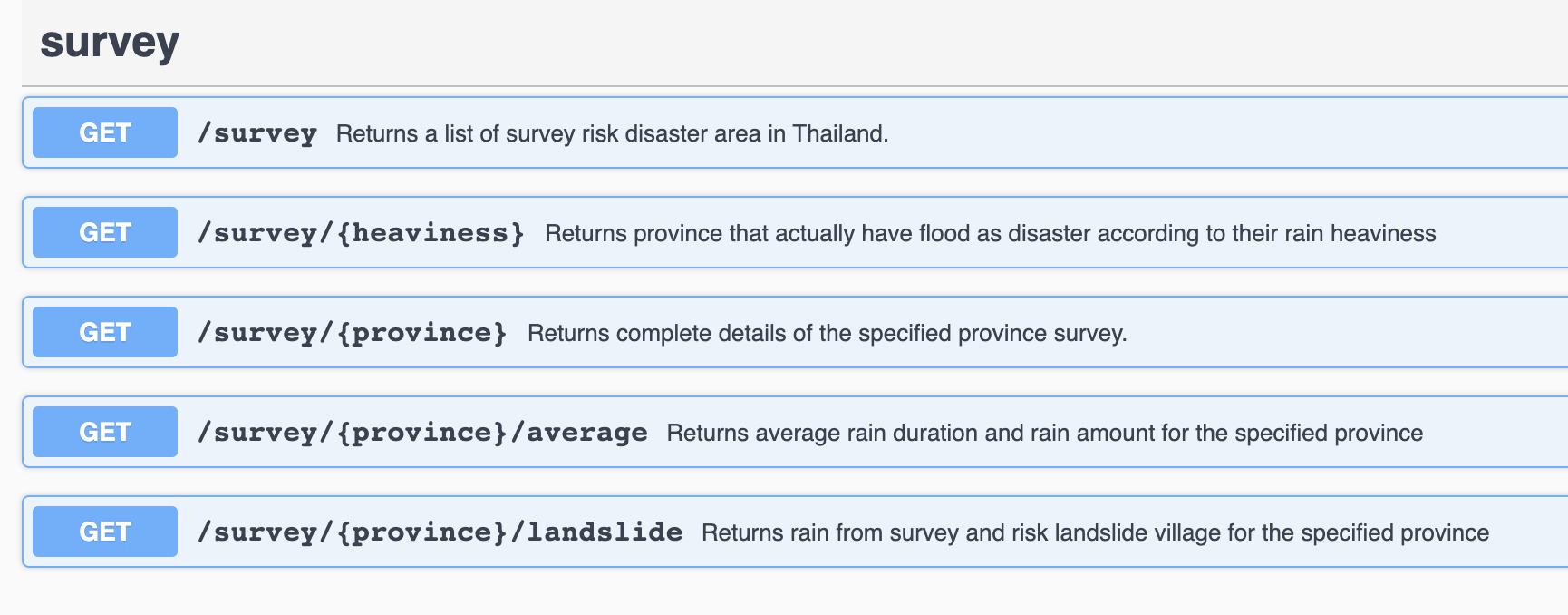
- survey
- Earthquake count by magnitude
This graph provides the number of earthquake occur compare with the range of earthquake magnitude
- Earthquake count by the risk landslide village
This graph provides the number of earthquake occur compare with risk landslide village
- Average Monthly Rainfalls
This graph provides average rain amount and average rain duration from survey
- Install Node.js (version 3.6 or higher)
- Install Python (version 16.13.0 or higher)
- Create database in phpMyAdmin (MySQL)
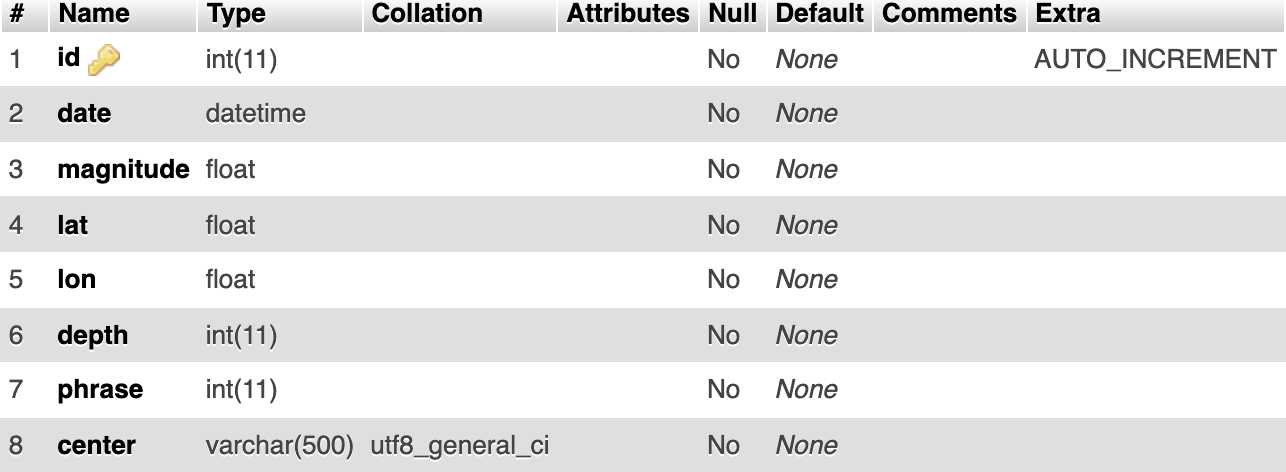
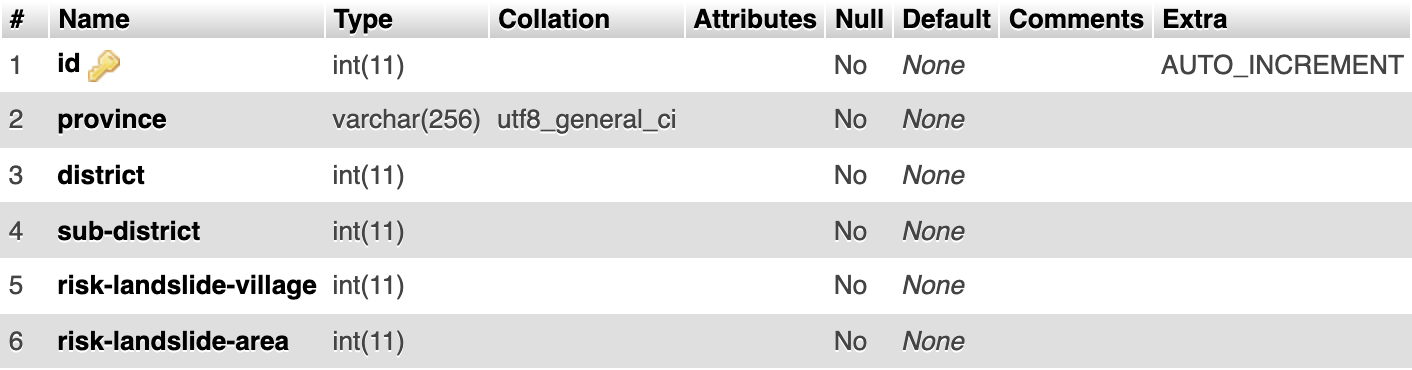
- Create 4 tables in your database with schema as follows:
- disaster
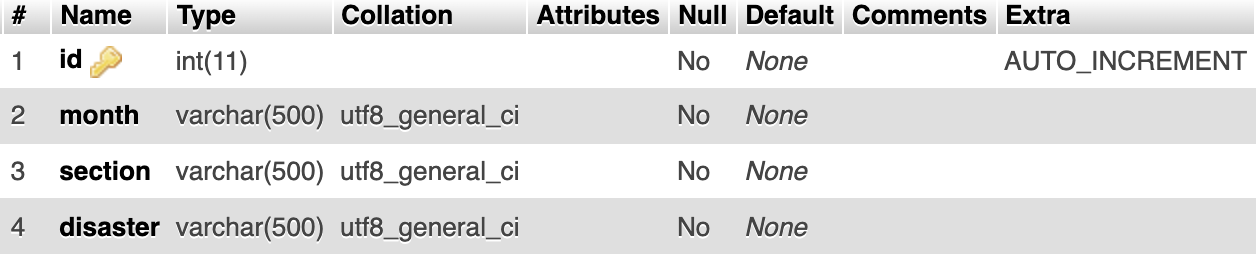
- earthquake
- landslide
- survey
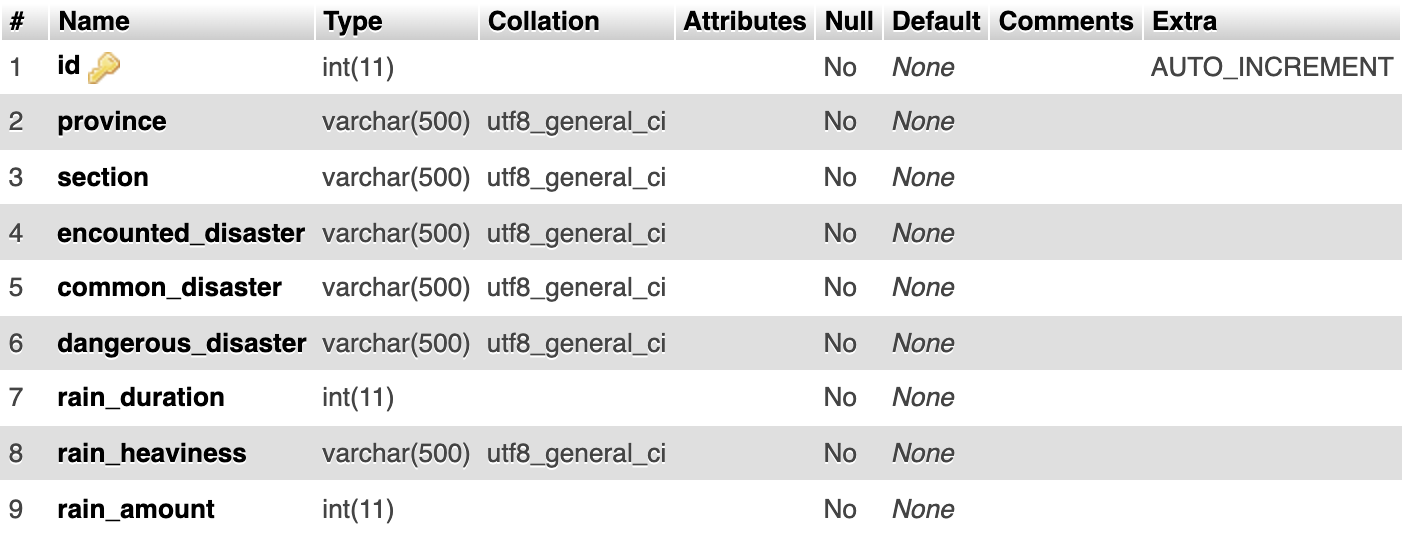
- disaster
- Create 4 tables in your database with schema as follows:
- Add all disasters data from file data to database
- Select import

- Select Choose File
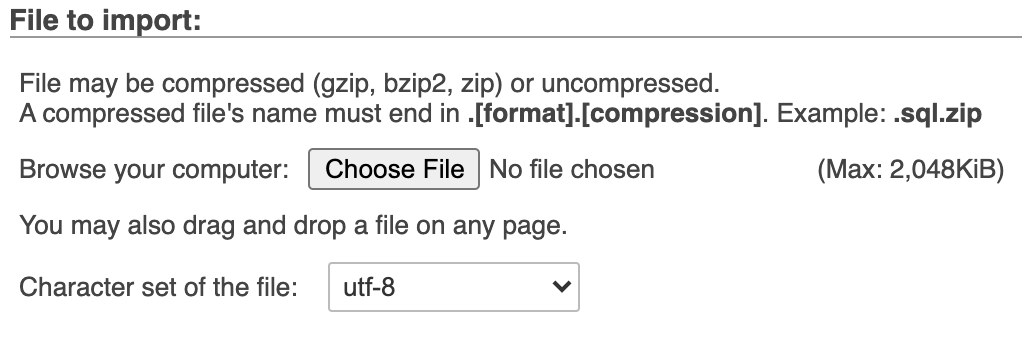
- Add one number to skip number

- Select format
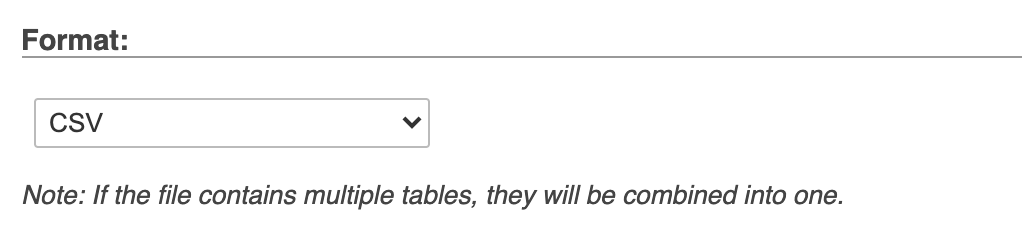
- write column name then click Go
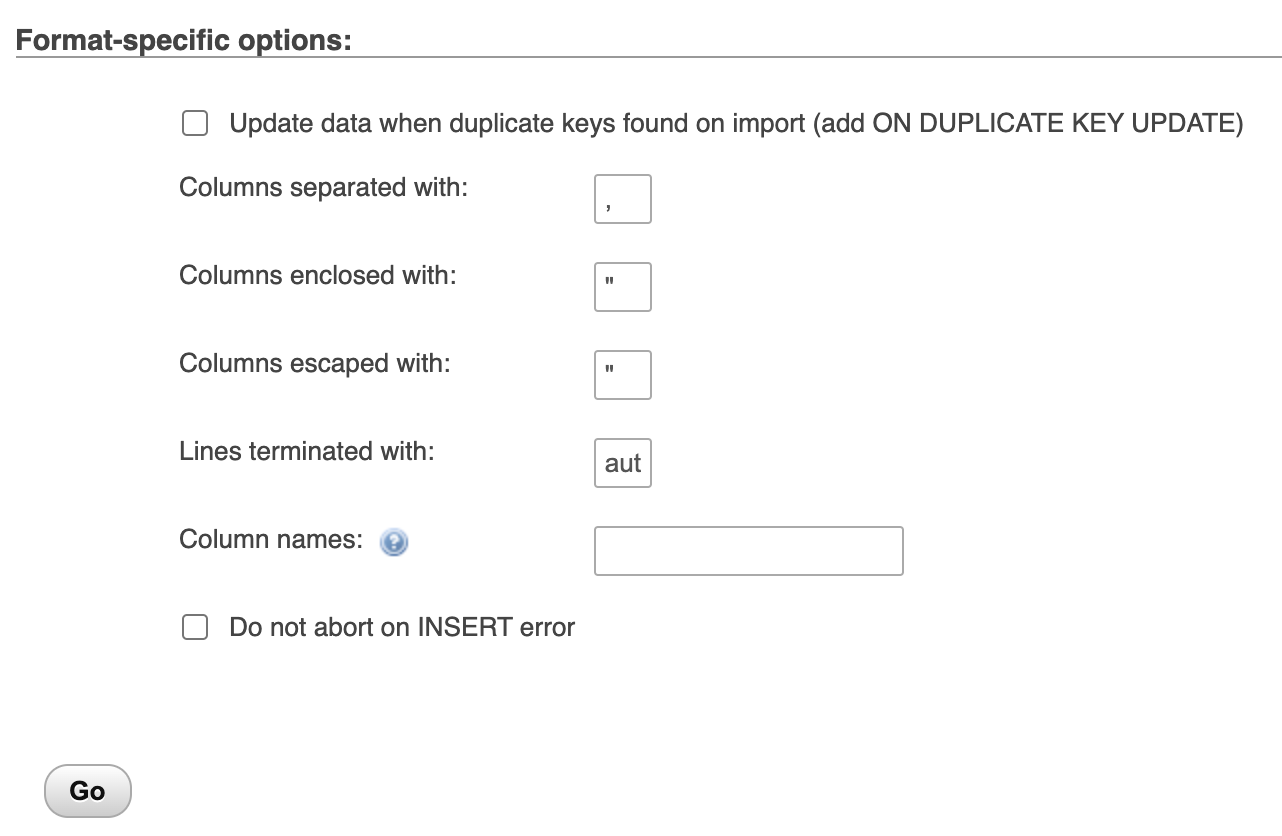
- Select import
- Install virtual environment
- Linux/MacOS:
python3 -m pip install virtualenv
- Windows:
python -m pip install virtualenv
- Linux/MacOS:
- Create new virtual environment.
virtualenv venv
- Activate a virtual environment.
- Linux/MacOS:
. env/bin/activate - Windows:
env\Scripts\activate
- Linux/MacOS:
- Clone the repo
git clone https://github.com/ttxking/disaster-api.git
- Change directory
cd Disaster-API - Install required libraries
pip install -r requirements.txt
- Install OpenAPI-to-GraphQL
npm install -g openapi-to-graphql-cli@2.5.0
- Edit
config.pyfor your phpMyAdmin databaseOPENAPI_AUTOGEN_DIR="autogen" DB_HOST="Your database host" DB_USER="Your username" DB_PASSWD="Your password" DB_NAME="Your table name"
- Run jar file
java -jar openapi-generator-cli-5.3.0.jar generate -i openapi/disaster-api.yaml -o autogen -g python-flask
- Start the REST API server
python app.py
- swagger tool avalible on http://localhost:8080/disaster-api/ui
- Start openapi-to-graphql in another terminal
openapi-to-graphql --cors -u http://localhost:8080/disaster-api openapi/disaster-api.yaml
- GraphQL window avalible on http://localhost:3000/graphql
- Open the index page in
http://localhost:8080
- Your can just download openapi-to-graphql and run with this command
openapi-to-graphql --cors -u http://localhost:8080/disaster-api/ openapi/disaster-api.yaml
- GraphQL window avalible on http://localhost:3000/graphql
But the query it quite slow, you need to wait for 15-30 second
- Open the index page in
templates\index.html
| Student ID | Name | Github | University | Faculty | Department | |
|---|---|---|---|---|---|---|
| 6210546714 | Anusid Wachiracharoenwong | ttxking | anusid.w@ku.th | Kasetsart University | Faculty of Engineering | Software and Knowledge Engineering |
| 6210545556 | Peerasu Watanasirang | BellBoyZz | peerasu.w@ku.th | Kasetsart University | Faculty of Engineering | Software and Knowledge Engineering |
| 6210546382 | Kittitouch Ingkasompob | kinkinkinxd | kittitouch.i@ku.th | Kasetsart University | Faculty of Engineering | Software and Knowledge Engineering |