




This Flutter package provides a Json Table Widget for directly showing table from a json(Map). Supports Column toggle also.
Live Demo: https://apgapg.github.io/json_table/
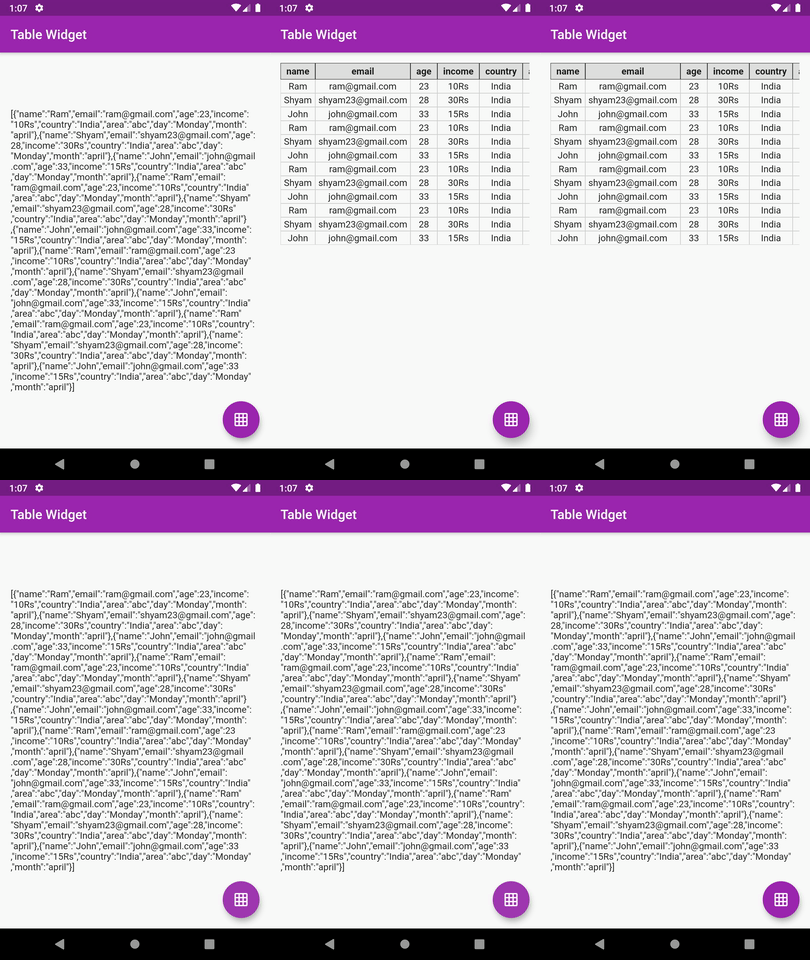
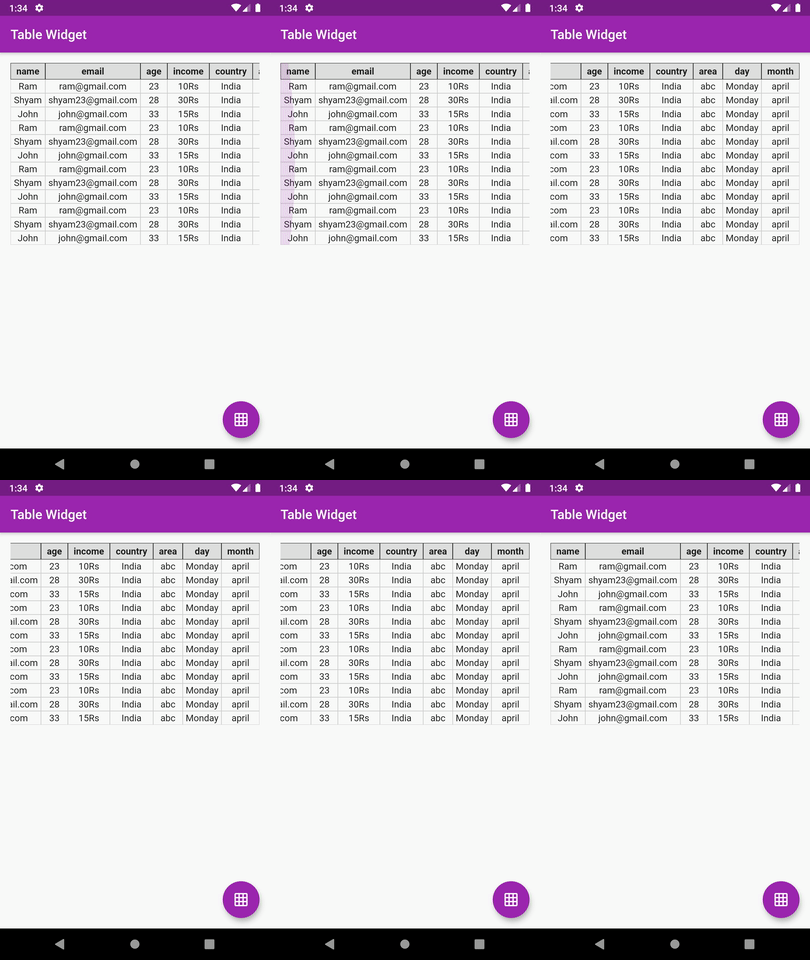
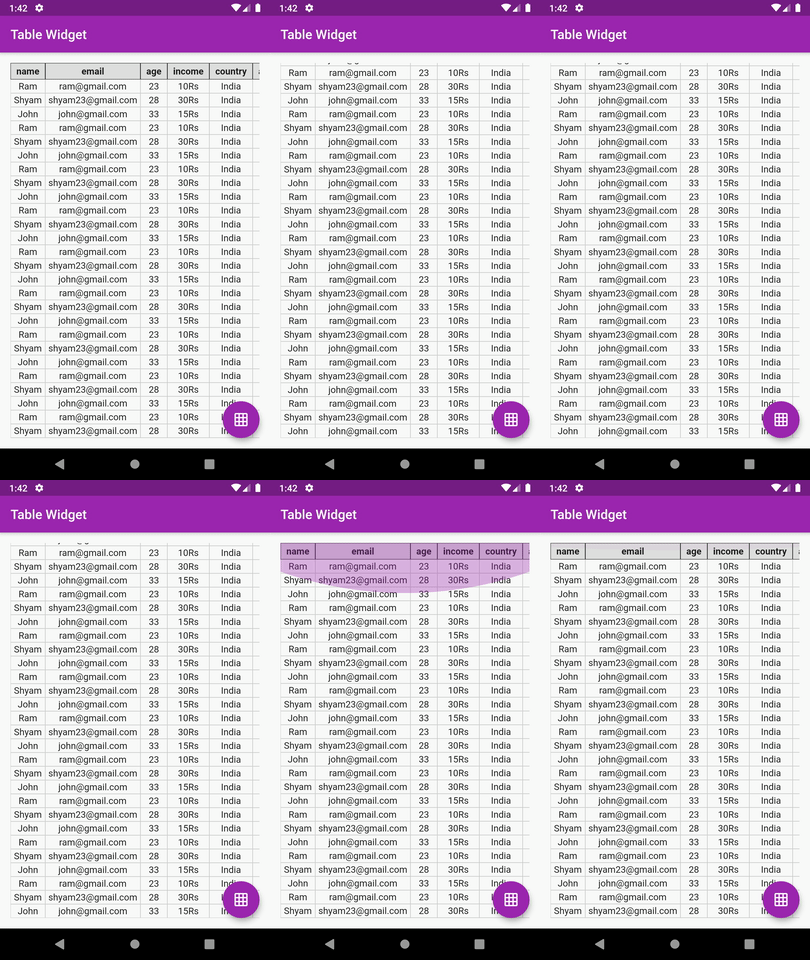
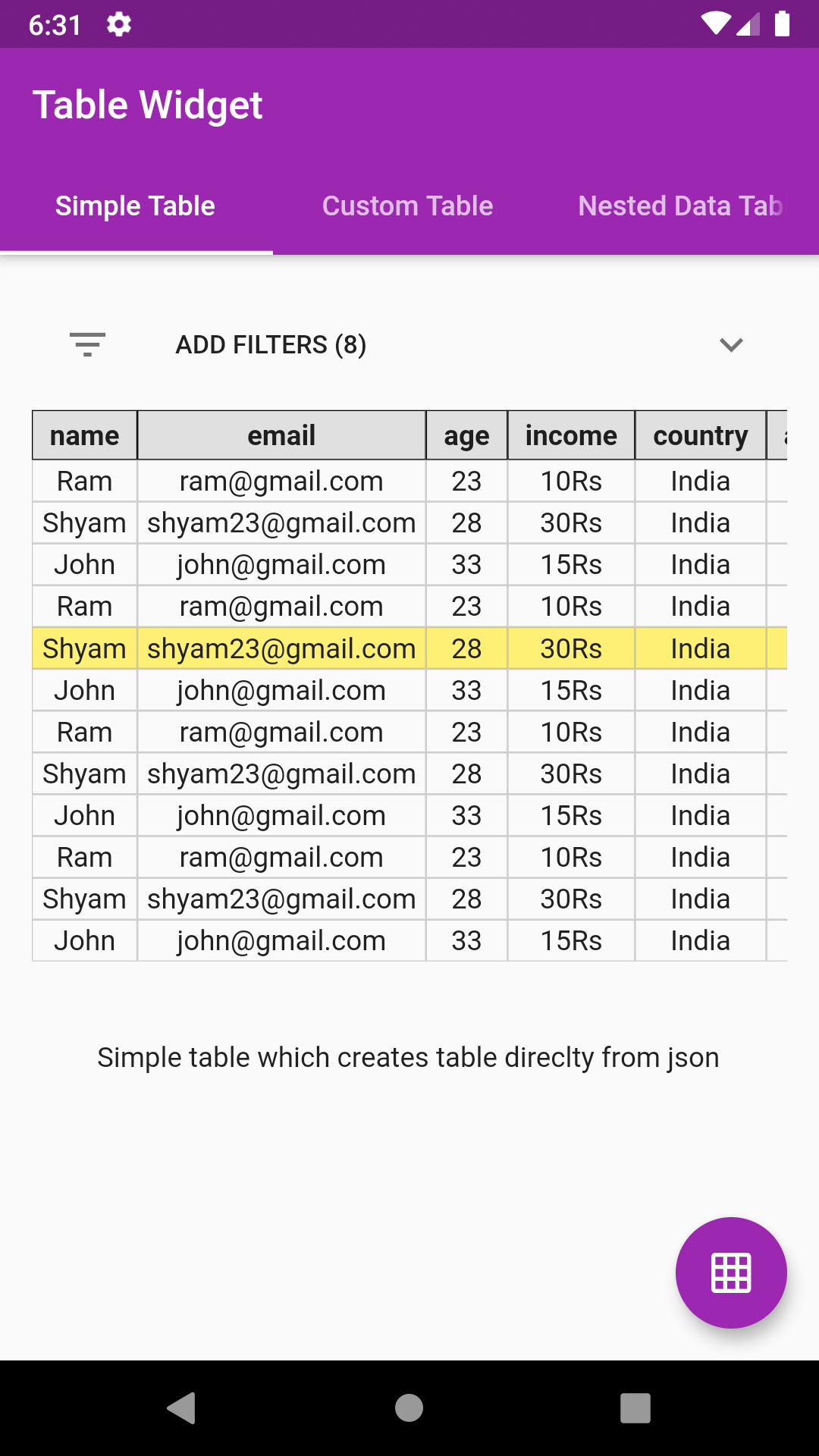
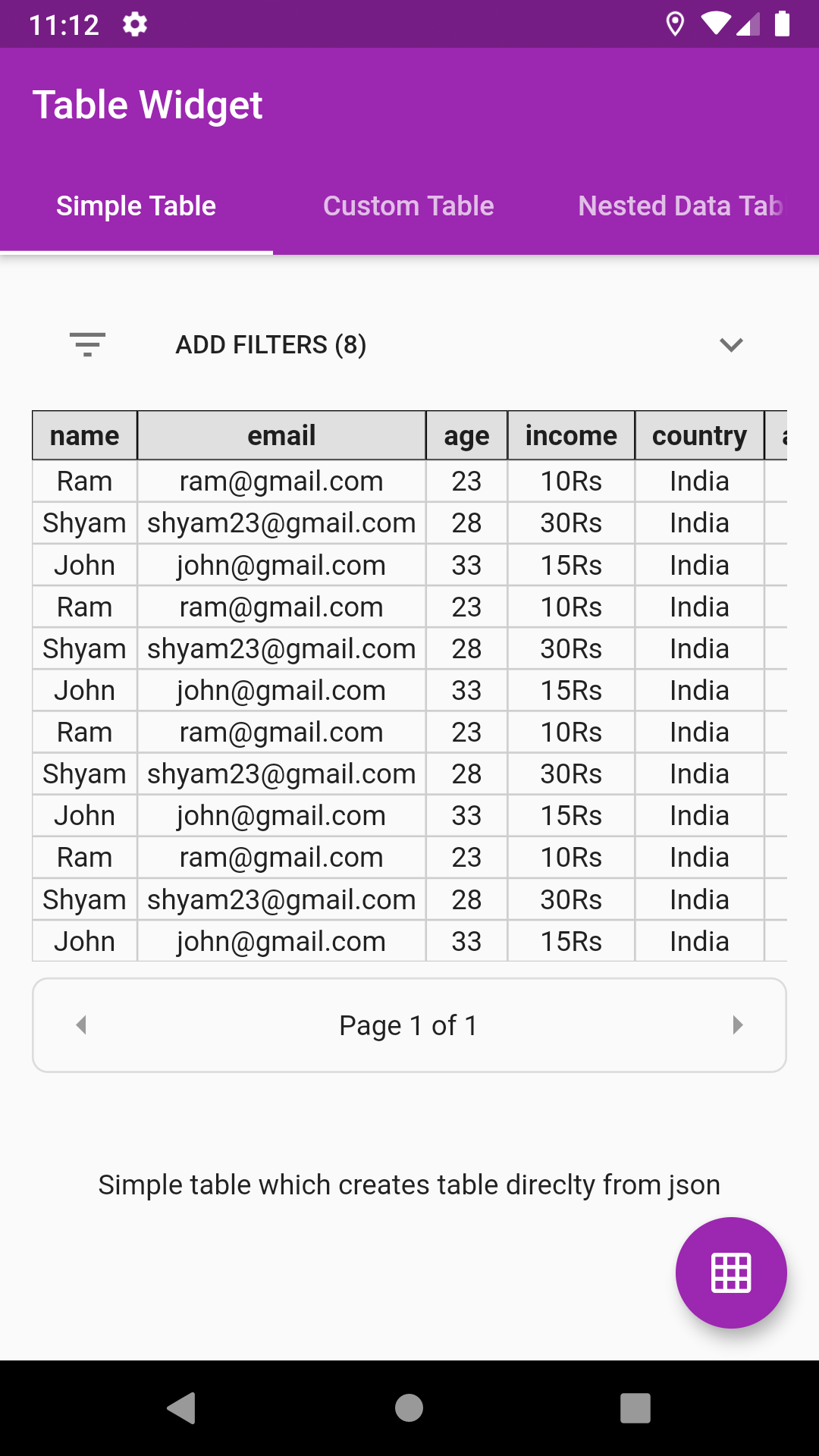
In the dependencies: section of your pubspec.yaml, add the following line:

dependencies:
json_table: <latest version>import 'package:json_table/json_table.dart';- Accepts Map as input. Just decode your json array string and pass it in JsonTable. No casting to model required.
- Option for creating column header builder. This basically returns a widget to show as table column header
tableHeaderBuilder: (String header) {
    return Container(
      padding: EdgeInsets.symmetric(horizontal: 8.0, vertical: 4.0),
      decoration: BoxDecoration(border: Border.all(width: 0.5),color: Colors.grey[300]),
      child: Text(
        header,
        textAlign: TextAlign.center,
        style: Theme.of(context).textTheme.display1.copyWith(fontWeight: FontWeight.w700, fontSize: 14.0,color: Colors.black87),
      ),
    );
}- Option for creating table cell builder
tableCellBuilder: (value) {
    return Container(
      padding: EdgeInsets.symmetric(horizontal: 4.0, vertical: 2.0),
      decoration: BoxDecoration(border: Border.all(width: 0.5, color: Colors.grey.withOpacity(0.5))),
      child: Text(
        value,
        textAlign: TextAlign.center,
        style: Theme.of(context).textTheme.display1.copyWith(fontSize: 14.0, color: Colors.grey[900]),
      ),
    );
}- Option for toggling column(s) also. User can customise which columns are to be shown
showColumnToggle: true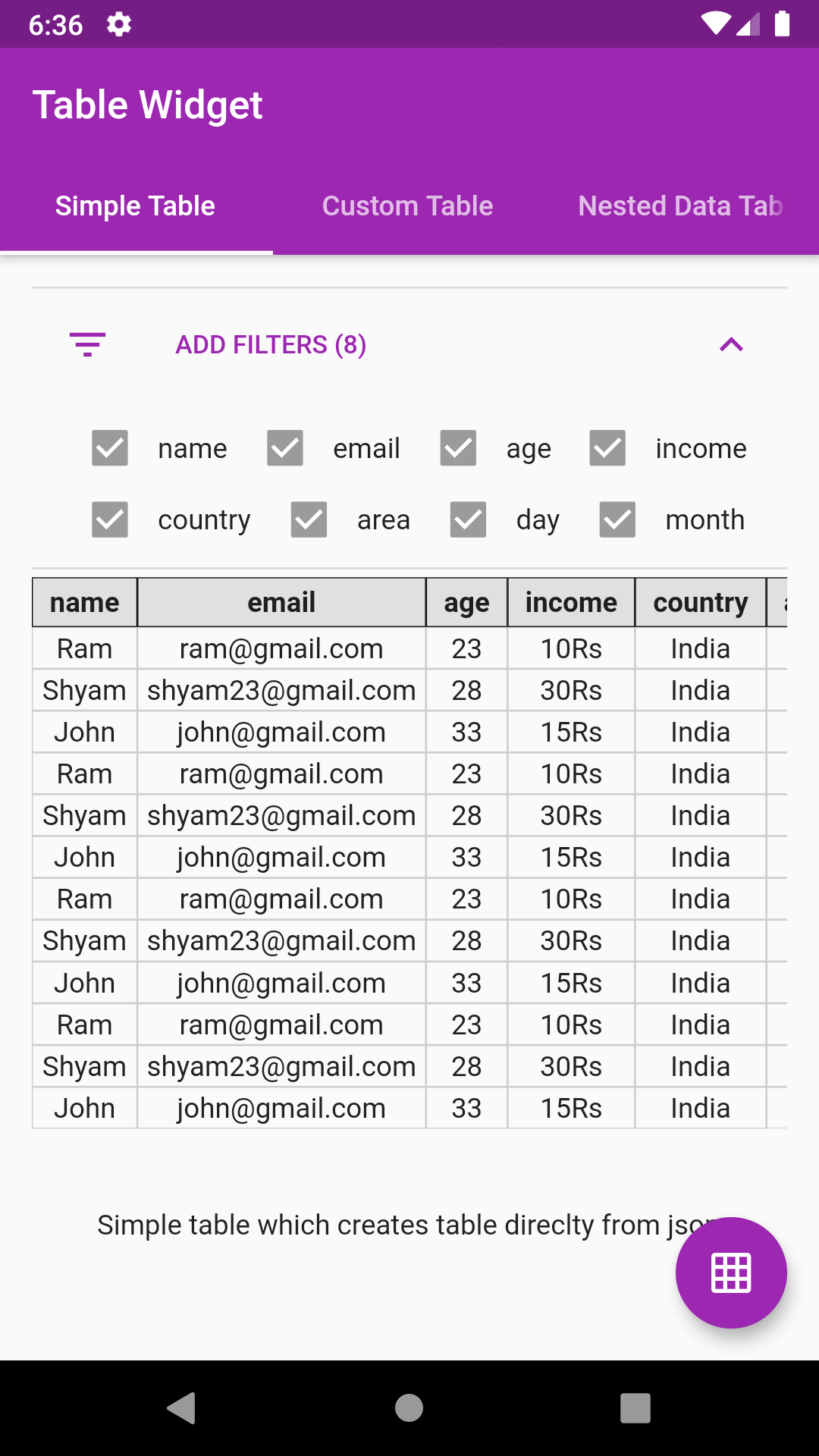
//Decode your json string
final String jsonSample='[{"id":1},{"id":2}]';
var json = jsonDecode(jsonSample);

//Simply pass this json to JsonTable
child: JsonTable(json)JsonTable(
json,
tableHeaderBuilder: (String header) {
return Container(
padding: EdgeInsets.symmetric(horizontal: 8.0, vertical: 4.0),
decoration: BoxDecoration(border: Border.all(width: 0.5),color: Colors.grey[300]),
child: Text(
header,
textAlign: TextAlign.center,
style: Theme.of(context).textTheme.display1.copyWith(fontWeight: FontWeight.w700, fontSize: 14.0,color: Colors.black87),
),
);
},
tableCellBuilder: (value) {
return Container(
padding: EdgeInsets.symmetric(horizontal: 4.0, vertical: 2.0),
decoration: BoxDecoration(border: Border.all(width: 0.5, color: Colors.grey.withOpacity(0.5))),
child: Text(
value,
textAlign: TextAlign.center,
style: Theme.of(context).textTheme.display1.copyWith(fontSize: 14.0, color: Colors.grey[900]),
),
);
},
)Head over to example code: simple_table.dart
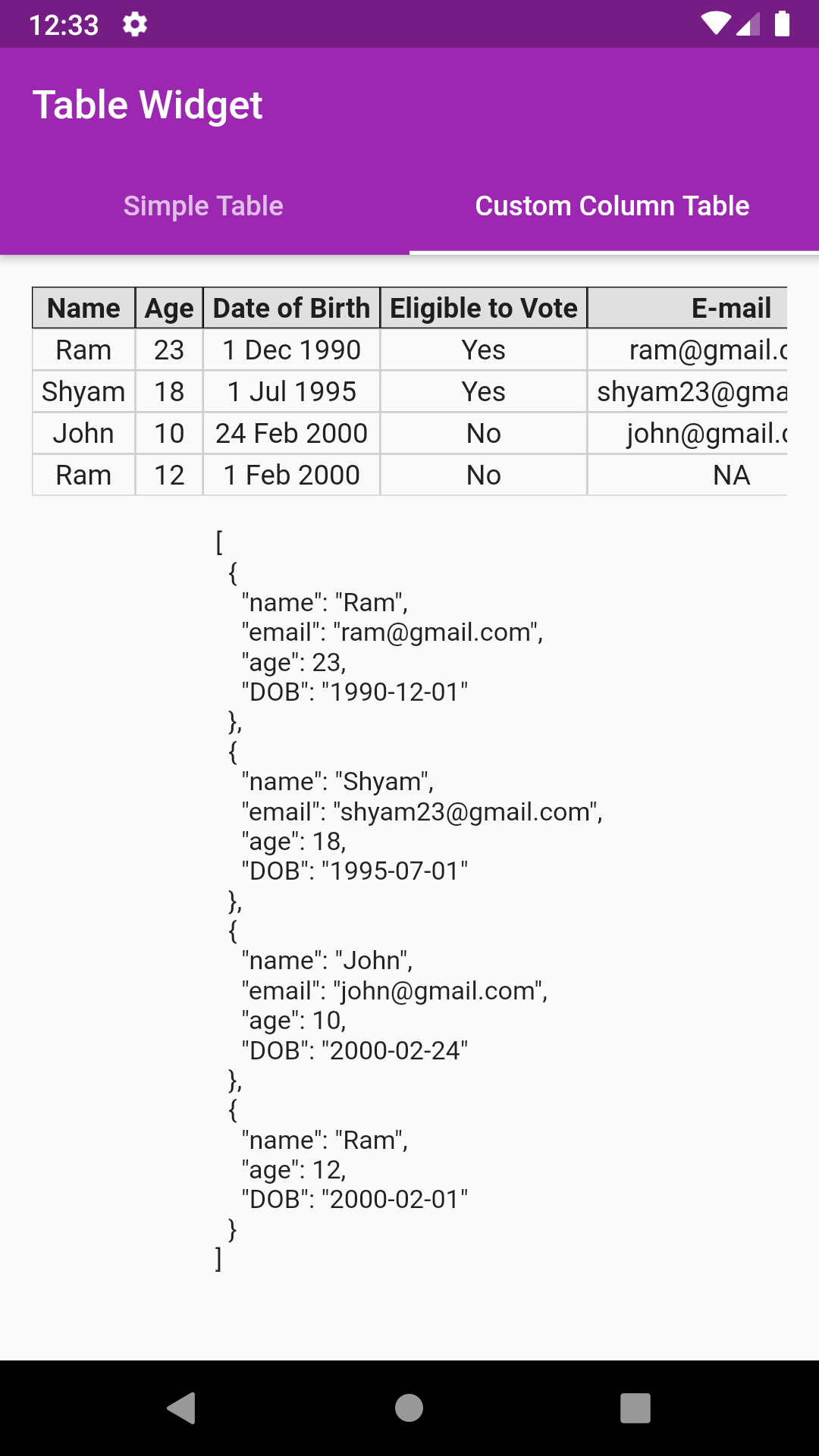
- Pass custom column list to control what columns are displayed in table
- The list item must be constructed using JsonTableColumn class
- JsonTableColumn provides 4 parameters, namely,
JsonTableColumn("age", label: "Eligible to Vote", valueBuilder: eligibleToVote, defaultValue:"NA")- First parameter is the field/key to pick from the data
- label: The column header label to be displayed
- defaultValue: To be used when data or key is null
- valueBuilder: To get the formatted value like date etc
//Decode your json string
final String jsonSample='[{"name":"Ram","email":"ram@gmail.com","age":23,"DOB":"1990-12-01"},'
                              '{"name":"Shyam","email":"shyam23@gmail.com","age":18,"DOB":"1995-07-01"},'
                              '{"name":"John","email":"john@gmail.com","age":10,"DOB":"2000-02-24"},'
                              '{"name":"Ram","age":12,"DOB":"2000-02-01"}]';
var json = jsonDecode(jsonSample);
//Create your column list
var columns = [
      JsonTableColumn("name", label: "Name"),
      JsonTableColumn("age", label: "Age"),
      JsonTableColumn("DOB", label: "Date of Birth", valueBuilder: formatDOB),
      JsonTableColumn("age", label: "Eligible to Vote", valueBuilder: eligibleToVote),
      JsonTableColumn("email", label: "E-mail", defaultValue: "NA"),
    ];
//Simply pass this column list to JsonTable
child: JsonTable(json,columns: columns)

//Example of valueBuilder
String eligibleToVote(value) {
    if (value >= 18) {
      return "Yes";
    } else
      return "No";
}
Head over to example code: custom_column_table.dart
Suppose your json object has nested data like email as shown below:
{"name":"Ram","email":{"1":"ram@gmail.com"},"age":23,"DOB":"1990-12-01"}- Just use email.1 instead of email as key
JsonTableColumn("email.1", label: "Email", defaultValue:"NA")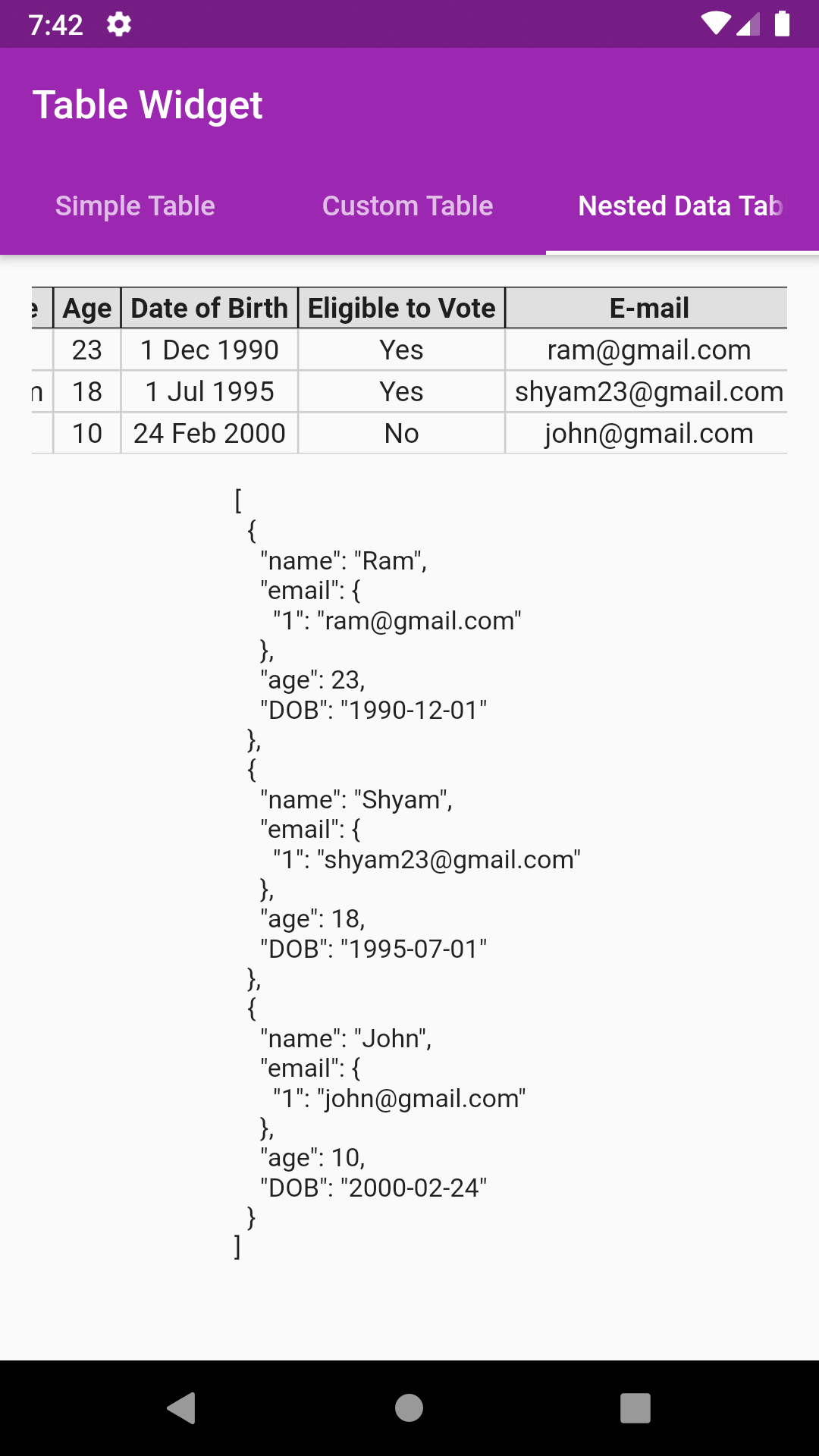
//Decode your json string
final String jsonSample='[{"name":"Ram","email":{"1":"ram@gmail.com"},"age":23,"DOB":"1990-12-01"},'
                               '{"name":"Shyam","email":{"1":"shyam23@gmail.com"},"age":18,"DOB":"1995-07-01"},'
                               '{"name":"John","email":{"1":"john@gmail.com"},"age":10,"DOB":"2000-02-24"}]';
var json = jsonDecode(jsonSample);
//Create your column list
var columns = [
      JsonTableColumn("name", label: "Name"),
      JsonTableColumn("age", label: "Age"),
      JsonTableColumn("DOB", label: "Date of Birth", valueBuilder: formatDOB),
      JsonTableColumn("age", label: "Eligible to Vote", valueBuilder: eligibleToVote),
      JsonTableColumn("email.1", label: "E-mail", defaultValue: "NA"),
    ];
//Simply pass this column list to JsonTable
child: JsonTable(json,columns: columns)
Head over to example code: custom_column_nested_table.dart
Add row highlighting with custom color support
allowRowHighlight: true,
rowHighlightColor: Colors.yellow[500].withOpacity(0.7),Just provide an int value to 'paginationRowCount' parameter
paginationRowCount: 4,- The table constructed isn't the flutter's native DataTable.
- The table is manually coded hence serves a great learning purpose on how to create simple tables manually in flutter
- Supports vertical & horizontal scroll
- Supports custom columns includes default value, column name, value builder
- Supports nested data showing
- Supports pagination
- Custom header list parameter. This will help to show only those keys as mentioned in header list
- Add support for keys missing in json object
- Add support for auto formatting of date
- Extracting column headers logic must be change. Not to depend on first object
- Nested data showing support
- Row highlight support
- Wrap filters in expansion tile
- Pagination support
- Add option to change header row to vertical row on left
- pie_chart
Flutter Pie Chart with cool animation.
- avatar_glow
Flutter Avatar Glow Widget with glowing animation.
- search_widget
Flutter Search Widget for selecting an option from list.
- animating_location_pin
Flutter Animating Location Pin Widget providing Animating Location Pin Widget which can be used while fetching device location.


- flutter_profile
Showcase My Portfolio: Ayush P Gupta on Playstore.
- flutter_sankalan
Flutter App which allows reading/uploading short stories.


- Fork it
- Create your feature branch (git checkout -b my-new-feature)
- Commit your changes (git commit -m 'Add some feature')
- Push to the branch (git push origin my-new-feature)
- Create new Pull Request