
An dynamic EQ plugin integrating AI-powered Tone Replication model (VTR) for automatic EQ settings based on reference audio analysis.
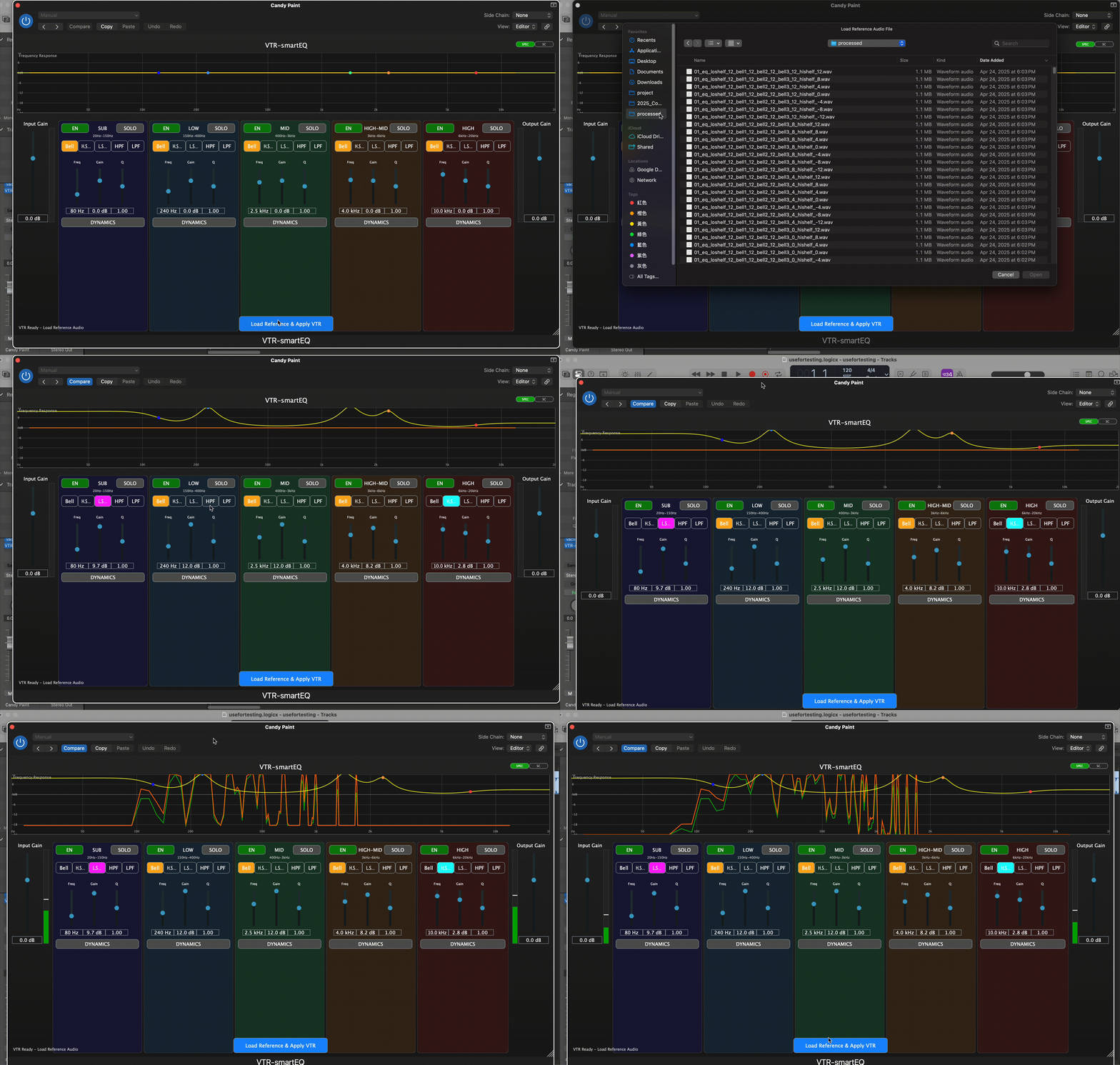
- 5-Band Dynamic EQ: SUB, LOW, MID, HIGH-MID, HIGH frequency bands with multiple filter types
- AI-Powered VTR: Automatic EQ matching based on reference audio analysis
- Real-time Visualization: Spectrum analyzer and frequency response display
- Plugin Formats: VST3, AU (Audio Unit)
- OS: macOS 10.13+ (Intel/Apple Silicon)
- DAW: Any VST3 or AU compatible host
- Python: 3.8+ (for VTR feature extraction)
- Download the latest release from the Releases page
- Express the zip file and copy the plugin to your system's plugin folder:
- VST3:
~/Library/Audio/Plug-Ins/VST3/ - AU:
~/Library/Audio/Plug-Ins/Components/
- VST3:
- Restart your DAW and scan for new plugins
If you get a "malicious software" warning on macOS, you can solve by:
- System Preferences: System Preferences → Security & Privacy → Allow the blocked plugin
- Terminal command:
sudo xattr -rd com.apple.quarantine ~/Library/Audio/Plug-Ins/VST3/VTR-smartEQ.vst3/sudo xattr -rd com.apple.quarantine ~/Library/Audio/Plug-Ins/Components/VTR-smartEQ.component
-
Click "Load Reference & Apply VTR" to upload audio file
- Select reference audio file (supports WAV, MP3, FLAC, AIFF, M4A)
- Recommended to keep audio length short (<8s) for better results
- This model uses feature extraction as input, longer audio files may cause information confusion
-
Wait for processing and automatic application
- Wait a moment for the system to automatically analyze and apply to the plugin
- You can make any additional EQ adjustments to meet your specific goals
- Load the plugin on your track
- Enable bands using the EN buttons
- Adjust frequency, gain, and Q for each band
- Select filter types (Bell, Shelf, Pass) as needed
- Click the dynamics toggle button (↓) on any band
- Adjust threshold, ratio, attack, release parameters
- Choose detection type and processing mode
- CMake 3.22+
- Xcode 12+ (macOS)
- Python 3.8+ with required packages
# Clone the repository
git clone --recursive https://github.com/vaclisinc/VTR-smartEQ.git
cd VTR-smartEQ

# Create build directory
mkdir build && cd build

# Configure and build
cmake -DCMAKE_BUILD_TYPE=Release ..
cmake --build . --config Release- Ensure Python 3.8+ is installed
- Check Python packages:
pip install numpy scipy librosa scikit-learn - Verify model files exist in
vtr-model/exported_model/
- Rescan plugins in your DAW
- Check plugin format compatibility
- Verify installation path is correct
This project is licensed under the GPL-3.0 License - see the LICENSE file for details.