
Replies: 1 comment 1 reply

|
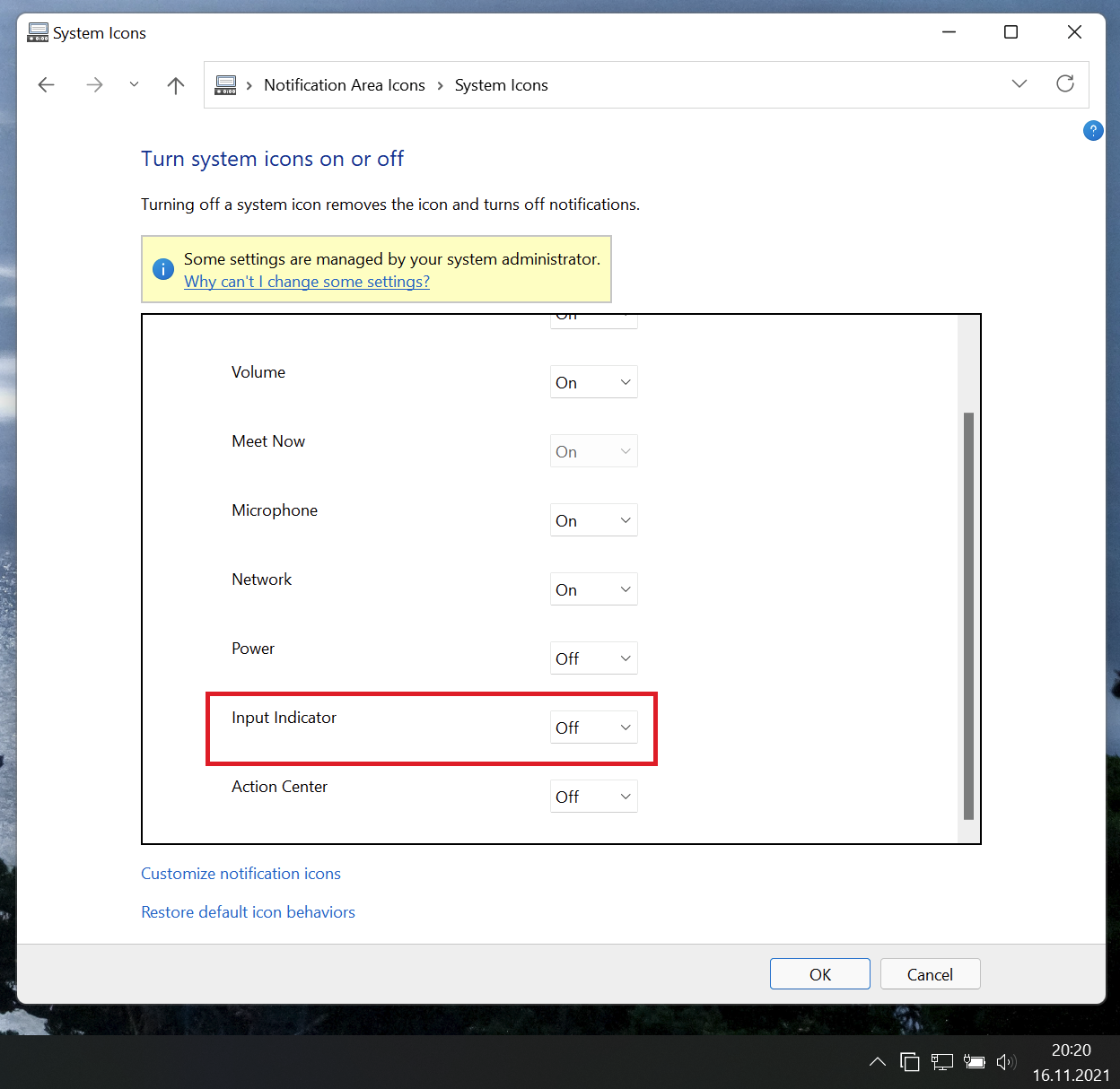
What's wrong with using this option...? It works just fine for me, as it does for any other system icon in the tray:
To get there, EP "Properties" - "System tray" - "Customize system icons in the notification area". Thanks |

|
Sorry for my late reply. I forgot to look in that location, but thanks for reminding me. The bug that I was experiencing was causing 2 different symptoms both of which were affecting the language bar or input indicator. The first symptom I noticed was that the "Use the desktop language bar when it's available" checkbox didn't save its status so each time after I ticked this checkbox, it was properly showing as enabled, but Windows was simply ignoring this setting nevertheless, and, next, if I exited the "Advanced keyboard settings" settings page (that can be accessed via Windows Settings | Time & language | Typing) and navigated back to it, the checkbox was showing as disabled again. The second thing I noticed was that the registry setting that I mentioned in my original reply was also being ignored by Windows. I verified this by changing the value to 0 (Floating on desktop), then 4 (Docked to taskbar) and finally back to 3 (Hidden) again, and rebooting each time after I had changed it. AFAIK the en-US language already is present on Windows 11, always, regardless of whether Windows is "natively" en-US. But the fact that it already is present doesn't also mean that it will be shown in the list of installed languages. I don't know why, but this seems to be due to how Windows is designed. Either way, I was able to add the en-US language, which took a minute as the progress indicator was moving while it was busy downloading the pack from Microsoft, and, after that, I removed it again by clicking on the three dots next to it and then clicking on the little recycle bin icon that appears. Removing the en-US language went instantaneous, and, immediately as soon as it was removed, all of the above described symptoms were gone permanently. I know this sounds a little bit strange, but I suspect it's one of those older bugs in Windows that MS has never fixed, at least it looks to be that, and, upgrading EP to 37.4, then 37.5, somehow triggered this bug when I rebooted next. There is at least one other person I know has also been experiencing an issue with the language bar (in the forum thread on Elevenforum). For me, the issue is fixed, but hopefully this feedback will help you to investigate what's causing it and/or might help others to getting it fixed. |


Uh oh!
There was an error while loading. Please reload this page.
Language Bar was hidden from my taskbar:
reg add HKCU\Software\Microsoft\CTF\LangBar /f /v ShowStatus /t REG_DWORD /d 3I updated ExplorerPatcher two times this morning, to 22000.318.37.4 and then 22000.318.37.5, and, after a reboot a few moments ago I noticed that the Language Bar was back. I verified that the registry value was still unchanged. I tried all the usual methods to hide the Language Bar again, all to no avail. I had to install the English (United States) language pack and then remove it again after that, which fixed the problem for me immediately as soon as the language pack was removed, i.e., I did not have to reboot nor had to restart the Explorer process to get this fixed.
I was wondering if anyone else has experienced the same? (I am on non-English Windows 11.)
All reactions