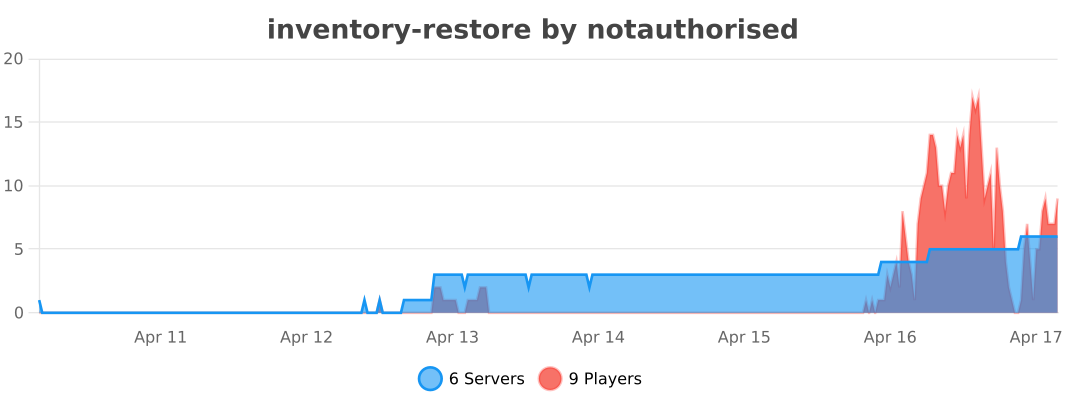
InventoryRestore backs up player inventories and lets staff inspect, restore, and document refunds—with optional MySQL, crash recovery, autosave, and a Discord webhook for refund confirmations.
-
Automatic saves when players join, quit, die, change worlds, crashes, and on a configurable autosave interval
-
Force backup for one online player or everyone online (
/ir forcebackup). -
YAML (default) or MySQL for centralized storage.
-
Per-player limits per save type (
max-saves: join, quit, death, world-change, force, crash).
## Maximum saves a backup will hold per type per user.
max-saves:
  join: 10
  quit: 10
  death: 50
  world-change: 10
  force: 10
  crash: 20
- Material ignore list so chosen items are never stored (
backup-ignore-materials) this is so that item is not taking up lots of storage for example string if you have a/stringplugin.
## Materials (Bukkit names) excluded from backups and not stored. Example: [DIRT, STONE]
## Empty list = nothing ignored.
backup-ignore-materials: []
-
Offline restores & inventory viewing
-
Export restores to shulkers, chests, bundles & drop Incase you dont want to restore someones current inventory you can put chests at their base, put a bundle in their inventory etc.
-
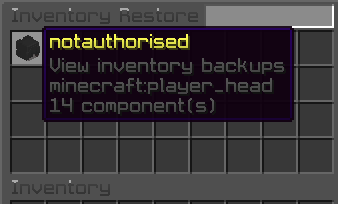
Main menu — browse players (restore mode shows names; refund mode can hide names for privacy).
-
Player menu — choose backup category (join, quit, death, world change, force, crash).

| Joins | Quits | Deaths |
|---|---|---|
 |
 |
 |
| World changes | Force saves | Crashes |
|---|---|---|
 |
 |
 |
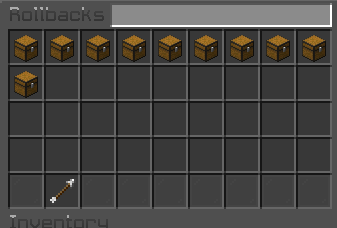
- Rollback list — paginated list of snapshots with timestamps (timezone/format configurable).
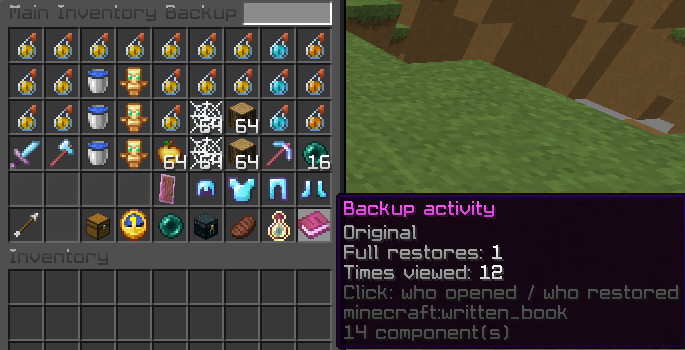
- Main inventory backup — full 36-slot preview, armor & off-hand in the same layout as vanilla, plus actions:
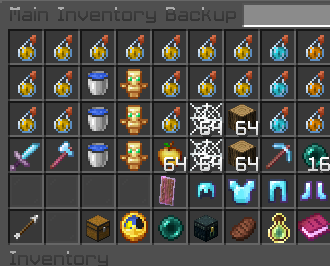
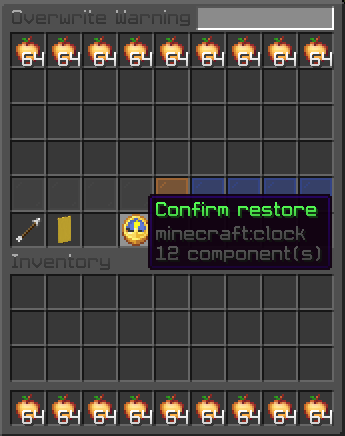
- Restore main inventory + armor + off-hand (with overwrite warning when the target still has items; skipped if their inventory is completely empty when detectable).
- Ender chest backup view and restore.
- Hunger and XP restore (when target is online).
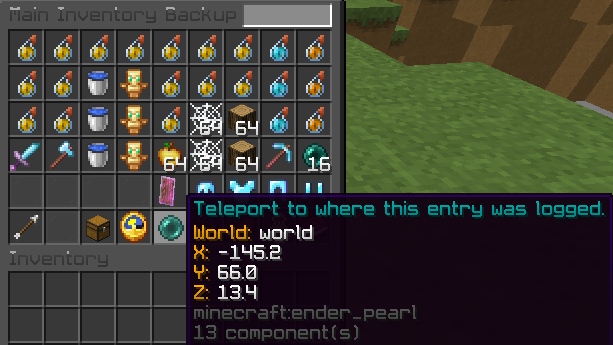
- Teleport to saved backup location (permission
inventoryrestore.restore.teleport). - Export to storage (extract items for manual handling).
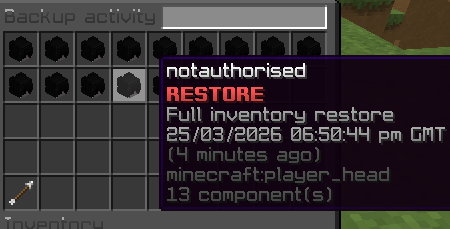
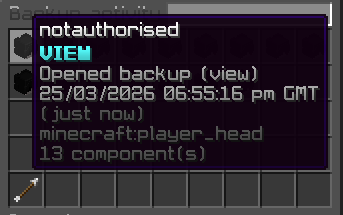
- Backup activity — who opened or restored a snapshot (audit trail).
- Overwrite warning — shows the target’s current inventory (or last saved layout offline) including armor & off-hand before confirming a full restore.
| Teleport to backup coords | Ender chest | Ender chest |
|---|---|---|
 |
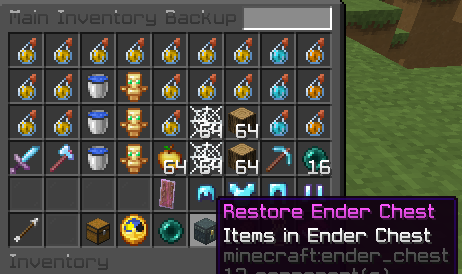 |
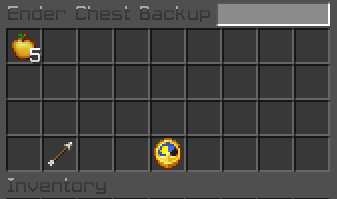 |
| Restore food | Restore XP | Restore offline |
|---|---|---|
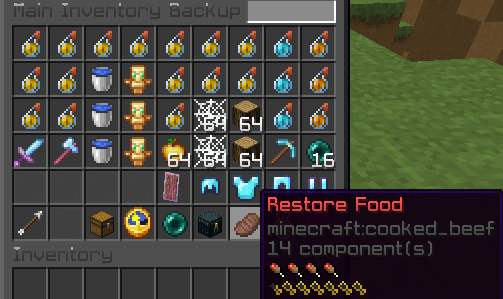 |
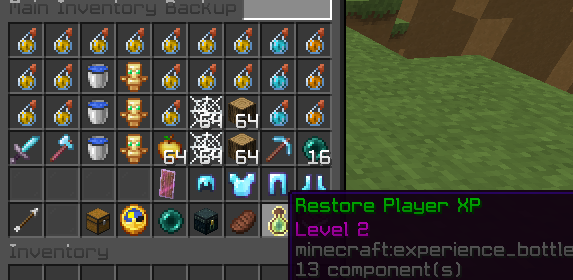 |
 |
| Export (chest) | Export (bundle) |
|---|---|
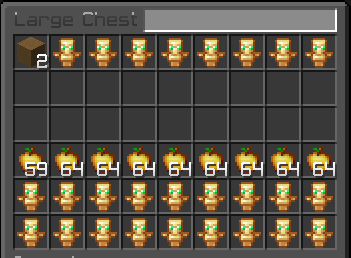 |
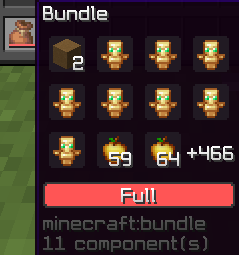 |
| Refund / restore history (1) | Refund / restore history (2) |
|---|---|
 |
 |
/restore//ir restore [player|uuid]— open restore GUI; supports UUID or name tab-complete./refund//ir refund [player|uuid]— refund GUI + ledger context./ir enable,/ir disable,/ir reload,/ir version,/ir help./ir import confirm— one-time migration from legacy backup data (requiresinventoryrestore.import; grant via your permissions plugin if needed).- Configurable death event ordering vs other plugins (
allow-other-plugins-edit-death-inventory). loadbeforeseveral death-chest style plugins to reduce ordering conflicts.
- Optional Discord refund webhook when a full restore is confirmed from the refund GUI (
refund-webhookinconfig.yml). - Update checker on startup (configurable).
- Sounds for restore, teleport, food, hunger, and XP (each togglable).
| Command | Permission | Description |
|---|---|---|
/restore [player] |
inventoryrestore.viewbackups |
Open restore GUI (optional target). |
/refund [player] |
inventoryrestore.refund |
Open refund GUI. |
/ir restore [player] |
inventoryrestore.viewbackups |
Same as /restore. |
/ir refund [player] |
inventoryrestore.refund |
Same as /refund. |
/ir forcebackup all |
inventoryrestore.forcebackup |
Force-save all online players. |
/ir forcebackup player <name> |
inventoryrestore.forcebackup |
Force-save one online player. |
/ir enable |
inventoryrestore.enable |
Turn plugin on. |
/ir disable |
inventoryrestore.disable |
Turn plugin off. |
/ir reload |
inventoryrestore.reload |
Reload config. |
/ir version |
inventoryrestore.version |
Version info. |
/ir help |
inventoryrestore.help |
In-game command list. |
/ir import confirm |
inventoryrestore.import |
Import legacy backups (destructive; confirm only). |
Child permission inventoryrestore.restore.teleport — allows teleporting to the backup’s saved world/coords from the GUI.
Full permission tree is in plugin.yml.
| Option | What it does |
|---|---|
enabled |
Master switch. |
max-saves |
Caps per type per player. |
backup-lines-visible |
Rows visible on rollback list (max 5). |
folder-location |
Data path or DEFAULT. |
mysql |
Enable DB + pool settings. |
sounds.*.enabled |
Toggle feedback sounds. |
time-zone / time-format |
Backup timestamp display. |
allow-other-plugins-edit-death-inventory |
Death save timing vs other plugins. |
restore-to-player-button |
Show full-restore button. |
save-empty-inventories |
Whether empty snapshots are kept. |
backup-ignore-materials |
Bukkit material names to skip. |
refund-webhook |
Discord POST on refund-path full restore. |
autosave-* |
Interval autosave + crash recovery behavior. |
update-checker |
GitHub Releases update notice (vanillaxtra/inventoryrestore). |
bStats |
Anonymous metrics (see below). |
debug |
Extra console logging. |