


Lab 6, infared controls
###Objective and Purpose The objective of this lab obtained experience using the pulse modulation features on the MSP430. The Pulse width must be generated to control the motors of the robot.
Required Functionality [COMPLETED]:
Demonstrate movement forward, backward, a small (< 45 degree) turn left and right, and a large (> 45 dgree) turn left and right. The robot should perform these movements sequentially, completely disconnected from a computer (no USB cord).
A-Functionality [COMPLETED]
Control your robot with your remote! You should use at least four different buttons on the remote: one each to indicate motion directions of forward, backward, left, and right.
###Implementation
The implementation of the lab was quite simple. Using Lab5 (infared sensing) and simply using the built in timers for on the MSP430, create pulse width that would determine the speed of the robot and the motion it does. More in-depth display will be displayed in the pre-liminary design of this lab.
###Code
Definition: newPacket - New packet flag irPacket - Packet received motorContro(int left, int right) - controls what the motor does.
#####Main:
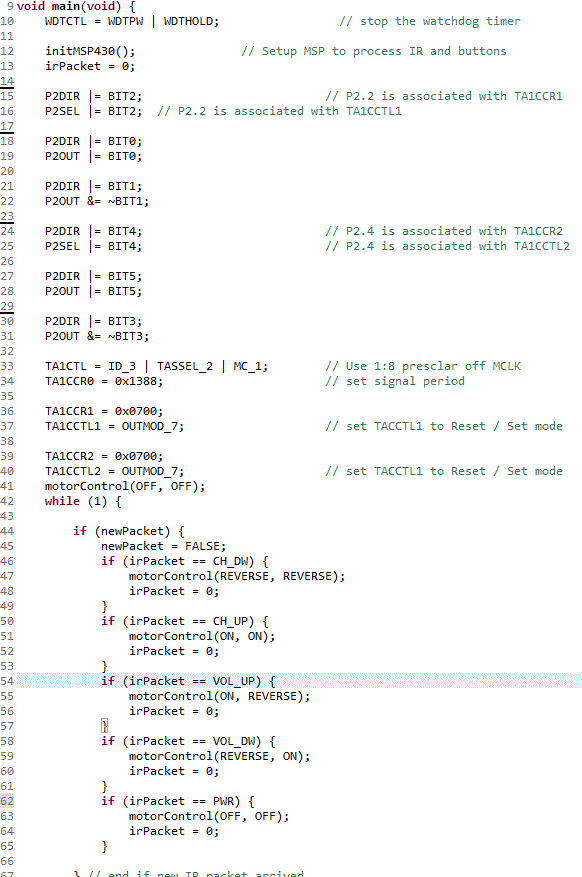
The point of the main is intialize the MSP430 and to wait and listen for buttons being pressed. once a button is pressed, that data packet is analyzed and competleted as required.
#####A-Functionality [COMPLETED]
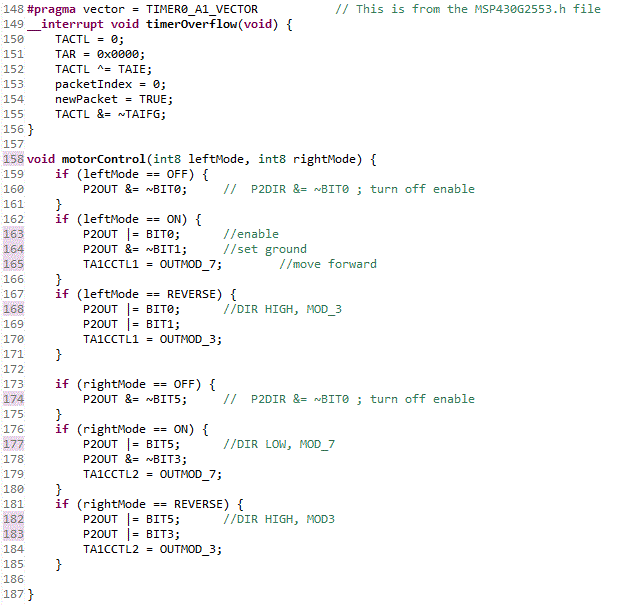 Reference main
This robot is controlled by an infared remot control. As the code shows, it uses the internal timer of the MSP430 and an infared sensor to analyze the packet received from the remote and to determine which control was pressed.
###Debugging/Testing
#####Methodology Bewlow is the preliminary design for the lab and how the motor is implemented using a pulse width modulation.
Preliminary Design:
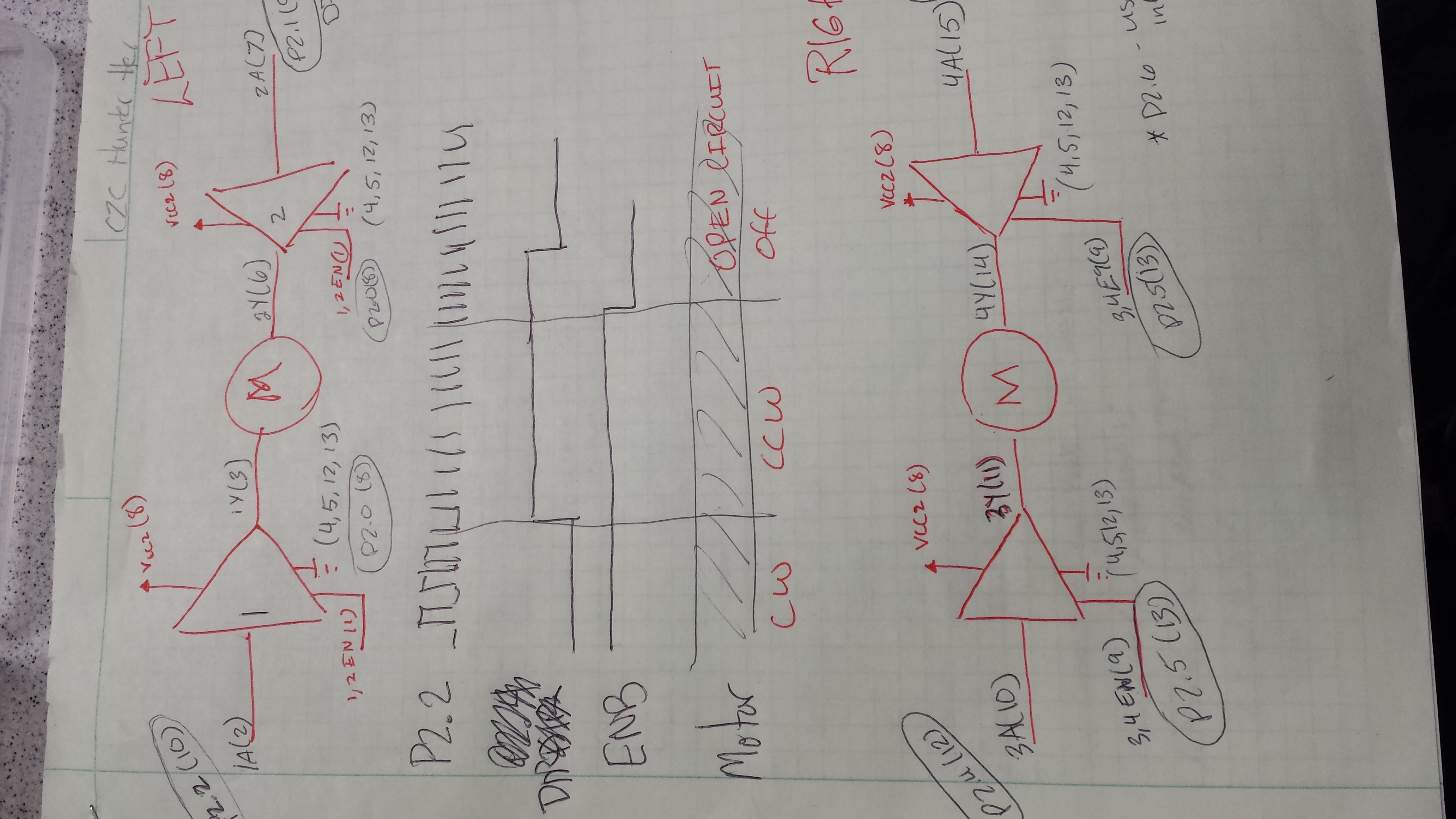
My methodology was dividing and conquered. I broke the lab into two simple peices. 1) controlling the motor. I didn't
worry about controlling the robot, but focused strictly on getting the motors to work. After getting the motor to work, I
focused on getting it to stop and go in reverse. After completing that task, I then configured the wiring to allow the
robot to move how I wanted it to. 2) controlling the motor with the remote. This was a lot more simple due to Lab 5. I
already had working code for the infared sensor, all I had to do was inpute it, define up/down and left/right and stop.
Simply, obtained the value from the irPacket received, dropped some if statements and the remote now controlled the
robot. This can be seen in main.


My biggest issue was learning how to use the timer and how to generate the pulse width modulation from the pins. A
thorough preliminary design allowed smoothe design/programming. After talking to my instructor about how the pins work
the programming was simple and didn't have many problems. ANother difficulty was the wiring and understanding what each
pin met and how I intend to use it. The preliminary design helped out a lot with this problem.
#####Commit 1
This was the final work. I didn't have internet since I wasn't feeling well and primarily worked from my bed. The coding simple and didn't require much debugging.
#####Commit 2
Adding the header file and updating readme.
All other commits are either to add comments to the program or to update the README file
#####Testing:
The testing was primarily focused on whether the motor would move when I told it to move. Afterwards, there weren't much testing besides the final product of a remote control robot.
My Result: COMPLETED A- FUNCTIONALITY
###Conclusions/Lessons Learned
In conclusion, the lab was a success. Understanding how to implement motor control using pulse width modulation was greatly imporved. The robot worked as planned and met all requirements. The robot was controlled by an infared remote and operated using pulse width modulation.
Lessons learned: Preliminary Design can save a great amount of time. Next time, I will rely more heavily on the preliminary design.
####Documentation: I used my lab5 for the infared portion. I referenced C2C Bodins code to ensure I was setting my pins correctly.