Repository navigation
Funktionen Offline Spracherkennung
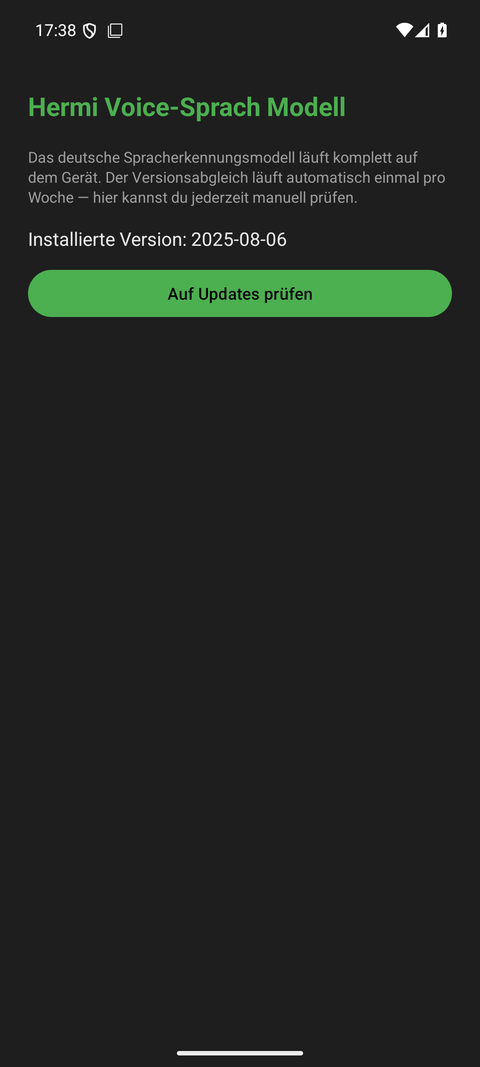
English Version below.
Deine Sprache wird vollständig auf deinem Gerät erkannt – ohne Internetverbindung und ohne Cloud. Das schützt deine Privatsphäre: Deine Audioaufnahmen verlassen das Gerät nie.
Wie es technisch funktioniert (kurz erklärt)
- sherpa-onnx ist die Erkennungs-Engine, die HermiVoice eingebettet hat.
- Zipformer-Kroko ist das verwendete Spracherkennungsmodell – kompakt und schnell direkt auf dem Gerät.
Modelle für Deutsch und Englisch
- Deutsche und englische Modelle sind parallel installiert.
- Je Modell fällt genau einmalig ein Download von rund 57 MB an.
- Das aktive Modell folgt der UI-Sprache der App: Ist die Oberfläche auf Deutsch, erkennt HermiVoice Deutsch; bei Englisch entsprechend Englisch.
- Der Wechsel zwischen den Sprachen erfolgt sofort – ohne neuen Download und ohne Neustart.
Praxis-Tipps
- Lade die Modelle am besten im WLAN herunter.
- Solange ein Modell für eine Sprache nicht heruntergeladen ist, kannst du in dieser Sprache keine Spracheingabe nutzen – tippe dann einfach oder wechsle die Sprache in den Einstellungen.
Your speech is recognized entirely on your device – no internet connection, no cloud. This protects your privacy: your audio recordings never leave the device.
How it works (in short)
- sherpa-onnx is the speech recognition engine embedded in HermiVoice.
- Zipformer-Kroko is the speech recognition model used – compact and fast directly on the device.
Models for German and English
- German and English models are installed in parallel.
- Each model requires exactly one download of about 57 MB.
- The active model follows the UI language of the app: if the interface is German, HermiVoice recognizes German; in English mode it recognizes English.
- Switching languages happens instantly – without a new download and without a restart.
Practical tips
- Download the models over Wi-Fi if possible.
- As long as a model for a language has not been downloaded, you cannot use voice input in that language – simply type instead, or switch the language in the settings.