Documentation
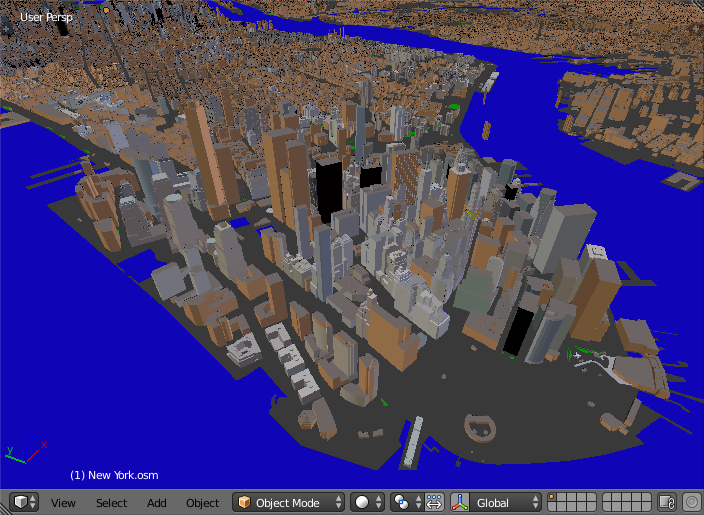
The addon imports a file in the OpenStreetMap format (.osm).
There are free and paid (2.85$) versions of the addon. The only difference between them is a popup window that shows up after the import finished. A mouse click closes the popup window and brings you to the webpage to buy the paid version for just 2.85$.
By buying the paid version you support the addon development.
The following items can be imported by the addon:
- Buildings. Building height, number of floors are used to create the final scene. Composition into 3D parts for a building with the complex structure is also processed.
- Water objects (rivers and lakes). Imported as polygons
- Highways, paths and railways. Imported as polygons.
- Vegetation (forests, grass, scrubs). Imported as polygons.
Polygons with holes are supported!
Buy the addon for just 2.85$ or download a free version from here. In either case you will get a zip archive. Install it via the usual Blender way:
- File → User Preferences... → Addons → Install from File...
- Find the zip archive in your file system and press Install from File... button
- Enable the addon by checking the Enable an addon
- Press Save User Settings in the Blender User Preferences window
- File → Import → OpenStreetMap (.osm)
- Find an OpenStreetMap file in your file system
- Press Import OpenStreetMap button
- If you have the free version, a popup window shows up after the import finished. A mouse click closes the popup window and brings you to the webpage to buy the paid version for just 2.85$.
- The paid version doesn't show you the popup and brings you directly to the imported scene.
For detailed instructions, limitations, tips and tricks see the Documentation.
- Paid version
- twitter: @prokitektura
- blenderartists.org: thread