Home
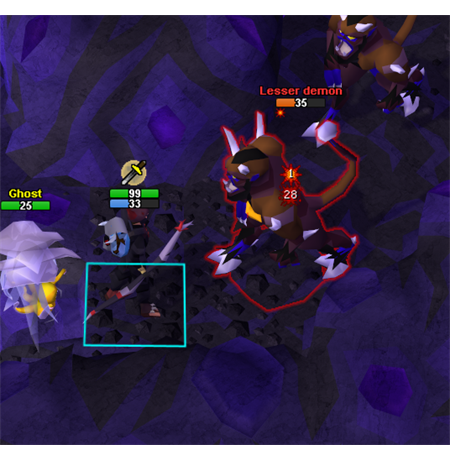
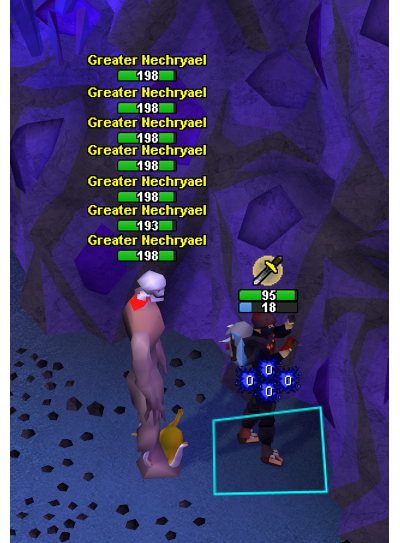
A RuneLite plugin that replaces the native overhead health bar with a custom overlay: HP drawn as a number on the bar, independent styling for NPCs, yourself and other players, precise NPC HP, and optional Prayer, special attack and run energy bars beneath your own.
| I want to | Go to |
|---|---|
| See every setting and its default | Settings reference in the README |
| Know which bosses the shield, charge and HP numbers cover | Boss and mechanic support |
| Work out why something looks wrong | Troubleshooting |
| Report a bug or request a feature | Reporting a bug |
The README is the reference for settings, and it ships in the same commit as the code, so it is always the accurate one. These pages cover the things that do not fit in a settings table.
- Install Custom HP Bar from the RuneLite Plugin Hub.
- Open its settings. Your own bar and NPC bars are on by default; other players' bars are off.
- The plugin hides the game's own overhead health bar by default, so you only see one bar per actor. Turn off Hide Native Health Bar in Behavior if you want the original back.
Everything else is optional. The settings are grouped into eight sections, split by who the bar belongs to (NPC, yourself, other players) and then by Style versus Info.
- Shows an NPC's exact current HP rather than a coarse ratio, where the max HP is known.
- Draws a shield bar and a charge bar for encounters that have those mechanics.
- Stacks Prayer, special attack and run energy under your own HP bar, in an order you pick.
- Previews what a hovered food, Prayer restore or Stamina potion would refill.
- Tints the bar and shows an icon for poison, venom, burn, bleed, disease and corruption.
- Stacks bars vertically when actors share a tile, instead of letting them overlap.