FR: Lightbox for images #53

Replies: 3 comments

|
Thanks for the suggestion, @adrienne. I’ll look into a good way to do this. Off the top of my head I’m thinking about adding a parameter that can be passed into the image component to enable the lightbox upon click, then from there use Craft’s built-in modal setup. |
|
Hi, @adrienne! I finally got a chance to implement this in Guide 3.3 (releasing later this month): There's now a new {{ craft.guide.component('image', { asset: craft.assets.filename('dropping-the-chili.png').volume('guide').one(), lightbox: true }) }}Or you can manually add a modal to show any kind of content within it: <modal ref="my-modal" click-outside-to-close aspect-ratio="1 / 1" teleport-to="body">
{{ craft.guide.component('image', { url: 'IMAGE_FULL_RES_URL' }) }}
</modal>
<button type="button" @click="$refs['my-modal'].open()">
{{ craft.guide.component('image', { url: 'IMAGE_THUMBNAIL_URL' }) }}
</button>Thanks for your patience as it took me a while to get back to Guide development this year. |
|
@adrienne, I found a better way to handle this than using a Craft modal like the example above. I've added a new argument (called This is available in a beta for Guide 5 and here is a blog post announcing the new features: https://wbrowar.com/article/code/guide-5 |


Uh oh!
There was an error while loading. Please reload this page.
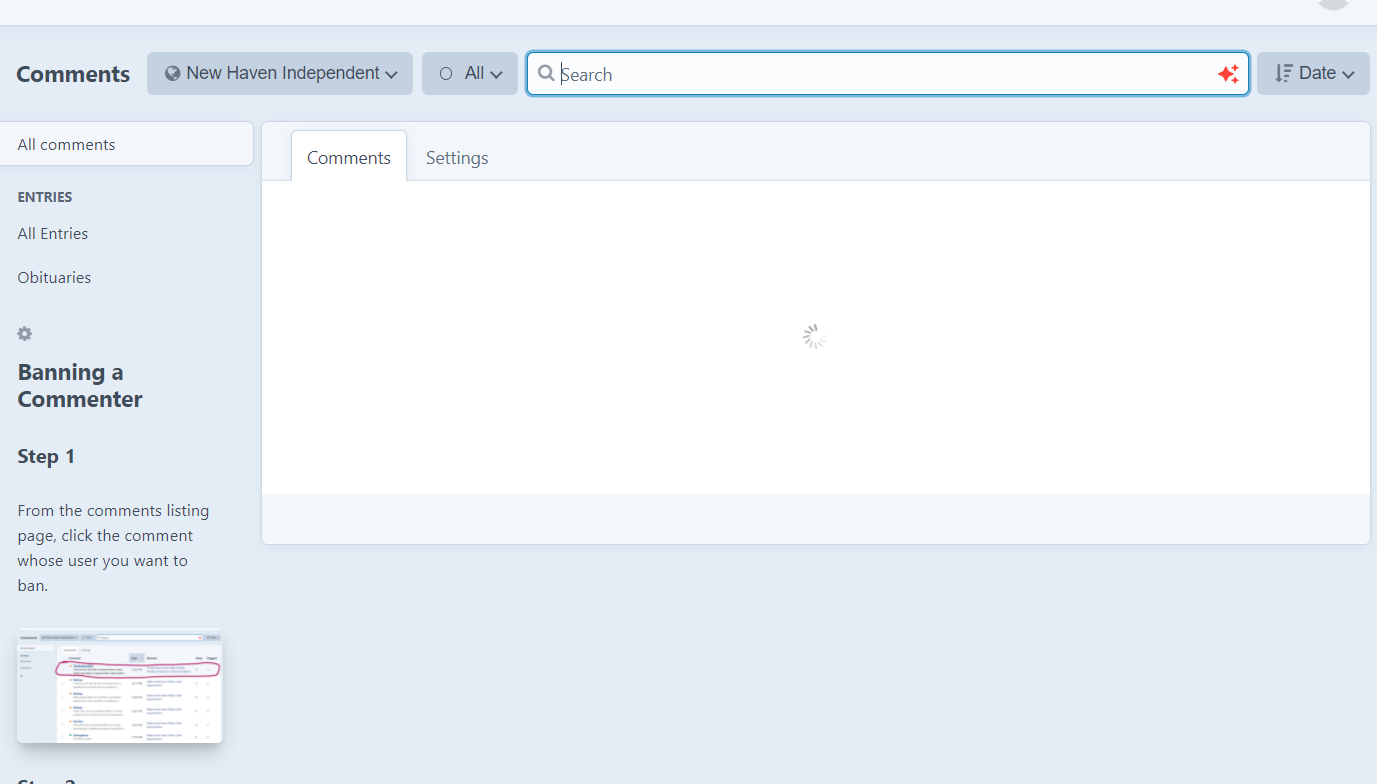
We are sticking guides in the sidebars of certain pages, which works great! But any images we put in get shrunk to very small, obviously. Perhaps optional lightbox functionality for images, or else an overall modal option (like TL;DR but an actual modal instead of just show/hide)?
Screenshot of one of our guides with the problem:
All reactions