Home
On Going
Welcome to the Bluetooth-DMM-For-Windows Wiki!
It's a Windows Software to receive data from Bluetooth Digital-Multimeter (BT-DMM)
additional to the are official Software packages.
| WINDOWS | ANDROID | iOS |
|---|---|---|
| Bluetooth-DMM-For-Windows | BT-DMM | e-Bull |
Here are a little Overview:
- Multiple Languages, first based on Windows System-Language
- Presets for
- Autostart
- Auto-Connect
- Minimize to Tray
- App allways on Top
- Use MQTT
- Save Window-Position
- Views
- Digital-Display
- Analog-Display
- Chart-Display
- Export Data
- Chart as DCD - File
- Measurement as CSV - File
- Measurement as MQTT - JSON
- Import Data
- Chart as DCD - File
| Picture | Description |
|---|---|
 |
Connect to device (?) |
 |
Data Chart (activated with ✔) |
 |
Analog Display (activated with ✔) |
 |
Always on Top (activated with ✔) |
 |
About |
 |
Maker and Versions-Number |
| Picture | Description |
|---|---|
 |
|
 |
Language selector (preselected by system-language, changeable) |
 |
Auto connect to known devices on startup (activated with ✔). If Selected App will try to connect devices which you connected. |
 |
If Auto Connect Startup option is selected you can manage recoded devices. Manage-Known-Devices |
 |
Ask before connect (activated with ✔). If Seleted App will ask to connect if there is a device that available for connection that you previously connect. |
 |
Start program with activated chart (activated with ✔)If selected Data Chart will enabled on app started. |
 |
Show Program always on top (activated with ✔) If selected App will be on top of the most apps. |
 |
Start program with activated analog display (activated with ✔) |
 |
Save window-position (activated with ✔) If selected app wil recognize last position and size of main window on startup |
 |
|
 |
Generates a file in working directory for debuging (activated with ✔) |
 |
Auto reconnect (activated with ✔) If selected app will reconnect the last connected device on same sension |
 |
Program always minimized to tray (activated with ✔) |
 |
Run program on windows start (activated with ✔) |
 |
Enable configured MQTT client (activated with ✔) |
 |
MQTT setting dialog |
- Connect to device
- Rename device ( -> settings/manage known devices)
- Standard view
- Standard view with Chart
- Standard view with analog bargraph
- Standard view with analog bargraph and chart
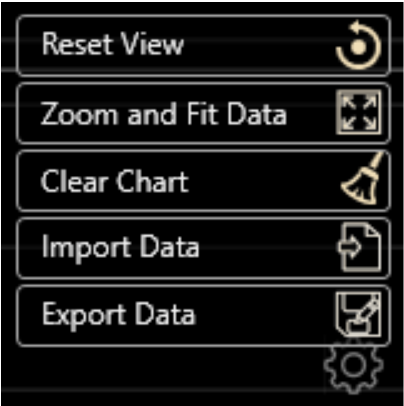
- Reset View (Resets data scales to apps default)
- Zoom and Fit Data (All datas will fit in chart area until zoom. Zooming enables scrool to Last value if there is new reading from DMM)
- Clear Chart ( Clears all values in chart)
- Import Data
- .dcd (internal graphical chart)
- Export Data
- .dcd (internal graphical chart)
- .csv
- Format: Time,CurrentType,Value,Symbol,BaseVal,BaseSym(values based on main range like V, Ohm, Farad)
- Coding: UTF8, Seperator = ","
- Disable timeout on BT-DMM's
- ...